



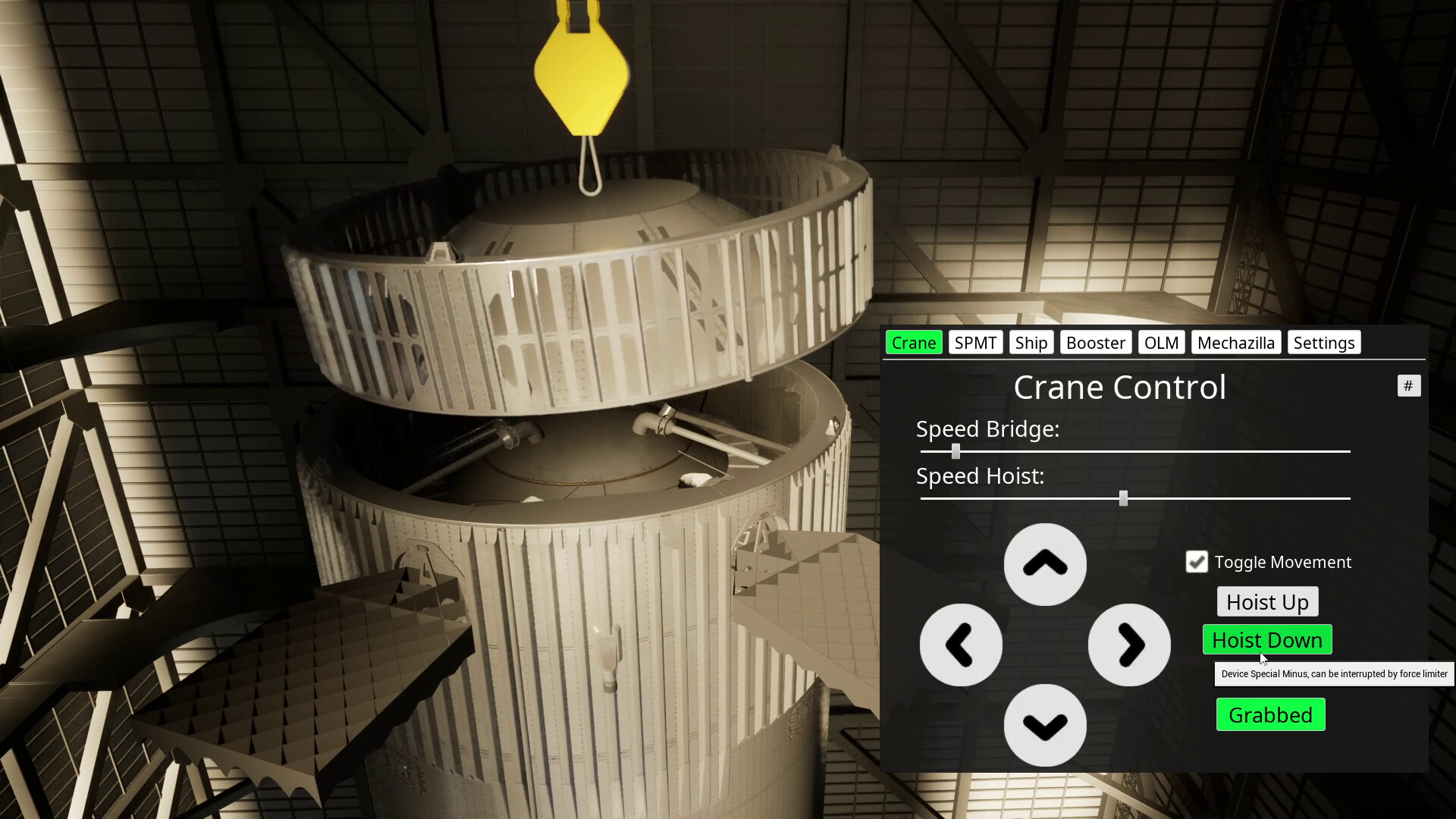
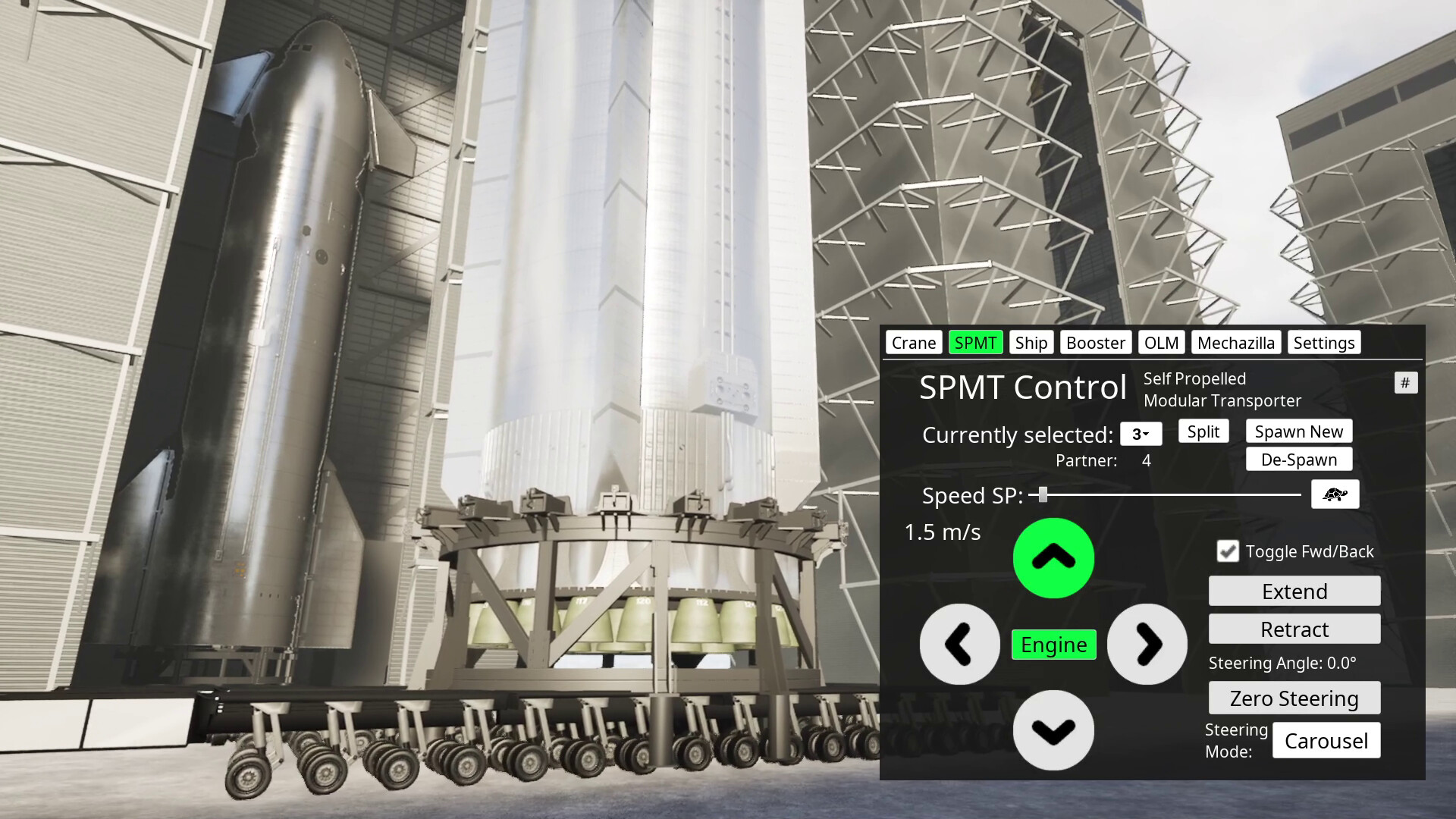
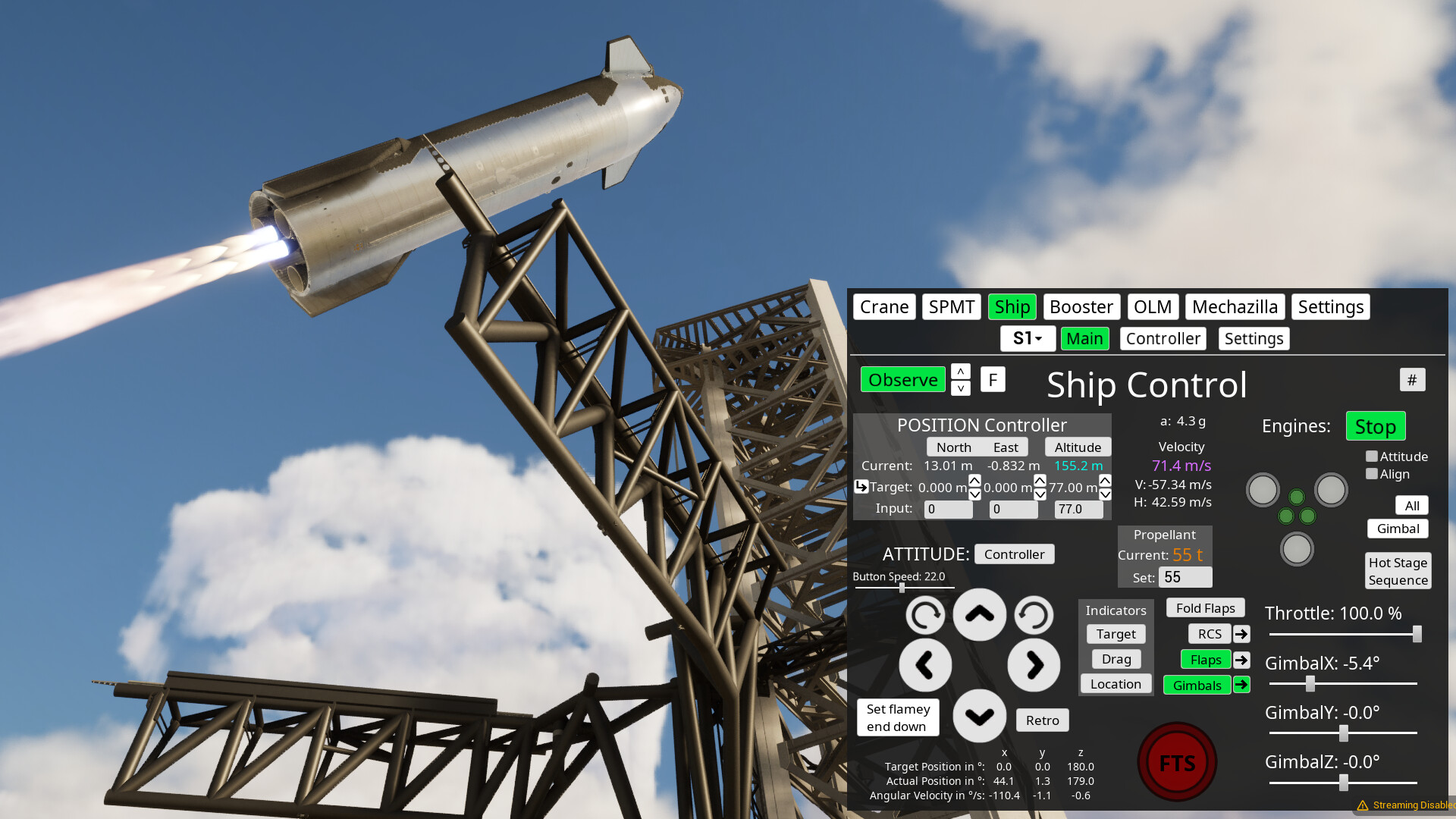
This is a physics sandbox where you can play around with Starbase devices.
You walk or fly around in first or third person to look at and operate all kinds of devices. For example, you can drive a so called Self Propelled Modular Transporter (SPMT) under the booster, lift it up, transport it from the build site to the launch site (at real world scale and distances), pick it up with the launch tower lifting device (a.k.a. chop sticks) and put it on the launch mount.
Then you can do the same for second stage and stack it on top, launch the full stack, do the hot staging maneuver and return first and second stage to launch site and try to catch them with the chop sticks.
All this is simulated with more or less realistic, slightly simplified physics. You can have it fly mostly automatic (in the future hopefully completely automatic) or control everything yourself, if you want, down to the settings of the PID controllers for angular velocity.
You can do all this also in co-op mode in multiplayer. But it's very rough still. So expect some wonkiness. Consider it more as a nice-to-have add-on.
You can not fly into orbit around earth yet. You also can't go into the rockets yet, but you can follow them as observer anywhere. These features and much more, like Moon and Mars, are planned for the future.
The main idea with this project is to closely follow and recreate the developments of the real Starbase in BocaChica, Texas and have fun learning to understand how everything works there, and later if they go the Moon, we go to the Moon with them.
There is a lot missing that needs to be added, so this will be in Early Access for a while probably.
The demo is just an older version and without multi player support. In this case, it\'s from March, before Block 2 was added. Check the changelogs in the update posts to see all the differences and additions that the latest Early Access version has.
There have been some minor GPU memory improvements since this demo version, but overall you should get a pretty good impression of how the game runs on your system before you buy it.
Remember: \"buying\" here means most and foremost supporting the development of the game or just because you like it and had some fun with it in the past. You also get a little bit in return with a couple of new features and multi player support. But it\'s not that much and there is no reason for me to have sales. So instead of waiting for a sale, get the demo and if you feel like giving that extra support and getting those extra features, get the EA version any time.
Thank you! :)
[img src=\"https://cdn.cloudflare.steamstatic.com/steamcommunity/public/images/clans/45298327/6bd32a897a114de5199b2020afa1a311e2c0016d.jpg\"][/img]
Finally also Linux is on latest version again and sorry for the delay!
Since this is a small one, here are all the changes:
added possibility to load propellant on booster and ship at the same time with individual tanking panels
[/*]added possibility to dump methane or oxygen individually and a setting for dump speed
[/*]increased flame effect range and made it taper out (e.g. less plume generation the further away the flame is)
[/*]fixed engine firing still impacts deluge after booster explodes/despawns
[/*]fixed testmap having ability to be online experience
[/*]fixed OLM and tower vents replication
[/*]fixed subcooler explosion
[/*]made nanite off by default (results in little less GPU memory usage, but more GPU processing usage, note: if you have little GPU RAM and get lag, you should try disabling it in extra settings panel, if it is on
[/*]adjusted Stack, OLM, Tower and SQD alignment a little so that everything is a bit more centered
[/*]
[img src=\"https://cdn.cloudflare.steamstatic.com/steamcommunity/public/images/clans/45298327/ac51f1673af52a93f701b53480154b9546dabb04.png\"][/img]
[dynamiclink href=\"https://www.youtube.com/watch?v=blm7cV8OCeM\"][/dynamiclink]
Major changes:
fully replaced OLM with model by Ryan Hansen
[/*]including deluge plate, that can also be destroyed
[/*]the outer booster engines can now only be fired when the booster sits on the OLM and the Raptor QDs are connected (fully extended)
[/*]small additions to API (see full changelog below), including fix of game crashing when spawning something
[/*]added OLM and Tower vents (cosmetic)
[/*]
The model
[p align=\"start\"]The most important part is that everything is super accurate. You dont see this level of attention to detail and accuracy often. Also because it takes a lot of time and effort of course. Best example, is how Nicks booster almost perfectly fits in between the clamps and Raptor QDs:[/p][img src=\"https://cdn.cloudflare.steamstatic.com/steamcommunity/public/images/clans/45298327/0496f0f3bcbd46b76bb0e67e58eb82ae792d1c42.png\"][/img]
[p align=\"start\"]No modifications were necessary. That saved me some time. But there was still quite a bit to do on optimization of the model. I could get it down from about 3 million verts to 900k. This is to a big part from removing most of the bevel modifiers which make the edges look nicer, but add a ton of verts. Youll usually dont notice it from far away anyway. So thats an easy save always.[/p][p align=\"start\"]The other big part was the deluge plate which had 1.4m verts alone. It was not easy to simplify it without breaking it. But I managed to get it down to less than 200k verts. A texture would make more sense, but might have taken much longer to do, for me at least. You can see parts of the deluge plate from the original model with highlighted verts in this one:[/p][img src=\"https://cdn.cloudflare.steamstatic.com/steamcommunity/public/images/clans/45298327/4cf23a3e27ad92fe3373ed8e8cd4cf7d1fffbb2c.png\"][/img]
[p align=\"start\"]You can also see the details on the Raptor QDs here with all the hoses that are also animated in his model. But I decided to not do that for the game to save on some performance as you wont really be able to see that unless you are inside the OLM anyway. Animating the two big hoses on the BQD was hard enough.[/p][p align=\"start\"]Another thing that I didnt include are the deck stabilizer pins and the actual hold down clamps on the clamp arms. These would have probably required quite a bit of extra work to make them usable. Besides, I was also desperate to find some things to safe on verts [/p]Performance
[p align=\"start\"]So thats quite a lot of additional verts with this model and a bunch of additional textures as well. So GPU memory requirement went up again. You might notice it when you are close to the OLM and there is a booster and ship nearby as well. If you were close to the limits of your RAM before, you might get frame rate drops now. At least thats what happened to me and you can see that in the video. Then you have to reduce graphics quality or get a new GPU.[/p]Outlook
[p align=\"start\"]So there are still some things left to do on this OLM. Also the materials could need some more love. But I dont think I will touch it for a while. Next up should be Pad B anyway. The problem with this one is, that this would also need at least the new booster version to be able to use it with its new QDs.[/p][p align=\"start\"]Even though, the bigger issue is that development will slow down now, likely substantially, due to personal circumstances. More about that later.[/p][p align=\"start\"][/p]Full changelog
added option to remove OLM shielding (cosmetic)
[/*]default files in local user data are now only copied the first time starting a game after updating it
[/*]fixed pusher toggles bugging out pusher movement
[/*]added OLM deluge plate
[/*]added OLM and Tower vents (cosmetic for now)
[/*]added option to switch between clean and dirty OLM textures
[/*]adjusted tank farm vents a little
[/*]adjusted position of stacking indicator
[/*]adjusted alignment of Ship static fire adapter on OLM
[/*]fixed script runs commands twice and script button not stopping it
[/*]fixed when client spawns ship stand on OLM it cant be despawned anymore
[/*]fixed some issues with engine firing logic
[/*]added more of Ryans Pad A OLM
[/*]the OLM clamps now have functioning RQDs (need to be connected to fire the outer booster engines!)
[/*]added more API data that is sent by the rocket: oxidizerGasMass, fuelGasMass, TurbopumpTemperature, Throttle
[/*]added API commands: PadAOLMClampsExtend, PadAOLMRQDExtend, PadASpawnStack
[/*]renamed API example file to API_Example.py
[/*]rocket explosions got a small touch-up (booster also spawns grid fins and some engines now)
[/*]made it so that decals dont appear on player character anymore
[/*]fixed drag indicator in wrong position when switching it on before target indicator
[/*]fixed game crashing when spawning a rocket while API client is connected and data is sent to it
[/*]
Major changes:
added BQD - model by Ryan Hansen Space
[/*]added static fire stand for Pad A (1) - model by ChameleonCircuit
[/*]added makeshift Ship umbilical - model by Questin
[/*]added Decals
[/*]added API
[/*]Restructured local user folder files -> see readme for more about that.
[/*]Default ship script has been fixed, but default spawn position and velocity changed, so you need to reset ship settings for the script to work.
[/*]The event based scripting has been moved to a slightly different system in the backend that is shared with the API stuff, so some commands might not work 100% anymore like before. Please let me know, if anything isn\'t working as before anymore (after reading next point)
[/*]Changes when using \'retro\' mode: it is turned off automatically now when going below 10 m/s or when triggering \'flamey end down\' (need to adjust scripts for that!)
[/*]
New Pad A (1) OLM parts
[p align=\"start\"]Before going into this: Yes, it has been officially designated as Pad 1 now, but I will continue to use A as I have it everywhere in my files like that. So in the following I\'ll just refer to it as Pad A always.[/p][p align=\"start\"]Originally I never was very keen on overhauling the OLM as it likely will be replaced pretty soon. But then this happened right as I was about to start on the new update:[/p][img src=\"https://cdn.cloudflare.steamstatic.com/steamcommunity/public/images/clans/45298327/74516ec5ccbc2d75b343d467e38c44abdfe39a77.jpg\"][/img]
[p align=\"start\"]So I threw all plans out of the window as the destruction of Massey\'s during S36 testing would probably mean a potential huge delay for the next flight.[/p][p align=\"start\"]In the end, the delay was not that big due to the re-purposing of the Pad A OLM for ship static fire testing of Block 2 ships. So while I was looking into different things that could be done for this update, fairly quickly the first parts for the Pad A ship static fire operations appeared with the adapted transport stand. So this became center of attention and since it is easy to add, I decided to make this part of the update.[/p][p align=\"start\"]What was not so easy to find was someone who could supply me with the new makeshift ship umbilical on top of the BQD. So that just got finished up yesterday by Questin.[/p][p align=\"start\"]Then of course for the umbilical structure the BQD covers were needed. So I looked into the latest SLE OLM, if I can use some parts of it, but nothing would really fit to my existing model. That meant, I would have to start over completely. However, since Ryan Hansen promised me to send me his model some time ago, I approached him again and he was so kind to give me access.[/p][p align=\"start\"]Initially I was trying to implement his full model already in this update, but soon I realized that would be way too much work, at least for doing it correctly, with somewhat decent materials. Here is the state to which I got before deciding to give it more time, which is basically just the outer hull:[/p][img src=\"https://cdn.cloudflare.steamstatic.com/steamcommunity/public/images/clans/45298327/a78655f7afb1c45a31b4a848639f7ab73f4a95cb.png\"][/img]
Because it deserves more time! It\'s an absolutely superb model. I have seen a lot of Blender models now from all kinds of people and that\'s by far the best in every respect, especially when it comes to accurate dimensions of everything, which is often lacking in other models. Only ChamelonCircuit\'s come close to Ryan\'s level.
[p align=\"start\"]Accurate dimensions are very important for me since I take models from many different places that need to work with actual physics in the end.[/p][p align=\"start\"]Unfortunately, it is not possible to reproduce the Blender materials easily in Unreal Engine since they are mostly procedural, using nodes that Unreal doesn\'t have. So I will have to spend quite some time again to make new similar looking procedural materials or find fitting texture based ones. But that is already outlook for the next update.[/p][p align=\"start\"]So for the moment only the BQD has been added from Ryan\'s model. It doesn\'t quite fit the current OLM, but hopefully it won\'t stay long like that.[/p][p align=\"start\"][/p]API - Application Programming Interface
[p align=\"start\"]This is based on TCP sockets. You don\'t really need to know anything about that. Just look at the [u]Python file [/u] that has an application example. It says where to put your own logic and how to use the data and commands.[/p][img src=\"https://cdn.cloudflare.steamstatic.com/steamcommunity/public/images/clans/45298327/a7e65245c843240627ed8f374d1c10e20e6ee5e5.png\"][/img]
[p align=\"start\"]Currently it\'s mainly for controlling rockets and doing catches like what is available in the existing event based scripting system. There are a few additional commands here though like for spawning rockets and more will be added. You can see all commands also in the [u]example file [/u].[/p][p align=\"start\"]We have to see yet how performant this system is. Maybe you can do your own controllers with it for example.[/p][p align=\"start\"]You can use any programming language as long as it supports TCP sockets. This is one big advantage. The other one is that it is independent of the game and Unreal Engine version, as long as the interface doesn\'t change.[/p][p align=\"start\"]This is all very experimental. I have only done a little bit of testing myself. But didn\'t get much feedback yet from people that have the dev version.[/p][p align=\"start\"]At least there is a how-to video already up on [u]YouTube [/u] :)[/p]Decals
[img src=\"https://cdn.cloudflare.steamstatic.com/steamcommunity/public/images/clans/45298327/6c7f1bd9513f26b9c6b6646f60c87fea656a5c9b.png\"][/img]
[p align=\"start\"]This is a pretty simple system. It reads in json files from the local user folder that reference a texture file and supply the transform data for where to put the decal object using that texture. So you can put any amount of textures in any location. Even though it just works on the ship main body right now, not on flaps.[/p][p align=\"start\"]Note, that the decals are projected onto the surfaces. So sometimes you need to rotate them a bit so that it looks correctly or use a small scale so that it doesn\'t project it on things that it shouldn\'t.[/p][p align=\"start\"]You can place them also in the world like this:[/p][img src=\"https://cdn.cloudflare.steamstatic.com/steamcommunity/public/images/clans/45298327/f6ae4bbcef3066899eb9b7587fee37020dd68c43.png\"][/img]
[p align=\"start\"]I set a very small scale there in z direction so that it doesn\'t project it too much on the player or the legs of the stands.[/p][p align=\"start\"]There isn\'t a how-to video yet about decals. But I will try to make one soon.[/p][p align=\"start\"][/p]Modding
[p align=\"start\"]The main reason why the API and Decals are in this update is because I have also looked into modding support after the Massey S36 incident. I might use mod.io in the future, but there is a bug with Unreal Engine 5.4, so I have to wait until I upgrade engine version, which I don\'t want to do anytime soon.[/p][p align=\"start\"]In the meantime, I have restructured the files in the local user folder and put the things that are already moddable into a corresponding folder. So currently you have to go through this for using any mods. Check the readme for more details about these changes.[/p][p align=\"start\"]In the future a system like with mod.io would be great to manage the mods and get new ones. There might be also better tools for using it for mod creation directly with Unreal Engine.[/p][p align=\"start\"][/p]Outlook
[p align=\"start\"]Next up is of course the full new OLM model by Ryan Hansen with lots of awesome details. You will love it! :)[/p][p align=\"start\"]Apart from that, there will just be bug fixes. So that should be a quick one.[/p][p align=\"start\"]After that will come more launch site upgrades in future updates. There is a lot in the pipe line that different people work on and I\'m excited to put in.[/p][p align=\"start\"]One more thing: For a moment I was also considering implementing more ship failure modes like exploding COPV\'s and also played around with other explosion effects for the ship. But then this went out of focus. However, there is still a different explosion in this version. I don\'t like it that much though. So I might look into replacing that.[/p][p align=\"start\"][/p]Full Changelog
added Pad A makeshift Ship umbilical (model by Questin, spawn through OLM panel)
[/*]adjusted ship transport stand spawn position
[/*]adjusted OLM and full stack spawn alignments a little bit
[/*]fixed tank farm not registering despawning of booster or ship
[/*]fixed on client: tank farm methane ice display not working
[/*]added first part of new Pad A OLM: BQD
[/*]added more API data that is sent from rocket: velocity and which engines are running
[/*]improved default ship script (based on Milan\'s script, note: default spawn props have changed and need to be reset!)
[/*]fixed a collider issue lagging the game when popping Ship Block 1 RVacs
[/*]fixed Block 1 RVac orientations
[/*]fixed a dev version issue when putting multiple script commands for ControllerAttidude
[/*]in the API it is now also possible to put multiple commands at once for ControllerAttidude and Chopsticks
[/*]added static world decals that can be placed anywhere (extra settings panel)
[/*]added stack position indicator as default world decal (currently the only default one)
[/*]decals now have \'Type\' property to designate in which panel the file will be selectable (Every json needs this now to appear in the selector! delete defaults to see how it looks.)
[/*]added fuel and oxidizer mass to data that is sent through API
[/*]adjusted Pad A plume generation and scaling
[/*]event based scripting is also piped through C++ command processing now (this might effect script execution)
[/*]changed AttitudeTarget API command so that it sets the target directly to the supplied value
[/*]changed ControllerAttitude API command so that on/off is also piped through parameters
[/*]fixed some small replication issues on control panels
[/*]added API via TCP sockets (see Python file in local user folder for more info)
[/*]updated the Pad A ship static fire stand adapter model
[/*]added decal selector to ship settings panel
[/*]restructured local user data, so that everything is now in a \'Mods\' folder including scripts (see readme)
[/*]custom decals can be added via the Mods folder
[/*]made some adjustments to booster and ship settings panel layout
[/*]in retro mode: when going below 10 m/s, it is turned off automatically now
[/*]in retro mode: when clicking \'flamey end down\', retro is turned off now
[/*]button \'Reset All Booster and Ship Settings\' now resets also already spawned items
[/*]fixed panel input fields not taking into account system of units
[/*]fixed attitude controller display selector getting options added every time one switches between ships or booster
[/*]fixed hole in water
[/*]added option to spawn Pad A ship static fire stand from OLM panel
[/*]
\n
Apart from some major GPU optimizations to reduce memory consumption, this contains a lot of smaller fixes and changes. Here are the major points:
added anti-gravity toggle to extra settings panel (for easier ship re-entry)
[/*]zooming in (reducing fov) shouldnt drop FPS anymore
[/*]ship and booster should swing less now when on chopstick rails
[/*]engines now shoot out when popped
[/*]overall GPU RAM requirement should be a bit lower
[/*]it can take some time now until textures are fully loaded in
[/*]start menu loads in quicker now, filling less RAM, and you should be able to enter this always now to adjust settings before loading into map
[/*]re-arranged the start menu and added a test map that just has the launch site, if you need something that requires less memory
[/*]
I got a lot of small things off my list including some annoying ones that were there already before the latest update. So Im quite happy now and can fully focus on next update. Ill update the roadmap soon.
Full changelog
added display of horizontal velocity components in booster/ship panel,
removed unnecessary center of mass offset on Block 2 that is on Block 1 to balance it on sticks,
fixed some panel tool tips and tank farm digit displays,
fixed game crashing on server when restarting with client connected,
fixed an issue with booster lod,
added anti-gravity toggle to extra settings panel (for easier ship re-entry),
extra settings have now a separate panel,
set r.RayTracing.Culling=3 and r.RayTracing.Culling.Radius=153333 (should increase ray tracing performance, especially when reducing field of view),
added script commands to retract OLM and QDs as well as Masseys Deluge (see readme),
added overlay that shows version number (only for itch and dev version),
added Stargate to optional spawn toggle on extra settings panel,
added reset all booster and ship settings button to extra settings panel,
added option to toggle auto exposure to lighting panel,
made it so that clicking hot stage button on ship panel also triggers sequence on booster when stacked,
adjusted ship payload door opening mechanism so that it is a bit less glitchy on client,
fixed fov not resetting when zoomed in and not closing game via menu,
fixed some tank farm panel digit display issues,
fixed volumetric fog setting not being saved,
fixed some issues with volumetric fog and ray tracing (r.VolumetricFog.InjectRaytracedLights=1)
ship and booster should swing less now when on chopstick rails,
engines now shoot out when popped,
added test map to start menu and re-arranged buttons to fit everything better,
added nanite toggle in extra settings panel for testing,
replaced ship nanite version with lod,
optimization: different things on textures, which can load in slowly at beginning now,
optimization: cleaned up unused/invisible objects,
optimization: start menu doesnt load in everything anymore,
optimization: reduced water quality a bit (bit scuffed for the moment, but will be replaced sooner or later altogether anyway,
added one second delay when spawning stack on map start to see if it fixes random explosions,
fixed when spawning full stack block 1 option not working,
fixed when spawning full stack with run script ticked, it doesnt initialize it fully, and also not adding it to the selection boxes

Besides the new Starship model, that has a movable payload bay door now, there are also a few general additions and fixes to the ship. Here are the major changes:
- added Starship Block 2 model by ChameleonCir
- you can select which version to spawn
- added possibility to choose from multiple onboard camera positions defined by json file (only for ship for now)
- added engine failure mode toggle to extra settings tab (also just for ship)
and some that may seem not so major, but are important changes or fixes that I'll explain below:
- added gravity toggle for ship/booster to extra settings tab
- some multiplayer fixes/changes
- fixed z attitude error not wrapping correctly between +/- 180 and the associated gimbal twitching in certain situations
- fixed RCS stuck on 1.0 input when it should go from 1 to 0
NOTE: Linux version should be ready soon.

Performance
Before I explain everything, one remark about performance issues. I noticed that, on my system at least, there are more often now brutal frame rate drops, especially at the beginning after launching the game, but also in certain situations like when zooming in (reducing FOV). In that regard I made some changes, that should improve the situation at least a little bit. But overall the situation is getting worse and worse.
Please let me know, when you experience something similar and what's your PC specs. Also let me know, if you don't have these problems.
I think, it might be connected to the GPU memory requirements going up after adding more and more stuff. I might need to do a bigger optimization pass after or for the next update even.
Explanations
I will just put some words quickly together here for now and then full devlog will follow later when I post it on the homepage.
Flying
First of all, with Block 2 the drag coefficients as well as flap controllers are now set up in such a way that it should be possible to have proper re-entry aero braking. However, there is still a flat earth. BUT, you can now toggle off gravity for the ship. This makes it easy to stay at an altitude or slowly adjust it by using only the flaps to change the angle of attack. So you can brake down a bit more realistically now.
For the next patch, I can also try a mode to add some force based on horizontal velocity to fake a curved trajectory.
Multiplayer
While trying out things to fix an issue, I tried enabling Unreal Engine's new experimental predictive interpolation feature, and it is great! It reduces the high velocity glitching on clients a lot. You can actually do something now on a ship that is flying at 6 km/s! :D
I thought, I tried this feature already after upgrading the engine and remembered that it wouldn't do much, but maybe I misremembered.
Then there have been some major changes in the back to how things are spawned, also due to the new option to be able to select what model to spawn in case of ship. This should also fix some multiplayer issues, but it might have introduced some new. So we have to see how it goes.
Controllers
For the longest time there was this annoying z attitude error issue which led to the gimbals twitching in certain situations. I looked at it one time already and copied some code from the original Arducopter library. It improved the situation, but didn't fix it completely. So I looked at it again, and with the help of Grok, I realized that the Unreal math functions are not doing exactly the same as the math functions from the Arducopter library even though they look very similar. So I copied the functions from the library as well and now the gimbal twitching is gone. I'm very happy about this :)
The other issue with the RCS getting stuck was mostly a problem with manual control, which made that basically useless. So it's useful now, yay!
Outlook
Since Linux version is also available now on Steam, next up is Mac version. I might set up a go-fund-me or something to help with that.
btw, there is also a Steam dev version now.
Things like cameras and engine failures will, of course, come also for the booster. But that will be part of a major overhaul of how this is set up which will be done when upgrading the booster to the next block version. But that is further out in the future.
For the next update more launch site stuff is planned like new chopsticks and maybe some of Pad B. Then maybe also some of the features that I didn't get in before release for this update, like custom decals on ship, starlinks, or the capped test ship that appeared in Zack's latest video.

Full Changelog
"adjusted scripts for rough landing attempts for retail release",
"enabled predictive interpolation option on booster and ship (should glitch less now on clients)",
"added PopEngine, ChillValve and DumpFuel command to scripting (see scripting readme for details)",
"added very simple fuel dump mechanic (via chill valve)",
"addded spawn highbay option to extra settings tab on panel",
"booster ship clamp is now being released automatically on firing the ship",
"fixed can't open valve when rocket tank is empty and pump is running",
"fixed when 'run ship' is toggled and you spawn a new booster, it doesn't take it into account",
"fixed gridfin drag indicators not being updated"
"added engine failure effects",
"changed some things on how ship and booster are spawned so that it is hopefully more reliable now in multiplayer"
"engine toggles now change color based on engine state",
"added more and custom onboard cameras for ship",
"added first iteration of engine failure mode for ship (extra settings tab)",
"added gravity toggle for ship/booster to extra settings tab",
"fixed z attitude error not wrapping correctly between +/- 180 and the associated gimbal twitching in certain situations",
"fixed an issue with hot stage ring collider activation handling (might fix it getting stuck when detaching)"
"added 'fold' command for flaps in scripting (use instead of 'on', only works if flaps are not on)",
"changed terrain lod settings to try improving frame drop situation when zooming in (reducing fov)",
"added option to choose which ship model to spawn",
"door on block 2 can be operated now",
"made Pad B launch mount movable",
"fixed a small RCS bug, so that it won't do anything anymore below a small tank pressure"
"fixed RCS stuck on 1.0 input when it should go from 1 to 0"
"replaced Ship Block 1 with Block 2",
"added option to reduce flying speed to settings panel"
"2025-03-26:":
[
"fixed BQD not connecting to booster",
"fixed shadow draw distance"
]
This is a small patch, mostly to fix a few things that were left unfinished in the latest release. Here are the major changes:
- ray traced shadows are activated again
- added possibility to clamp ship to booster (experimental)
- HSR can now be attached/detached/spawned from booster settings panel
- TWR on booster panel does now take into account ship, when it is detected
- Retro button does now activate a mode where it continuously updates the attitude target
- SQD has been finalized with animations, colliders and destruction
Below you can find the full changelog. If you are wondering why are there so many dates thats when updates to the dev version have been released. You can get access to the dev version, when you become a builder via the ko-fi commission.
Ship Quick Disconnect (SQD)

This has been a major time sink with this patch as I had to dig really deep into how to rig stuff in Unreal Engine, which I havent done before much, and I had to try out different methods on how to move the SQD. In the end I settled on what you can see in the screen shot from the editor above.
All the animations are happening in a control rig now. The only parts that are moved by physics are the main arm, the work platform and the QD plate that attaches to the Ship. These are driven directly through the blueprint and constraints.
A lot of time was also spent on how to animate the hoses. I even asked for help on the Unreal Source discord and some nice person suggested to use full body IK and it did the trick! Just needs some tinkering with all the settings.
Of course, there is a lot of room for polishing the SQD, especially since it doesnt have proper textures yet. But for early access status, its good enough for the moment.
Unfortunately with the current method it wont be easily possible to make it move so that you can connect to the ship without the HSR. So this possibility probably wont come anytime soon and its not important anyway. This would be more for historical purposes and then one could as well also add the old SQD again.
Ship Clamping
Its a very simple system, so dont expect too much from it. It basically just lets you set up a constraint between ship and booster, if the ship is within a trigger box on top of the booster (what was previously the Ship detected text appearing instead of where the Clamp Ship button is now).

You also have an option in the booster settings panel to increase the strength of the clamps (the threshold at which the constraint breaks). If you set this to a very high value, you should be able to fly the full stack through almost any maneuver, with some exceptions. Like when you have an empty ship on top, this wont hold very long, or when you have a fully loaded ship and you stop the engines while going full throttle.
Ray Traced Shadows

Its really nice to have this back. I had to quickly disable it before the Steam release as there was a problem with dark areas on Nanite meshes that I only noticed shortly before release and I couldnt look into it anymore. In the end it was an easy fix. The problem was that the shadows are calculated based on the fallback meshes and some method that can be affected with the command r.RayTracing.NormalBias=10 at this setting and with higher quality fallback meshes pretty much all the dark areas could be eliminated.
Outlook
Next thing will be having a go at the Linux version for Steam.
Then for next update at least Block 2 Starship is planned as I want to have it in before next flight. So it depends on when that happens. If soon, then not much more might be in this update.
I will also look into how to make the dev version available on Steam again for the people who dont can or dont want to use EGS for that.
Full Changelog
2025-03-25::
[
added a couple of colliders to the BQD,
fixed some small SQD issues,
fixed condensation effect bounding box
],
2025-03-24::
[
finalized SQD with some hoses, colliders, LODs and destruction,
added toggle to run also ship script to booster settings panel,
fixed some smaller client side issues on SQD and subcooler
],
2025-03-21::
[
added BigFlame and BoosterClamps commands to scripting,
added HSR multi function button to booster settings panel to attach/detach/spawn it,
removed detach HSR button from booster main panel,
its now possible to clamp ship to booster also when HSR is not present,
retro button does now activate a mode where it continuously updates the attitude target to retrograde orientation until it is turned off again,
TWR does now take into account ship, when it is detected,
changed LODBias on low preset back to 1 and instead adjusted booster and SPMT LOD a bit,
re-enabled ray traced shadows and increased drawing distance (r.RayTracing.NormalBias=10, r.RayTracing.Culling=0)
],
2025-03-17::
[
added booster ship clamp strength setting to booster panel,
also adjusted detection range for the clamping a bit
],
2025-03-16::
[
added clamp ship button to booster main panel,
added detach HSR button to booster main panel,
added raptor chill valve button to booster and ship panel,
added !blockFTS chat command and also made all chat commands case insensitive,
cryotanks (including subcoolers) are not exploding anymore when destruction is off,
fixed SQD (still havent added all hoses yet though),
fixed OLM clamps,
fixed hot stage ring can only be attached and detached once to booster,
fixed LOX subcooler stops working when pressure is too high,
fixed some nitrogen storage tank parameters so that it should behave same as other tanks now,
fixed some smaller launch site models issues,
adjusted auto graphics quality detection thresholds in favor of more FPS,
changed LODBias on low preset from 1 to 0, so you are able to see highest detail mesh on low quality (might lead to more crashes on low end GPUs with little RAM),
removed the often incorrect ping display on session entry in session search results
],
Minimum Setup
- OS: Ubuntu. any recent
- Processor: Ryzen 3 4300uMemory: 8 GB RAM
- Memory: 8 GB RAM
- Graphics: Ryzen 3 4300u
- Storage: 2 GB available space
Recommended Setup
- OS: Ubuntu. any recent
- Processor: Ryzen 5 2600Memory: 16 GB RAM
- Graphics: RTX 2060Network: Broadband Internet connection
- Storage: 2 GB available space

[ 6377 ]





























[ 5870 ]


[ 751 ]






























[ 2194 ]


























Time left:
356103 days, 6 hours, 37 minutes

Time left:
356103 days, 6 hours, 37 minutes

Time left:
7 days, 14 hours, 37 minutes

Time left:
35 days, 14 hours, 37 minutes

Time left:
38 days, 14 hours, 37 minutes

Time left:
39 days, 14 hours, 37 minutes

Time left:
13 days, 0 hours, 37 minutes

Time left:
0 days, 8 hours, 37 minutes

Time left:
1 days, 8 hours, 37 minutes

Time left:
8 days, 8 hours, 37 minutes

Time left:
14 days, 8 hours, 37 minutes

Time left:
15 days, 8 hours, 37 minutes

Time left:
20 days, 8 hours, 37 minutes

Time left:
26 days, 8 hours, 37 minutes

Time left:
2 days, 18 hours, 37 minutes

Time left:
10 days, 14 hours, 38 minutes

Time left:
12 days, 13 hours, 38 minutes

Time left:
17 days, 20 hours, 48 minutes


