



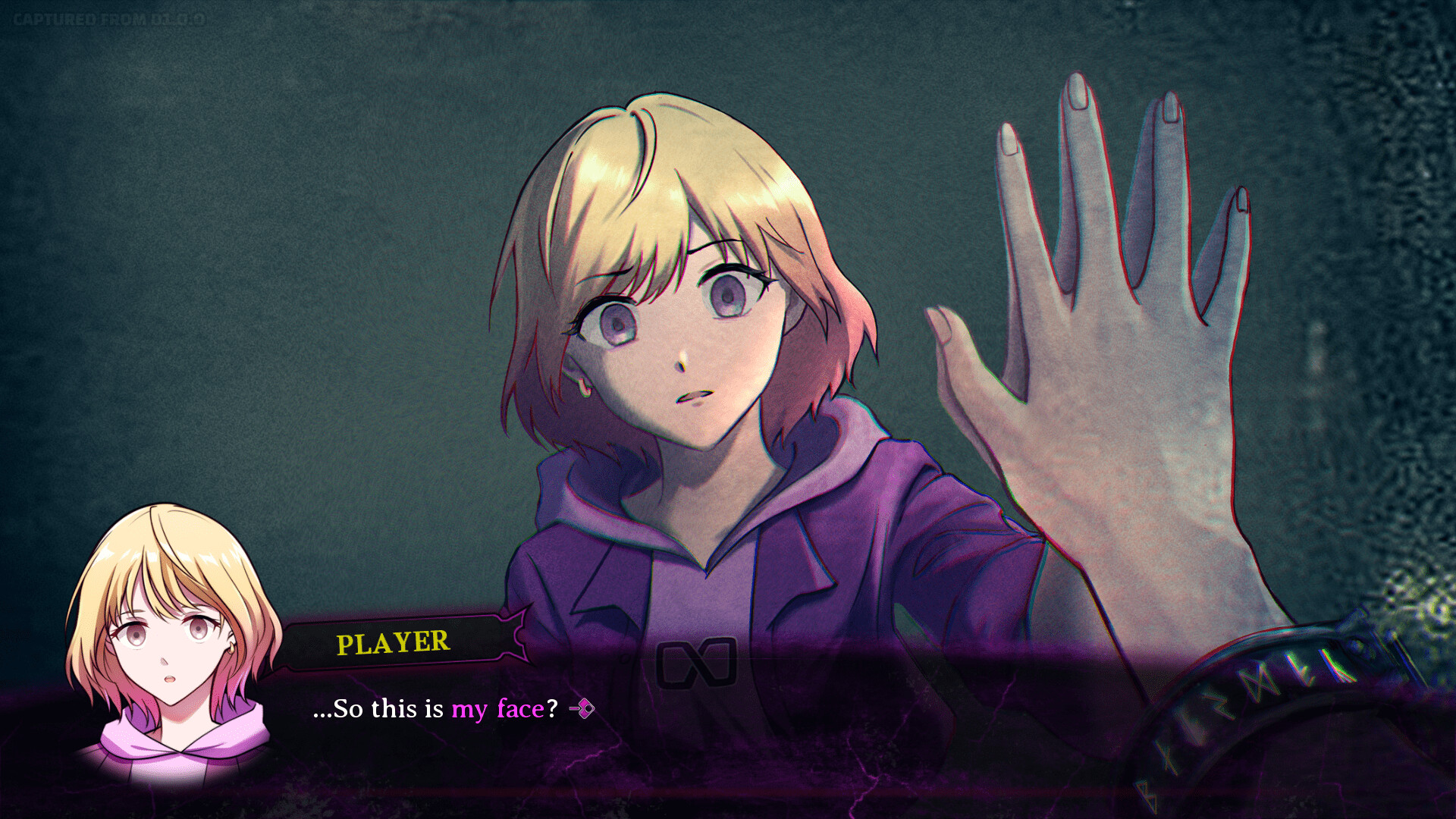
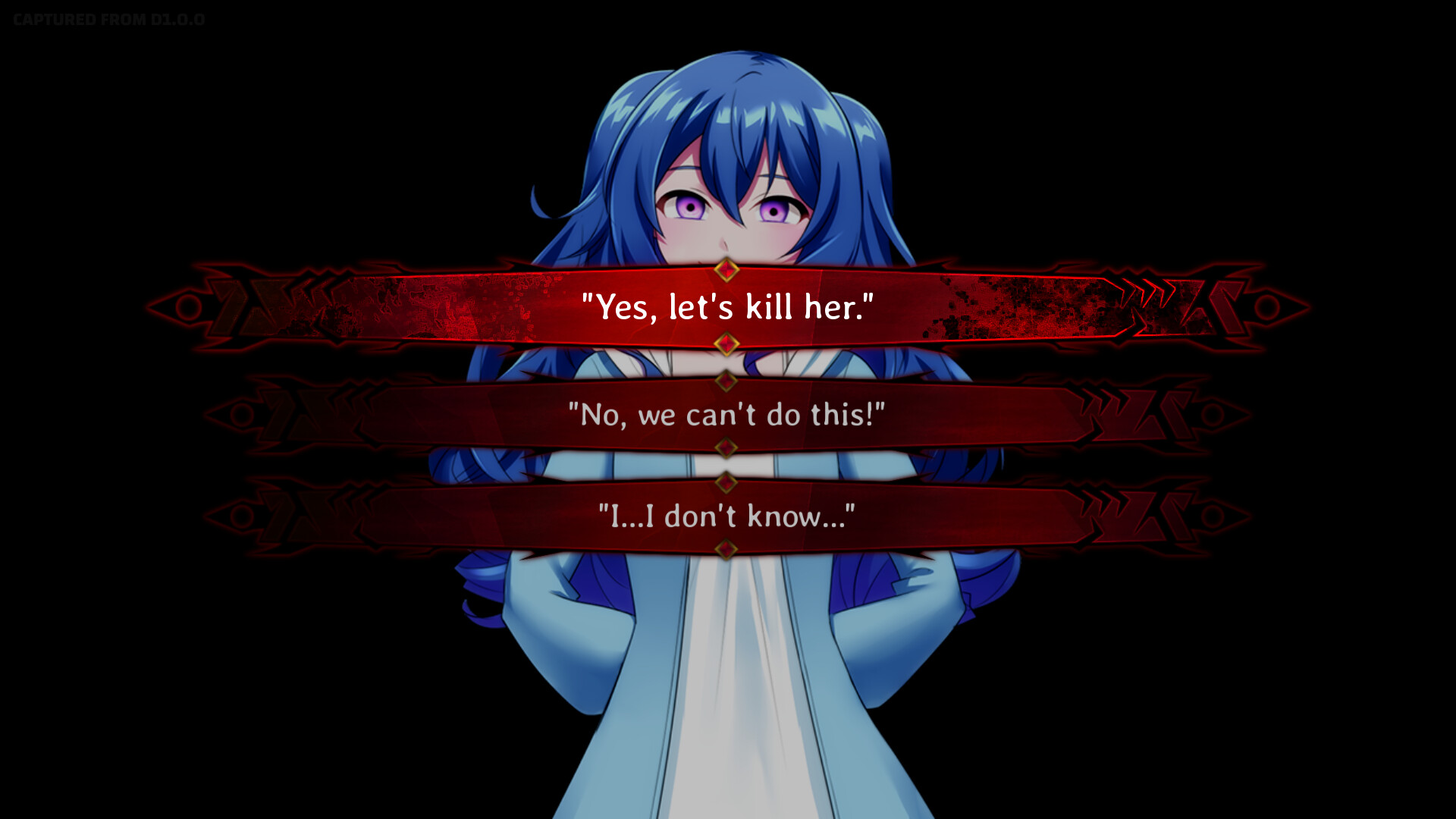
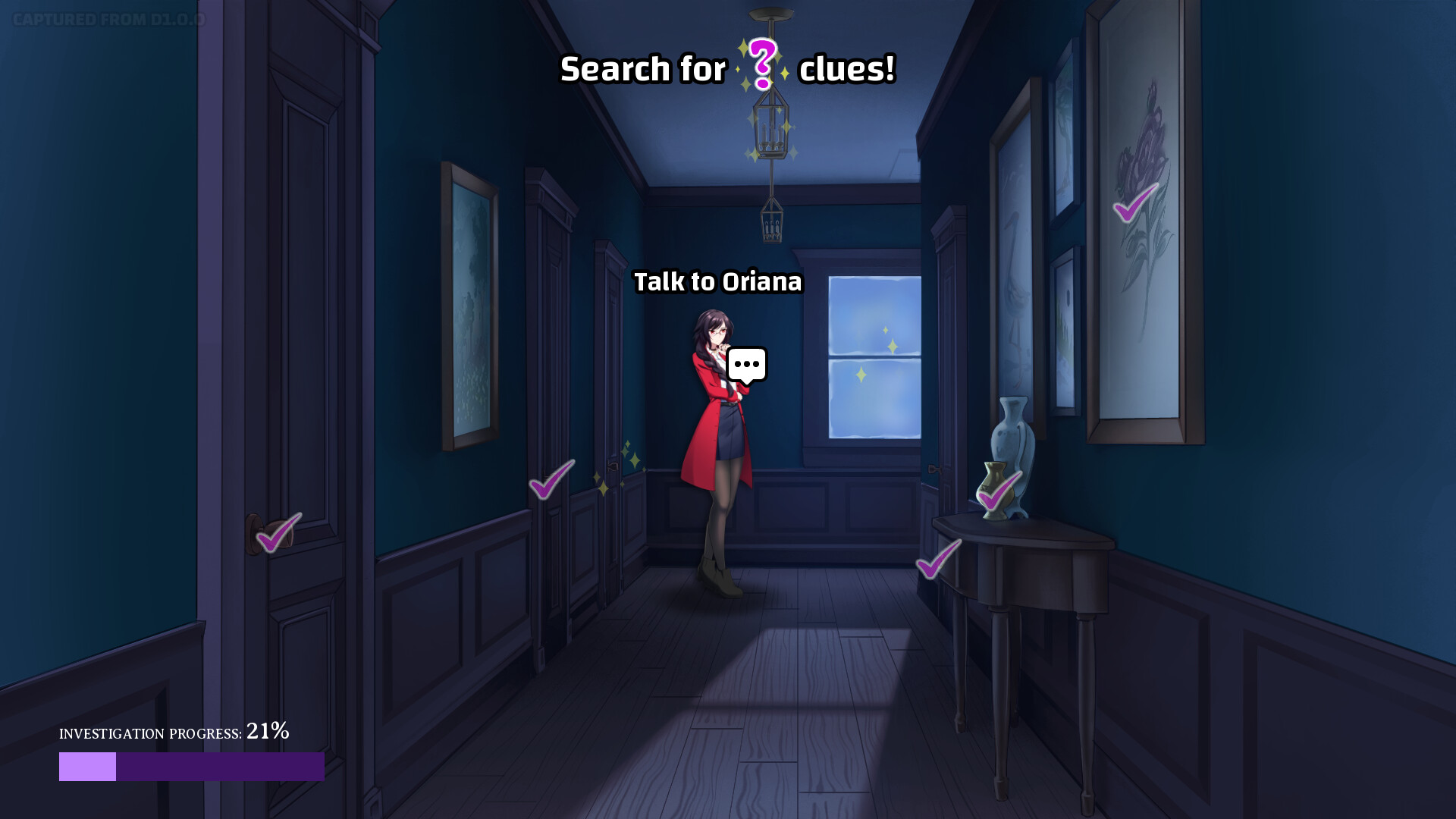
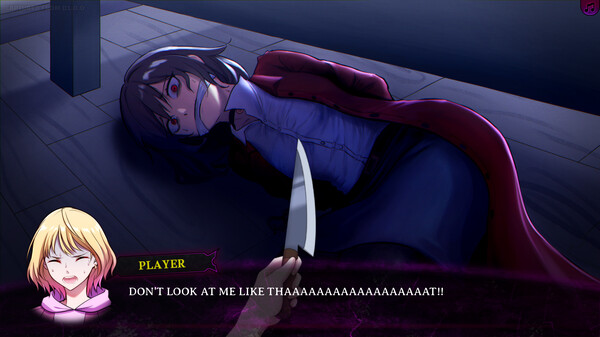
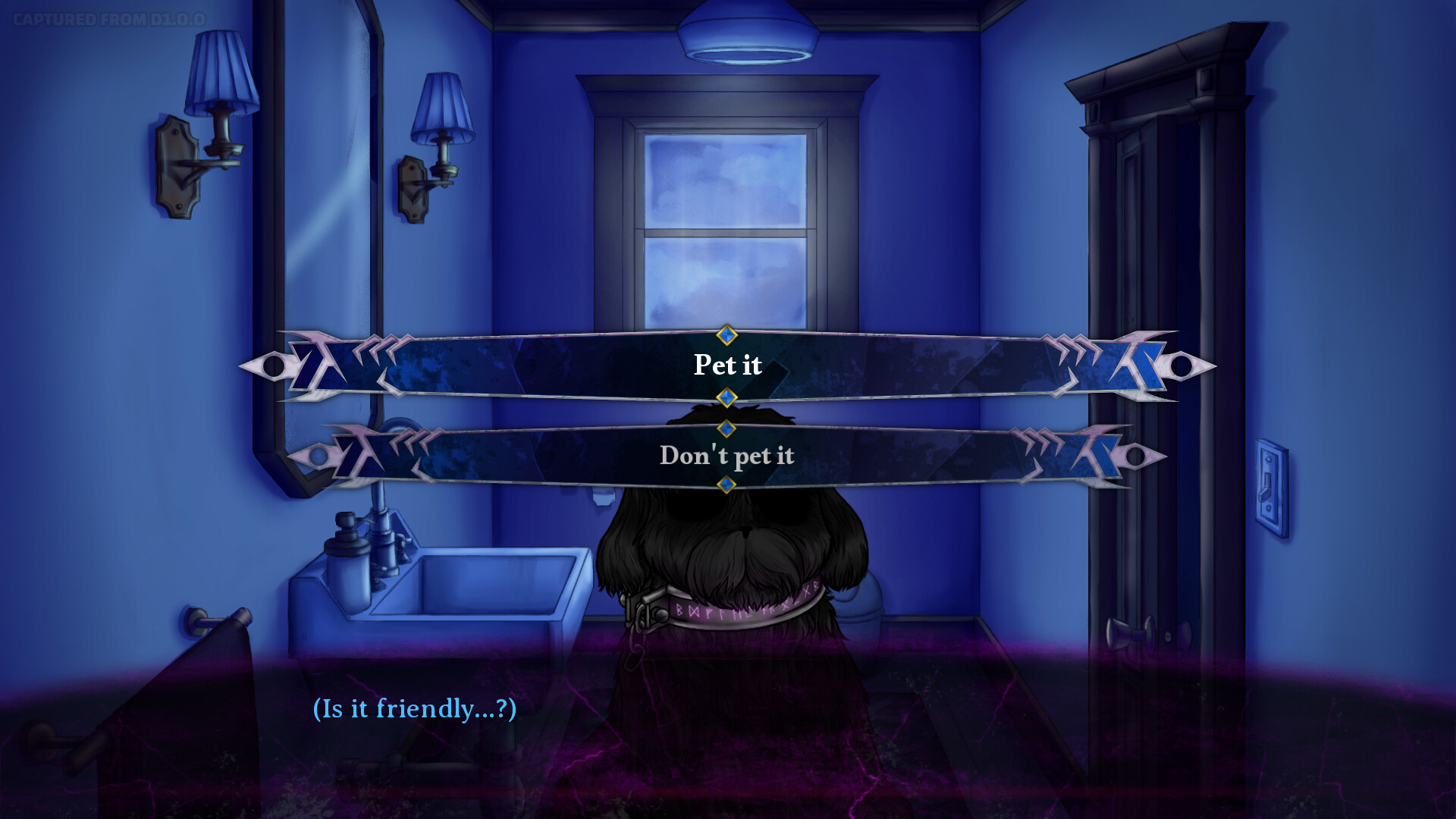

★A "death game" of the smallest scale!★
You play as the amnesiac protagonist, trapped in a mysterious house with two other captives. You quickly learn that the only way to escape is to have one of the three of you die.
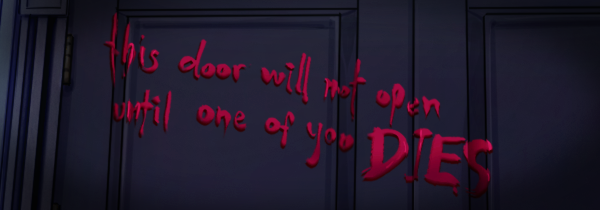
Will you kill or be killed? Who is the mastermind? Is there no way for all of you to survive? The mystery deepens as you find that no matter who dies, the killing game begins anew...

★Meet your new friends (or enemies)!★
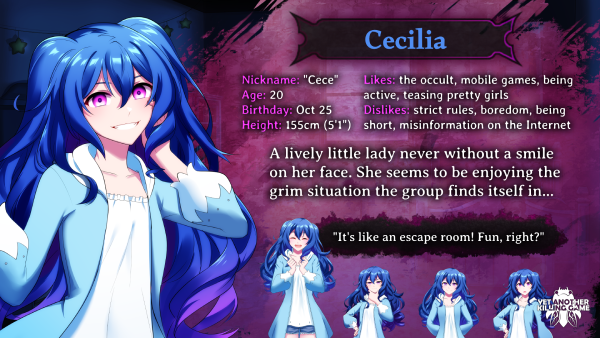
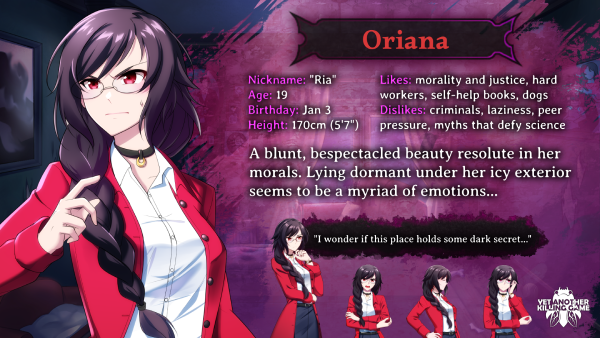

★Investigate rooms, talk to pretty girls, and make life-or-death choices!★
Inspired by popular mystery adventure game series such as Ace Attorney, Danganronpa, and Zero Escape, YAKG's gameplay offers a mix of immersive dialogue branches, point-and-click room investigations, and some mystery solving--if you can keep everyone from killing each other!
Explore a mysterious house and uncover its eerie secrets
Banter with charming girls with gorgeous anime-style artwork and eccentric personalities
5000+ dialogue lines that move you through the story at a brisk pace
Lots of quality of life features suited for visual novel pros, including auto-play, dialogue history, skip features, and more!
Countless choices to make that can change the fates of the characters
You can pet a dog!
10+ endings to see and piece together to discover the ultimate truth...
[u]**SCROLL TO BOTTOM FOR WARNING ABOUT SAVE DATA**[/u]
Hello, this is Jun, the creator of YAKG! Version 1.3.1 is now live and while it doesn\'t offer as much new content as our previous version updates, it fixes certain issues brought up by Japanese players among other issues of informational clarity.
V1.3.1
Fixed a bug with Text Speed being restored to default when re-opening the game in Japanese
[/*]Added Lock Auto Cancel to Config. Toggling this on will prevent Auto mode from being cancelled when manually advancing dialogue (e.g. by clicking, pressing Space, etc.).
[/*]Updated the layout for the Music Room (not available in the demo) to add a new button that directs you to finding Yet Another Killing Game - Original Soundtrack on various platforms and streaming services.
[/*]Gallery contents have been updated to add the special artwork for the original soundtrack, add more versions of the key visual, and move one CG to the Backgrounds section. All of these updates are only visible after clearing the game.
[/*]Fixed the formatting for the gamepad help text in the bottom right corner when switching from Japanese to English
[/*]Added brief hard pauses to certain post-credits messages
[/*]
V1.3.1 ()
- [/*]
- [/*]
() Yet Another Killing Game - Original Soundtrack
[/*]CG1
[/*]- [/*]
- [/*]
[u]WARNING ABOUT SAVE DATA[/u]
Due to script changes in later versions, some save files you made in earlier versions of the demo or full game MAY not load correctly (i.e. crash, show an error message, return you to the Title Screen). As such...
IF YOU ARE IN THE MIDDLE OF YOUR FIRST PLAYTHROUGH, we strongly recommend creating multiple save files and/or finishing your playthrough BEFORE you update! If worst comes to worst, please start a new game and utilize the skip features in Config to catch yourself up. Sorry for any inconveniences!
Until next time,
Jun Kakeru
[u]**SCROLL TO BOTTOM FOR WARNING ABOUT SAVE DATA**[/u]
Konnichiwa! This is Jun, the creator of YAKG YET again to talk about the latest version update!
Version 1.3 of \"Yet Another Killing Game\" is now available! The main update here is the addition of Japanese language support, which is an ENORMOUS achievement for a 10,000+ dialogue line story-focused game like this! I cannot express enough thanks to the Japanese translator, Sasazaki, for providing a full translation to Japanese this quickly, but also for supporting me ever since the release of the very first YAKG demo in 2023--which is still available on itch.io, if anyone wants to check that out!
[img src=\"https://cdn.cloudflare.steamstatic.com/steamcommunity/public/images/clans/45206903/44a22e9707b9022cbcda6b60277aca325b7e066b.png\"][/img]
Please note that if you attempt to load save files created in one language with the other language, you may experience some unexpected text display issues with chapter and character names. If youre a returning player, I highly recommend starting yet ANOTHER new (killing) game if you want to check out the Japanese localization! Yep, localization in that there are some scenes and jokes that have been given new meaning, but I have personally reviewed them all so play without worry!
BUT WAIT, there are other updates besides Japanese language support! Tutorial images have been updated based on player feedback, Achievement progress can reset anytime now (with a clear warning about Steam data!), and the rest consists of small updates to visuals. No changes have been made to the script itself so--in theory--this shouldnt cause any save data issues, but the usual warning will be added to the bottom all the same.
Time for the full update notes!
V1.3
NEW FEATURE: Japanese is now available in Configs Language setting! Switch to Japanese to view the entire games script and textual UI elements in Japanese, including the games logo!
[/*]A screen to choose the games language appears when booting up while no save data exists yet
[/*]Added the Japanese translator to About and the credits
[/*]The About screens formatting has been updated
[/*]Achievement data can now be deleted at any time, and the warning has been corrected to state that the deletion may also affect any attached Steam account
[/*]The main menus background image sequence has been updated, and the main menus game logo is now animated and hides when the game menu opens
[/*]The sequence when starting a new game has been visually updated
[/*]The game logo is now larger during credits and other scenes it appears
[/*]Updated the tutorial images for Controls, Skipping Read Text, and one more significantly
[/*]Minor fixes to several other tutorial images
[/*]The icon at the end of dialogue lines now indicates if the current line has been read before
[/*]Minor script revisions to handle localized text entry
[/*]
[u]WARNING ABOUT SAVE DATA[/u]
Due to script changes in later versions, some save files you made in V1.2 (or earlier) of the demo or full game MAY not load correctly (i.e. crash, show an error message, return you to the Title Screen). As such...
IF YOU ARE IN THE MIDDLE OF YOUR FIRST PLAYTHROUGH, we strongly recommend creating multiple save files and/or finishing your playthrough BEFORE you update to V1.2! If worst comes to worst, please start a new game and utilize the skip features in Config to catch yourself up. Sorry for any inconveniences!
As a tiny indie team based in Canada, we frankly have no clue how were going to get YAKG in front of Japanese players, but we will do research and try our best! If youre a fan of YAKG, please support us by telling more people to check out the demo and buy it while its on sale! It really makes a world of difference for us!
YouTuberDiscord
More updates are still underway so please stay tuned!
Regards,
Jun Kakeru
[u]**SCROLL TO BOTTOM FOR WARNING ABOUT SAVE DATA**[/u]
Salutations! 'Tis I, Jun, the creator of YAKG!
I am happy to announce that Version 1.2 of "Yet Another Killing Game" is now available! This upcoming MAJOR update includes a highly requested feature: ACHIEVEMENTS~ It also has a massive range of fixes and improvements based on feedback and observational data collected over the past few months (see them all in the update notes further down this announcement!)
[u]About Achievements[/u]
Fans of YAKG will know that this game has many, MANY hidden details and secrets, and our hope with the Achievement system is that it will guide players who've already reached the ultimate truth to seek out other truths they may have missed!

The Achievements screen can be accessed from anywhere in the game! ALSO, if you have cleared the full game, each locked Achievement will give you a little hint as to how to unlock it! Are you up to the challenge of finding all 60 (that's right, six-zero!) Achievements and becoming an epic KILLING gamer?!
Here are the full update notes!
V1.2
NEW FEATURE: Achievements! Discover 60 Achievements throughout the full version of Yet Another Killing Game! (Achievements are unavailable in the demo version.)
[/*]STEAM VERSION ONLY: Achievements will also unlock their equivalents in Steam Achievements! Collect special icons for your Steam profile!
[/*]New tutorial added: Choice Menus
[/*]While playing on Gamepad, you can now hide the UI by clicking the left or right sticks
[/*]Fixed a bug with the music info tab being erroneously read by accessibility features while it is hidden
[/*]Fixed a bug with text related to Investigations not being read by accessibility features
[/*]Investigations can now be ended by a choice menu before reaching 100% Investigation Progress
[/*]Updated the tooltip for Use RenPy Features
[/*]Updated the icon names for quick menu buttons while Use RenPy Features is active
[/*]Added LOAD to the quick menu while Use RenPy Features is active
[/*]In Gallery, the title screen no longer appears behind when viewing large background images
[/*]Improved the visual clarity for certain endings screens
[/*]Added an option to quickly load a save file after reaching certain endings
[/*]Updated a certain choice screen to be more obvious about a secret option
[/*]Adjusted certain text colours
[/*]Updated the background visuals for the final version of the credits
[/*]Added the creator of the Achievements framework to About and the credits
[/*]Removed some unused assets
[/*]Several script corrections and improvements
[/*]
[u]WARNING ABOUT SAVE DATA[/u]
Due to some script changes, some save files you made in V1.1 (or earlier) of the demo or full game MAY not load correctly (i.e. crash, show an error message, return you to the Title Screen). As such...
IF YOU ARE IN THE MIDDLE OF YOUR FIRST PLAYTHROUGH, we strongly recommend creating multiple save files and/or finishing your playthrough BEFORE you update to V1.2! If worst comes to worst, please start a new game and utilize the skip features in Config to catch yourself up. Sorry for any inconveniences!
Version 1.2 will also be accompanied by our BIGGEST DISCOUNT sale yet: 33% OFF! Get ready to spread the [strike]killing[/strike] love to your friends and let's get YAKG even more popular~
Regards,
Jun Kakeru
Hello, this is Jun, the creator of YAKG!
I am please to announce that the original soundtrack for "Yet Another Killing Game" is now available for purchase as a Steam soundtrack!
CLICK HERE to visit the Steam Store page for the OST!
With just one purchase, all 26 tracks from YAKG will be:
- Available for playback via the Steam client (listen to it while you play other Steam games!)
- Downloaded onto your device in mp3 and high quality flac format, ready to be played by your other devices and music apps!
Now, If I may speak freely here, when we released the game earlier this year, I never expected the OST to be so popular that fans would explicitly ask on forums or message us directly about where they could listen to it outside of the game! Needless to say, the composers and I got to work right away, learning about what goes into a soundtrack release, and how we can make the OST more accessible. This digital soundtrack release is just one of our many plans to meet the expectations of our dedicated fans.
Please look forward to more updates regarding the OST, but also about YAKG itself! If you want to be the first to know, follow us on our socials, or better yet, join our Discord server~
Regards,
Jun Kakeru
Hello, this is Jun, the creator of YAKG!
Some players have reached out about having strange issues with playing YAKG after allowing Steam to auto-update them to Version 1.1. Issues include--but are probably not limited to--seeing an error message when starting a "New Game", getting soft-locked in a branching decision for Part 2, seeing incorrect progress in the "Status" screen, and being unable to access Part 1 investigations due to "New Game" not correctly resetting progress.
These are issues likely caused by Steam's automatic updater only updating game files that it perceives to have changes. So the TL;DR solution:
PLEASE UNINSTALL THE GAME, THEN RE-INSTALL IT
Doing so will likely resolve all of these issues, but if issues still persist, then unfortunately, you may need to just do a full reset of all of your save data. Please search up how to delete all save data for Ren'Py games, or ask in the Discussions if you need assistance with this!
ALSO NOTE: re-installing the game does NOT resolve any issues you may have with loading save files created in Version 1.0. Please look inside "Help" and "Config" to utilize the game's Skip features, and sorry for any inconveniences this causes!
Best wishes,
Jun Kakeru
- New Sprites section added to Gallery (unlocked after clearing the game!)
- Made it easier to notice if you are on track to unlock the final Background in the Gallery
- Updated the post-credits text after certain Endings to give more specific hints
- Updated the names in the credits
- Made it easier to notice how to skip the credits (just try to advance dialogue!)
- Small corrections made to several portrait sprites, several background images, and one music track
- Adjusted positioning for 1 Clue in a mid-game Investigation to match its updated background art
- Minor text corrections and script updates
[u]**SCROLL TO BOTTOM FOR WARNING ABOUT SAVE DATA**[/u]
Hello, this is Jun, the creator of YAKG!
Thank you all for the amazing launch of "Yet Another Killing Game"! The dev team and I were so thrilled by the reception that we voluntarily did another round of tweaks, improving artwork, music, and the in-game hints that lead you to the TRUTH!

A major update of V1.1 is a new "Sprites" section in the Gallery! Once you clear the full game, you can browse through every character sprite that appears in the game. The background is set to a greenscreen in hopes that our more creative fans will screenshot and edit together their own creations with the YAKG characters~ (And share it with us if you do!)
Here are the full update notes!
V1.1
- New Sprites section added to Gallery (unlocked after clearing the game!)
- Made it easier to notice if you are on track to unlock the final Background in the Gallery
- Updated the post-credits text after certain Endings to give more specific hints
- Updated the names in the credits
- Made it easier to notice how to skip the credits (just try to advance dialogue!)
- Small corrections made to several portrait sprites, several background images, and one music track
- Adjusted positioning for 1 Clue in a mid-game Investigation to match its updated background art
- Minor text corrections and script updates
Due to some script changes, some save files you made in V1.0 of the demo or full game MAY not load correctly (i.e. crash, show an error message, return you to the Title Screen). As such...
IF YOU ARE IN THE MIDDLE OF YOUR FIRST PLAYTHROUGH, we strongly recommend creating multiple save files and/or finishing your playthrough BEFORE you update to V1.1! If worst comes to worst, please start a new game and utilize the skip features in Config to catch yourself up. Sorry for any inconveniences!
Version 1.1 will go live on Tuesday, Feb 11! Please look forward to it!
Regards,
Jun Kakeru
Hello, this is Jun, the creator of YAKG!
As we get ready for the launch of Yet Another Killing Game, the demo will be going through one more update to reflect changes made from the beta test among other things. This also means going forward, the demo and full version of the game will share a version number, starting with V1.0.
Here are the update notes!
V1.0
- A new Support YAKG! button has been added to the main menu (please use it to visit and follow our social media channels for special events and promotions!)
- Updated the Credits to include more roles and names
- Fixed various typos and minor script errors (the edited line will count as unread text in regards to the Skip feature and its settings in Config)
- Added new optional dialogue in the Investigation for 2F - The Bedroom
- Updated artwork related to the collection of Endings
- Updated artwork for various backgrounds
- Added an additional expression for Cecilia
- Added a missing unlockable tutorial in Help
- Fixed an abnormal issue with the Skip feature being temporarily unable to be turned off when seeing Ending screens
Regards,
Jun Kakeru
Hello, this is sleep-deprived Jun Kakeru!
Thank you to everyone who checked out YAKG's D1.0.0 demo! I watched as many playthrough streams and videos as I could, and ended up watching at least two people run into a pretty damning bug so... 3 DAYS LATER, here's a 1.1.0 update that not only fixes that bug, but also adds some new...EVERYTHING to be honest! We had no choice but to also include some new UI, tutorials, and point-and-click dialogue that already got merged into the project, is why.
Here's the official update notes:
D1.1.0
- FIXED A BUG for a certain name entry section where the player is unable to use the "L" key without opening the Log instead
- Added button help UI to the screen corner when playing on gamepad/controller
- Added and updated pop-up tutorials to better communicate controls and game flow
- The "Gather your thoughts" text will now be more accurate to the actions you've already taken
- Updated some backgrounds with refined artwork
- Added some NEW points of interest and related dialogue for the Investigations in Kitchen, Dining Room, and Master Bedroom
- Various typo fixes, visual/audio effects adjustments, and other minor edits
I sincerely hope those of you who were disappointed from being able to freely name a certain "little buddy" will play the updated version, load an old save file, and redo that name entry scene to re-prepare for the full release of YAKG! Hopefully no more demo updates will be needed until then since there's a ton of stuff to get ready before January, hahaha...
Take care of yourselves this holiday season,
Jun Kakeru
Minimum Setup
- OS: Ubuntu 16.04+
- Processor: 2.0 Ghz 64-bit Intel-compatibleMemory: 2 GB RAM
- Memory: 2 GB RAM
- Graphics: OpenGL 3.0

[ 6410 ]




















[ 6596 ]


[ 2652 ]












[ 4909 ]






















Time left:
356106 days, 10 hours, 35 minutes

Time left:
356106 days, 10 hours, 35 minutes

Time left:
1 days, 18 hours, 35 minutes

Time left:
10 days, 18 hours, 35 minutes

Time left:
38 days, 18 hours, 35 minutes

Time left:
41 days, 18 hours, 35 minutes

Time left:
42 days, 18 hours, 35 minutes

Time left:
3 days, 12 hours, 35 minutes

Time left:
4 days, 12 hours, 35 minutes

Time left:
11 days, 12 hours, 35 minutes

Time left:
17 days, 12 hours, 35 minutes

Time left:
18 days, 12 hours, 35 minutes


