



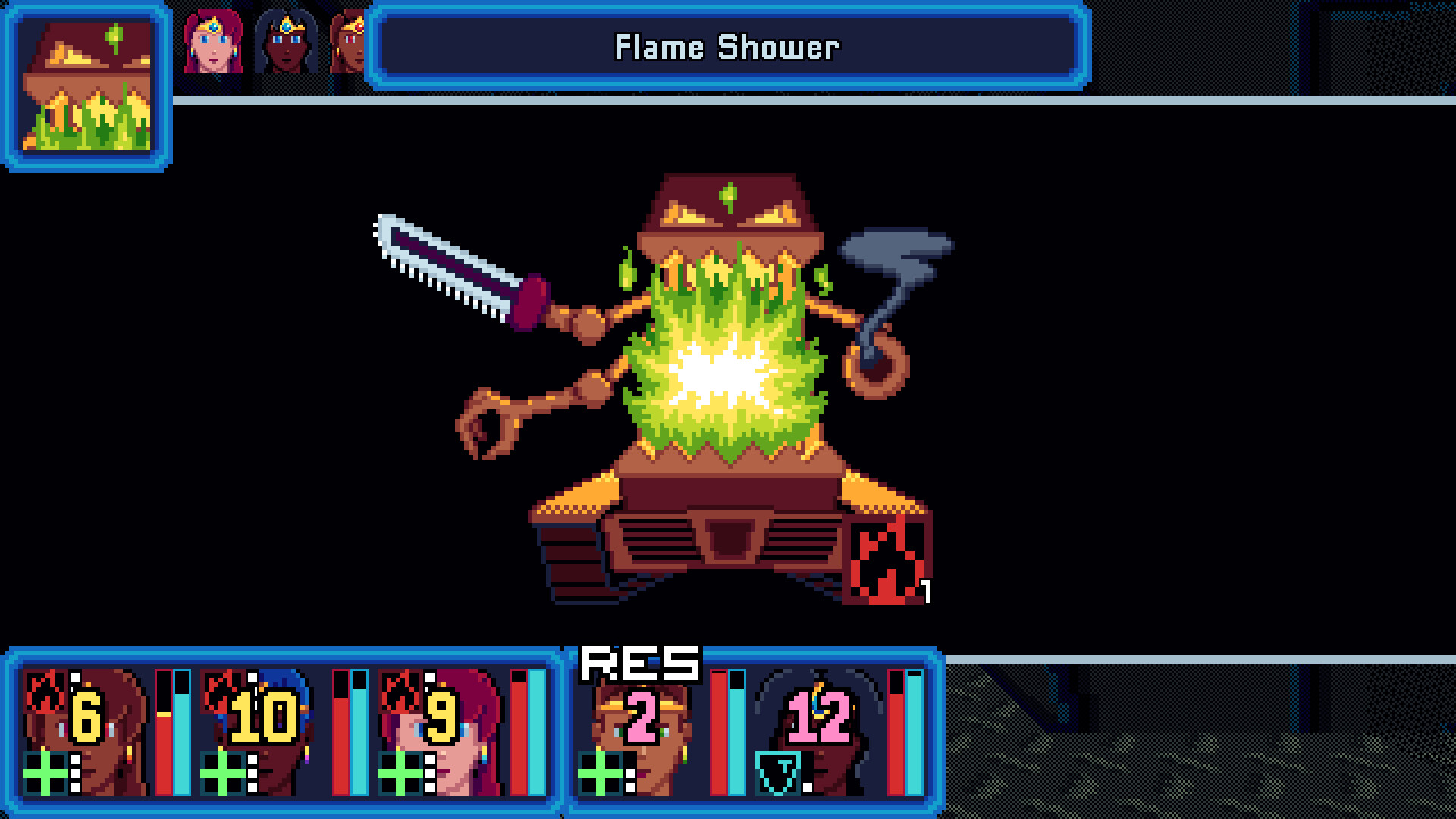
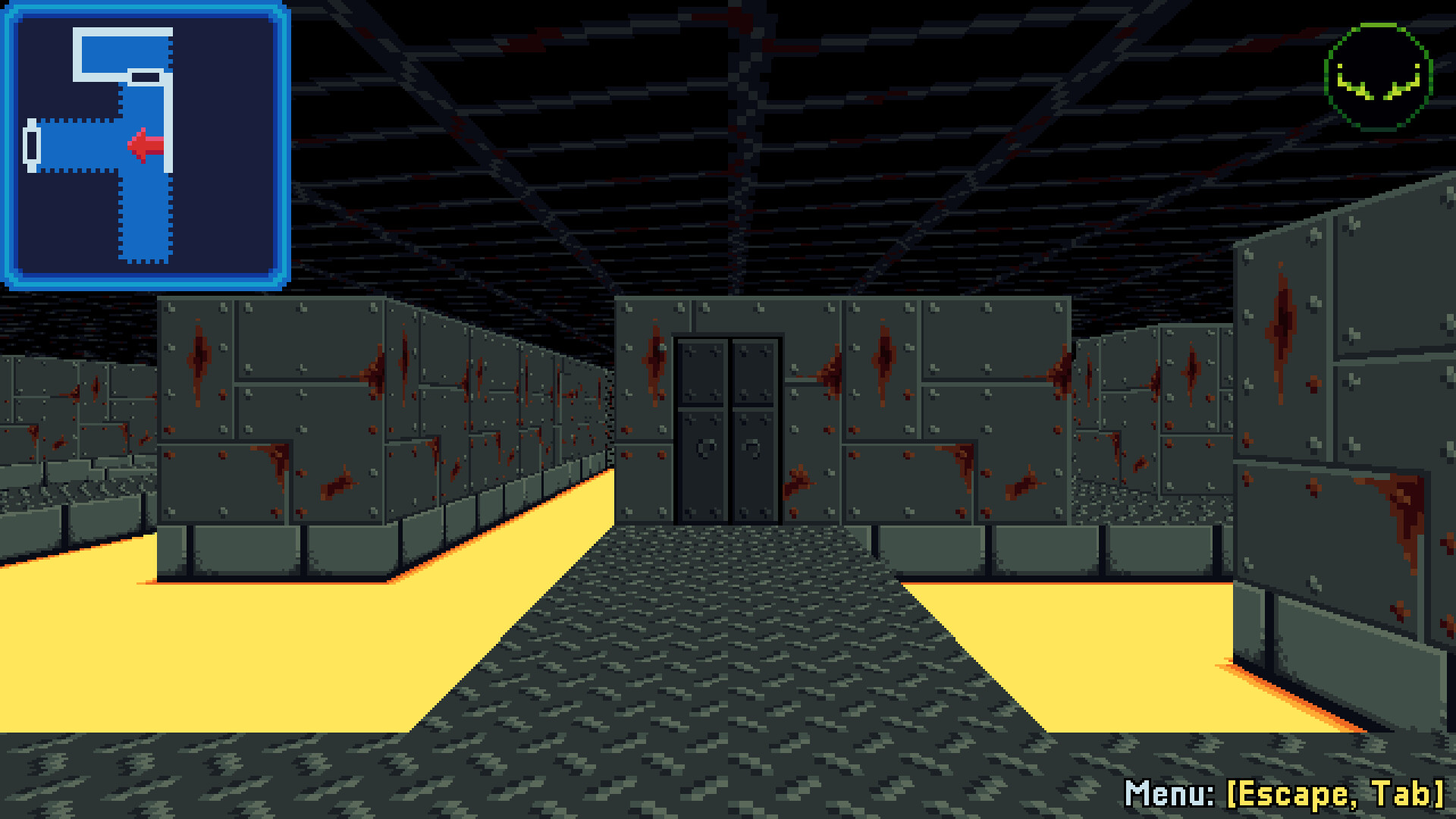
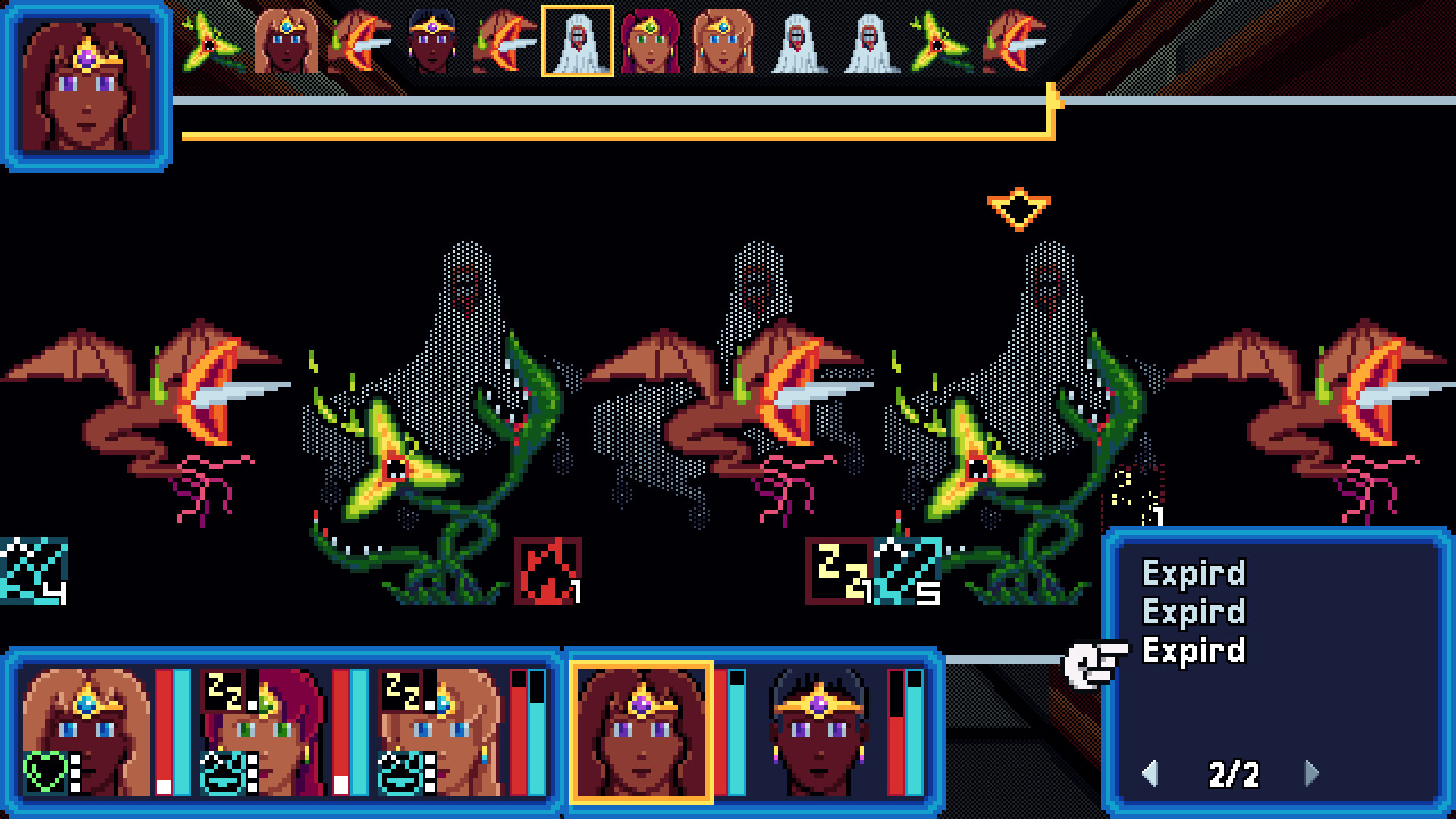
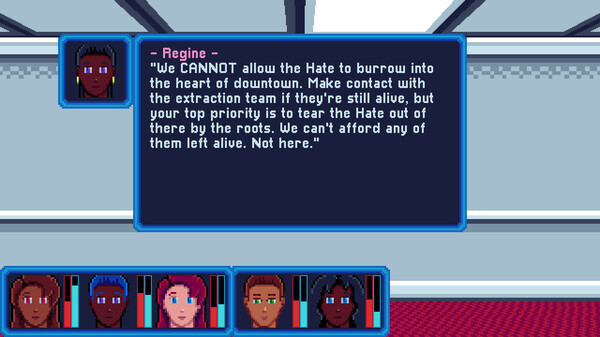
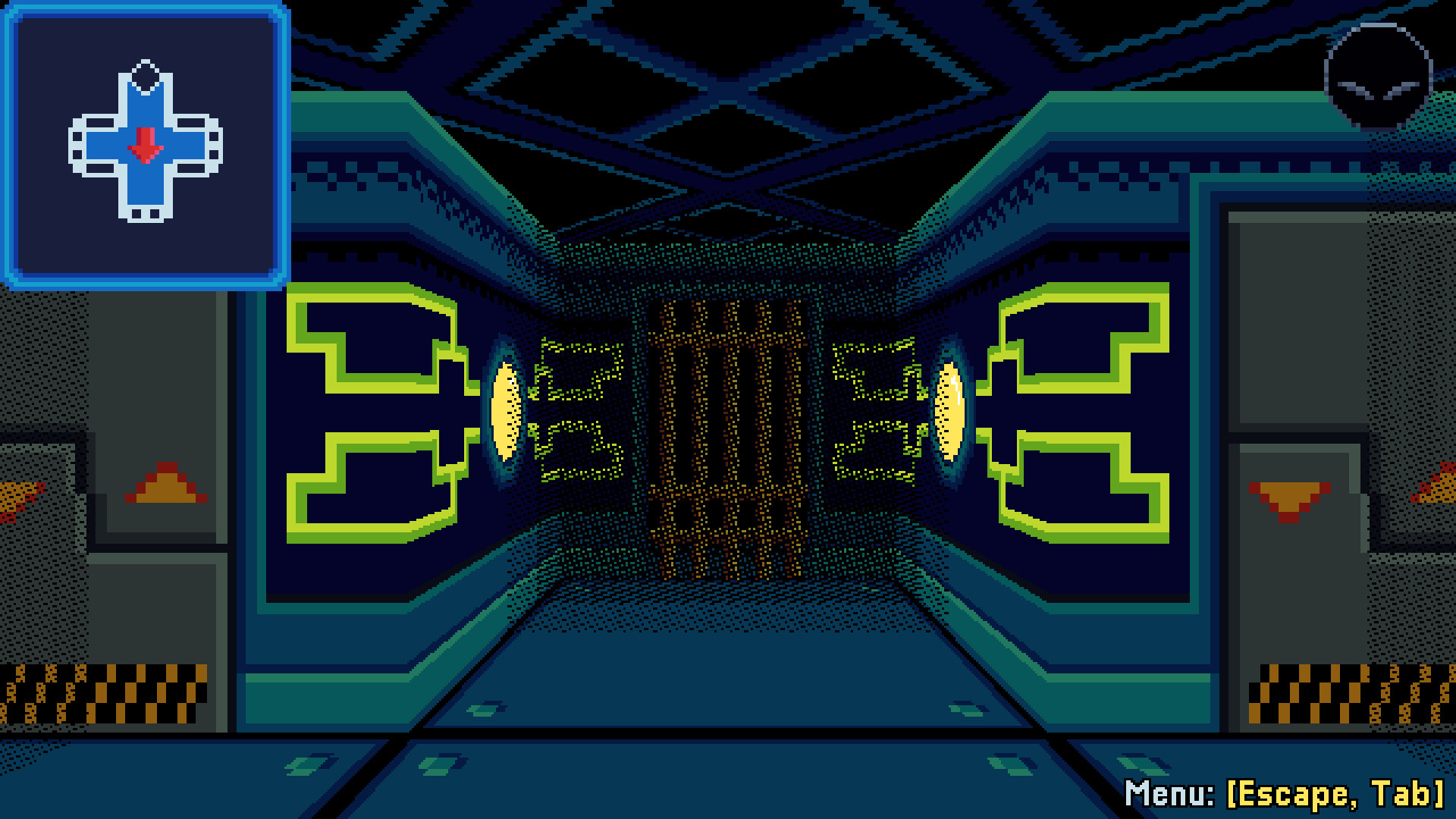
Minerva Labyrinth is a turn-based, party-based, first-person dungeon crawler set in the near future of Earth. Take command of five warriors with incredible powers and defend humanity from an ancient enemy known as the Hate.
Hate is Forever
In the 1990s, humanity finally comes together on an unprecedented scale to confront the global climate and energy crises that threaten its future. Over fifty years later, civilization thrives worldwide in a new era of cooperation and humanism, and the recent rediscovery of ancient magic promises miraculous new advancements. Yet as human strife recedes, something dark and forgotten returns from deep in the earth...
Minerva Squad
Create your own party from ten classes, ten passive skills, and customizable stats, or jump in right away with the balanced quick-start party.
You're not alone in your fight. Return to your allies to recover from your wounds and upgrade your equipment, from bows and swords to skirts and tiaras.
Enter the Labyrinth
Conquer 16 fully hand-crafted dungeon levels, spanning multiple locations and biomes.
The labyrinth itself is your enemy, but beyond traps, riddles, mazes, and grisly monsters lie valuable hidden treasures.
Battle the Hate in fast-paced interleaved turn-based combat. Each enemy type has its own powers and tactics to counter your own, and each labyrinth has a powerful overlord waiting to crush you.
Fully-annotated automap tracks your progress as you explore the labyrinth.
Optional tutorial mode for players new to dungeon crawling.
Fixed an issue with analog input getting stuck in a repeating state for both menus and field movement. Some input edge cases may behave slightly differently than before.
[/*]For boss enemies only, the diminishing returns from hostile turn manipulation will no longer reset after each turn. This primarily impacts Cresting Wave.
[/*]Fixed Gliding Prow displaying the wrong Defense bonus (the correct value is +20).
[/*]Added a line to the weapon types manual page explaining the range descriptor (S/M/L).
[/*]
Balance
The first character in the party will be attacked slightly more frequently than before. The last two characters in the party, and the last character in the front row, will be attacked slightly less frequently than before.
[/*]Sea: Slightly increased the added threat from Gliding Prow.
[/*]Vengeance: Slightly reduced the added threat from Overpower.
[/*]War: Slightly increased the added threat from Champion.
[/*]Slightly increased Power for all tier 1 weapons (bronze/ash/leather).
[/*]Reduced the Defense penalty on Hobble Skirt from -10 to -6.
[/*]
Tutorials
Added a tutorial prompt at HQ about optional NPC dialogue after the first trip to the hospital.
[/*]Added a tutorial prompt at HQ about new equipment and dialogue after unlocking the steel mill.
[/*]Added a Headquarters topic to the in-game manual.
[/*]Tutorial prompts in the hospital will not display if the prologue was skipped.
[/*]Slightly clarified Crowe\'s and Regine\'s initial dialogue regarding NPCs and the shop.
[/*]Applied a heavier outline to tutorial prompts for better visibility in HQ.
[/*]
Bug Fixes
Fixed a minor automap error in Hospital 1E (the Surgery Wing).
[/*]
General
Player characters in the front row now gain +5 Accuracy.
[/*]Wound is now the highest-priority status effect, meaning that control cures will always remove it first if present.
[/*]Slightly increased enemy crit defense.
[/*]Custom characters that start in the front row can now start with staves or wands, using the same selection priority as the back row.
[/*]Bows/broadswords now take priority over staves as starting weapons.
[/*]Character creation now warns if any characters have no weapon or armor proficiency.
[/*]Reorganized character creation warnings for readability.
[/*]
Hunt
Increased damage for Leaf Step and Tear Shadows.
[/*]Snakebite, Leaf Step, and Tear Shadows are now affected by M. Power.
[/*]Slightly reduced MP cost for Snakebite and Tear Shadows.
[/*]
Sun
Slightly reduced MP costs for Heavenly Forge, Purifying Touch, Soothing Breath, Soothing Touch, and Sunburst.
[/*]
Vengeance
Reduced HP cost for Dispatch, Seal Evil, and Whirling Steel.
[/*]Reduced MP cost for Requital.
[/*]
Bug Fixes
Fixed Stars\' MPW buff not being removed when Photon is consumed.
[/*]Fixed keyboard name input not being editable if opened with a navigation key pressed.
[/*]Keyboard name input now correctly displays key glyphs for the confirm/cancel prompt instead of text.
[/*]
This update improves compatibility with some older display adapters under Windows, which could potentially experience video corruption in OpenGL mode. Since there is no change to the application code, this release will still appear as v1.0.3.
Minerva Labyrinth is out now, with a 10% launch discount for the first week!
If you played the demo earlier this year, here are some of the improvements made over the past seven months:
New Aspects and support skills, plus revised Hunt, Moon, and Vengeance skill sets.
[/*]Revamped (now optional) prologue and greatly streamlined tutorial.
[/*]More events and secrets in the hospital, with a slightly gentler introduction.
[/*]Numerous GUI and QoL enhancements like movement hold, quicksave/quickload, and in-game manual.
[/*]Many overall improvements to writing, music, visuals, and sound.
[/*]
As announced yesterday, Minerva Labyrinth will release on November 5th, 2025! Today I\'m also releasing the most up-to-date demo, which features new Aspects, new support skills, a nicer-looking subway, and a major editing pass over writing (some of these edits made it into the v0.7.9 release).
There may be a few more tweaks in the final release, but this is pretty close to what it will look like. Here are the highlights:
Character Creation
Two new Aspects:
[list]Aspect of the Sea, an evade tank and utility fighter.
[/*]Aspect of the Stars, an offensive caster with some varied utility skills.
[/*]
Four new support skills:
Abundance: Items have a chance to not be consumed. Greater benefit with more users.
[/*]Economy: Reduces the cost of rest and recovery. Greater benefit with more users.
[/*]Itemancy: Allows using items as a free action once per turn, but consumes two items.
[/*]Zeal: Revive items and skills restore double HP.
[/*][/*]Slightly relaxed stat minimums for more flexibility.
[/*]Added a new skin tone.
[/*]Revised aspect descriptions in character creation to cover detailed pros and cons, rather than tersely explaining specific skills.
[/*]Aspect descriptions now make it more clear whether an aspect is primarily oriented towards weapons or magic, which is relevant to stat allocation.
[/*]Many existing support skills have been renamed, but most function the same.
[/*]Gameplay
Weight penalties have been simplified to impact only Speed and Defense.
[/*]Momentum (now Alacrity) has been changed to provide a large initiative bonus.
[/*]Commander (now Authority) has had the Speed penalty and defensive components removed.
[/*]Having two characters with Scout (now Vigilance) reduces trap damage by 75%.
[/*]
Graphics and Text
Improved subway textures and added more color and variety to the area.
[/*]Improved some visuals in HQ.
[/*]Added a new portrait for Diana\'s calls in the subway and hospital.
[/*]Many text and dialogue revisions.
[/*]
Minerva Labyrinth will be released on November 5th, 2025! I will also be publishing an updated demo ahead of release (hopefully today or tomorrow) with all the latest changes, including some new character build options!
Fixed resisted energy attacks having no effect (introduced in v0.7.9).
Enhancements
Mouse and keyboard input prompts will now display glyphs instead of plain text.
[/*]The gameplay information menu in Diana\'s room has been migrated into the field menu as Help and can now be accessed anywhere. The old Help menu has been renamed to Reference and is accessible via hotkey or from the new Help menu.
[/*]Gameplay tips have been removed from the Reference menu and have been folded into the appropriate topics in the new Help menu.
[/*]Added detailed information on character statistics to the Help menu.
[/*]Added an option for borderless fullscreen mode. The previous fullscreen mode is now designated as exclusive mode. Note that depending on your resolution, the image may be smaller in borderless mode than in exclusive mode if pixel-perfect scaling is also enabled. This is due to a quirk in how Godot implements this mode.
[/*]Increased the maximum volume that can be selected in the Options menu. The values of 1-10 represent the same volume levels as before, but the sliders can now be increased to 15.
[/*]The Options menu will now display tooltips at the bottom of the screen to explain the currently focused option.
[/*]Invalid menu options will display in a slightly brighter color for better contrast.
[/*]Small improvements to Crowe\'s portrait.
[/*]Music will now fade more gracefully after a party wipe.
[/*]Miscellaneous dialogue improvements.
[/*]Character creation is now more explicit that base stats will not increase during the game.
[/*]Added file system locations to the Reference menu.
[/*]
Bug Fixes
The binding for a gamepad field action will no longer be deleted when attempting to rebind an analog stick direction to the action, which is not allowed, and then canceling the rebinding.
[/*]Fixed some settings not initializing to the correct defaults on first application launch.
[/*]
All skill descriptions now explicitly state the range, area of effect, and hit bonus (if any) at the top of the description box. Numeric and status effect values are now color-coded by type. Energy damage numbers will also display ENR in color assist mode. Skill descriptions have been edited down to remove information that is now specified in this way. These changes should make it more clear at a glance exactly how a skill behaves.
[/*]Slightly modified Hospital 1C (emergency room) layout and encounters to flow a bit better as an introductory level.
[/*]Small additions and improvements to tutorial prompts.
[/*]Updated the \"gameplay tips\" section of the help screen to match current mechanics and remove some redundant information.
[/*]Vengeance: Reckless defense debuff reduced from -20 to -10 per stack.
[/*]
Prologue / Tutorial
Tutorial mode in its previous form has been removed. The prologue (subway) will offer brief instructions / prompts at the top of the screen in certain locations, but will not provide any detailed information in the dialogue window. Most of this information can now be viewed at any time from a new dialogue menu in Diana\'s room at HQ.
[/*]Most of the opening text in the subway has been cut.
[/*]Subway layout and loot have been slightly adjusted to better serve as a tutorial.
[/*]Subway enemy HP has been slightly reduced.
[/*]
Gameplay
Die rolls for accuracy and escape now use a new algorithm that should ensure a more uniform distribution of values. Both players and enemies use the new algorithm for attack rolls. Note that although distribution is more normalized than before, the results of a die roll are still used as-is, not altered or discarded. This change is primarily intended to reduce the chances of an unlucky string of misses.
[/*]Player attack accuracy is no longer capped at 95%.
[/*]Some numbers in the early game have been tweaked to slightly reduce the difficulty when first entering the hospital.
[/*]Pursuit now has +20 ACC.
[/*]
UI/UX
Defend/Shield Wall button is placed lower in the combat menu and now displays the target menu for confirmation.
[/*]Small adjustments to audio.
[/*]Removed the prompt to view the help screen on first launch.
[/*]Integer scaling (pixel-perfect) now defaults to off.
[/*]
This update brings a number of small balance and QoL improvements that have come out of playtesting, but the biggest changes are the updated skill sets for Hunt, Moon, and Vengeance, which have been improved to be a bit more dynamic and focused.
For simplicity, only changes that impact the demo content are listed here.
This update will most likely be the last major demo update prior to release. I do not have a definite release date just yet, but I am targeting end of Q3 or possibly early Q4, so we\'re almost there.
New Aspect Skill Sets
Below are the updated skill sets up to level 4 (the max level in the demo). Some higher-level skills not available in the demo have also been modified or replaced for these and other classes, but all aspects\' overall combat roles are the same.
HUNT
[list]Snakebite - auto-hit one enemy and inflicts -DEF
[/*]Leaf Step - damage one enemy, refresh Hunt debuffs, +SPD for one turn
[/*]Harpoon - damage a back-row enemy and drag them into the front row
[/*]Tear Shadows - damage an enemy and inflicts -ARM/MRM
[/*]
MOON
[list]Moon Ray - deals minor non-resistable energy damage. Restores MP if the target dies before its next turn, or restores twice as much if killed by Moon Ray.
[/*]Infusion - transfers 20% of max MP to an ally.
[/*]Lunar Blessing - cures silence, +MPW/MAC for one ally.
[/*]Lunar Cloak - +MDF/MRM for the party.
[/*]
VENGEANCE
Dispatch - damage one enemy, inflicts bleed (physical DOT), costs HP
[/*]Overpower - normal attack with high accuracy, 0 MP but stacks -DEF/+threat on user. Short-range only.
[/*]Requital - damage an enemy and heal self proportional to missing HP, can consume bleed for +50%
[/*][/*]Support Skill Changes
Commander - now has a -2 SPD penalty.
[/*]Pursuit - now triggers a stronger attack on a missed/resisted damaging attack, rather than minor extra damage for all actions.
[/*]Redoubt - now reapplies when healed to max HP, instead of when healed while already at max HP.
[/*]Riposte - now has no trigger limit, but adds a stacking -20 ACC per trigger until the user\'s turn (all stacks clear at start of turn).
[/*]
General Changes and Fixes
Status effect cures (e.g. Comfort, First Aid) now attempt to cure the most severe effect first. Control effects are cured first roughly in order of severity (e.g. Hold is higher-priority than Stun), followed by damaging effects, then finally stat debuffs. If there is a tie for severity, the effect with the longest remaining duration is cured first. The status summary window will also display effects sorted in this order.
[/*]Applying hostile status effects can now gain additional duration from a critically successful magic attack roll (>50 points above the target number). Thus, stacking M. Accuracy can help extend your status effects.
[/*]Combat now awards a 3% bonus to total XP/Rm for each enemy defeated beyond two (e.g. defeating five enemies grants a +9% bonus).
[/*]Consumable items now stack to 99.
[/*]Igniting Ray\'s burning effect can no longer be resisted.
[/*]Significantly reduced damage of Chemical Splash.
[/*]Slightly reduced the impact of damage on sleep/confuse duration.
[/*]Characters revived in combat will take their next turn slightly sooner.
[/*]Key items now have flavor text (item descriptions).
[/*]Numerous minor adjustments to text, damage curves, MP costs, item prices, etc.
[/*]
Bug Fixes
Fixed Salts delaying the target\'s turn for much longer than intended.
[/*]Fixed incorrect shading on certain hair/face combinations.
[/*]
Enhancements
Added an option to change button selection mode for the mouse from mouseover to click. When in click mode, clicking on the selected (finger pointing) button will confirm it, and clicking a non-selected button will select it without confirming.
[/*]Portrait buttons are now clickable in the field or in the field and skill menus. In the skill menu, this will select the clicked character, as with the 1-5 keyboard hotkeys. In the field or field menu, this will open one of the three character-specific menus: Character, Equipment, or Skills. The default is Character, but can be changed in the Options menu.
[/*]The portrait panel will not slide out of view as long as a portrait is highlighted with the mouse.
[/*]Character hotkeys now also work in the field and field menu as above. Since these are categorized as menu commands, they can potentially overlap with field command bindings; if this occurs, the character hotkey will be lower priority when pressed in the field.
[/*]Added confirmation when starting the game during party creation. The confirmation will also display warnings if the party meets certain criteria, such as not having a healing class or not having all equipment proficiencies available. This is purely informational and can be freely disregarded if you\'re satisfied with your party.
[/*]Added confirmation when quitting to main menu from party creation.
[/*]Moved the party creation tips page from the main help menu into the party creation menu.
[/*]Added some additional flavor text after defeating Skunj.
[/*]
Bug Fixes
Fixed accumulated control resistance being lower than intended. When a control effect (such as sleep or stun, but excluding wound) is successfully applied to a target, that target gains increased resistance to subsequent applications of the same effect during the same combat, as well as reduced duration from successful applications. The resistance bonus was much smaller than intended, so this fix will essentially make it more difficult for a combatant (friendly or enemy) to be stunlocked.
[/*]Fixed character hotkeys not working in character-specific menus if the same key was bound to opening a different menu, e.g. 1 bound to both character slot 1 and the Order menu.
[/*]Fixed shattered gem graphic displaying in front of certain menus.
[/*]
We\'re getting pretty close to release! I don\'t have a date to announce just yet, but it shouldn\'t be too much longer now. In the mean time, I\'ve updated the demo with the latest enhancements. Highlights include improvements to the combat GUI, some fixes to menu and movement responsiveness, and a less intense confirm sound effect.
GUI Enhancements
Updated the menu confirm sound effect to be less aggressive.
[/*]Reduced the input double-click cooldown, which should make menus more responsive.
[/*]Stunned, held, or sleeping combatants will display a red X over their icon in the combat timeline. Enemies will briefly display the X when killed before their icon is removed.
[/*]Shattered player characters will display a broken gem icon at the end of the combat timeline.
[/*]Enemies that are dithered in targeting mode no longer display their outline.
[/*]Using an item in combat will now show the item name in the quick text window, as skills do.
[/*]Improved the help menu pages on menu navigation. Keyboard, mouse, and gamepad now each have their own page with more clarity on how they are used.
[/*]Launching the game for the first time will display a prompt to optionally view the help screen for a selected input device.
[/*]
Bug Fixes
Destruction: Slightly reduced up-front damage of Igniting Ray (inadvertently left out of 0.6.4).
[/*]Fixed movement buffer being cleared on spinners, traps, and teleporters.
[/*]Added missing special characters to control help and abbreviated some long key names.
[/*]Fixed combat timeline sometimes flickering between updates if some players are KOed.
[/*]Fixed Shield Wall status description to be consistent with Defending.
[/*]Fixed an input leak during game / level load.
[/*]Fixed some harmless errors that could appear in the logs when quitting the game in certain circumstances.
[/*]
This update adds a ton of interface and QoL improvements, as well as some mechanical tweaks and a handful of bug fixes. Quicksaves, cursor repeat for gamepads, improved status visuals and targeting visibility, enemy HP bars for Scouts, more information in certain menus, and improvements to mouse support and color assist mode are some of the highlights.
QoL / Interface Enhancements
Added quicksave and quickload functionality. These default to F5 and F9 respectively, but will be unbound initially if you already have custom control settings.
[/*]Cursor repeat in menus now works on gamepads.
[/*]When choosing a target, all non-targeted enemies display dithered and all targeted enemies display in full brightness, regardless of which row they occupy. If you prefer the previous behavior, you can disable this in the options menu.
[/*]Enemies now have visible HP bars under their sprite if the party has a Scout. Exact HP is still visible to Scouts in the status menu, as before.
[/*]The equipment screen now displays icons for unequipped items. Items that are too heavy for a character will display a small "H" badge over the icon. In color assist mode, heavy items will also display a '-' after their names.
[/*]The weight icon on the equipment screen now behaves the same as in the shop menu, i.e. it will dynamically appear or disappear when selecting equipment according to whether the character will have a final weight penalty after equipping it.
[/*]On the equipment screen, the item description panel will now explicitly show the character's score in the required stat, e.g. a character with Vigor 6 viewing a broadsword will see "Req. VIG: 6/8".
[/*]Mouse buttons now print in menu prompts and the controls menu. Mouse commands have not changed, but did not previously appear in the help text. Currently mouse controls are not rebindable.
[/*]Clicking the name entry field in the character creator with the mouse will prompt the user to choose the physical or virtual keyboard for name entry. This allows the mouse to function for name entry. Previously, the virtual keyboard was only accessible with a gamepad.
[/*]Looted items now display their icon in the loot readout.
[/*]Improved the graphics for HP/MP bars and status icons.
[/*]The Order menu now displays the highlighted character's name and aspect.
[/*]Added option to disable UI SFX.
[/*]The combat main menu now displays a header with the active character's name.
[/*]In color assist mode, invalid menu options (colored red) will also display a white X icon.
[/*]During character creation, characters with a stat of 3 will display NONE in the corresponding equipment proficiency readout.
[/*]Incurable status effects will display a * next to their duration.
[/*]Combat status now displays shield HP, if any.
[/*]Slightly reduced initial delay when holding down a movement key.
[/*]
Gameplay
Earth: Crystallize is now only usable out of combat. MP cost has been reduced from 14 to 10.
[/*]Earth: Reduced damage and MP cost of Stone Spike.
[/*]Hunt: Removed hit bonus from Blink (it still always hits, but will not have increased critical chance on top of that).
[/*]Hunt: Slightly increased the duration of Silver Arrow's wound status.
[/*]Moon: Slightly reduced damage of Moon Ray.
[/*]Moon: Infusion restores MP more quickly.
[/*]Storms: Slightly reduced initial damage of Electrify.
[/*]Storms: Slightly reduced damage of Storm Bolt and increased MP cost.
[/*]Storms: Windstorm applies its damage more slowly.
[/*]Vengeance: Removed hit bonus from Blade Boomerang.
[/*]War: Slightly increased base damage of Flashing Blade.
[/*]Riposte now triggers only from melee attacks, not all damaging attacks.
[/*]Reduced turn delay of Salts.
[/*]Clarified the purpose of the Search command in tutorials, which previously only mentioned the assigned hotkey.
[/*]Added tutorial explaining the movement arrow option.
[/*]The tutorial text explaining healing/wiping in the prologue vs. the main game has returned.
[/*]Reduced level scaling of weapon skills.
[/*]Increased XP and Rm rewards for Chirurgeon.
[/*]
Bug Fixes
Fixed some heal/damage-over-time skill descriptions displaying inaccurate values.
[/*]Most bindable non-alphanumeric characters should now print their symbols in help text instead of their name (e.g. ; instead of Semicolon). Let me know if you find any that I missed.
[/*]Fixed RMB not opening the field menu when clicked over the movement buttons.
[/*]When attempting to apply a status effect to a character that is immune to it, the status popup will always say IMM. Previously this behavior was inconsistent, as the popup would say RES instead if the initial attack roll failed.
[/*]Adjusted several status icons for consistency or clarity.
[/*]A handful of other minor fixes.
[/*]
Next Fest is well underway. If you've already tried the demo or are planning to, thank you! If you've got feedback you'd like to share, please drop by the forum . There will be more updates as the game progresses towards release, and your feedback will help make it better.
- Control Room B in the subway can now extend a second bridge to the east as a shortcut back to the recovery point.
- Revised some NPC dialogue at HQ.
- Adjusted some visuals in the subway for clarity.
- Fixate now ticks down at the end of Skunj's turn instead of the target's.
- Minor tweaks to subway text.
Audio
- Updated all music tracks with better instrumentation and improved arrangements.
- Replaced the footstep and bump sound effects with much better ones.
- Sound effects now have more consistent volume with each other and with music.
- Shop menu now plays the correct sound effect when attempting to buy an item without enough money.
Gameplay
- Fixed being unable to purchase an item that costs exactly as much money as the party has.
- Fixed Shield Wall not terminating on user KO.
- Improved the cadence of Jay's dialogue and event text.
- Fixed one of Jay's lines that was incorrectly marked as tutorial text. This meant that the line was skipped if tutorials were disabled, though this did not impact progression.
Interface
- Fixed numeric sliders being overly sensitive to analogue input.
- Fixed options menu not handling default volume settings correctly.
- Hunt: Removed misleading text from Silver Arrow description.
Gameplay
- Skills such as Regrowth that grant an additional turn to the user have been changed to not consume the active turn. The primary difference is that status effects will no longer tick multiple times when using these skills.
- Fixed Grit triggering incorrectly in some circumstances.
- Fixed support skills triggering more frequently than intended, primarily Instinct.
- War: Increased the threat bonus of Champion.
- Minor performance improvements.
Graphics / UI
- Added a sparkle visual and sound effect when transforming between dungeons and HQ.
- Repositioned damage popups for back-row enemies for better readability.
Gameplay / Content
- Staves and wands now convert the Attack command to M. Attack, which deals medium-range energy damage. They still function as short-range physical weapons when used with weapon skills, as before. Stats on these weapons have been adjusted slightly.
- Added a few more secrets and points of interest to the hospital maps.
- Riposte will now trigger when targeted by a damaging attack, not when actually damaged. This means that missed or shielded attacks will now trigger Riposte.
- Riposte will no longer trigger when disabled (e.g. asleep).
- Pursuit damage will no longer disrupt Sleep (e.g. when using Poppy Dust with Pursuit active).
- The second Leather Whip has been removed from the subway.
- Updated the weapon type/range tutorials for clarity.
- Slightly reduced power of Dueling Blade.
- Slightly increased stats of Surgeon's Examiner.
UI / Graphics
- Added more skills to the aspect previews in character creation, including calling out all revive-type skills.
- Improved environment design in some rooms for interest, clarity, or consistency.
- Hunt: Blink skill description now displays the correct accuracy bonus (+40).
- Hunt: Fixed debuff icons for Blink and Tear Shadows.
- Storms: Fixed Electrify status name and icon.
- Fixed the on-screen name entry keyboard not playing confirm SFX.
- Minor updates to gate and stone arch textures.
User Interface
- Added a party quick view menu. This will display a one-page overview of party build information and status. This is bound to the X key or left stick by default, but if you have already set custom bindings, it may be unbound. It is also available from the new "Party" option in the field menu.
- Negative stat comparisons or stats affected by weight in the character, shop, and equipment menus now display in a lighter color for better visibility. Stats affected by weight will also display a '-' in color assist mode.
- Renamed the Status menu to Character and reorganized the field menu options slightly.
- Added left/right character pagers to skill, character, and equipment menus. The pagers will display the selected character aspect on the skill menu and the position and rank on the character and equipment menus.
- Character, equip, and skill menus will now open to the last character slot selected in that menu.
- The weight icon in the shop menu will now appear if the character currently has weight when no item is highlighted, or when the character's weight after equipping the highlighted item will be greater than zero, considering all other currently equipped items. Previously, the icon only appeared if the highlighted item had weight for that character.
- The field skill menu now allows viewing skills for KOed party members.
- Cursor memory now correctly resets when starting a new game.
- Fixed a rare issue where specific pages of text could appear blank. As far as I know this did not occur in any demo content, but it's fixed just in case.
Audio
- Fixed numerous inconsistencies with how UI sound effects behave. Some unnecessary or unintended sound effects have been removed.
- Updated HQ background music.
- Fixed combat SFX not playing in certain scenarios.
- Recovery stations will now play a sound effect when activated.
Gameplay
- Reduced the chance to hit on Ossipede's bleed touch.
- Ossipede's Strangle now has a 1-turn cooldown.
- Traps can no longer critically hit.
- Single-target traps will now correctly target the first available character if the character in the first slot is KOed.
- When starting a new game, you will be presented with a menu with three options: default or custom party, tutorials on or off, and play or skip prologue. If you choose to skip the prologue, you will begin the game at headquarters with immediate access to the first dungeon. You will start at level 2 with some Rm, but no other treasure from the subway. Tutorials can still be controlled from the options menu at any time, as before.
- Swordbreaker now correctly reduces enemy attack power.
- Combined the encounter tutorial event with the first encounter event.
- Cleaned up some unused state flags in save data.
- You can now hold down a movement direction to continuously move in that direction. You can also turn or sidestep without interrupting your movement. This also works for the on-screen movement buttons.
- Added a preview of key skills to aspect descriptions during character creation.
- Condensed, revised, or removed some text events in the subway for better pacing.
- Replaced the bronze glaive in the subway with a second leather whip. This should be more useful for most parties who want more ranged weapons than they start with.
- Fixed analog noise causing duplicate button input on some devices.
- Fixed input only respecting the first controller in some circumstances.
- Fixed the movement buttons appearing over Crowe's dialogue menu after closing the shop menu.
- The menu prompt is now less sensitive to analog noise.
- Improved the art and animation for the movement buttons.
- Shield Wall now terminates correctly.
- Random encounters now correctly reset when leaving and re-entering the dungeon.
- Fixed minor misalignments on some enemy status indicators.
- Fixed a tutorial-only event symbol in Hospital 1E being visible with tutorials disabled.
- Fixed map icons for tutorial-only events being visible with tutorials disabled.
- Fixed false wall map indicators not resetting when starting a new game after quitting to menu.
- Removed a visible out-of-bounds event symbol from Hospital 1C.
This update fixes an issue where the accept button would close the active menu instead of confirming the current selection if accept was bound to the same key as the currently open menu (e.g. X is bound to both accept and the skill menu). Accept now has priority over menu hotkeys. This was already the case for the cancel button. Menus such as the map screen that have no selectable GUI controls will behave the same as before.
This update fixes a lock that could occur when interacting with the optional switch at the end of the subway. Very sorry about that!
The free demo of Minerva Labyrinth is now available! In the demo, you'll be able to attain the fourth level of experience and explore three full dungeon levels: the prologue in the subway, plus the first two areas of the hospital. I hope you enjoy it, and I welcome any feedback you may have. Stay tuned for details on the full release!
Minimum Setup
- OS: Linux distribution released after 2020
- Processor: Intel Core 2 Duo E8200. AMD Athlon XE BE-2300Memory: 2 GB RAM
- Memory: 2 GB RAM
- Graphics: Intel HD Graphics 2500 [OpenGL] or 5500 [Vulkan]. AMD Radeon R5 Graphics
- Storage: 200 MB available space
Recommended Setup
- OS: Linux distribution released after 2020
- Processor: Intel Core i5-6600K. AMD Ryzen 5 1600Memory: 4 GB RAM
- Graphics: NVIDIA GeForce GTX 1050. AMD Radeon RX 460
- Storage: 200 MB available space
[ 6228 ]























[ 5939 ]


[ 2477 ]



















[ 4756 ]


















Time left:
356105 days, 2 hours, 30 minutes

Time left:
356105 days, 2 hours, 30 minutes

Time left:
0 days, 10 hours, 30 minutes

Time left:
9 days, 10 hours, 30 minutes

Time left:
37 days, 10 hours, 30 minutes

Time left:
40 days, 10 hours, 30 minutes

Time left:
41 days, 10 hours, 30 minutes

Time left:
2 days, 4 hours, 30 minutes

Time left:
3 days, 4 hours, 30 minutes

Time left:
10 days, 4 hours, 30 minutes

Time left:
16 days, 4 hours, 30 minutes

Time left:
17 days, 4 hours, 30 minutes

Time left:
28 days, 4 hours, 30 minutes


