



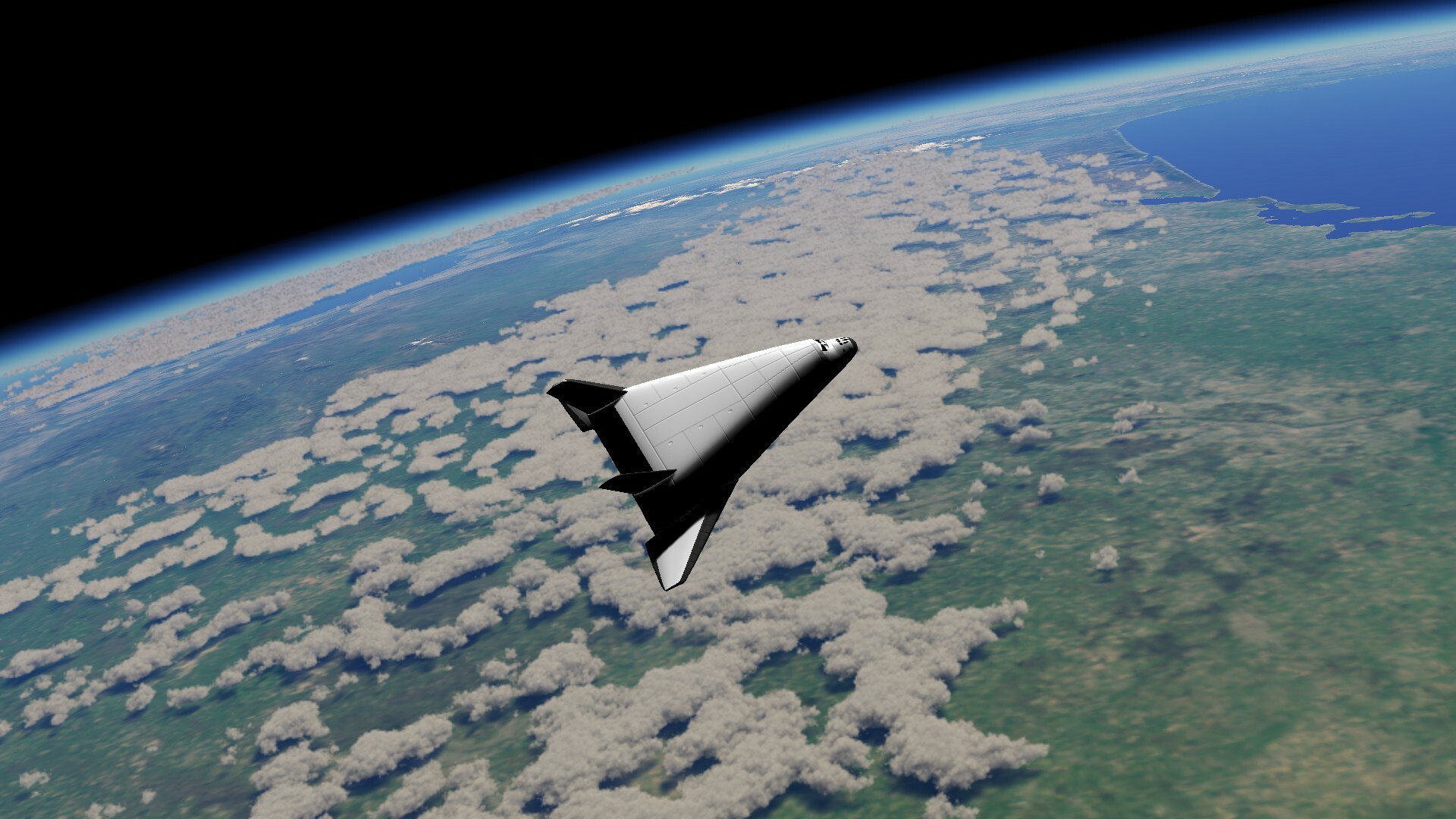
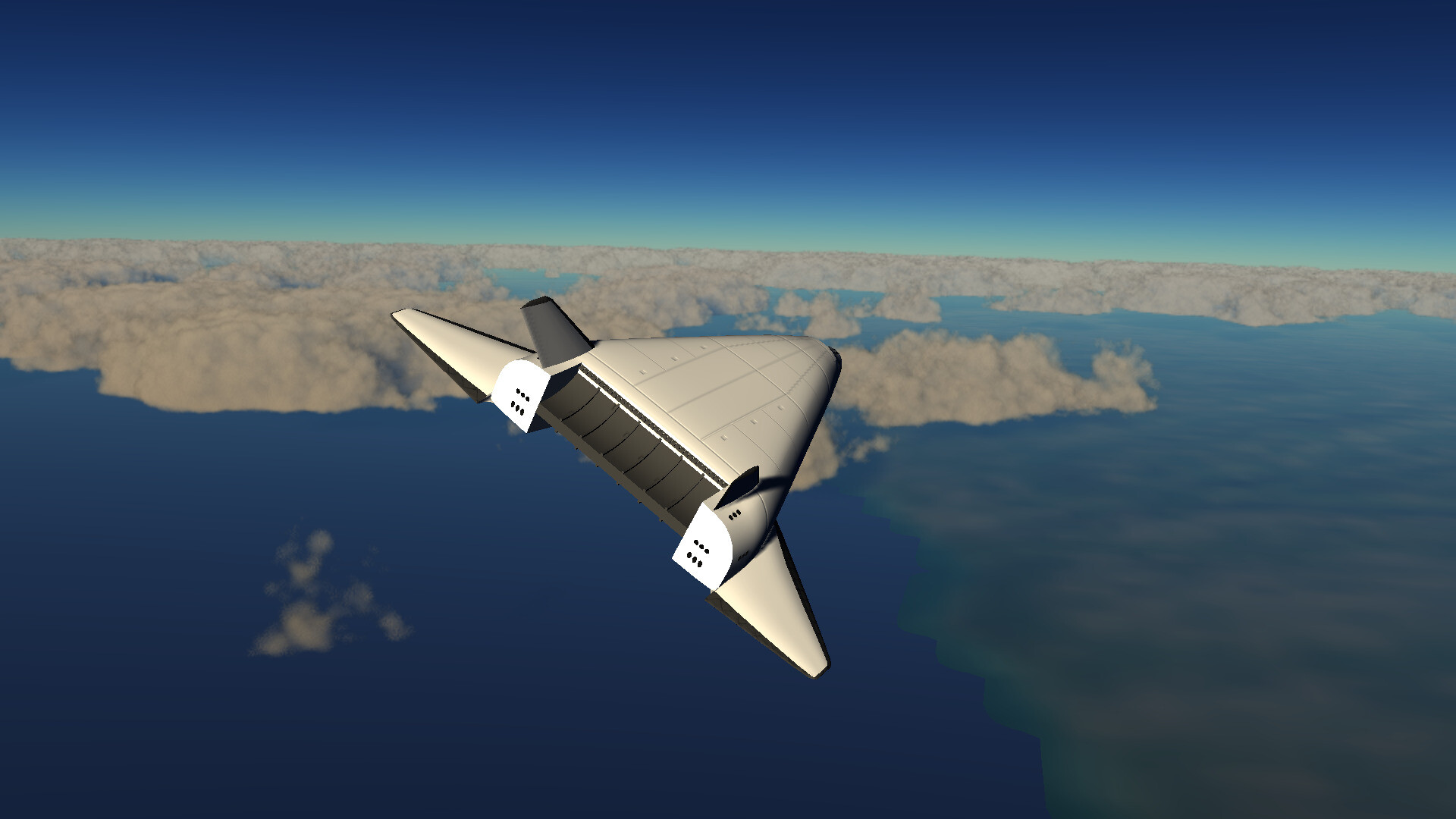
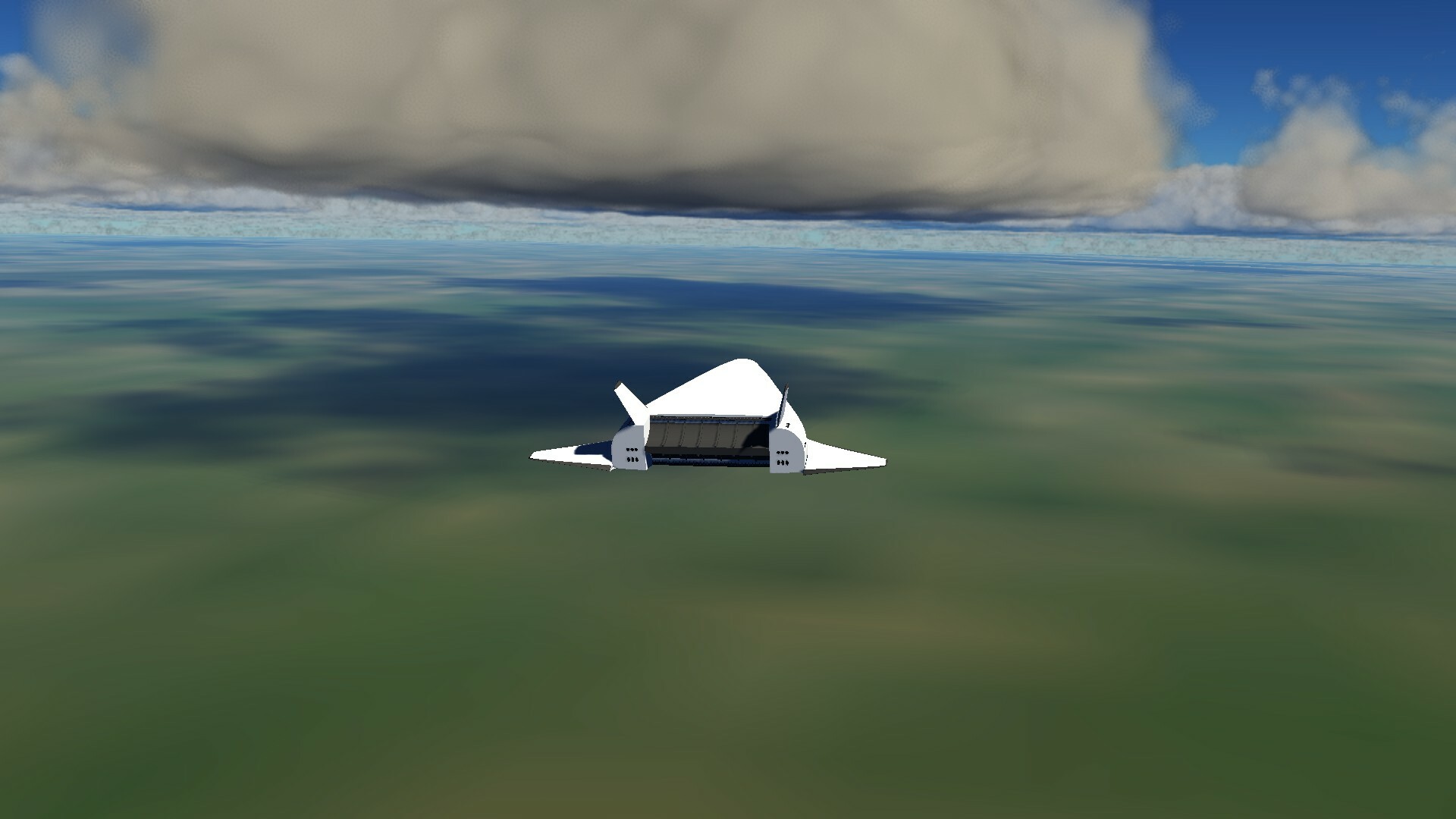
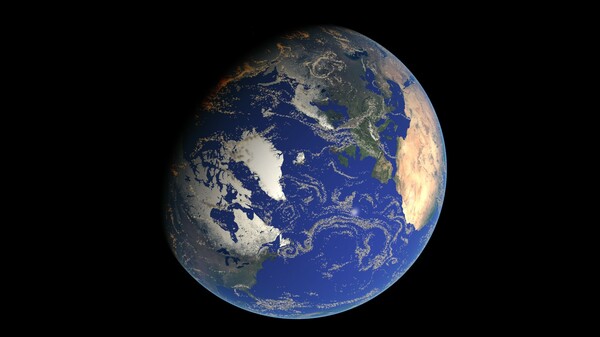
sfsim is a space flight simulator with realistic physics and a true-to-scale Earth using NASA Bluemarble data.
Current key features
- Realistic Physics: Simulate space flight and aerodynamics.
- True-to-scale Earth: Earth model based on NASA Bluemarble data.
- Realistic atmosphere: Atmosphere with realistic temperature and density as well as procedurally generated volumetric clouds.
- Real celestial body positions: Position of Earth and Sun based on NASA data.
🕹️ Partial Controller Support
🎮 Full Controller Support
[img src=\"https://cdn.cloudflare.steamstatic.com/steamcommunity/public/images/clans/45595472/f6c9c883884f099da079d6e5fa02b191adc104f5.jpg\"][/img]
Hello everyone,
I released version 0.6-1 of sfsim . sfsim is a realistic 3D space flight simulator with an advanced single-stage-to-orbit space craft.
The graphics implementation is now using deferred rendering to improve performance and facilitate rendering of small thrusters and lights. Using the \\\\ key one can now toggle between aerofoil surfaces and RCS thrusters (please always see the keyboard shortcut page for up-to-date keyboard bindings). This is the first release of sfsim with RCS thruster physics. This means that you now can control the orientation of the spacecraft when outside the atmosphere! It should be now possible to get into orbit. Make sure you climb at a sufficient angle so that the atmospheric moments are weaker than the RCS thrusters when you start entering orbit. Note that information about orbital parameters is not implemented yet.
I hope you will have as much fun with the RCS thrusters as I did.
Let me know any feedback and comments in the sfsim playtest discussion forum .
Enjoy!
 \n\nHi,\n\nI finally managed to release version 0.5-1 of sfsim.\nsfsim is a realistic 3D space flight simulator with an advanced single-stage-to-orbit space craft.\n\nThe new version comes with rocket plume graphics.\nThe plume was implemented using OpenGL shaders and uses volumetric rendering.\nI used the Shadertoy website to get ideas from other users and to develop the shader.\n\nThe rocket plume shows Mach diamonds when the atmospheric pressure is high enough.\nIt then expands with decreasing atmospheric pressure.\nIf you want to, you can try out the Mach diamonds shader in your browser.\n\nThe difficult part was figuring out the plume behaviour for different atmospheric pressure values and also the integration with the volumetric cloud shader.\nThere is still some work left to be done for sfsim, but most difficult problems are solved now I think.\n\nLet me know any feedback and comments in the sfsim playtest discussion forum .\n\nEnjoy!
\n[img src=\"https://cdn.cloudflare.steamstatic.com/steamcommunity/public/images/clans/45595472/7a033b9d0fc93388137d8a1554a7d96900c93065.jpg\"][/img]
Hi,
\n
Version 0.4-1 of sfsim comes with a following camera and improvements to the physics engine.
\n
The camera now follows the vehicle and the orientation is controlled using the speed over ground vector.\nThe numerical keypad can still be used to control the camera position.\nHowever the keys now control the yaw, pitch, and roll position.
\n
There also has been a significant upgrade to the physics code.\nIn order to get sufficient accuracy for simulating orbits, a matching scheme using 4th Runge Kutta integration is used.\nLike this I am able to use the Jolt Physics engine for accurate simulations of space flight.\nSee my article on orbits with Jolt physics for technical details.
\n
Let me know any feedback and comments in the sfsim playtest discussion forum .
\n
Enjoy!
[img src=\"https://cdn.cloudflare.steamstatic.com/steamcommunity/public/images/clans/45595472/d87a8f4f24901da5f99fe3ecd1968170db7eafdf.jpg\"][/img]
Hi,
I finally got the first version of the joystick configuration dialog working. One can configure axes and buttons in the dialog. There also is a common dead-zone setting for all joystick axes. The configuration can be saved using the save button. The config gets saved in the ~/.config/sfsim directory under GNU/Linux. Under windows the configuration directory is %APPDATA%/sfsim.
See keyboard shortcut page for up-to-date keyboard bindings.
Edit: Thrust key is not space any more, sorry!
Enjoy!

Hi everybody!
I have just pushed a playtest build to Steam and the button to join the playtest is visible on the sfsim page now. Before you join, please be aware that sfsim is still very much a work in progress and a lot of things are still missing! Also check the estimated graphics requirements on the sfsim page in case you want to run the game fullscreen.
At the moment you can take off and fly around in the atmosphere and the aerodynamics should be fairly realistic.
Here are the important key bindings for testing:
- Esc: toggle the menu
- F: toggle fullscreen
- P: pause/unpause
- G: gear down/up
- B: wheel brakes
- A, S, D, W: flight stick
- Q, E: rudder
- Space: thrust (keep pressed for continuous thrust)
- numerical keypad: change camera position
- "," and ".": increase/decrease camera distance
- H, J, K, L: move the camera around
- PgUp, PgDn: move forward/backward in pause mode
- X: set modified position acquired in pause mode
Note that you need to operate the rudder and flight stick in combination to prevent large side slip angles which cause the delta wing to roll.
Let me know if there are any problems.
I tested it on Windows 11 and Debian 12, but I hope it will run on other versions of Windows and GNU/Linux as well.
If you have time, please head over to the sfsim playtest discussion and let me now your thoughts.
Here are a few questions from my side:
- what graphics card do you have?
- what is the resolution of your screen?
- what is the framerate of the game in fullscreen mode?
- what do you think about the graphics quality?
- did you enjoy the aerodynamics?
- what do you miss in the space sim genre?
- are the keyboard mappings ok or would you prefer them different?
- do you have any questions not answered in the FAQ ?

I have created landing gear animations with Blender, baked them, and exported the result to glTF. "Inverse kinematics", "Damped track", and "Child of" constraints where used to ensure that torque link, resistance rod, and piston are animated correctly. Animations affecting multiple objects are merged using NLA track names when exporting to glTF. I didn't find a way to create multiple animations affecting the same objects, so I had to sequence steering, suspension, and gear deployment in the same animation. Wheel rotation however was kept separate. The following screen recording shows Blender playing back the sequence of steering, suspension, and gear deployment in parallel with the wheel rotation.
The model including the animations are imported using the Assimp bindings of LWJGL . The suspension and wheel rotation then can be driven using the wheeled vehicle constraint of the Jolt Physics engine. The planet surface was simulated by extracting 3x3 tiles from the planetary cube map and converting them to a static Jolt mesh. By simulating the wheels as moving surfaces, the numerical instabilities of simulating a rotating cylinder with constraints directly are avoided. The result is a beautiful interaction of the landing gear with the ground as shown in the following video (music: "Dune" by Andrewkn).
If you are interested in a realistic space flight simulator, please consider wishlisting sfsim on Steam .
At the moment I am developing the landing gear for the spacecraft in the upcoming sfsim simulator.

The Jolt Physics library provides a great physics implementation for wheeled vehicles.
Previously I have implemented extracting a small part from the planet mesh and convert it to a Jolt Physics mesh.
This then can be used to simulate the behaviour of the suspension and the wheels when the gear makes contact with the ground.
I am also working on an animation for gear deployment.
Blender supports different constraints such as inverse kinematics as shown in Mark Alloway's tutorial .
Here is a video showing the first working version of the landing gear (doors not implemented yet).
Only part left to do is baking animations, exporting it to glTF and driving the animations using information from Jolt Physics.
Let me know if you have any comments or suggestions.
If you are interested in a realistic space flight simulator, please consider wishlisting sfsim on Steam .
Minimum Setup
- OS: Ubuntu 22.04
- Processor: Intel Core i7 / AMD Ryzen 7
- Graphics: Nvidia GeForce GTX 1060
- Storage: 15 GB available space
Recommended Setup
- OS: Ubuntu 24.04
- Processor: Intel Core i7 / AMD Ryzen 7
- Graphics: Nvidia GeForce GTX 3060
- Storage: 15 GB available space

[ 6176 ]






























[ 5746 ]


[ 1265 ]






























[ 2018 ]




























[ 986 ]






























Time left:
356101 days, 2 hours, 4 minutes

Time left:
356101 days, 2 hours, 4 minutes

Time left:
5 days, 10 hours, 4 minutes

Time left:
33 days, 10 hours, 4 minutes

Time left:
36 days, 10 hours, 4 minutes

Time left:
37 days, 10 hours, 4 minutes

Time left:
10 days, 20 hours, 4 minutes

Time left:
6 days, 4 hours, 4 minutes

Time left:
12 days, 4 hours, 4 minutes

Time left:
13 days, 4 hours, 4 minutes

Time left:
18 days, 4 hours, 4 minutes

Time left:
20 days, 4 hours, 4 minutes

Time left:
24 days, 4 hours, 4 minutes

Time left:
3 days, 17 hours, 19 minutes

Time left:
8 days, 10 hours, 5 minutes

Time left:
10 days, 9 hours, 5 minutes

Time left:
15 days, 16 hours, 15 minutes


