



"Psst, wanna join the Rat Race?"
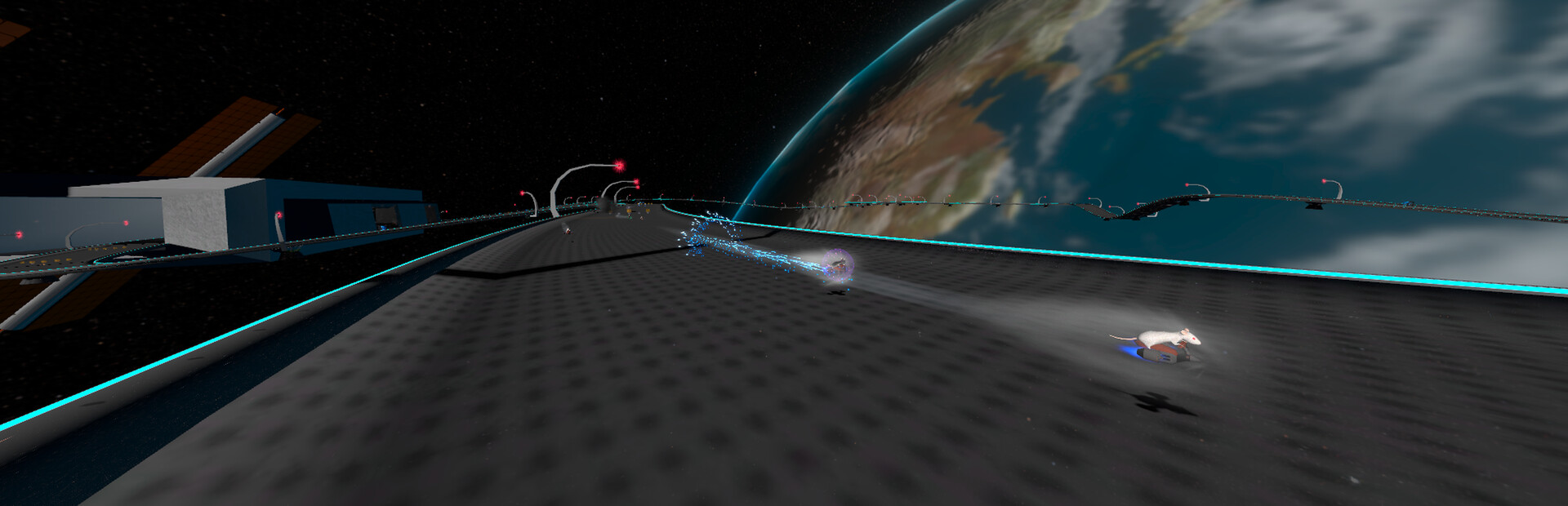
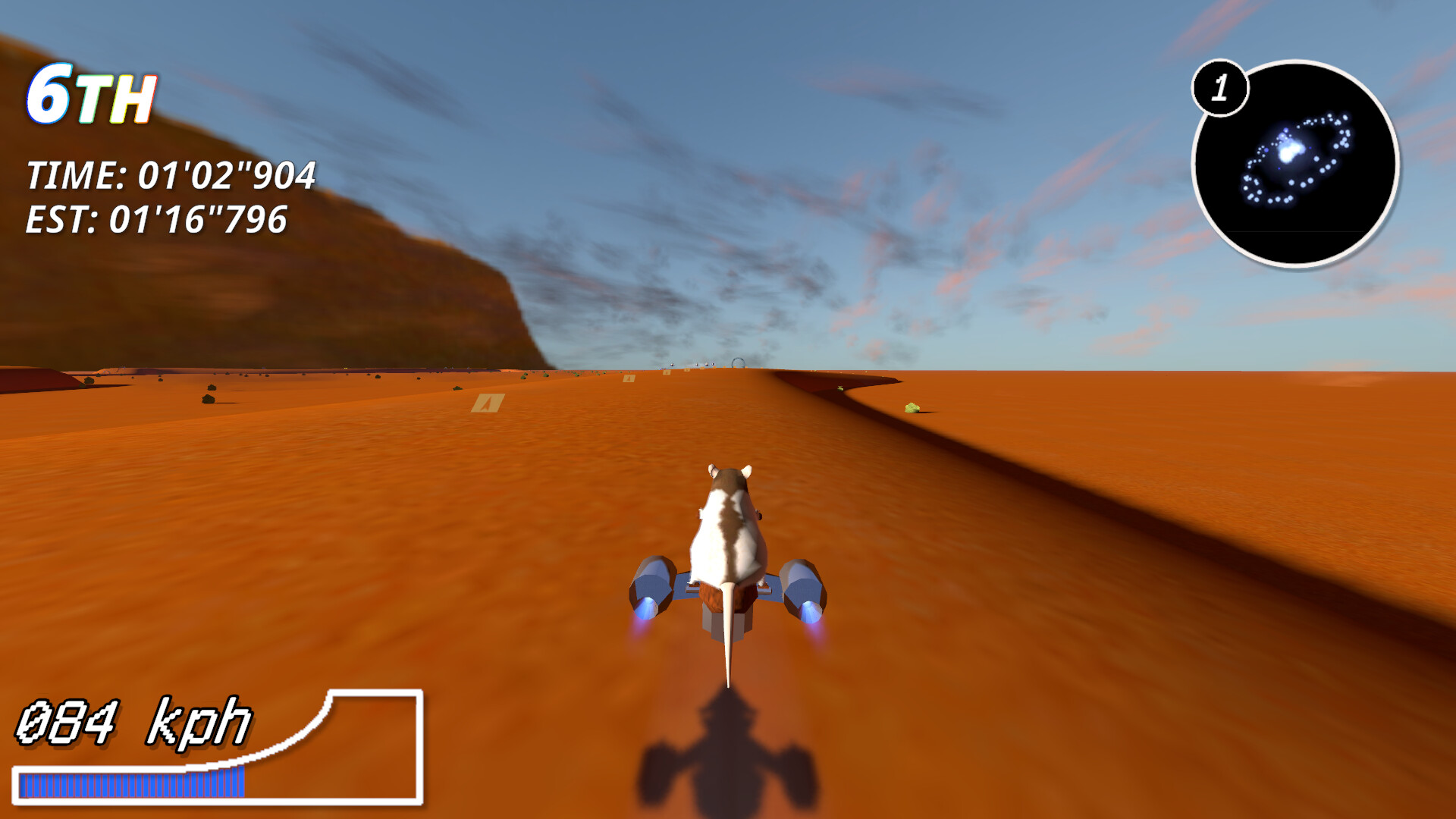
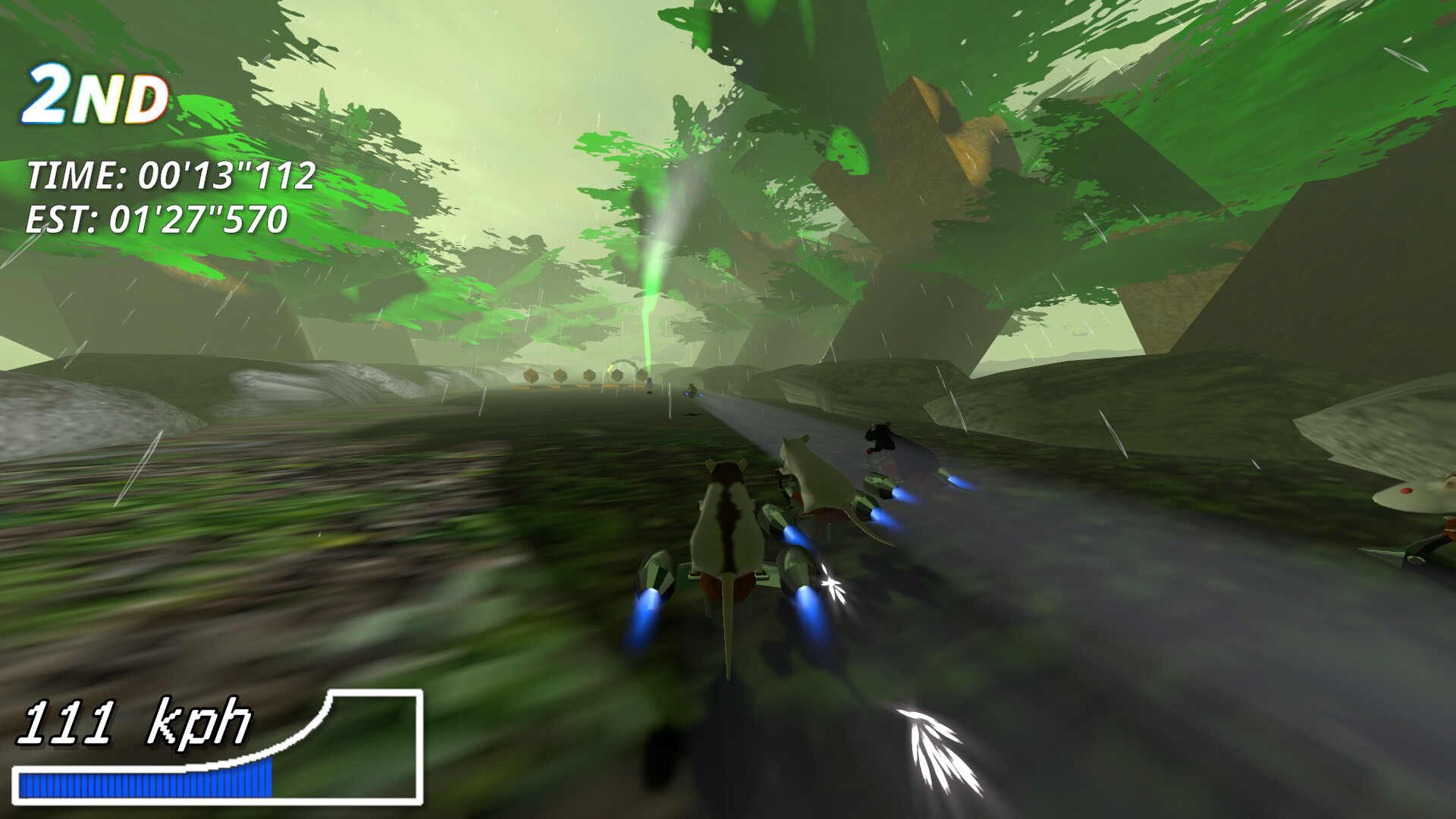
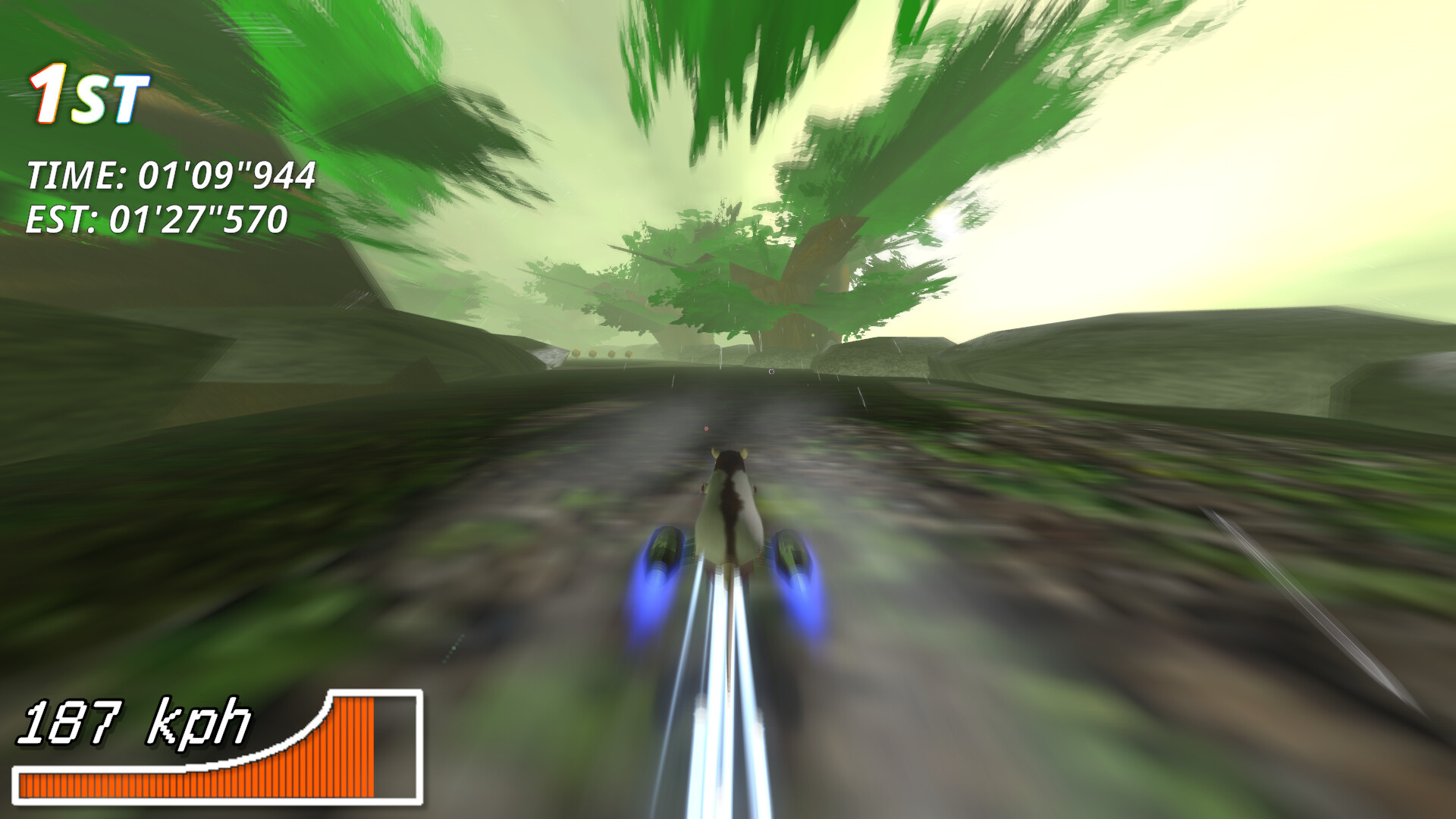
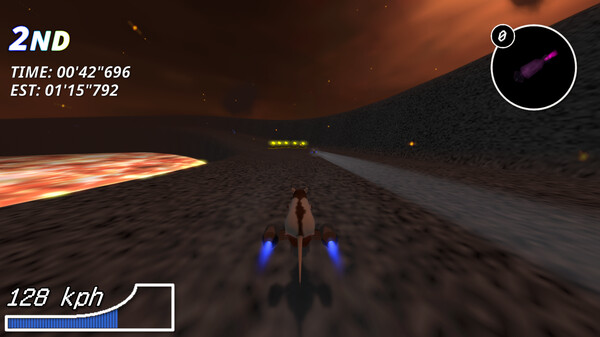
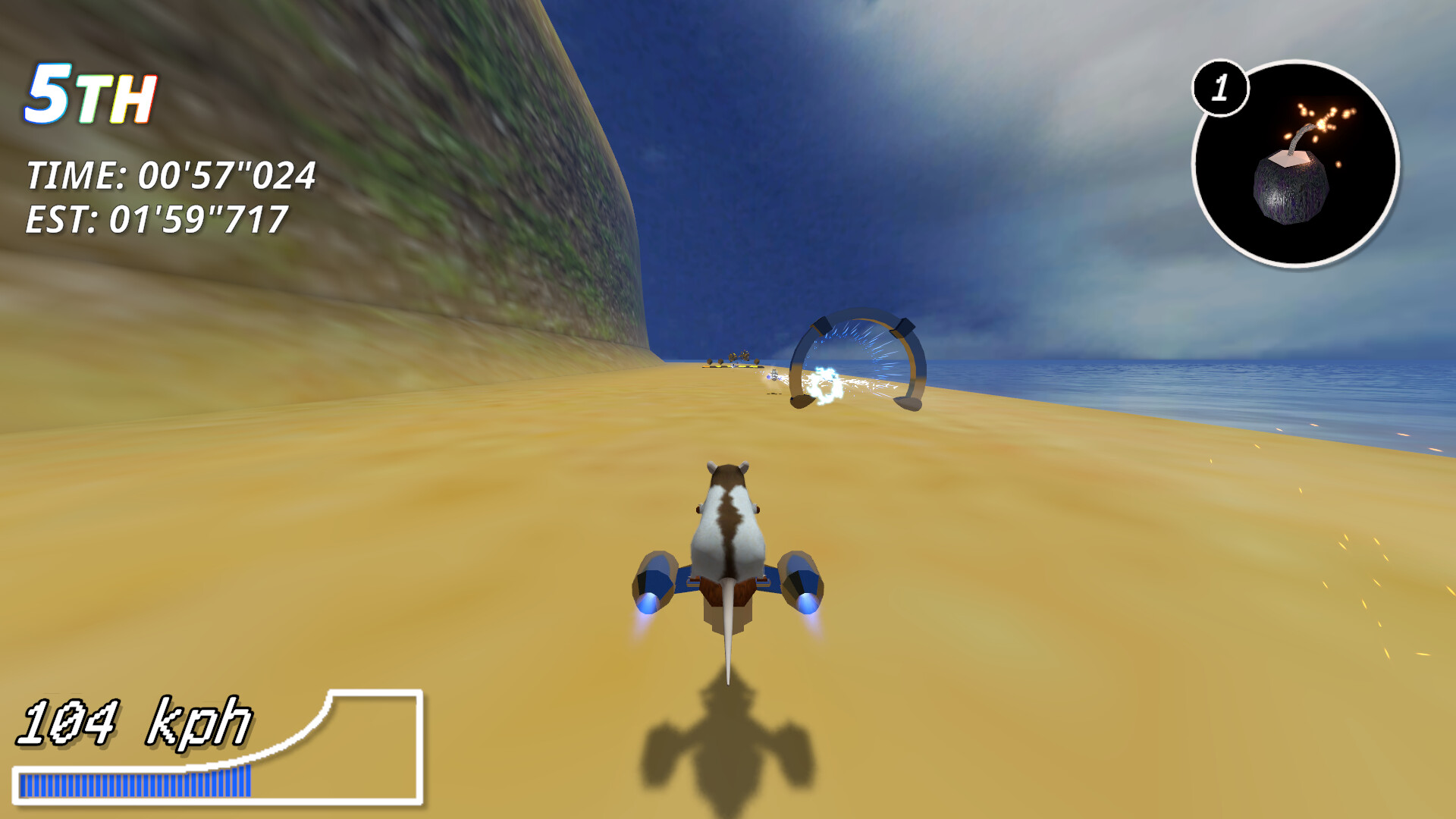
This is Rattus VELOCITAS, an arcade racing game where Fancy Rats riding futuristic ion-engine powered hoverbikes race on procedurally generated race courses! Collect items to give yourself an advantage or take out the competition!
7 different Fancy Rat colours and patterns you can choose from aside from the default Lab Rat colour, including Black-Eyed White, Agouti Hooded, and more!
5 different procedurally generated environment types.
6 Different items, including two types of Missiles, a Shield, a piece of Cheese, a Portable Dash Ring and a Bomb.
Race in a random environment, choose your favourite environment to race in or even enter a previous run's "track seed" if you'd like to experience a specific seed's race course again.
This game can be played in Splitscreen with up to 4 players on one PC!*
*Please note multiple game controllers, including Xbox 360, Xbox One, Dualshock 4(R) or DualSense(R) controllers are required for Splitscreen multiplayer mode. Performance depending on the machine hardware configuration may be reduced in Splitscreen.
G\'day Rat Racers,
This hotfix update addresses a bug where a player\'s Hat selection didn\'t correctly save in replay data, resulting in players wearing hats being hatless in the replay.
G\'day Rat Racers,
With this update, I have introduced the Hats system to the game! As a celebratory Christmas gift, every player that opens the game from the 25th of December until the 6th of January will receive a tiny little Santa Hat to put on their Rat Racer. Currently only player 1 will be able to use Hats; a future update may address this limitation. Please note that the System Clock must be set correctly for this unlock to function correctly.
In addition, the following changes have been included:
Item balance has been adjusted. The ??? item was appearing a bit too frequently while Portable Dash Rings weren\'t as frequent as they should be.
[list]Portable Dash Ring drop chance: 21% -> 22% (buff)
[/*]??? item drop chance: 2% -> 1% (nerf)
[/*]
Significantly improved CPU players\' ability to follow racing lines rather than the road directly.
[/*]Optimised the performance of the Item System; now slight stutters caused by garbage collection should happen less often.
[/*]Changed the deploy animation for Shields
[/*]Added back a quirk from an early version of the Cheese item where the player\'s Rat appears to throw away the remains.
[/*]This will be the last update released this year.
G\'day Rat Racers,
A new update has been released with a number of new QoL changes to the game.
About the item changes:
Standard Missiles were far too common which made it super difficult to catch the first place racer while in second place or less, so their drop rate has been nerfed to pre-online update RNG levels. (Initially they were buffed to offset a now-fixed item RNG bug)
There were also a lot of instances of the 1st place racer getting 7+ seconds ahead of others during races so to compensate for nerfing Missiles, the ??? item\'s drop rate has been mildly buffed to give players more windows of opportunity to take down 1st place.
Cheese drop rates have been reduced as there was a number of frustrating instances of running into multiple Cheese baits on the race course.
Portable Dash Rings were almost always a double item while also being rare to find, making some races too fast, so this has been adjusted to be less oppressive while also being more common as a single use item.
Please note replays will inevitably break with this patch, due to the track layout changes. (Sorry)
Item balance has been adjusted:
[list]Cheese drop rate: 22% -> 21% (nerf)
[/*]Portable Dash Ring drop rate: 19% -> 21% (buff)
[/*]Portable Dash Ring multi-drop rate: 70% -> 50% (nerf)
[/*]Missile drop rate: 18% -> 16% (nerf)
[/*]Ghost Missile (???) drop rate: 1% -> 2% (buff)
[/*]
Fixed an issue where spacing thresholds for the procedural generation of Dash Rings and Cheese Rockets were inconsistent. Now they\'re consistently generated at x density per km. This fixes playability issues with Desert, Volcanic and to an extent Beach where there were sometimes lengthy periods of zero action.
[/*]Workaround a performance killing bug with some PCs and a memory leak in the Main Menu by disabling rendering of Shrubs. If your Main menu was running at 10FPS or lower, this will 100% fix the issue.
[/*]Realigned the buttons in the Advanced Race environment select menu.
[/*]Fixed a bug where, if a Shield broke then another one was quickly used before the broken Shield fully despawned, the second Shield was cosmetic and didn\'t work.
[/*]The Game Manual now opens inside Steam when using \"View Game Manual\" in the Options Menu. Please note that for now you\'ll have to alt-tab to the Steam window to view it. \nAbout time this was fixed!
[/*]Made Exploding Coconut bounce audio louder.
[/*]Fixed a bug where some turns on Beach with specific track seeds generated self-intersecting geometry that could trap CPU racers.
[/*]Potential bugfix for an issue where the game infinitely loads if the game is alt-tabbed while loading into a race.
[/*]Fixed a bug where the end credits of the game would incorrectly roll if the player achieved Rat Racing Champion or Rat Racing Legend during Online Mode, causing other players to timeout on the next race load.
[/*]Attempted to mitigate an issue where it was possible for players leaving the lobby mid-race to incorrectly attempt to reconnect to the previous lobby\'s players, leading to subsequent races getting a connection error for the remaining players. NOTE: The matchmaking server also needed updating, apologies for the brief downtime. The dedicated and GUI matchmaking branches have also been updated with the server-side fix for this issue.
[/*]G\'day again Rat Racers.
This small patch contains a fix for splitscreen audio being quieter than intended in some cases.
G\'day Rat Racers!
This update contains the following changes:
Fixed a bug where shields targeted themselves when refreshing already-existing shields. If your shield wasn\'t refreshing after using a second one or you were getting \"cosmetic\" shields that didn\'t work, this shouldn\'t happen anymore!
[/*]Fixed a bug where the internal win-rate calculation could get stuck at 100% win-rate, even if you lost races.
[/*]
G\'day Rat Racers.
This update fully resolves a bug where, if Steam Achievements data failed to properly load for any reason, Cheese Rocket Payloads became unobtainable in-game, with players passing through them instead.
UPDATE 11/06/2025 AEST:
This update has been re-released with the following changes:
Fixed an enjoyment-breaking bug where both performance-based and random CPU difficulty wasn\'t applying at all.
[/*]Fixed an issue where the win-rate calculation was incorrect, resulting in Quick Race eventually picking Easy difficulty every race.
[/*]
G\'day Rat Racers,
This patch improves Missile behaviour in online mode; they shouldn\'t skip around as much when performing latency compensation anymore.
Additional bugfixes:
Fixed a potentially game breaking bug with scene loading that caused the game to freeze.
[/*]
G\'day again Rat Racers.
I may have accidentally regressed replays, this small patch fixes them so items behave as expected again.
All changes:
Fixed a bug with CPUs where items were used immediately upon acquisition.
[/*]Improved item usage heuristic used by CPU racers.
[/*]Fixed a bug that could break replays if an item was acquired from a Cheese Rocket payload the same frame an item command input was used. (aka. Square or R2 on a DualShock(R) 4 controller)
[/*]Slightly improved network time synchronisation of the race countdown.
[/*]Changed the \"winning race\" condition for the win-rate system to only count 1st place finishes.
[/*]
G\'day Rat Racers!
This update contains bugfixes and an adjustment to performance-based CPU difficulty.
Introduced win-rate based CPU difficulty adjustment for Quick Race. This replaces performance-ratio based CPU difficulty.\nAlgorithm for this is simple; if you\'re routinely failing to place the top 3, you\'ll get easier opponents, and vice versa. This alleviates an issue where the performance ratio\'s boost percentage would droop too low and end up giving the player easier CPU opponents after a few races with next to no boosts present. Note that this means your first Quick Race after the update installs will be ridiculously easy, then it should even out as you play more races.
[/*]Improved cross-client Cheese Rocket drop RNG in online races. Item drop rates from Cheese Rockets should now have a random chance close to offline races.
[/*]Fixed an issue where it was possible for every player to get the same item in the first cluster of Cheese Rockets in an online race due to latency.
[/*]Fixed a bug that made CPUs \"sleep on the job\" even at maximum difficulty with their first acquired item - now they should react a bit faster to getting the first one.
[list]In addition, lowest CPU difficulty shouldn\'t react too fast to getting the first item now.
[/*]
Fixed a regression from the \"CVE found, urgent update required\" patch where the game was accidentally passing [c]int.MaxValue [/c]to several stat-keeping functions, resulting in the Steam Achievements \"Podium Finish,\" \"Does this guy even touch grass?\" and \"Better Luck next time\" not functioning properly. (Sorry about that!) Note that this requires placing 1st in at least one race after installing this update to unlock the Podium Finish Achievement correctly.
[/*]G\'day Rat Racers.
This update contains some small bugfixes:
Improved Dash Ring boost visuals to match an earlier version of the game\'s effects.
[/*]Fixed a bug where Portable Dash Ring boost audio would cut off when the Portable Dash Ring began to fade out of existence right after a racer had passed through it.
[/*]Improved cross-platform and cross-CPU determinism of the despawn timer for Portable Dash Rings. While likely not noticeable in the majority of cases, this should allow 100% reproduction of Portable Dash Ring behaviour when sharing a replay file with another player using a different CPU to the CPU of the machine the replay file was recorded on.
[/*]Fixed a bug where Menu Select sounds would fail to play for the first two selections after pressing START (or the equivalent button) to enter the Main Menu from the title screen.
[/*]Fixed an issue where the Replay List would continue loading in the background after exiting the Replay List screen before loading had fully completed.
[/*]
G\'day Rat Racers,
This patch resolves a regression introduced by the improved latency compensation where Coconuts dropped from Trees in Beach would explode instantly on spawn in all modes. (Oops)
Good evening, Rat Racers. (For me at least) This patch has the following changes.
Significantly improved Missile latency compensation. This does have somewhat weird side effects when physics state has to roll back but at least they work as intended now!
[/*]Fixed a bug where clients eating the Cheese item would eat for significantly longer on remote clients, resulting in items desyncing.
[/*]Fixed a bug where item acquisitions and item firing commands could desync when multiple items were acquired and simultaneously used within 1s of each other.
[/*]
G\'day Rat Racers,
This small update contains improvements for the online mode; Bombs in particular should be more reliable now. :)
Made race countdown synchronisation more accurate in cases where the \"real\" half-RTT can be reliably measured.
[/*]Made UTC clock sync with the Matchmaking Server more accurate.
[/*]Overhauled the Bomb\'s latency compensation to fix an issue where sometimes thrown Bombs would explode immediately. This also resolves the known issue \"Sometimes thrown bombs in online races will either miss on your screen but explode on other clients, or explode but miss on other clients. This doesn\'t affect dropped Bombs\" present in the original online update.
[/*]Fixed a visual bug where Missile Exhaust smoke sometimes had visible gaps when the Missile was at it\'s top speed.
[/*]
Known issues:
Rarely, Missiles will target the wrong player across clients in online races and/or appear to miss a target on screen but still hit on other clients anyway.
[/*]Coconuts on Beach may occasionally desync at higher average latencies when players are at slightly different positions across clients while simultaneously being close enough to an Exploding Coconut to make it detonate.
[/*]Replays recorded from online races may playback incorrectly. An overhaul to the Replay File Format will be addressing this in a future update. In particular:
[list]Item playback in replay files recorded from online races will be incorrect in most cases, due to item spawn positions being different.
[/*]Sometimes Item use playback in a replay file will erroneously spawn multiple copies of an item if the replay was recorded from an online race and the non-local player throwing the items in question were experiencing packet loss at the time of recording.
[/*]
Mobile networks may disconnect mid-race if the physical device providing internet switches between Mobile Network Towers. For this reason, Mobile Networks are not officially supported for online play, but they should otherwise work.
[/*]Using \"Reduce Latency\" on Windows with D3D11 can reduce performance significantly. This is a Unity limitation that can\'t be worked around. A powerful CPU will still allow enabling this setting if your computer cannot run the Vulkan Backend without crashing.
[/*]Missiles occasionally emit a glitch trail when fired shortly after another missile despawned. This is entirely cosmetic and doesn\'t affect Missile operation.
[/*]Menu select sounds don\'t currently play in the Replay List box.
[/*]Menu select sounds for the first two selections fail to play after \"pressing START\" at the title screen.
[/*]PS4, PS5 and Xbox gamepads on Linux may display unusual names for button prompts instead of their correct names.
[/*]CPU-bound performance in Volcanic may be lower than other race environments.
[/*]G\'day Rat Racers.
This update resolves the last issue with clock synchronisation when the race countdown is running; all players should now sync up to each other correctly and have accurate latency compensation across clients.
G\'day Rat Racers, a new update has been released.
With this update, the Server bug affecting private lobbies has now been fixed, it is safe to use private lobby functionality again!
Implemented sourcing latency compensation timestamps from the matchmaking server. This should fix the softlock that could occur at race start in online mode if the player\'s computer has the wrong system time set. It is still recommended to have the system time set correctly as some issues with this new mechanism\'s race start timings remain.
[/*]Fixed a bug with Missiles in online mode using the wrong time reference when rolling back player snapshots.
[/*]Fixed an issue where the lobby UI would revert to default state and be unusable if the client lost connection to the matchmaking server mid-race.
[/*]Fixed several subtle game logic bugs that would occur if the Matchmaking server connection was lost.
[/*]Slightly overhauled how latency compensation works with Bombs and Missiles; now both use a time reference that\'s more stable but slightly higher latency to ensure consistency across clients when firing them. This should also improve the reliability of Bomb throws in online races.
[/*]Fixed a bug where entering the correct lobby code for a given private lobby would fail.
[/*]
The dedicated server software has also been updated with the new improvements on it\'s side:
Implemented support for the new server timestamps feature.
[/*]Fixed a bug with private lobby code generation not deduping based on existing private lobbies properly.
[/*]
G\'day again Rat Racers.
Regarding the earlier server maintenance, public matchmaking lobbies should be stable, however, you may find yourself unable to join Private Lobbies entirely even with a correct lobby code.
This is due to a bug with lobby code validation that was only caught after deployment during an unrelated playtest for a future bug bash patch. This bug has now been fixed, however currently I\'m experiencing a power outage and cannot yet update the public matchmaking server nor the game itself at this time. I apologise for the inconvenience.
In the meantime, a workaround for the technically minded is to deploy your own instance of the Matchmaking server software (visible in Tools in your Steam Library) and use that as a private lobby instance via it\'s own \"Enter Matchmaking\" mode:
If it\'s a matchmaking server instance on LAN, all you need to know is the server machine\'s IP address. However, if it\'s a server meant to be exposed to the internet, you\'ll need to open Port 19777 on your router for your server for it to be reachable by your friends. They\'ll also need to know your internet connections public IP address. For more information, please consult the game\'s manual, located in the game\'s data folder.
[/*]Generally, just installing and launching the GUI server before launching the game should be enough. If you\'re running the matchmaking server on the same PC you\'re playing Rattus Velocitas on, connecting to localhost (127.0.0.1) on your end should work.
[/*]
In addition, some other issues affecting the live patch were found:
If your system time is set incorrectly, you may find the game softlocks when \"RAT RACE START!\" appears. To workaround this issue, please ensure you have network time synchronisation enabled in your Operating System. A fix has already been made for this bug and will be deployed with the server update as soon as possible.
[/*]If the connection to the matchmaking server is lost mid-race, the lobby screen will be corrupted upon returning from the race. Only workaround is relaunching the game here; sorry about that. :(
[/*]Currently, the performance ratio calculation may be slightly affected by network race time synchronisation delay; in the majority of cases this should be harmless.
[/*]
The Tuesday bug bash patch should still release around October 28 @ 12PM AEST with fixes for all these issues. Provided power is restored in time, the lobby codes bug in particular should be fixed by October 27 2025 @ 10:30PM AEST on the current live patch, will keep the community updated.
The public matchmaking server is now online again. \nThe following issues were fixed during maintenance:
Fixed an error server side that could lead to:
[list]lobbies accidentally adding duplicate player entries.
[/*]Players merging into each other\'s lobbies, even when set to private.
[/*]
No more sneaky Rats getting into places they shouldn\'t be!
The build of the dedicated server in Tools has also been updated to fix this issue.
G\'day Rat Racers
Due to a rather silly bug affecting lobby IDs on the matchmaking server, it will be down for maintenance for a few minutes.
Expect it back up by 11:30am AEST/12:30pm AEDT
G\'day Rat Racers, this is the last tiny hotfix patch for the Online Mode update to address some rather silly regressions in the UI:
Fixed a bug where it was impossible to leave the \"Ready to Race?\" screen without first starting the race and quitting.
[/*]Fixed some UI alignment issues on 4:3 and 5:4 resolution screens.
[/*]
G\'day Rat Racers.
This is a small hotfix patch for some immediate issues I caught while testing the release build of the online update.
Bugfixes:
Fixed a bug where race start animations would play too early then reset when the race \"started\" on Player 1\'s instance of the game in online mode.
[/*]Fixed a serious timing issue that could cause latency compensation to be inconsistent across clients.
[/*]Fixed an issue with Player.log spam from code that should have been removed before release. Sorry about that!
[/*]
G'day Rat Racers.
This is a small patch that fixes the following issues:
- Cheese when dropped while being consumed didn't have a deterministic trajectory in replays.
- Fireballs in Volcanic didn't have a deterministic path in Replays.
For rat racers playing from lower end hardware, I've included a fix for dynamic resolution not scaling when it should with specific framerate targets.
G'day Rat Racers!
Here is a set of bug fixes and game adjustments to improve the gameplay experience.
- Item balance has been adjusted:
- Boost obtained from consuming Cheese dropped by another player reduced from 64ms to 16ms
- Portable Dash Ring drop chance increased from 18% to 19%
- ??? Item drop chance decreased from 2% to 1%
- ??? Item no longer randomly explodes in circumstances where it has otherwise no reason to self-destruct. - Missiles now warn the player they're locked on to with an "INCOMING" crosshair.
- Being baited by the Cheese Item now causes slowed sparks to appear on the player's vehicle.
- Reworked the Collision Detection for the Cheese item when dropped. This fixes the following issues:
- Sometimes collisions with dropped Cheese in Replays didn't replay correctly.
- When already eating a piece of Cheese, players were briefly blocked by dropped Cheese on the road. - Improved CPU artificial intelligence in cases where targeting an Item Container's more favourable than targeting a Dash Ring.
- Optimised CPU and memory garbage collection performance of Item Containers and their visual effects.
- Optimised CPU and memory garbage collection performance of Mini Volcanoes' fireballs in Volcanic.
- Optimised CPU and memory garbage collection performance of Coconuts present in Beach.
- Optimised CPU and memory garbage collection performance for ALL Explosion effects.
- Optimised CPU and memory garbage collection performance of Bombs, Cheese and Shields.
- Introduced asynchronous race loading; if this causes hangs, please launch the game with "-disable-async-load" in your Steam launch options.
- Fixed a hang on AMD graphics cards running Radeon Software 22.6.1 when loading into a race or back into the menus.
- Fixed a rare crash on NVIDIA graphics cards when loading into a race or back into the menus.
- Fixed a rare hang on NVIDIA graphics cards when loading into a race or back into the menus.
- Changed certain physics interactions to be more deterministic; now Replays should reproduce close to exactly the same as the original match it was recorded from, as well as making bomb bounces more predictable.
- Fixed a bug that allowed players to cancel gravity while in freefall by using certain items.
- Fixed a bug where thrown away items (in Item Containers) that hadn't yet landed on the ground could physically block players.
- Fixed a bug that made it possible to throw away items while eating.
- Fixed an edge case with Missiles at their maximum flight speed where it was possible for them to miss a target going around a corner while also going round said corner themselves.
- Fixed Replays showing the incorrect estimated race time. Older replay files will show --'--"--- instead.
- Fixed a case where it was possible to fail to finish a race in Forest if the player finishing was too far to the sides of the finish line when crossing it.
- Fixed a regression introduced by the gamepad freeze fix; now Rumble on compatible controllers should work again.
- Fixed a bug that caused the game to hang if using a wireless PlayStation(R) controller with rumble enabled. (NOTE: Rumble still requires connecting said PlayStation(R) Controller via USB)
This resolves the known issue where having controllers connected wirelessly with rumble enabled freezes the game; the workarounds are not needed anymore. - Fixed a bug where toggling the reduce buffering setting didn't reload the graphics settings automatically.
- Made reduce buffering off the default setting for new installations; on systems that only meet the minimum GPU specifications, this setting may cause stuttering so it's recommended to keep this setting off there.
- Fixed Missile targeting sometimes skipping targets when fired with a viable target directly in front of you.
- Improved visibility of the road in Forest by lining extra rocks along the sides.
- Updated the Game Manual's Troubleshooting section to reflect this patch's changes.
Please note this patch breaks replay files made in previous versions, due to the missile targeting changes.
- Fixed an issue where the Performance Ratio could swing wildly in one direction after a streak of failing to beat the EST time then a race where you did beat it. This was rather prominent on fresh saves, now fresh saves should have a more stable performance ratio. Saves from the release build of this game will eventually correct themselves as well.
- Fixed an issue where the wrong slash character ('/' instead of '\') was used when displaying the Performance Ratio in the Player Profile
- Adjusted the audio mix of the Ghost Missile (??? item) explosion to make it more distinguishable from a Shield shattering.
- Fixed a bug where dropped Cheese didn't properly disable it's glow effect when picked up.
G'day, rat racers!
The game is now out! Thank you for trying it out and have fun!
Now, for issues I'm aware of that could make it difficult to run and/or may impact gameplay. Some of these I will attempt to address in a future patch; stay tuned!
Dualsense haptics on Linux systems sometimes don't behave the same as on Windows.
[/*]Using a Gamepad via Bluetooth with Rumble enabled may cause the game to hang if other non-Gamepad devices are connected. If this occurs, it is recommended to disconnect any other bluetooth input devices while using your wireless controller if you want to use rumble.
[/*]Using a wireless DualShock/DualSense gamepad on macOS with Rumble enabled causes the game to hitch every time haptic feedback plays.
[/*]Sometimes boosting has slightly erratic haptics on a Dualsense controller on some Windows setups.
[/*]Mouse navigation in the pause and results screens doesn't work.
[/*]Controller LEDs on DualShock/DualSense gamepads turn off after race completion.
[/*]Attempting to use the Wayland launch option on some KDE Plasma setups on Linux may result in the game instantly closing without any error message.
[/*]If your graphics card doesn't support Vulkan 1.0, enabling "Reduce Buffering" and "Use Vsync" at the same time may result in the game dropping to a low framerate on the first spike in GPU utilisation; workaround by disabling vsync, reduce buffering or lowering the graphics settings.
[/*]Integrated Graphics Cards mistakenly have realtime reflections enabled on first launch; disable them in the options menu if performance is subpar.
[/*]Input latency with some graphics cards and display combinations on Windows with Vsync enabled is excessively high.
[/*]Frame times can be erratic on Vulkan drivers using GDI+ to implement the Vulkan swapchain; set FPS cap to unrestricted or turn on vsync for a workaround. WARNING: Running unrestricted framerate may cause your PC to overheat - please assess your PC's cooling system's ability to cool your CPU and graphics card under load before setting your framerate to unrestricted.
[/*]AMD graphics cards on Windows with Radeon Software version 22.6.1 or older when running with Vulkan may freeze and crash to desktop after enabling 4x MSAA. If your AMD graphics card has the GCN4 microarchitecture (also known as Polaris/Vega) or newer, please upgrade your drivers instead!
[/*]The game may hang on NVIDIA graphics cards if the Vulkan/OpenGL present method is set to Auto and the game's FPS cap is set to unrestricted. If this happens, change the setting for the game via the NVIDIA App/Control Panel to "Prefer native" instead of "Prefer Layered on DXGI Swapchain"
[/*]A rainbow flash behind the UI will appear if the race replay is still recording and you attempt to navigate to either "view replay" or "save replay" while both buttons are greyed out.
[/*]The race position at the start of a race is incorrect until every Rat has passed the start line.
[/*]The camera rotation when changing POV in replays is incorrect for a single frame and/or spins around instead of changing seamlessly.
[/*]The displayed race position in cases where players have already crossed the finish line will show up incorrectly. This is a purely cosmetic bug and doesn't affect the finishing position.
[/*]The performance ratio visible in the player profile may sometimes fluctuate way too erratically if the player fails to beat the estimated race time too many times.
[/*]Missiles if shot from 1st place will target the last place player.
[/*]Race courses on Beach sometimes have self-intersecting geometry errors in the generated cliffs that can trap players.
[/*]Performance on Volcanic race courses may be lower than expected.
[/*]
One more thing I'd like to clarify in the game settings themselves is the "Reduce Buffering" option. This is also explained in the game manual, provided in PDF format and available at first launch or from the options menu. What this does is reduce the number of frames simulated ahead to 1 to reduce display latency, at the cost of performance on CPU bound setups.
Minimum Setup
- Processor: Intel Core i7 860 or AMD equivalentMemory: 4 GB RAM
- Memory: 4 GB RAM
- Graphics: NVIDIA GeForce GTX 1060 / AMD Radeon R9 290
- Storage: 400 MB available space
Recommended Setup
- Processor: Intel Core i7-4770 or AMD equivalent

[ 6382 ]






























[ 5853 ]


[ 1933 ]





























[ 2282 ]






























Time left:
356104 days, 21 hours, 28 minutes

Time left:
356104 days, 21 hours, 28 minutes

Time left:
0 days, 5 hours, 28 minutes

Time left:
9 days, 5 hours, 28 minutes

Time left:
37 days, 5 hours, 28 minutes

Time left:
40 days, 5 hours, 28 minutes

Time left:
41 days, 5 hours, 28 minutes

Time left:
1 days, 23 hours, 28 minutes

Time left:
2 days, 23 hours, 28 minutes

Time left:
9 days, 23 hours, 28 minutes

Time left:
15 days, 23 hours, 28 minutes

Time left:
16 days, 23 hours, 28 minutes

Time left:
27 days, 23 hours, 28 minutes


