



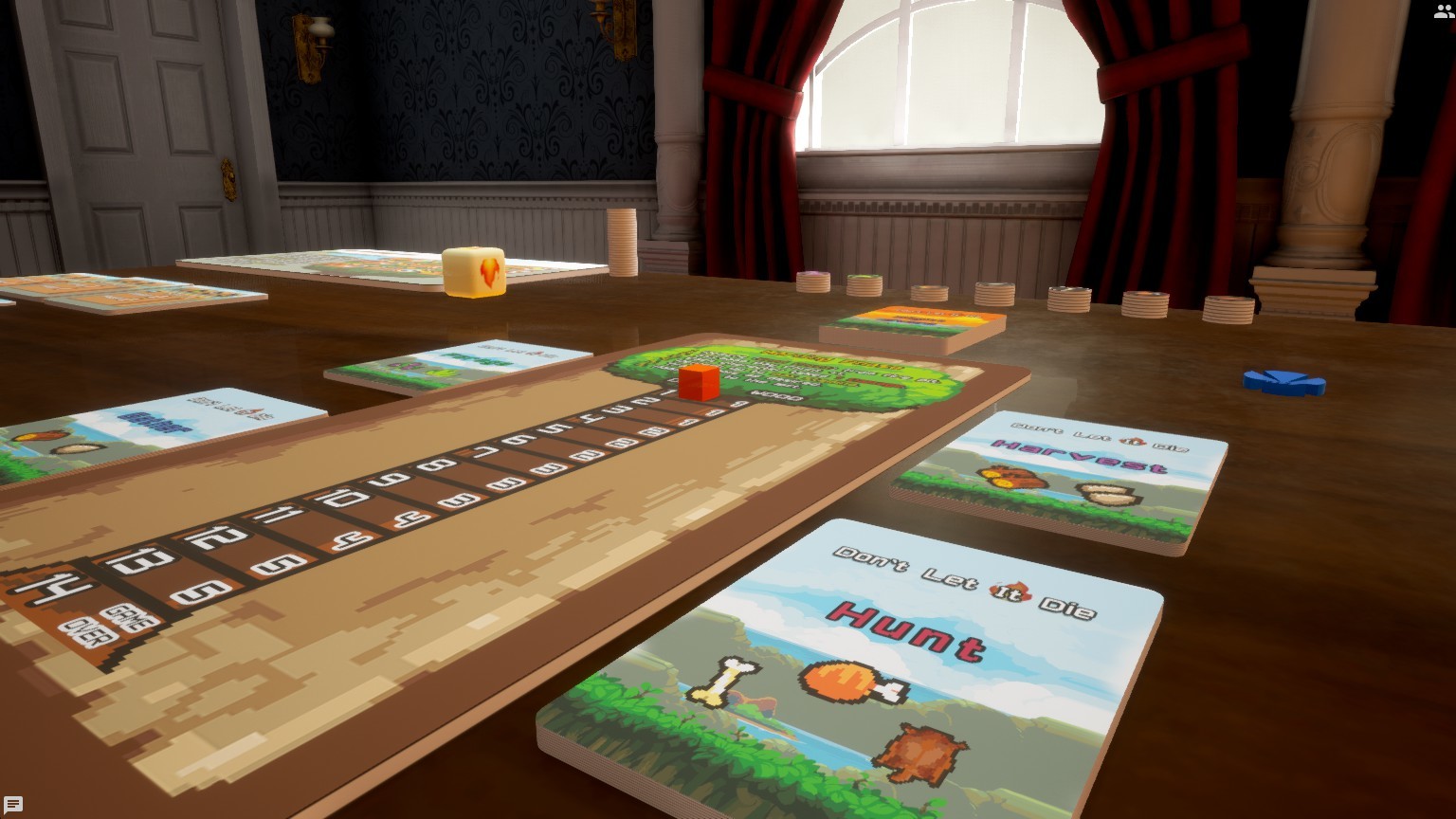
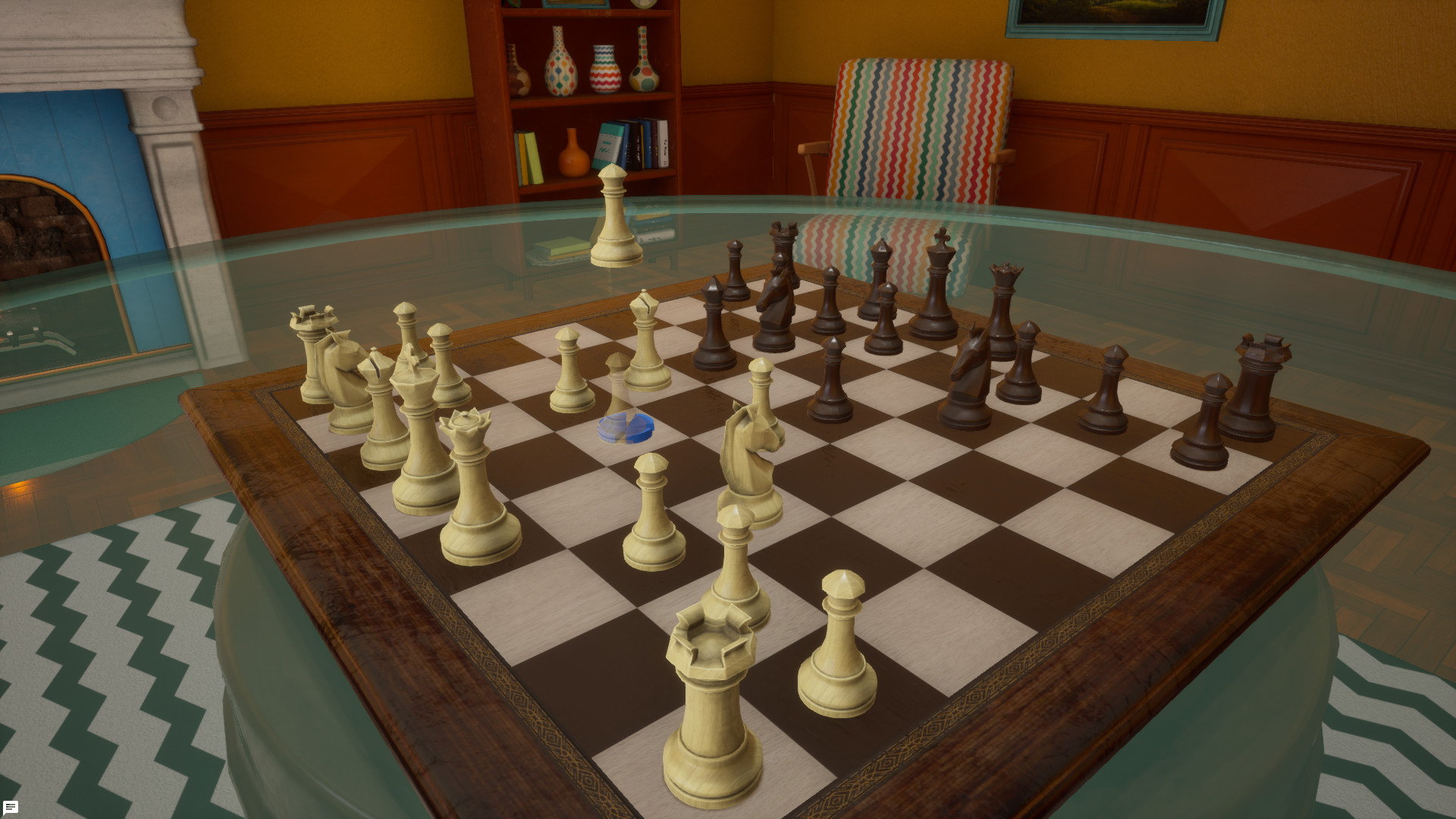
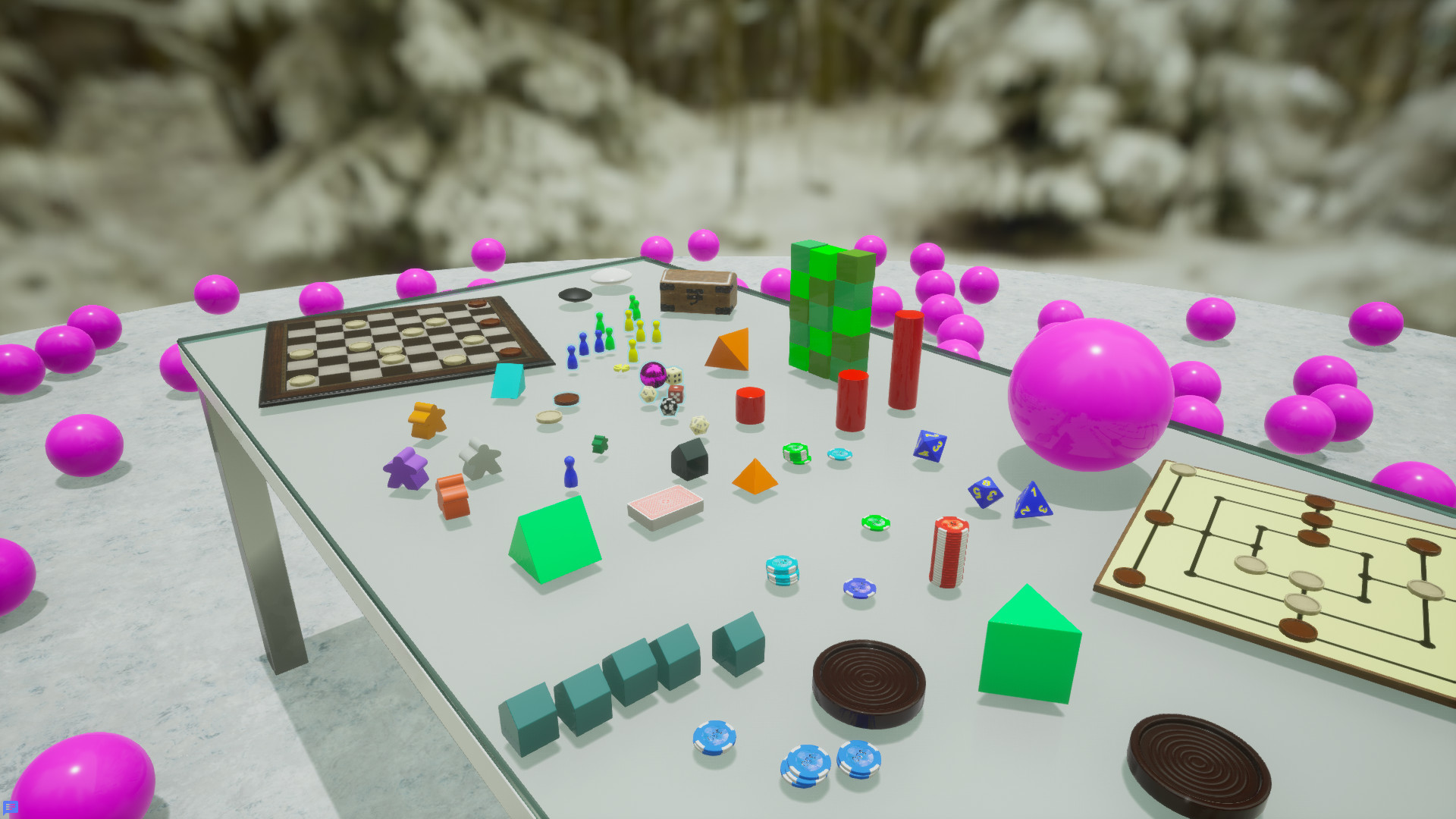
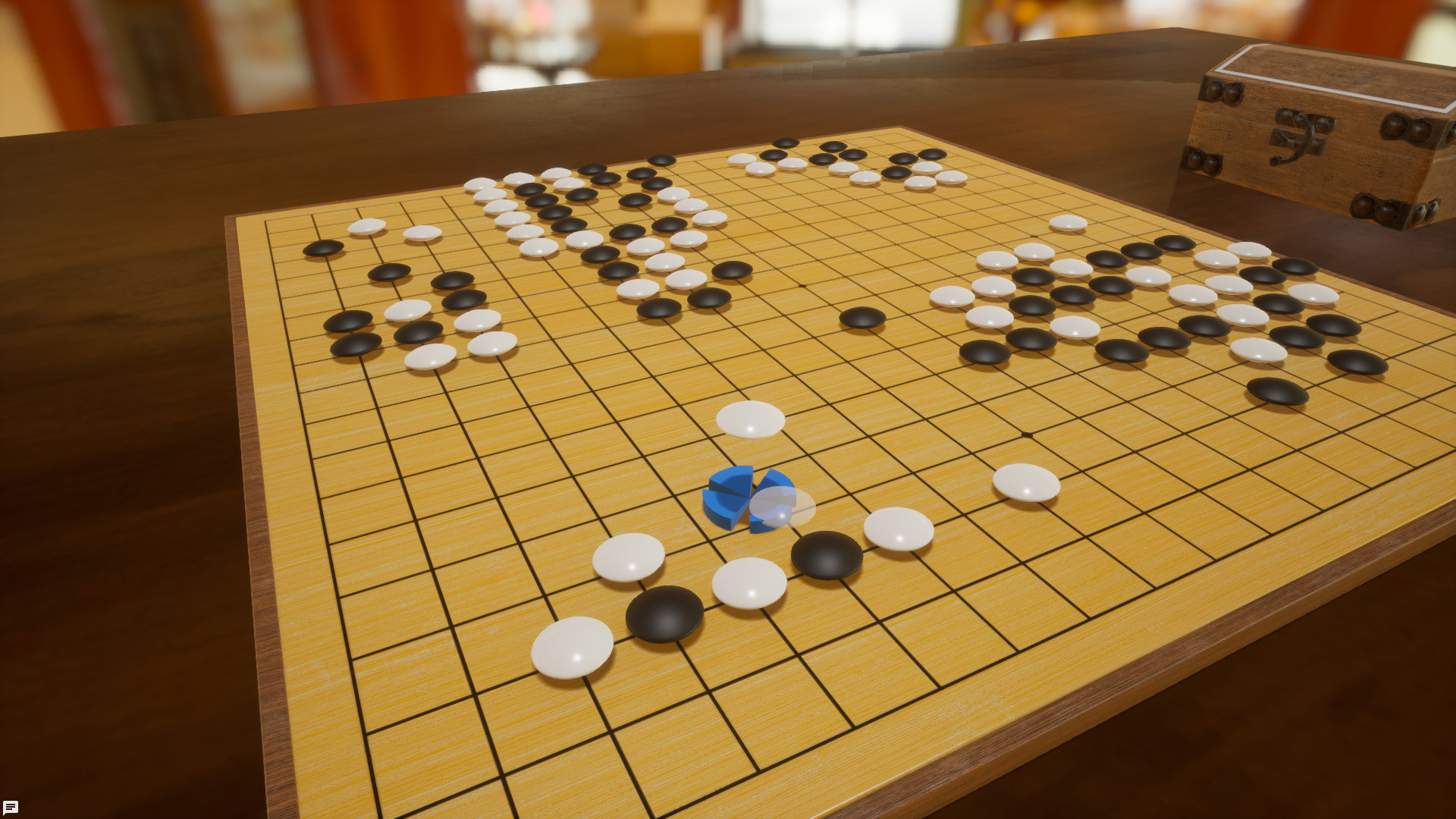
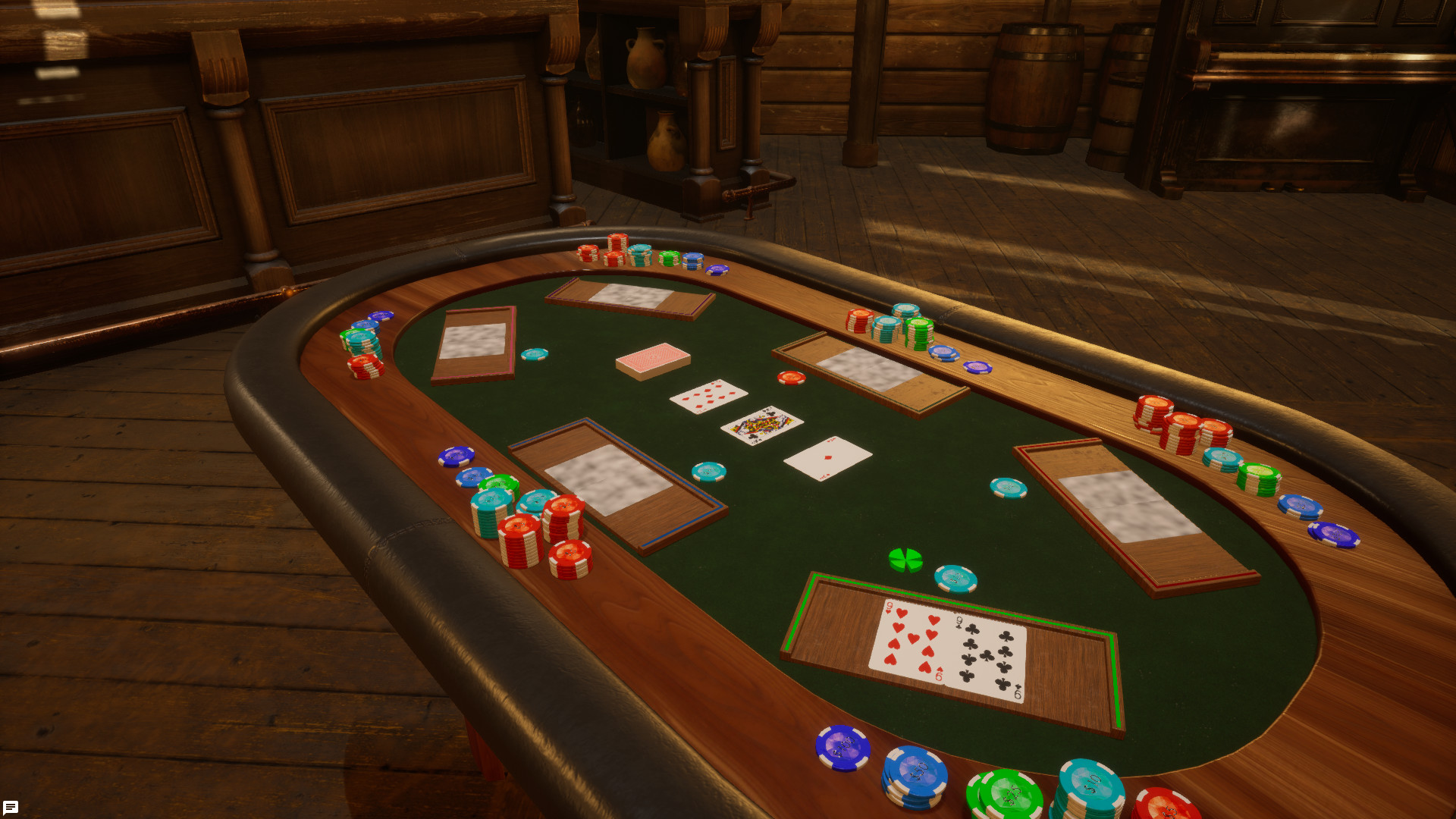
Utilize specialized tools to play niche and complex games with up to 16 players across PC and VR. Get ready for the definitive tabletop gaming experience, with Tabletop Playground.
16 Player Multiplayer
Play solo or with up to 16 players simultaneously online, with cross platform play between PC storefronts planned. Save and resume games at any time and discover a never-ending selection of games to be played with friends or strangers across the world.Modern And Satisfying Controls
Featuring powerful physics and responsive, snappy controls, every move and action is as satisfying to do as it is in real life. Whether through a screen, or through virtual reality with and without motion controllers, experience more responsive and fluid gameplay than ever before.Powerful And Accessible In-Game Editor
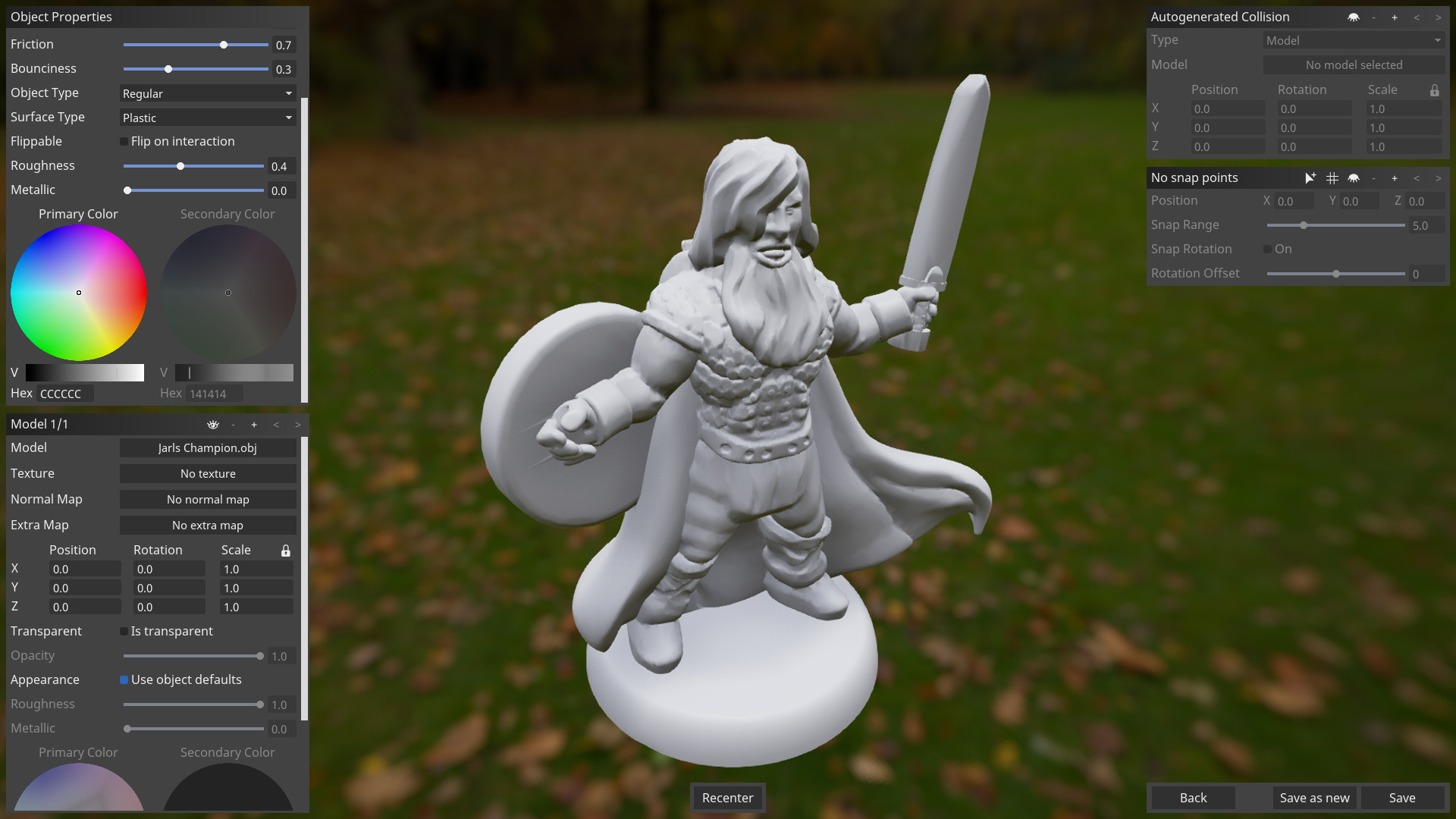
Adjust the rules and enjoy tabletop favorites exactly how you want, or quickly forge your own ideas into original games. The easy to use and powerful in-game editor, coupled with JavaScript scripting to allow for complex rules and actions, means you’re only limited by your creativity. Share your games with the world through mod.io in game, allowing for cross platform and store mod support for your creations.Specialized Tools For Niche Games
Built from the ground up with greater functionality for war-gaming and niche games in mind. Utilize specialized tools to create formations, measure distances/angles, access movement/dice roll history and use custom measure units. Digital war-gaming will never be the same again!Realistic Graphics And More Customization
Through the use of Unreal Engine 4, experience the ultimate immersive game sessions you can have playing tabletop games online. Personalize your game space with beautiful and cozy 3D locations and lose yourself in the detailed game pieces and realistic graphics.- Tabletop Playground Linux [2.89 G]
Developers Note
This is the big one! Were launching a new version of Tabletop Playground, and while its almost impossible to list everything weve improved, weve done our darndest below.
Note that these changes will only show up on the new Beta version of Tabletop Playground. So if you want to experience it, head to the [u]Beta page [/u] to sign up.
If youre one of those new Beta users, welcome! If you just want to get playing or creating, you may want to check out [u]Getting Started [/u] page in the Knowledge Base. But for anyone hungry for details on the new version, read on.
Overview
Modernized Game Creation Flow You can now create from the tabletop, and its faster to get there than ever.
[/*]Streamlined Component Editing In addition to a new, friendlier UI, weve got a variety of new features, like streamlined deck creation and components that automatically update to match their players color.
[/*]New-Look, Streamlined UI Including updates to Context Menus and the Toolbar.
[/*]Custom User Interface Creator Create UI for your mods with a powerful in-game WYSIWYG editor, rather than relying on scripting.
[/*]UI-Powered Tool Library Including a calculator, timer, health bars, notecards, improved counters, and a tool you can use to add recall workers functionality to worker placement games.
[/*]Engine and Performance Improvements The game has been updated to Unreal 5.5, and added new options to boost performance on lower-spec machines.
[/*]VR Temporarily Unavailable Due to the engine upgrade.
[/*]Peer-to-Peer Package Sharing You can now send packages to other users without using Mod.io as an intermediary.
[/*]Improved Player Slot Handling You can now define which seats/colors are available in session settings, enabling a variety of UX improvements.
[/*]Updated Cameras, Controls, and Defaults Weve made a variety of subtle tweaks to our controls, updated some hotkeys, and added a top-down camera
[/*]Asset Cleanup Tool Allows you to quickly find and delete unused assets.
[/*]New and Improved Tabletop Simulator Import Tool (WIP)
[/*]Probably A Lot of Other Stuff Were Forgetting!
[/*]
Thats a lot! Lets dive into the details:
Modernized Game Creation Flow
The old package editing screen is no more; when you create a new package, youll now be taken straight to the tabletop.
[/*]New object templates are now primarily created via the Object Library.
[/*]You can edit any objects template from the tabletop by right-clicking it and choosing Customize or Customize -> Edit Template.
[list]Any object-level edits youve made will be reflected in this dialogue. For example, if youve changed the color of the object via Appearance, that color will be reflected in the Edit Template dialogue.
[/*]Once youre happy with your changes, you can choose Save as New, which will create a new template reflecting your updates, or Save and Apply, which will apply your changes to all other objects with the same template.
[/*]
As part of an overall push to reduce the clicks required to reach the tabletop, Environments are now saved as part of your tabletop saved state. If you wish to change your environment later, you can do so on the tabletop using the top menu.
[/*]Local Save Handling
Local saves are now associated with the package used to generate them to make it easier to find them later.
[list]When you select a package for a multiplayer game, if you have any local saves for that package, youll see New Game and Load Game options on the right.
[/*]The same is true in Editor, only in that case youll see Start States, Local Saves, and Autosaves. Speaking of which
[/*]
In Editor, autosaves are also now associated with the package used to generate them, making it easy to recover your table state if something goes wrong.
[/*]Streamlined Component Creation
Revamped Object Creation UI
The old interface for editing an object provided a lot of options, but looked awfully intimidating to new users. Weve reworked it into a tabbed dialogue that surfaces the most crucial options up front. In many cases weve also updated the names or controls related to specific options to make them more intuitive.
But dont worry, weve been careful to preserve all existing functionality, so experienced users should still be able to find all the options theyre used to (and then some).
For more details, see [u]Creating and Editing Object Templates [/u] article in the Knowledge Base.
Deck and Token Creation
When creating a Deck, Tile Stack, Token Stack, TTP can now automatically generate a card sheet from individual images, rather than requiring the user to layout the sheet themselves in another program
[list]Note that this feature is not available when using web images.
[/*]
When using a sheet created this way, youll be able to swap out individual images, making it easy to add or update a single card.
[/*]Veteran game creators will no doubt have experience organizing their card images into grids, usually in an external app, which the virtual tabletop then slices into cards. That always seemed like a pain to us, so TTP can now do that work for you. For more details, see [u]Cards, Tiles, and Tokens [/u] and in the Knowledge Base.
Dice Creation
When creating 6-sided dice, TTP can generate a texture from individual face images and swap out face images in much the same way as it does for dice, tiles, and tokens.
[/*]For all dice types, the Customize menu now clearly shows you which face youre editing when applying custom names to dice faces.
[/*]
See [u]Dice [/u] in the Knowledge Base for details.
Use Player Colors
When setting the color of an object template, you may now choose Use Player Color. This will automatically change the color of the object when it is assigned to a specific player.
[/*]As with any color applied in appearance, you can use a Mask map to limit which portions of the object take on the player color.
[/*]This setting has been automatically applied to most simple objects in the Object Library, including:
[list]Cube
[/*]Cylinder
[/*]House
[/*]Meeple
[/*]Pawn
[/*]Pyramid
[/*]Right Angle Prism
[/*]Sphere
[/*]
For details, see [u]Use Player Colors [/u].
Web Images
You may now use Web Images instead of local textures for most object types that use textures.
[/*]Web images can now be defined at the template level, and used when creating new object templates.
[/*]
Previously, web images were only available for Cards at the object-level. So youd have to create your deck using a local image, then override it in Properties with a web image. Now, you can directly create templates with web images, and can use web images in most places a texture is called for. See [u]Web Images [/u] for more.
Misc. Improvements
Two-sided boards are now supported.
[/*]Container Options can now be defined at the template level
[/*]
New-Look Streamlined UI
All menus and dialogs have been updated to a new appearance.
[/*]
Context Menu Changes
These changes pertain to the menus that appear when right-clicking objects or the empty table:
Context menus now appear under the users mouse pointer rather than the center of the object
[/*]Disabled or irrelevant options are no longer shown (for example, Shuffle will no longer appear when right-clicking on a single card).
[/*]Some options have been renamed, removed, or reorganized:
[list]Ping no longer appears.
[/*]Copy and Delete no longer appear.
[/*]Stack Explorer has been renamed Search
[/*]Coordinates has been renamed Scale and Rotate and moved into the Customize sub-menu.
[/*]Properties, Appearance, and Edit Template have been moved into the Customize sub-menu.
[/*]Deal and Draw no longer appear.
[/*]For books, State has been renamed to Page
[/*]
Some new options have been added:
Send to Ground or Release from Ground, depending on the objects current layer.
[/*]Assign to Player submenu allows quickly assigning objects to players.
[/*][/*]Toolbar Changes
These changes pertain to the toolbar in the upper left:
Some tools have been grouped. Mouse over the tool to see the other options in the group. Specifically:
[list]Ground Cursor (formerly Grab Ground Object) has been grouped under Regular Cursor
[/*]Measure While Moving has been grouped under the Measure tool.
[/*]
The Object Library can now be accessed via this toolbar
[/*]A new UI Cursor has been added, grouped under the Zone tool.
[/*]Custom User Interface Creator
Create UI for your mods with a powerful in-game WYSIWYG editor, rather than relying on scripting.
[/*]UI can be applied to individual objects, or to the screen itself, allowing for Digital Board Game-style interfaces.
[/*]The UI Cursor (available in the top left toolbar, grouped under Zone, or via the Ctrl+U hotkey) allows users to easily reposition or resize UI.
[/*]Creators can add custom options so users can modify their UI as desired.
[/*]UI capabilities have been expanded in many places, for example:
[list]Buttons can now include both text and images
[/*]Users can now define rollover images or color changes for buttons.
[/*]Borders can now be made using images instead of colors
[/*]Color options have expanded for dropdowns, check boxes, and sliders
[/*]Widgets can now be made clickthrough transparent, meaning they will not prevent users from clicking on objects below them.
[/*]
UI can be assigned to individual players. This can be used in a few ways:
Use Player Color is available when choosing a color on a UI widget.
[/*]UIs visibility can be set such that it only displays to its owner or their team
[/*][/*]In the past, users could only add UI to TTP mods via custom scripting. Now it should be dramatically easier to create UI and to make it look good in the process.
For much more on how this feature works see [u]User Interface Basics [/u].
UI-Powered Tool Library
Weve augmented TTPs object library with a variety of new functional tools.
In Editor, you will see both a 3D object version of the tool, and the UI Template that powers it. The UI template can be used as Global or Screen UI, or added to different objects if you prefer.
The current tools are:
Calculator
[/*]Collapsible Note
[/*]Counter and Flexible Counter
[list]These are an alternative to the old multistate object counters (which remain in the game). They offer more intuitive click-button controls, the ability to directly type numbers in, and, in the case of Flexible Counter, configurable increments.
[/*]
Health Bar
Note that this is currently only available as a UI template; there is not an object version.
[/*][/*]Notecard
[/*]Stopwatch
[/*]Tablet
This is the existing tablet object. Note that it uses scripted UI, so it does not have an accessible UI version.
[/*][/*]Timer
[/*]Worker Placement Base
Allows users to add worker recall functionality to their game without any scripting know-how.
[/*][/*]Engine and Performance Updates
The engine has been upgraded to Unreal 5.5
[/*]Added Image compression option, on by default. This slightly increases load times, but reduces crashes and improves performance.
[/*]Added a lower quality renderer option to improve performance on lower-end machines.
[/*]Table collisions have been improved to reduce physics bugs.
[/*]Now runs natively on Apple Silicon.
[/*]
VR Temporarily Disabled
Due to the engine update, VR is currently not functional on the Beta. We hope to restore it at some point in the future.
Peer-to-Peer Package Sharing
You can now share packages directly with other users, without first uploading them to Mod.io. When a user joins a game, if they do not have the necessary package, they will automatically download it from the host. For details see [u]Peer-to-Peer Package Sharing [/u].
Improved Player Slot Handling
Users can now define which seats and colors are available in their mod by selecting Player Slots in Session Settings.
[/*]Players can now change their slot by clicking on their name in the upper right corner.
[/*]Objects can be assigned to player slots by right-clicking them and using the Assign to Player sub-menu.
[list]This is also now available for all objects, not just Card Holders and Containers.
[/*]
Assigning a card holder to a player automatically generates a default camera position for that players seat behind the card holder.
Moving the card holder will move the camera as well.
[/*]This behavior can be disabled in Player Slot Properties.
[/*][/*]For more details, see [u]Setting Up Player Slots [/u].
Updated Controls, Cameras and Defaults
Camera Updates
There is now a top-down camera mode, in addition to the normal and first-person camera options. You can cycle through camera modes with the Z key.
[/*]Quick Zoom, mapped to space bar by default, has been tweaked for a hopefully less disorienting experience (zoom distance has been reduced, and rotation eliminated).
[/*]
Card Handling Improvements
Fixed an issue that sometimes prevented users from drag-selecting multiple cards in UI space.
[/*]The radius for card stacking has been tweaked to reduce instances of accidental stacking or non-stacking
[/*]When cards stack, they now check for overlapping cards and incorporate them, eliminating an issue that would occasionally cause two stacks of cards to sit on top of each other while appearing to be a single stack.
[list]Note that if you prevent the cards from stacking by holding CTRL, it will also prevent this behavior.
[/*]
Default Updates
Many default hotkeys and options have been changed. Note that these changes will only affect new users; existing users settings will be preserved.
The Default cursor style is now 2D.
[/*]Default Hold Height has been adjusted.
[/*]Group now defaults to G (was Ctrl+G)
[/*]Switching to Ground Mode now defaults to Ctrl+G (was G)
[/*]Increase and Decrease Object Size have gained Hyphen and = as secondary keybindings, so that the + and - keys at the top of most keyboards will work for them in addition to standalone + and - keys.
[/*]The default size for text labels has been reduced by 50%
[/*]New object templates now have their Ground Access set to Zoom and Context by default.
[/*]Allow Online Images is now enabled by default for objects using web images in their templates
[/*]
Asset Cleanup Tool
Weve added a tool for quickly finding and deleting assets in your package that are not in use. See [u]Managing Assets [/u] for details.
New Tabletop Simulator Import Tool
Weve replaced the old Tabletop Simulator Import tool with a new one. This one is available in-client; to use it, create a new package with an empty table state, and choose Import TTS Package from the top menu.
Note that this feature is still in development and has some inherent limitations. For details, see [u]Tabletop Simulator Importer [/u].
Account Settings
Users can now change their Display Name to whatever they wish, rather than using their Steam or Mod.io account name.
[/*]Players can now see which Mod.io account theyre signed into.
[/*]
Other Misc. Changes
Weve added a d2 (Coin) option to the Dice library
[/*]Changed default hidden card behavior from showing a blur to showing the card back. The standard card decks are changed as well, existing games with custom cards are not affected.
[/*]Editor coordinates and sizes now use the measure unit configured in session options (inches by default).
[/*]User packages are now always shown at the bottom of the list in Object Library, rather than in alphabetical order amongst the built-in packages.
[/*]Game Boards and Tablets in the object library now have a more useful default zoom.
[/*]The Direct Connect option has been deprecated.
[/*]
Scripting
Added UIElement.persistState and ScreenUIElement.persistState to allow persisting state of UI widgets automatically
Added GameObject.onScriptReloaded, called after a script on an object has been reloaded
Added anchorX and anchorY parameters to Canvas.addChild and Canvas.updateChild
Added new ImageBorder widget
Added MultilineTextBox.setAutoWrap and MultilineTextBox.isAutoWrap
Character limit for MultilineTextBox raised to 5000
Additional color customization options for many scripted widgets
Colors set on widgets now directly reflect the set color on screen instead of going through an sRGB conversion. This can affect the look of existing mods.
Allowed size parameters for Canvas.addChild to be empty to use desired size of child widget
Allowed size members of ScreenUIElement to be zero to use desired size of widget
Allowed larger font sizes (up to 100) for RichtText widget
UIElement now has a property called Owner. It can be used to restrict visibility to players owning a UI, and to set UI colors to a player color
PlayerPermission has new methods: removePlayer, setOwner, setOwnerTeam, setGameMaster
Fixes
Removed \"Load State\" button for clients in multiplayer
Prevented the camera from colliding with tables while editing them
Fixed bug causing cards to remain visible in the search window after being dragged to the table
Fixed an issue allowing invalid object template configurations (such as dice with no faces)
Fixed an issue causing main drive folder contents on Windows (like C:\\\\) to display incorrectly in file import dialog
mod.io consent dialog can no longer appear behind other menus
Fixed an issue causing objects to raise over objects above them when editing their template
Creating labels no longer requires zone permission
Shuffling now correctly updates the deck explorer window
Context menus on labels now correctly close when the label is deleted.
Corrected cursor behavior when returning from editing a template in preview mode
Labels with custom fonts now display correctly for joining clients
Prevented card hands with many cards from blocking the cursor in some areas where no card was visible
Fixed an issue that caused error messages when moving templates into folders
Whisper messages should no longer fail in bad network conditions
Players now correctly switch primary card holders when loading a saved state
Decks showing fronts and items spawned from containers now spawn in the correct orientation.
Image shape models no longer produce error messages in DirectX 11 mode
Scripting Fixes
UI Element rotation roll values now behave correctly
UIs with a LayoutBox that don\'t have width and height specified now display correctly on zoomed objects
Card.takeCards(1, true, 0, true) no longer causes the front card of the stack to change
Text boxes now update text for other players even while other players have the text box focussed (but not while they\'re editing text)
Removed flicker when using StaticObject.updateUI
Fixed an issue that sometimes caused duplicate objects to appear above containers when using Container.take with keep=true
Destroying an object within a container no longer leaves an unusable item in the container
Interactive widgets within ContentButtons no longer show a \"Missing UI action proxy\" warning for clients
GameObject.onFlipUpright and GameObject.onScriptReloaded are now cleared when reloading scripts
Context menus for multistate objects now show custom actions correctly
setTimeout and setInterval no longer continue to trigger when an exception is thrown in the executed code
Flipping an object no longer causes a Zone.onOverlap event at the origin
RichText widgets now use the font size specified with setFontSize in parts of the text that were declared as bold or italic
GameObject.snap should now always snap down the object and work properly with animation when moving the object using StaticObject.setPosition right before snapping
Minimum Setup
- Processor: Dual-CoreMemory: 4 MB RAM
- Memory: 4 MB RAM
- Graphics: GeForce GTX 760 or higherNetwork: Broadband Internet connection
- Storage: 4 MB available space
Recommended Setup
- Processor: Quad-CoreMemory: 8 MB RAM
- Graphics: GeForce GTX 980 or higherNetwork: Broadband Internet connection
- Storage: 10 MB available space

[ 6375 ]



















[ 5746 ]


[ 1265 ]












[ 1943 ]












[ 986 ]







Time left:
356100 days, 19 hours, 29 minutes

Time left:
356100 days, 19 hours, 29 minutes

Time left:
5 days, 3 hours, 29 minutes

Time left:
33 days, 3 hours, 29 minutes

Time left:
36 days, 3 hours, 29 minutes

Time left:
37 days, 3 hours, 29 minutes

Time left:
10 days, 13 hours, 29 minutes

Time left:
5 days, 21 hours, 29 minutes

Time left:
11 days, 21 hours, 29 minutes

Time left:
12 days, 21 hours, 29 minutes

Time left:
17 days, 21 hours, 29 minutes

Time left:
19 days, 21 hours, 29 minutes

Time left:
23 days, 21 hours, 29 minutes

Time left:
3 days, 10 hours, 44 minutes

Time left:
8 days, 3 hours, 30 minutes

Time left:
10 days, 2 hours, 30 minutes

Time left:
15 days, 9 hours, 40 minutes


