



Endless Games
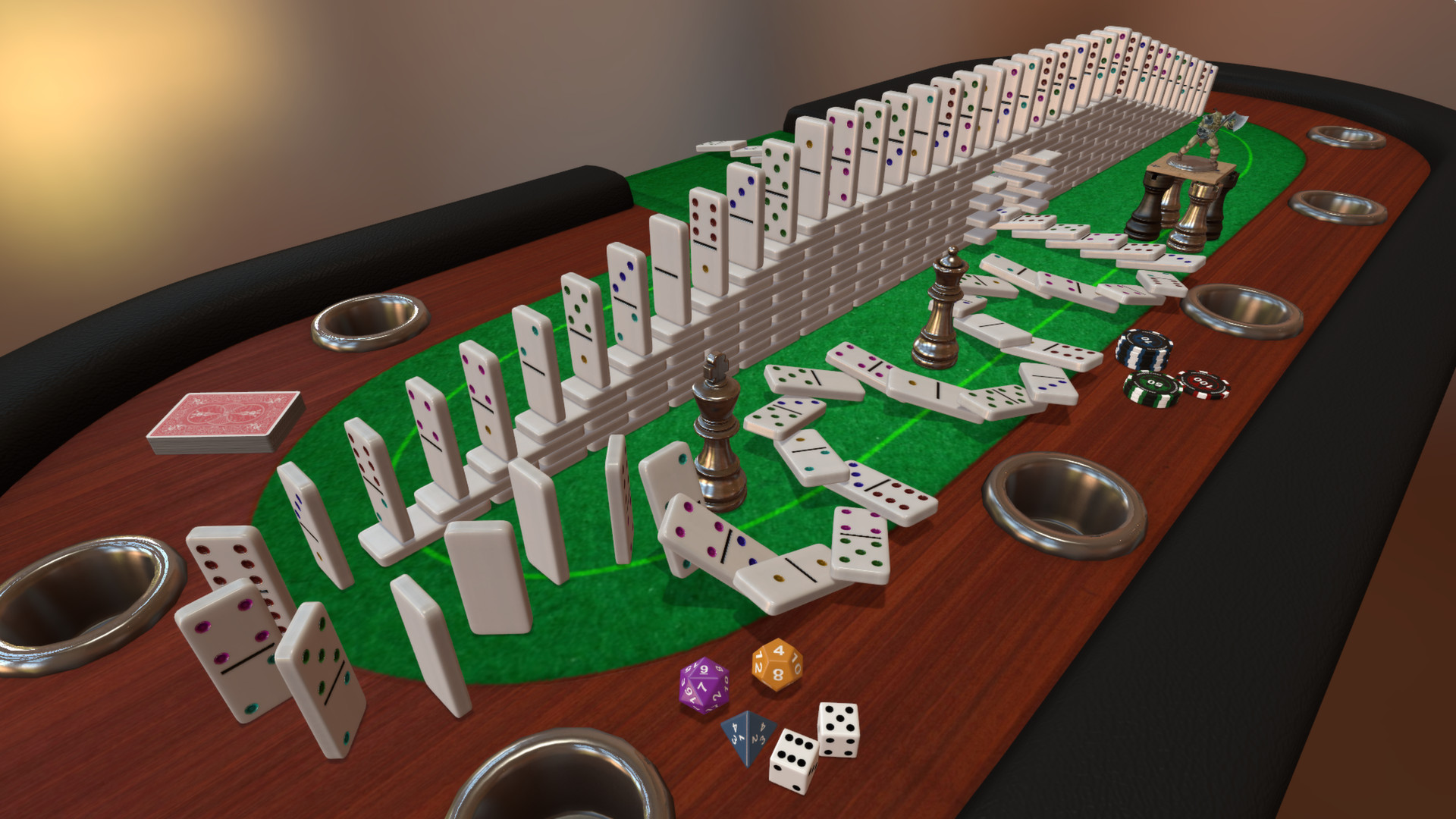
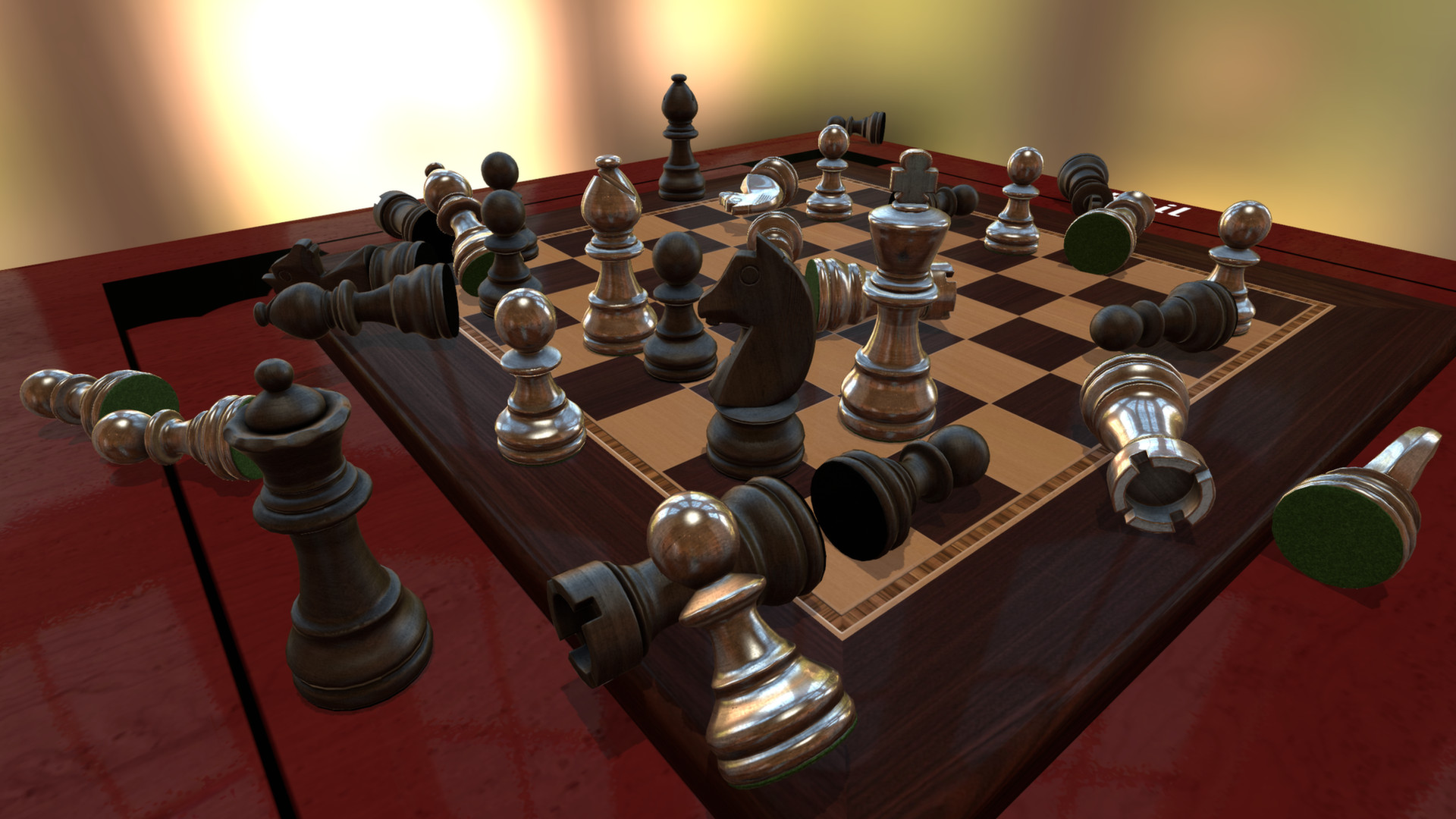
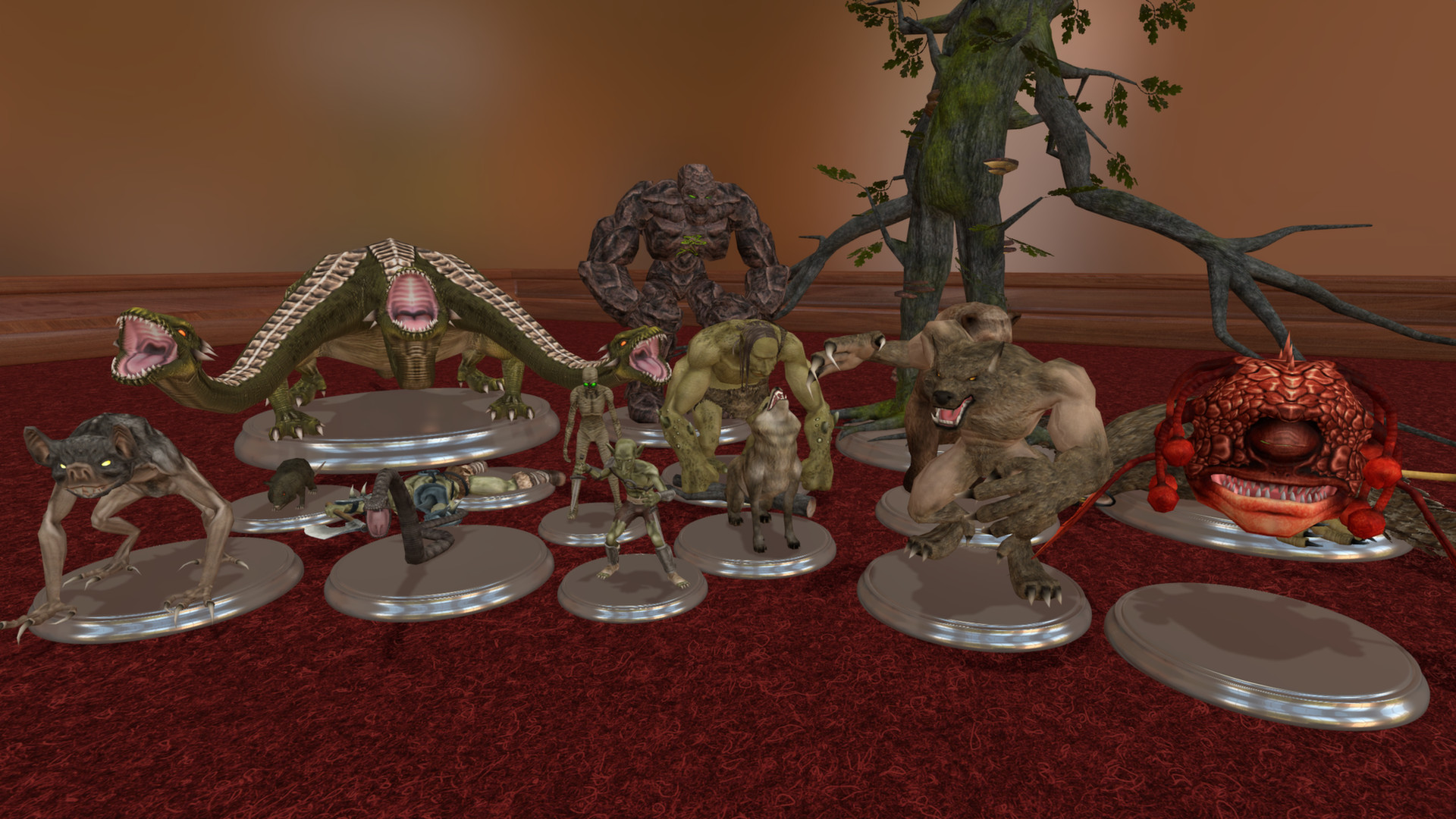
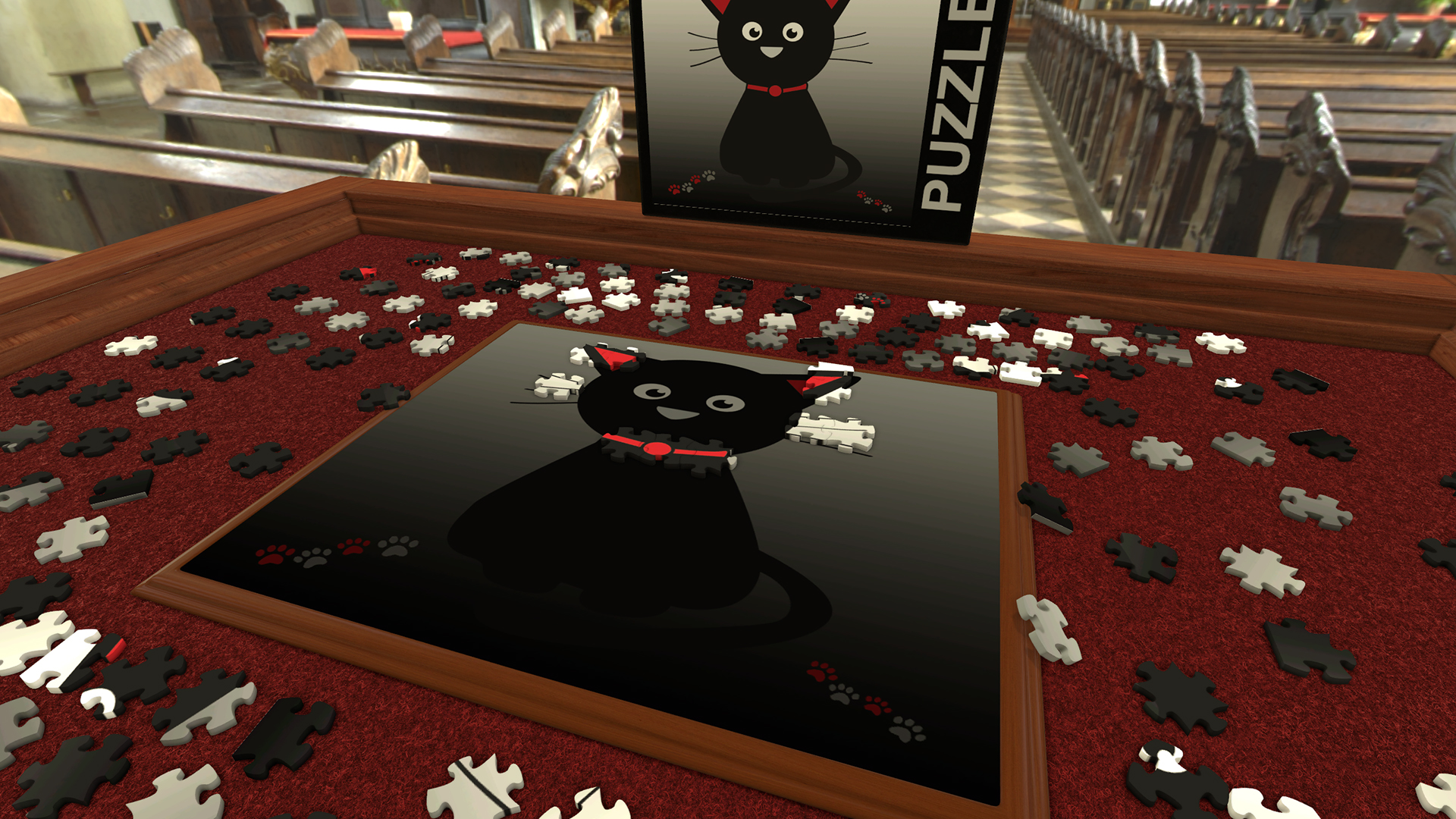
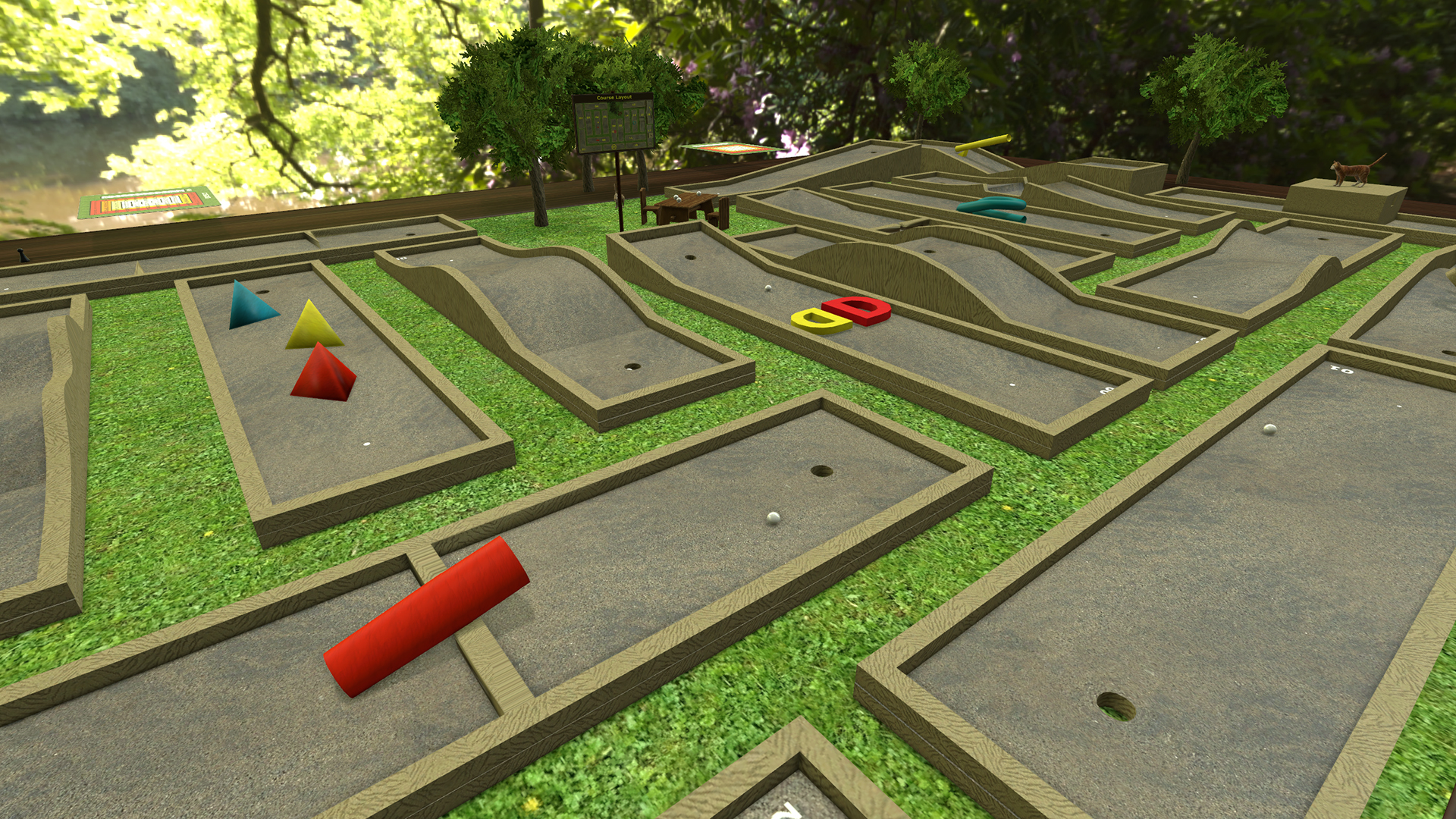
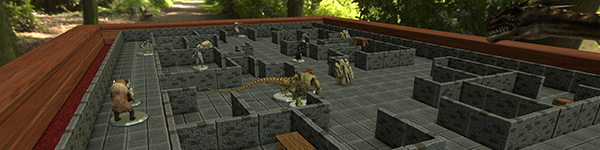
Tabletop Simulator has it all. The base game includes 15 classics like Chess, Poker, Jigsaw Puzzles, Dominoes, and Mahjong. Additionally, there are thousands of community created content on the Workshop. If you’re the tabletop gaming type, we include an RPG Kit which has tilesets & furniture, as well as animated figurines that you can set up and battle with your friends, with even more options in the Chest. There’s even an option for Game Masters so they can control the table!

Create Games
If you’re into creativity and prototyping, you can easily create your own games by importing images onto custom boards & tables, create custom decks, import 3D models, create scripts, and much more. You can choose to upload your creations on the Steam Workshop or share them privately with your friends.

Fun For All Ages
Everyone can play Tabletop Simulator! Play a classic board game with grandma, have poker night with the guys, or start your epic RPG adventure with your crew. Play almost any tabletop game you can think of! Being a multiplayer-focused game, up to 10 players can play at any given time.
DLCs
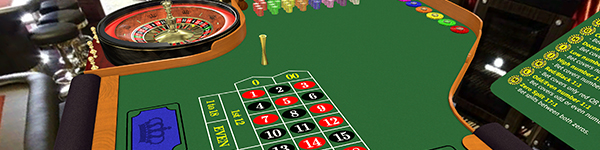
Our downloadable content (DLCs) are different from other games, as we partner with developers and publishers to bring their games into Tabletop Simulator. Each DLC is custom created with high quality assets and special themes that match their games. And best of all, only the host needs to own the DLC for everyone at the table to play.

Key Features:
- Online sandbox with unlimited games to play how you want.
- Multiplayer physics with objects that collide and interact just how you would expect.
- Create your own mods easily with full Steam Workshop support and 3D model importing.
- Take games to the next level with Lua scripting support.
- Play just like you do in real life; pick up, rotate, shake, and throw any object.
- Up to 10 people can play together on the same table.
- Team system with voice and text chat.
- Save & load individual objects and complete games.
- Hotseat allows you to play locally on the same computer with your friends.
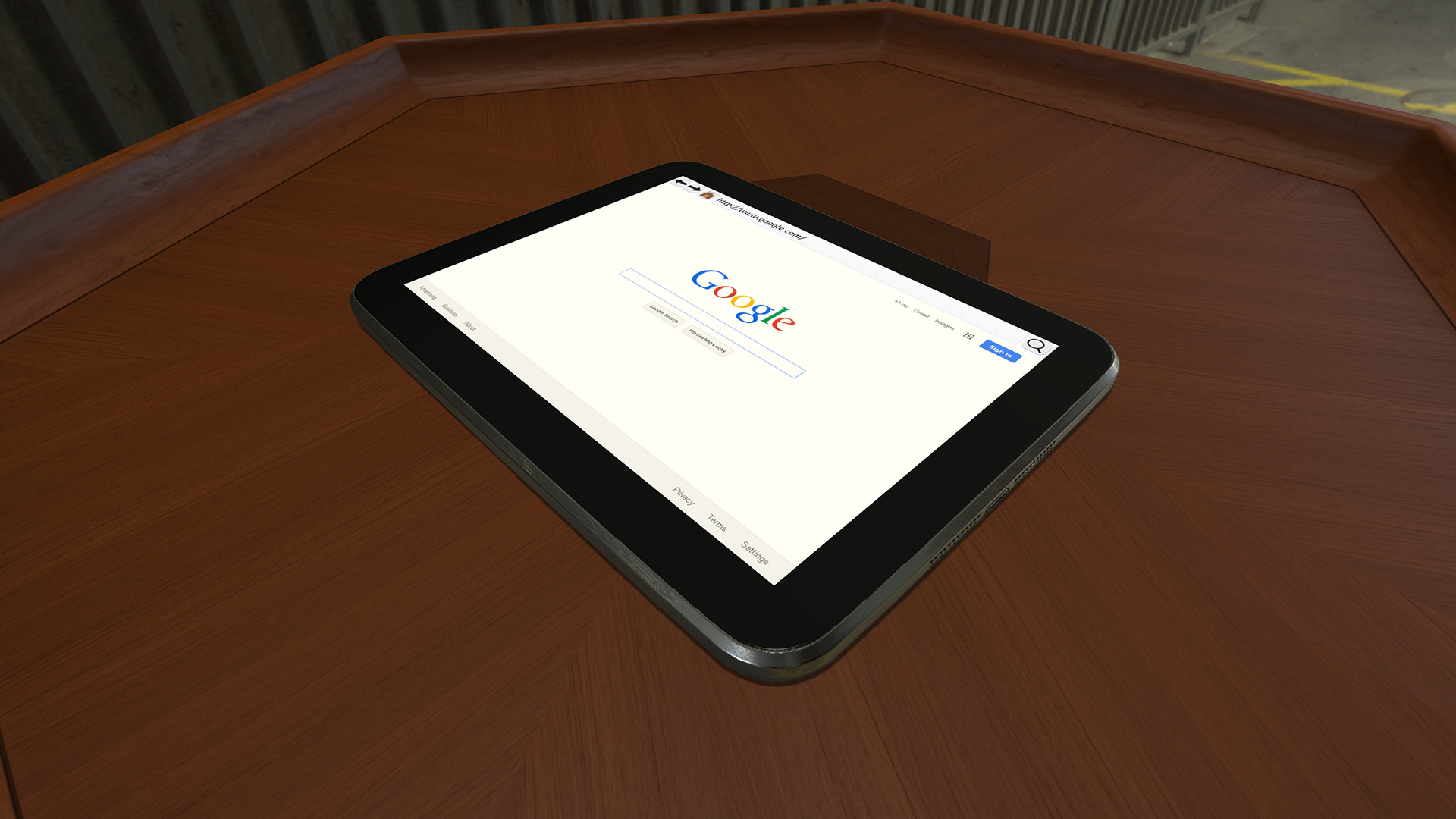
- Browse the internet, listen to music, and watch videos in multiplayer, in-game on a tablet.
- Perfect for RPGs - build your very own roleplaying dungeons with our modular tileset, RPG Kit, Multiple States and Tablet (useful for character sheets).
- Great admin tools to enable or disable player permissions and to eliminate griefing in public games.
- 360° panoramic backgrounds that change the lighting and atmosphere.
- Included games: Backgammon, Cards, Chess, Checkers, Chinese Checkers, Custom Board, Dice, Dominoes, Go, Jigsaw Puzzles, Mahjong, Pachisi, Piecepack, Poker, Reversi, RPG Kit, Sandbox, Solitaire, and Tablet.
🎮 Full Controller Support
- Tabletop Simulator Linux [3.6 G]
- Tabletop Simulator - Superfight
- Tabletop Simulator - Cosmic Encounter Connector
- Tabletop Simulator - Euphoria
- Tabletop Simulator - Mistfall
- Tabletop Simulator - Darkest Night
- Tabletop Simulator - Tiny Epic Galaxies
- Tabletop Simulator - Battle For Souls
- Tabletop Simulator - Scythe
- Tabletop Simulator - RARRR!!
- Tabletop Simulator - Tiny Epic Kingdoms
- Tabletop Simulator - In the Name of Odin
- Tabletop Simulator - Indonesia
- Tabletop Simulator - Scuttle!
- Tabletop Simulator - Warfighter
- Tabletop Simulator - Spirits of the Rice Paddy
- Tabletop Simulator - The Captain Is Dead
- Tabletop Simulator - Zombicide
- Tabletop Simulator - Mr. Game!
- Tabletop Simulator - Simurgh
- Tabletop Simulator - Wizard's Academy
- Tabletop Simulator - Three Cheers For Master
- Tabletop Simulator - Viticulture
- Tabletop Simulator - Tiny Epic Defenders
- Tabletop Simulator - Darkrock Ventures
- Tabletop Simulator - Tiny Epic Western
- Tabletop Simulator - Xia: Legends of a Drift System
- Tabletop Simulator - Abraca...What?
- Tabletop Simulator - Khronos Hunter
- Tabletop Simulator - Cavern Tavern
- Tabletop Simulator - Three Kingdoms Redux
- Tabletop Simulator - The Red Dragon Inn: Battle For Greyport
- Tabletop Simulator - The Great Dinosaur Rush
- Tabletop Simulator - Pillars of Eternity: Lords of the Eastern Reach
- Tabletop Simulator - Draco Magi
- Tabletop Simulator - Tortuga 1667
- Tabletop Simulator - Tiny Epic Quest
- Tabletop Simulator - Deck Quest
- Tabletop Simulator - Blood Rage
- Tabletop Simulator - Boss Monster
- Tabletop Simulator - Unearth
- Tabletop Simulator - Wingspan
- Tabletop Simulator - Dungeon Drop
- Tabletop Simulator - Dawn of the Zeds
- Tabletop Simulator - Down in Flames: Locked-On
- Tabletop Simulator - Mistborn: House War
- Tabletop Simulator - One Night Ultimate Werewolf
- Tabletop Simulator - Bristol 1350
- Tabletop Simulator - Tiny Epic Dinosaurs
- Tabletop Simulator - Widget's Workshop
Tabletop Simulator v14.0 Public Beta Engine Upgrade (Unity 6 LTS)
A quick note from the team: We know its been a long time since the last big update. Behind the scenes weve been doing a lot of groundwork on the engine and tools, and this patch is the first step to a renewed focus on regular updates and improvements to TTS. Thank you for your patience and for sticking with us
Public Beta (Steam)
[p align=\"start\"]This is a huge engine and platform update, so were rolling it out as a public beta first to shake out any remaining issues before it goes live for everyone.[/p]How to opt into the public beta on Steam
[olist]Open your Steam Library.
[/*]Right-click Tabletop Simulator Properties
[/*]Go to the Betas tab.
[/*]Select the public beta branch for the Unity 6 update from the dropdown.
[/*]Close the window and let Steam download the update.
[/*][/olist][p align=\"start\"]You can switch back to the live version at any time by setting the beta dropdown back to None.[/p]Give feedback
[p align=\"start\"]Please report bugs and suggestions on our Nolt board https://feedback.tabletopsimulator.com/ [/p][p align=\"start\"]Include your OS, GPU, and logs (see Troubleshooting & Logs below) when reporting issues. It helps a lot.[/p]Please use the \"Public Beta\" tag for feedback to do with this patch.
[hr][/hr][p align=\"start\"][/p][p align=\"start\"]Windows: 64-bit Windows 10 21H1+ (Windows 11 supported) macOS: 11 Big Sur+ Linux: Ubuntu 22.04/24.04 (64-bit)[/p]Summary
Engine upgrade to Unity 6 LTS: smoother performance, better stability, and faster loading in many cases.
[/*]Native Apple Silicon support on macOS with a universal app that runs on both Apple Silicon and Intel, using Metal by default on Apple Silicon.
[/*]New Vulkan graphics API option on Windows & Linux (experimental) for potentially better performance in heavy scenes.
[/*]New minimum system requirements:
[list]Windows: 64-bit Windows 10 21H1+ (Windows 11 supported)
[/*]macOS: 11 Big Sur+
[/*]Linux: Ubuntu 22.04/24.04 (64-bit)
[/*][/*]Win 32-bit builds are no longer supported.
[/*]Game & plugins updated to latest versions and now code-signed for fewer antivirus/security issues.
[/*]Big quality-of-life upgrades: camera movement, keybind behavior, music player overhaul, notepad improvements, grid tools, erase-all controls, Cloud Manager upgrades, new console options.
[/*]New Lua tools for drafting, hand selection, hand stash areas, rewind control, and more scripting power.
[/*][hr][/hr]Gameplay, rules, and your saves are unchanged. This is primarily an engine and quality-of-life update.
Engine, Platform & Security
Updated TTS to Unity 6 LTS.
[/*]Updated all plugins to their latest compatible versions.
[/*]The game executable is now code signed, improving trust with Windows and reducing false positives with antivirus.
[/*]
New OS / Platform Requirements
Windows
[list]64-bit only.
[/*]Minimum: Windows 10 version 21H1 (build 19043) or newer.
[/*]Windows 11 fully supported.
[/*]
macOS
Minimum: macOS 11 Big Sur or newer.
[/*]Now ships as a universal app that runs on both Intel and Apple Silicon (M-series).
[/*]On Apple Silicon, TTS now runs natively (no Rosetta required).
[/*][/*]Linux
Supported: Ubuntu 22.04 / 24.04, 64-bit.
[/*]Wayland and X11 supported (behavior may vary by distro/driver).
[/*][/*]If youre on an older OS than the above, TTS may not launch after this update. Please update your system.
Graphics APIs
macOS (Apple Silicon):
[list]Metal is now the default graphics API when running on Apple Silicon.
[/*]If youre not on Apple Silicon, the game uses OpenGLCore by default.
[/*]
Windows & Linux:
Added Vulkan as a new experimental graphics API.
[/*]In very demanding scenes, Vulkan can offer better performance on supported hardware.
[/*]Because Vulkan is still experimental, if you hit visual glitches or stability problems, switch back to the default renderer.
[/*][/*]Security
Includes the latest Unity 6 security fixes, addressing known file-loading vulnerabilities in older engine versions.
[/*]Combined with code signing, this should reduce security prompts and exploit risk.
[/*]
General & Performance
Greatly increased snappiness of WASD camera movement with less floaty gravity.
[/*]Keybinds now use physical key location instead of character, so bindings line up across different keyboard layouts.
[/*]Voice chat improvements:
[list]Disabling voice chat in the configuration menu properly stops all voice chat processes.
[/*]This can fix audio issues with some Bluetooth headsets.
[/*]If you are the host and disable voice chat, it disables voice chat for all players.
[/*]Added an error message when trying to use voice chat when it isnt connected.
[/*]
UI theme can now automatically follow your system theme if none is manually selected.
[/*]Greatly optimized network serialization on CPU via more efficient bitpacking.
[/*]Image loading improvements:
Loading new (uncached) images is now more performant.
[/*]Improved image quality in many cases.
[/*]Reduced likelihood of crashes when large or many new images are being loaded.
[/*][/*]VR (Beta Note)
In the current public beta, post-processing is not active in VR.\nThis means effects like LUT-based color grading and other post-processing visuals do not work in VR yet. Were planning to restore this in a future update.
[/*]
Music Player
Added search filter for playlists. ([u]Nolt #2143[/u] )
[/*]Added Clear Playlist button.
[/*]Added Export Playlist and Import Playlist:
[list]Save your current playlist to a file.
[/*]Add a playlist file into your current playlist.
[/*]
Added Upload Music Folder:
Select a folder and upload all songs in it at once, with naming.
[/*][/*]TTS will now suggest a name for a song when you provide a URL or file.
[/*]Fix: Music player no longer breaks when loading a new mod. ([u]Nolt #2038[/u] )
[/*]Fix: Music events no longer break when a song ends with no playlist active.
[/*]Fix: Music player no longer resets when loading a save file with no music saved on it.
[/*]Notepad (On-Screen Notes)
On-screen notes region is now resizable.
[/*]New notepad settings for:
[list]Font
[/*]Font size
[/*]Text justification
[/*]
New console commands:
[c]ui_notepad_edit[/c]
[/*][c]ui_notepad_left_align[/c]
[/*][c]ui_notepad_locked[/c]
[/*][c]ui_notepad_fixed_width_font[/c]
[/*][c]ui_notepad_font_size[/c]
[/*][c]ui_notepad_size[/c]
[/*][c]ui_notepad_text[/c]
[/*][/*]Grid
While Grid settings are open, the grid now renders on top of everything, making adjustments easier.
[list]Controlled via [c]ui_grid_highlight_when_editting[/c] (console / Misc setting).
[/*]
New anchor & gizmo mode:
Click the Gizmo button in the Grid window.
[/*]Select a component to center the grid on it.
[/*]Ctrl+click a second component to size the grid appropriately (using your snap settings).\n([u]Nolt #1871[/u] )
[/*][/*]Erase All
Applies to drawn lines, text, and decals.
[/*]Non-promoted players:
[list]Erase all now only erases their own drawings/decals. ([u]Nolt #1841[/u] )
[/*]
Promoted players:
Can erase everything.
[/*]Can erase just their own.
[/*]Can erase all content from a specific player.
[/*][/*]Cloud Manager
Cloud folder dropdown now has a Select Folder button that opens the Cloud Manager folder browser. ([u]Nolt #711[/u] )
[/*]Starred folders:
[list]Folders can now be Starred (button next to folder name).
[/*]Starred folders show first in the folder browser dropdown. ([u]Nolt #711[/u] )
[/*]
Cloud search now restricts results to the current folder. ([u]Nolt #1839[/u] )
[/*]Fix: Resolved several file browser issues and cleaned up its underlying code to improve stability.
[/*]Misc Features
Custom Figurine:
[list]Added toggle to use a minimal collider on the card part. ([u]Nolt #1929[/u] )
[/*]Added option to mirror the back texture. ([u]Nolt #2107[/u] )
[/*]
Added Reset Scale to an objects scale context menu. ([u]Nolt #2078[/u] )
[/*]Hotseat player names are now remembered between sessions. ([u]Nolt #2070[/u] )
[/*]Added [c]vr_floor[/c] command / VR setting:
Lets you turn off the floor independently of [c]fog[/c] / Floor Of Mist. ([u]Nolt #2173[/u] )
[/*][/*]Server browser improvements:
Player names now show in the server browser.
[/*]Your name is hidden if you are offline, invisible, or you untick the Show Name In Server Browser option.
[/*][/*]Console Commands
[p align=\"start\"]New/updated commands:[/p][c]component_hotkey_state_change[/c]
[list]When enabled, press number keys while hovering an object to change its State.
[/*]Appears in Misc Settings.
[/*]
[c]ui_notebook[/c]
Shows the Notebook window.
[/*][/*][c]text_tool_default_font_size[/c]
Sets default size for the Text tool. ([u]Nolt #2000[/u] )
[/*][/*][c]autorun_lua[/c]
Controls whether Lua automatically runs when updated.
[/*][/*][c]camera_reset_on_color_change[/c]
Controls whether the camera automatically moves to your seat when you change color. ([u]Nolt #256[/u] )
[/*][/*][c]show_name_in_server_browser[/c]
Controls whether your name is listed in the server browser for public servers you join.
[/*][/*]Fixed [c]help[/c] command not working on commands that have no arguments.
[/*]Removed old console commands related to global chat. ([u]Nolt #2117[/u] )
[/*]
Misc Fixes
You can now obtain the Be Social achievement using in-game chat. ([u]Nolt #1895[/u] )
[/*]Fixed game crashing when trying to load a CMYK JPG.
[/*]Fixed line tool not converting to cm in component mode. ([u]Nolt #1934[/u] )
[/*]Fixed Showing Hand button displaying incorrect color after seat swap.
[/*]Fixed on-screen hand blocking in-game UI. ([u]Nolt #1757[/u] )
[/*]Fixed hotseat turn not being set to correct player on load. ([u]Nolt #1960[/u] )
[/*]Fixed hotseat players being unable to drop cards in searched deck. ([u]Nolt #1959[/u] )
[/*]Fixed hotseat turn incorrectly resetting when loading a Classic game.
[/*]When starting a hotseat game, the game now only picks larger tables, so all player colors are immediately selectable.
[/*]Fixed context menu not clamping to screen. ([u]Nolt #1966[/u] )
[/*]Fixed context menu appearing in the wrong position when right-clicking a card in hand. ([u]Nolt #2051[/u] )
[/*]Fixed unintuitive Text Tool placement behavior.
[/*]Fixed appearance of custom card aspect ratios when searching containers. ([u]Nolt #2021[/u] )
[/*]Fixed cards merging incorrectly with a deck when the deck is on a snap point. ([u]Nolt #2063[/u] )
[/*]Fixed left edge of search dialog not having a collider. ([u]Nolt #2077[/u] )
[/*]Fixed Japanese language name in language select. ([u]Nolt #2116[/u] )
[/*]Fixed shake detector triggering when the user spams Tap.
[/*]Fixed Random Domino/Card/Mahjong Tile not generating every possible object. ([u]Nolt #2160[/u] , [u]#2154[/u] )
[/*]Fixed rewind/forward ([c]rwd/fwd[/c]) not working correctly. ([u]Nolt #2161[/u] )
[/*]Fixed game breaking on first launch but working on subsequent launches.
[/*]Fixed cards getting cut off onscreen when scaling very large hands.
[/*]Fixed deleting a folder in Cloud Manager not deleting all contained files.
[/*]Fixed issues when uploading PDF files via Upload All in the Cloud Manager.
[/*]Fixed a bug where objects with multiple assets (primary/secondary AssetBundles) could think they finished loading too early, breaking on-screen hands, highlighting, and Lua load completion.
[/*]Fixed dice behavior when picking up and dropping instantly, so dice now roll correctly in that scenario.
[/*]Fixed VR floor setting being inverted for the [c]vr_floor[/c] option.
[/*]
Lua
[p align=\"start\"]New Lua functions and features for creators:[/p]Object State Changes
Added [c]tryObjectStateChange(object, new_state_index, player_label)[/c] and [c]object.tryStateChange(new_state_index, player_label)[/c].\n([u]Nolt #1822[/u] )
[/*]
You can hook into the state change action to drive similar custom behavior in your own scripts.
[/*]You should not use this as a generic do anything trigger; keep it semantically tied to state-change-like behavior so your mods remain intuitive.
[/*]
[c]Wait.collect[/c]
Added\n[c]Wait.collect(table expected_ids, on_finished, on_add = nil, on_error = nil) -> {table expected, table results, add(id, ...), reset()}[/c].
[/*]
When the task for a given id is complete, call:\n[c]collect_table:add(id, ...)[/c].
[list]The first time this happens for a given id:
[list][c]collect_table.results\\[id][/c] is set to the [c]...[/c] you passed in.
[/*]If you provided [c]on_add[/c] to [c]Wait.collect[/c], it is called as:\n[c]on_add(id, ...)[/c].
[/*]
Error handling:
If you call [c]add[/c] more than once for the same id and you provided [c]on_error[/c], it is called as:\n[c]on_error(Wait.COLLECT_DUPLICATE, id, ...)[/c].
[/*]If you call [c]add[/c] with an id that was not expected and you provided [c]on_error[/c], it is called as:\n[c]on_error(Wait.COLLECT_UNKNOWN, id, ...)[/c].
[/*][/*][c]on_finished(results)[/c] is called with the final [c]results[/c] table.
[/*]
[c]collect_table:reset()[/c] to zero out call counts and clear results so you can reuse the same collector.
[/*]
Rewind State
[p align=\"start\"]Rewind states are stored periodically. If a store happens in the middle of a complex scripted change, you can end up with bad intermediate states. These helpers let you control when rewinds are saved.\n([u]Nolt #617[/u] )[/p][c]storeRewindState(closure andThen, block_further_stores)[/c]
[list]Attempts to store a rewind state if there are unsaved changes, then calls:\n[c]andThen(success, didSave)[/c].
[/*][c]success[/c]:
[list][c]true[/c] the call completed successfully.
[/*][c]false[/c] a rewind state could not be stored. You should always check this before continuing.
[/*]
[c]didSave[/c]:
[c]true[/c] a new rewind state was actually written.
[/*][c]false[/c] call succeeded but there was nothing new to save.
[/*][/*]If [c]block_further_stores[/c] is [c]true[/c] and [c]success[/c] is [c]true[/c], then no additional rewind states will be recorded until:
You call [c]storeRewindState[/c] again, or
[/*]You call [c]allowRewindStore()[/c], or
[/*]60 seconds have passed.
[/*][/*]If [c]success == false[/c], the safest simple strategy is to retry [c]storeRewindState[/c] before proceeding with the critical part of your script.
[/*][c]allowRewindStore()[/c]
Clears the block on storing rewind states.
[/*]You should call this any time you previously used [c]storeRewindState[/c] with [c]block_further_stores = true[/c], once your dont interrupt me work has finished.
[/*][/*]Hand Zone Stash
[p align=\"start\"]Each players primary hand zone now has a stash:[/p][c]player.getHandStash()[/c] returns the stash object if it exists.
[/*][c]player.drawHandStash()[/c] draws all cards from stash into hand.
[/*][c]player.setHandStashLocation(v3 position, int rotation)[/c] set stash position & rotation.
[/*][c]card.moveToHandStash()[/c] moves a card in hand into its stash.
[/*]
Hand Select Mode
[p align=\"start\"]Automate drafting & hand selection:[/p][c]chooseInHand(label, minCount, maxCount, prompt, players) -> affectedPlayers[/c]
[/*][c]chooseInHandOrCancel(label, minCount, maxCount, prompt, players) -> affectedPlayers[/c]
[/*][c]clearChooseInHand(players) -> affectedPlayers[/c]
[/*][c]currentChooseInHand(player) -> label[/c]
[/*][c]onPlayerHandChoice(player_color, label, objects)[/c]\n Callback triggered when a player confirms their selection.
[/*]
Lua Fixes
Fixed [c]JSON.encode[/c] not working correctly with Unicode. ([u]Nolt #1263[/u] )
[/*]
Troubleshooting & Logs
[p align=\"start\"]If you hit problems, attaching your Player.log helps us a lot:[/p]Windows:\n[c]C:\\\\Users\\\\
[/*]\\\\AppData\\\\LocalLow\\\\Berserk Games\\\\Tabletop Simulator\\\\Player.log[/c] macOS:\n[c]~/Library/Logs/Berserk Games/Tabletop Simulator/Player.log[/c]
[/*]Linux:\n[c]~/.config/unity3d/Berserk Games/Tabletop Simulator/Player.log[/c]
[/*]
Windows: [c]%USERPROFILE%\\\\Documents\\\\My Games\\\\Tabletop Simulator\\\\Mods[/c]
[/*]macOS: [c]~/Library/Tabletop Simulator/[/c]
[/*]Linux: [c]~/.local/share/Tabletop Simulator/[/c]
[/*]
Thank you
[p align=\"start\"]Engine upgrades are big and tie in to every platform and a ton of unique hardware configurations.\nIf you run into issues, please include with your report:[/p]OS version
[/*]GPU + driver version
[/*]Player.log
[/*]Workshop link (if its mod-related)
[/*]
Minimum Setup
- OS: Ubuntu 16.04+
- Processor: SSE2 instruction set support.Memory: 4 GB RAM
- Memory: 4 GB RAM
- Graphics: Graphics card with shader model 4.0 capabilities.Network: Broadband Internet connection
- Storage: 3 GB available space
[ 6176 ]



























[ 5746 ]


[ 1265 ]





















[ 2018 ]


















[ 986 ]













Time left:
356101 days, 1 hours, 14 minutes

Time left:
356101 days, 1 hours, 14 minutes

Time left:
5 days, 9 hours, 14 minutes

Time left:
33 days, 9 hours, 14 minutes

Time left:
36 days, 9 hours, 14 minutes

Time left:
37 days, 9 hours, 14 minutes

Time left:
10 days, 19 hours, 14 minutes

Time left:
6 days, 3 hours, 14 minutes

Time left:
12 days, 3 hours, 14 minutes

Time left:
13 days, 3 hours, 14 minutes

Time left:
18 days, 3 hours, 14 minutes

Time left:
20 days, 3 hours, 14 minutes

Time left:
24 days, 3 hours, 14 minutes

Time left:
3 days, 16 hours, 29 minutes

Time left:
8 days, 9 hours, 15 minutes

Time left:
10 days, 8 hours, 15 minutes

Time left:
15 days, 15 hours, 25 minutes


