



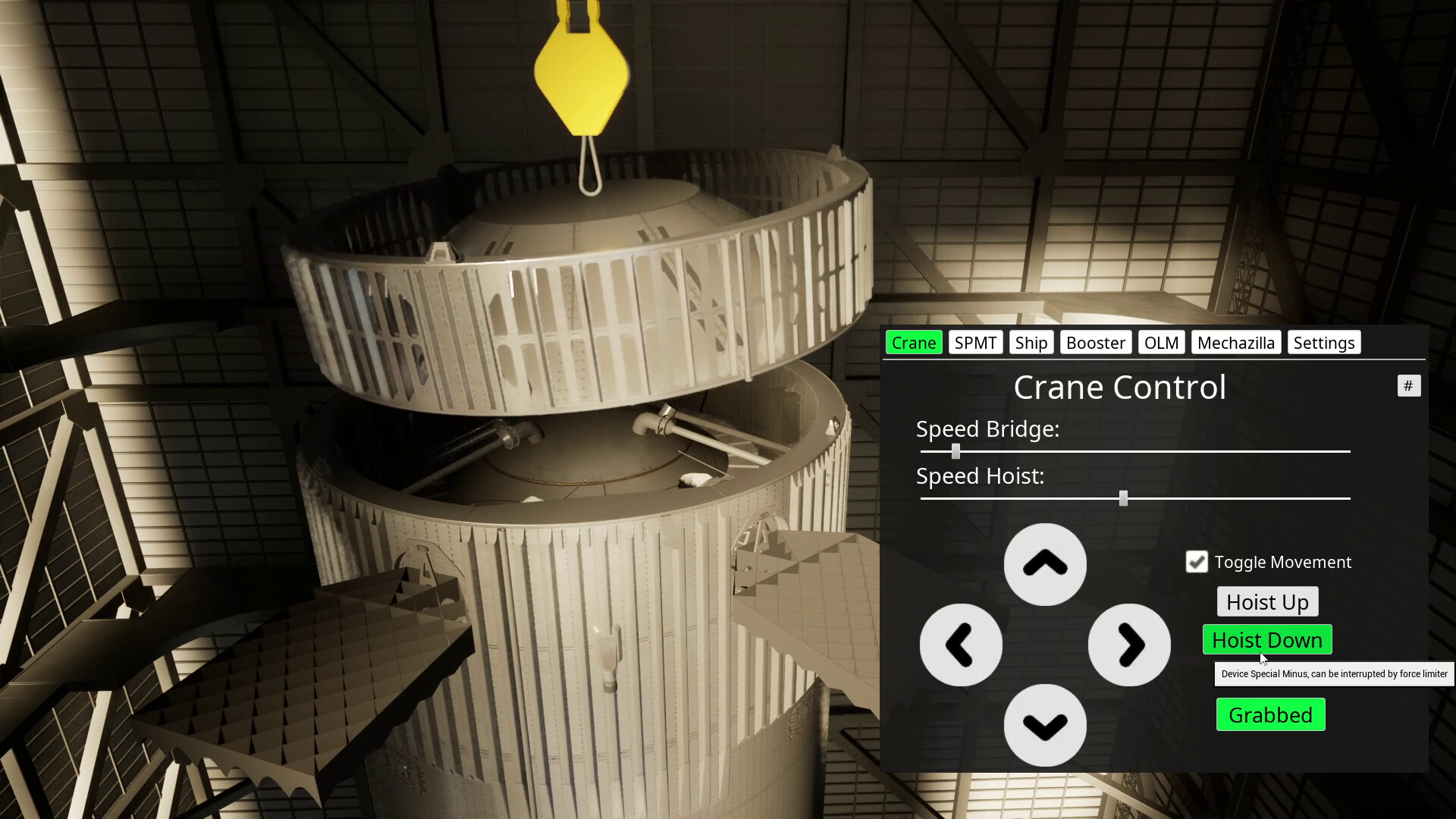
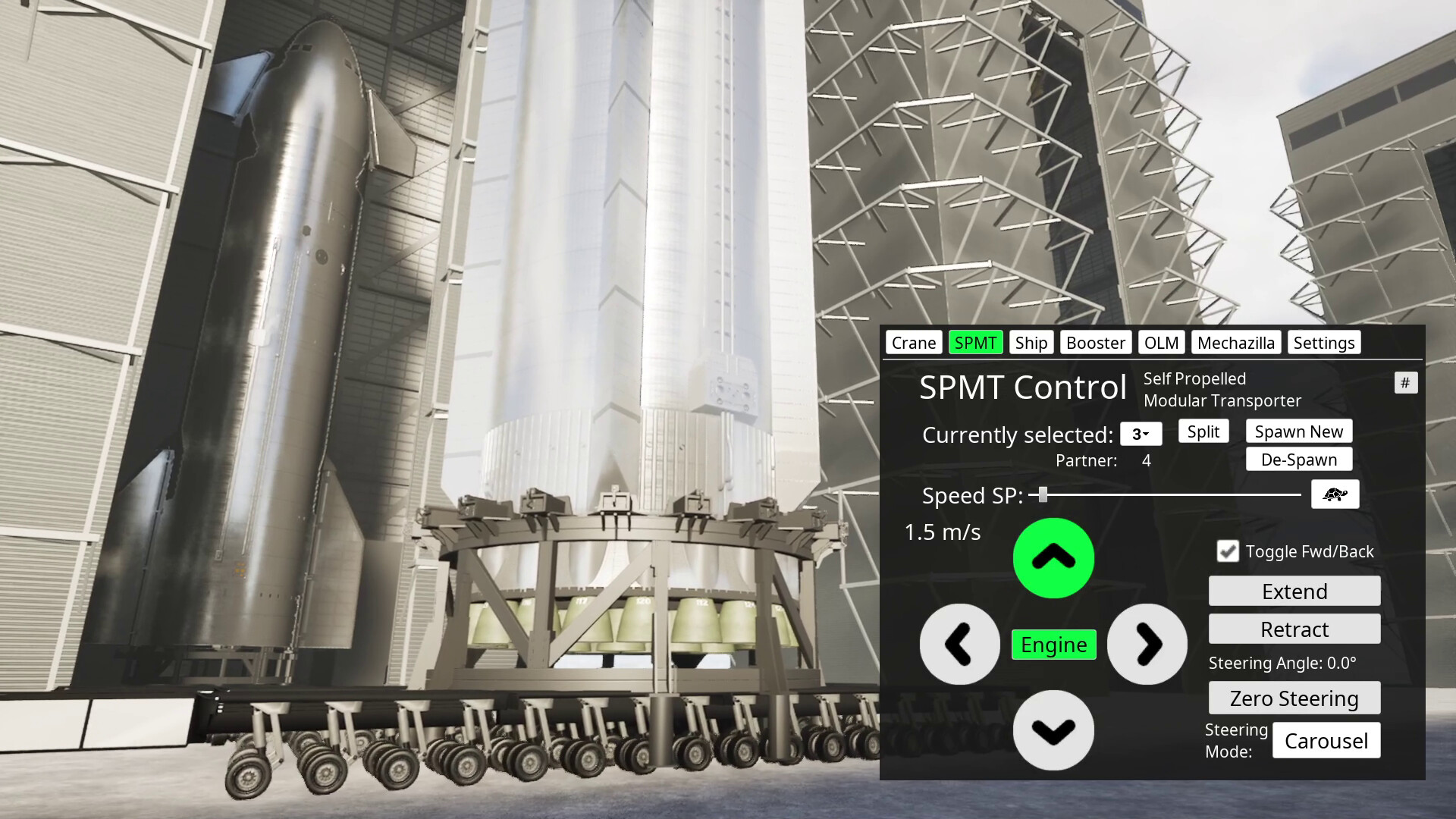
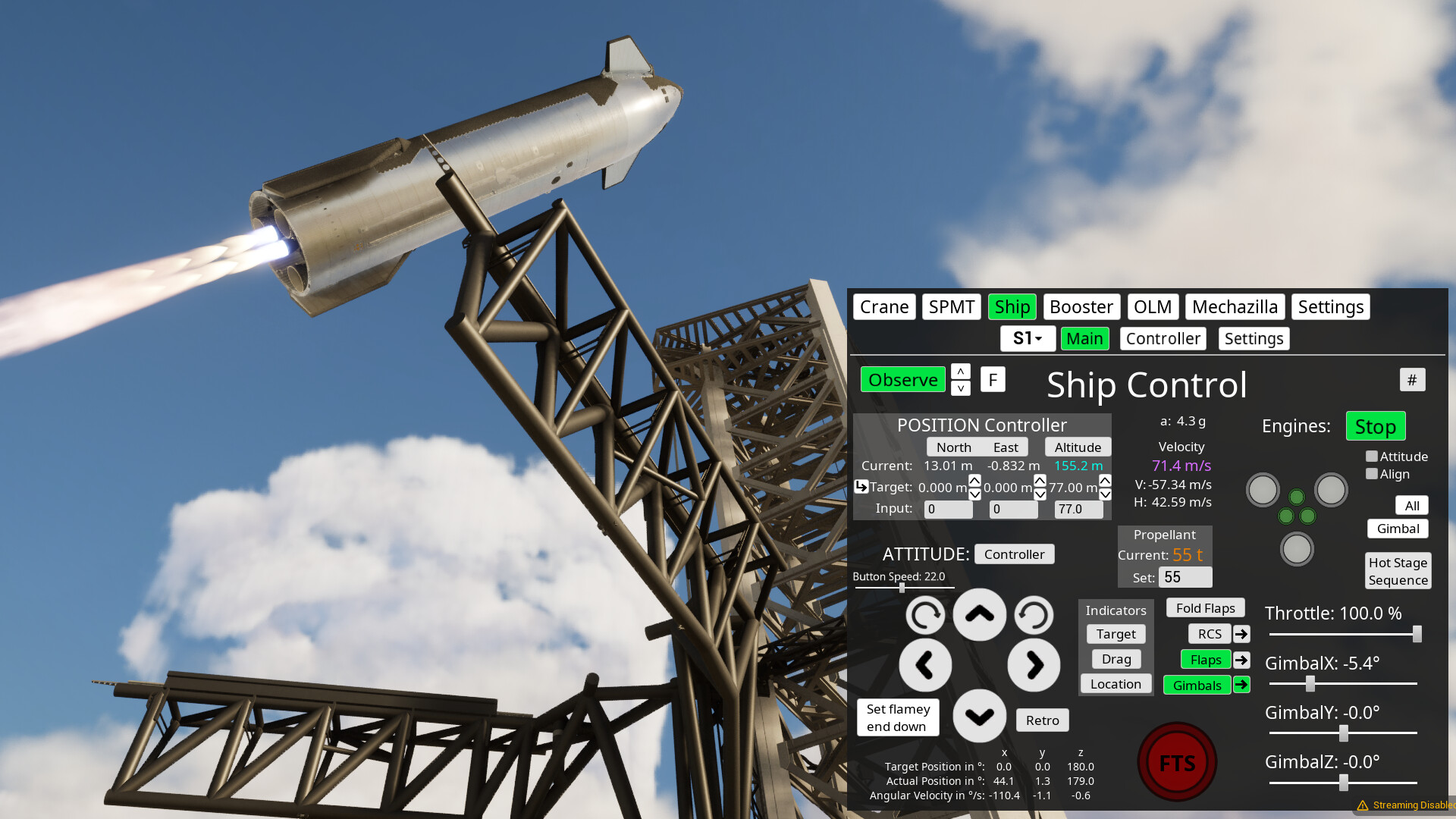
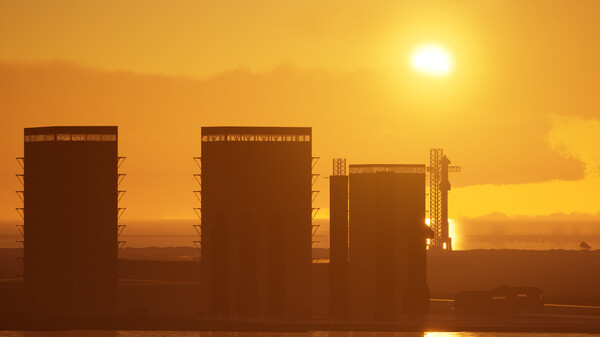
This is a physics sandbox where you can play around with Starbase devices.
You walk or fly around in first or third person to look at and operate all kinds of devices. For example, you can drive a so called Self Propelled Modular Transporter (SPMT) under the booster, lift it up, transport it from the build site to the launch site (at real world scale and distances), pick it up with the launch tower lifting device (a.k.a. chop sticks) and put it on the launch mount.
Then you can do the same for second stage and stack it on top, launch the full stack, do the hot staging maneuver and return first and second stage to launch site and try to catch them with the chop sticks.
All this is simulated with more or less realistic, slightly simplified physics. You can have it fly mostly automatic (in the future hopefully completely automatic) or control everything yourself, if you want, down to the settings of the PID controllers for angular velocity.
You can do all this also in co-op mode in multiplayer. But it's very rough still. So expect some wonkiness. Consider it more as a nice-to-have add-on.
You can not fly into orbit around earth yet. You also can't go into the rockets yet, but you can follow them as observer anywhere. These features and much more, like Moon and Mars, are planned for the future.
The main idea with this project is to closely follow and recreate the developments of the real Starbase in BocaChica, Texas and have fun learning to understand how everything works there, and later if they go the Moon, we go to the Moon with them.
There is a lot missing that needs to be added, so this will be in Early Access for a while probably.
🕹️ Partial Controller Support
🎮 Full Controller Support
- [0 B]
Major changes:
added BQD - model by Ryan Hansen Space
[/*]added static fire stand for Pad A (1) - model by ChameleonCircuit
[/*]added makeshift Ship umbilical - model by Questin
[/*]added Decals
[/*]added API
[/*]Restructured local user folder files -> see readme for more about that.
[/*]Default ship script has been fixed, but default spawn position and velocity changed, so you need to reset ship settings for the script to work.
[/*]The event based scripting has been moved to a slightly different system in the backend that is shared with the API stuff, so some commands might not work 100% anymore like before. Please let me know, if anything isn\'t working as before anymore (after reading next point)
[/*]Changes when using \'retro\' mode: it is turned off automatically now when going below 10 m/s or when triggering \'flamey end down\' (need to adjust scripts for that!)
[/*]
New Pad A (1) OLM parts
[p align=\"start\"]Before going into this: Yes, it has been officially designated as Pad 1 now, but I will continue to use A as I have it everywhere in my files like that. So in the following I\'ll just refer to it as Pad A always.[/p][p align=\"start\"]Originally I never was very keen on overhauling the OLM as it likely will be replaced pretty soon. But then this happened right as I was about to start on the new update:[/p][img src=\"https://cdn.cloudflare.steamstatic.com/steamcommunity/public/images/clans/45298327/74516ec5ccbc2d75b343d467e38c44abdfe39a77.jpg\"][/img]
[p align=\"start\"]So I threw all plans out of the window as the destruction of Massey\'s during S36 testing would probably mean a potential huge delay for the next flight.[/p][p align=\"start\"]In the end, the delay was not that big due to the re-purposing of the Pad A OLM for ship static fire testing of Block 2 ships. So while I was looking into different things that could be done for this update, fairly quickly the first parts for the Pad A ship static fire operations appeared with the adapted transport stand. So this became center of attention and since it is easy to add, I decided to make this part of the update.[/p][p align=\"start\"]What was not so easy to find was someone who could supply me with the new makeshift ship umbilical on top of the BQD. So that just got finished up yesterday by Questin.[/p][p align=\"start\"]Then of course for the umbilical structure the BQD covers were needed. So I looked into the latest SLE OLM, if I can use some parts of it, but nothing would really fit to my existing model. That meant, I would have to start over completely. However, since Ryan Hansen promised me to send me his model some time ago, I approached him again and he was so kind to give me access.[/p][p align=\"start\"]Initially I was trying to implement his full model already in this update, but soon I realized that would be way too much work, at least for doing it correctly, with somewhat decent materials. Here is the state to which I got before deciding to give it more time, which is basically just the outer hull:[/p][img src=\"https://cdn.cloudflare.steamstatic.com/steamcommunity/public/images/clans/45298327/a78655f7afb1c45a31b4a848639f7ab73f4a95cb.png\"][/img]
Because it deserves more time! It\'s an absolutely superb model. I have seen a lot of Blender models now from all kinds of people and that\'s by far the best in every respect, especially when it comes to accurate dimensions of everything, which is often lacking in other models. Only ChamelonCircuit\'s come close to Ryan\'s level.
[p align=\"start\"]Accurate dimensions are very important for me since I take models from many different places that need to work with actual physics in the end.[/p][p align=\"start\"]Unfortunately, it is not possible to reproduce the Blender materials easily in Unreal Engine since they are mostly procedural, using nodes that Unreal doesn\'t have. So I will have to spend quite some time again to make new similar looking procedural materials or find fitting texture based ones. But that is already outlook for the next update.[/p][p align=\"start\"]So for the moment only the BQD has been added from Ryan\'s model. It doesn\'t quite fit the current OLM, but hopefully it won\'t stay long like that.[/p][p align=\"start\"][/p]API - Application Programming Interface
[p align=\"start\"]This is based on TCP sockets. You don\'t really need to know anything about that. Just look at the [u]Python file [/u] that has an application example. It says where to put your own logic and how to use the data and commands.[/p][img src=\"https://cdn.cloudflare.steamstatic.com/steamcommunity/public/images/clans/45298327/a7e65245c843240627ed8f374d1c10e20e6ee5e5.png\"][/img]
[p align=\"start\"]Currently it\'s mainly for controlling rockets and doing catches like what is available in the existing event based scripting system. There are a few additional commands here though like for spawning rockets and more will be added. You can see all commands also in the [u]example file [/u].[/p][p align=\"start\"]We have to see yet how performant this system is. Maybe you can do your own controllers with it for example.[/p][p align=\"start\"]You can use any programming language as long as it supports TCP sockets. This is one big advantage. The other one is that it is independent of the game and Unreal Engine version, as long as the interface doesn\'t change.[/p][p align=\"start\"]This is all very experimental. I have only done a little bit of testing myself. But didn\'t get much feedback yet from people that have the dev version.[/p][p align=\"start\"]At least there is a how-to video already up on [u]YouTube [/u] :)[/p]Decals
[img src=\"https://cdn.cloudflare.steamstatic.com/steamcommunity/public/images/clans/45298327/6c7f1bd9513f26b9c6b6646f60c87fea656a5c9b.png\"][/img]
[p align=\"start\"]This is a pretty simple system. It reads in json files from the local user folder that reference a texture file and supply the transform data for where to put the decal object using that texture. So you can put any amount of textures in any location. Even though it just works on the ship main body right now, not on flaps.[/p][p align=\"start\"]Note, that the decals are projected onto the surfaces. So sometimes you need to rotate them a bit so that it looks correctly or use a small scale so that it doesn\'t project it on things that it shouldn\'t.[/p][p align=\"start\"]You can place them also in the world like this:[/p][img src=\"https://cdn.cloudflare.steamstatic.com/steamcommunity/public/images/clans/45298327/f6ae4bbcef3066899eb9b7587fee37020dd68c43.png\"][/img]
[p align=\"start\"]I set a very small scale there in z direction so that it doesn\'t project it too much on the player or the legs of the stands.[/p][p align=\"start\"]There isn\'t a how-to video yet about decals. But I will try to make one soon.[/p][p align=\"start\"][/p]Modding
[p align=\"start\"]The main reason why the API and Decals are in this update is because I have also looked into modding support after the Massey S36 incident. I might use mod.io in the future, but there is a bug with Unreal Engine 5.4, so I have to wait until I upgrade engine version, which I don\'t want to do anytime soon.[/p][p align=\"start\"]In the meantime, I have restructured the files in the local user folder and put the things that are already moddable into a corresponding folder. So currently you have to go through this for using any mods. Check the readme for more details about these changes.[/p][p align=\"start\"]In the future a system like with mod.io would be great to manage the mods and get new ones. There might be also better tools for using it for mod creation directly with Unreal Engine.[/p][p align=\"start\"][/p]Outlook
[p align=\"start\"]Next up is of course the full new OLM model by Ryan Hansen with lots of awesome details. You will love it! :)[/p][p align=\"start\"]Apart from that, there will just be bug fixes. So that should be a quick one.[/p][p align=\"start\"]After that will come more launch site upgrades in future updates. There is a lot in the pipe line that different people work on and I\'m excited to put in.[/p][p align=\"start\"]One more thing: For a moment I was also considering implementing more ship failure modes like exploding COPV\'s and also played around with other explosion effects for the ship. But then this went out of focus. However, there is still a different explosion in this version. I don\'t like it that much though. So I might look into replacing that.[/p][p align=\"start\"][/p]Full Changelog
added Pad A makeshift Ship umbilical (model by Questin, spawn through OLM panel)
[/*]adjusted ship transport stand spawn position
[/*]adjusted OLM and full stack spawn alignments a little bit
[/*]fixed tank farm not registering despawning of booster or ship
[/*]fixed on client: tank farm methane ice display not working
[/*]added first part of new Pad A OLM: BQD
[/*]added more API data that is sent from rocket: velocity and which engines are running
[/*]improved default ship script (based on Milan\'s script, note: default spawn props have changed and need to be reset!)
[/*]fixed a collider issue lagging the game when popping Ship Block 1 RVacs
[/*]fixed Block 1 RVac orientations
[/*]fixed a dev version issue when putting multiple script commands for ControllerAttidude
[/*]in the API it is now also possible to put multiple commands at once for ControllerAttidude and Chopsticks
[/*]added static world decals that can be placed anywhere (extra settings panel)
[/*]added stack position indicator as default world decal (currently the only default one)
[/*]decals now have \'Type\' property to designate in which panel the file will be selectable (Every json needs this now to appear in the selector! delete defaults to see how it looks.)
[/*]added fuel and oxidizer mass to data that is sent through API
[/*]adjusted Pad A plume generation and scaling
[/*]event based scripting is also piped through C++ command processing now (this might effect script execution)
[/*]changed AttitudeTarget API command so that it sets the target directly to the supplied value
[/*]changed ControllerAttitude API command so that on/off is also piped through parameters
[/*]fixed some small replication issues on control panels
[/*]added API via TCP sockets (see Python file in local user folder for more info)
[/*]updated the Pad A ship static fire stand adapter model
[/*]added decal selector to ship settings panel
[/*]restructured local user data, so that everything is now in a \'Mods\' folder including scripts (see readme)
[/*]custom decals can be added via the Mods folder
[/*]made some adjustments to booster and ship settings panel layout
[/*]in retro mode: when going below 10 m/s, it is turned off automatically now
[/*]in retro mode: when clicking \'flamey end down\', retro is turned off now
[/*]button \'Reset All Booster and Ship Settings\' now resets also already spawned items
[/*]fixed panel input fields not taking into account system of units
[/*]fixed attitude controller display selector getting options added every time one switches between ships or booster
[/*]fixed hole in water
[/*]added option to spawn Pad A ship static fire stand from OLM panel
[/*]
\n
Minimum Setup
- OS: Ubuntu. any recent
- Processor: Ryzen 3 4300uMemory: 8 GB RAM
- Memory: 8 GB RAM
- Graphics: Ryzen 3 4300u
- Storage: 2 GB available space
Recommended Setup
- OS: Ubuntu. any recent
- Processor: Ryzen 5 2600Memory: 16 GB RAM
- Graphics: RTX 2060Network: Broadband Internet connection
- Storage: 2 GB available space

[ 6382 ]






























[ 5887 ]


[ 750 ]






























[ 1993 ]





























[ 822 ]



























Time left:
356102 days, 11 hours, 31 minutes

Time left:
356102 days, 11 hours, 31 minutes

Time left:
6 days, 19 hours, 31 minutes

Time left:
34 days, 19 hours, 31 minutes

Time left:
37 days, 19 hours, 31 minutes

Time left:
38 days, 19 hours, 31 minutes

Time left:
12 days, 5 hours, 31 minutes

Time left:
0 days, 13 hours, 31 minutes

Time left:
7 days, 13 hours, 31 minutes

Time left:
13 days, 13 hours, 31 minutes

Time left:
14 days, 13 hours, 31 minutes

Time left:
19 days, 13 hours, 31 minutes

Time left:
25 days, 13 hours, 31 minutes

Time left:
1 days, 23 hours, 31 minutes

Time left:
9 days, 19 hours, 32 minutes

Time left:
11 days, 18 hours, 32 minutes

Time left:
17 days, 1 hours, 42 minutes


