



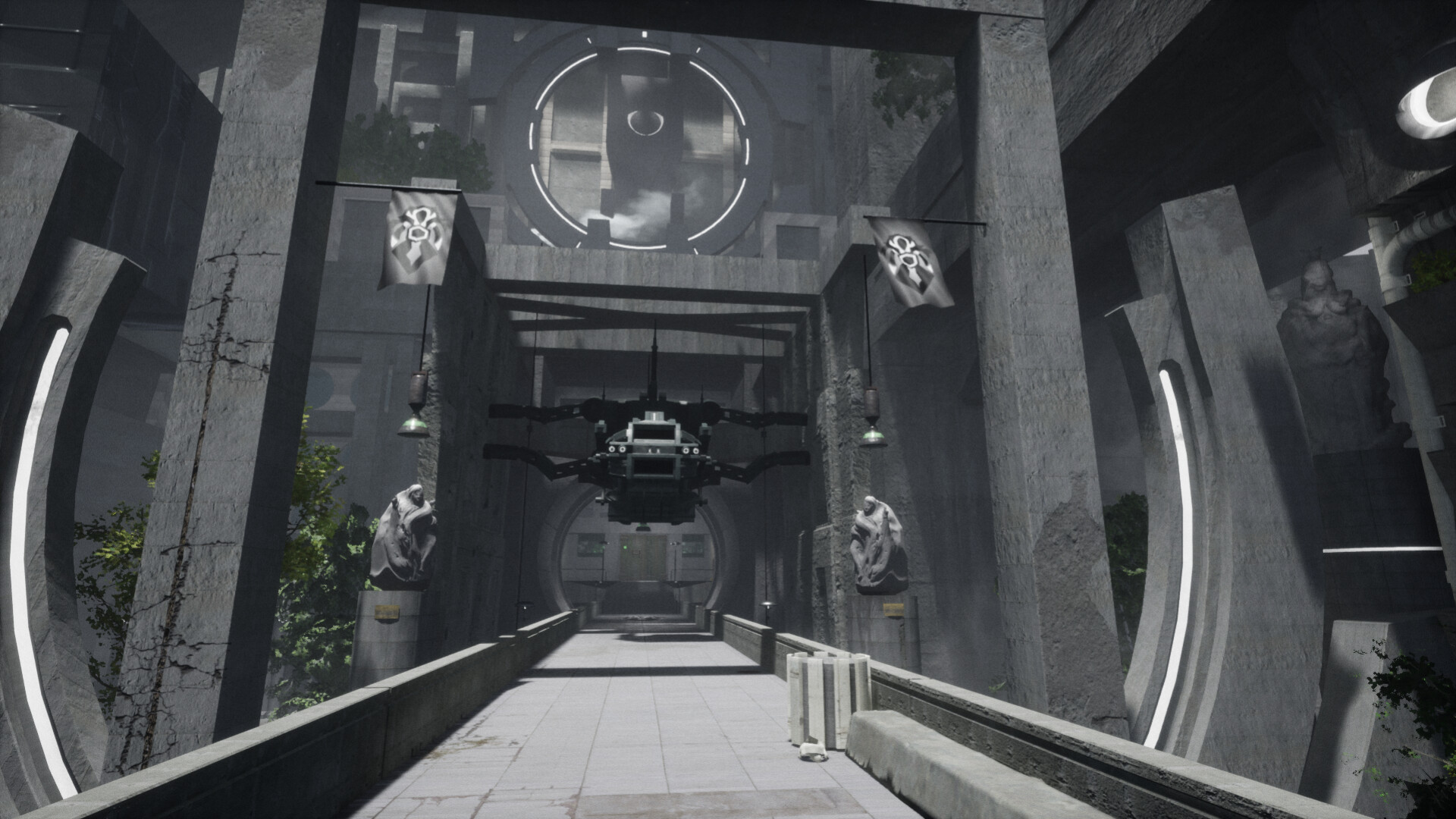
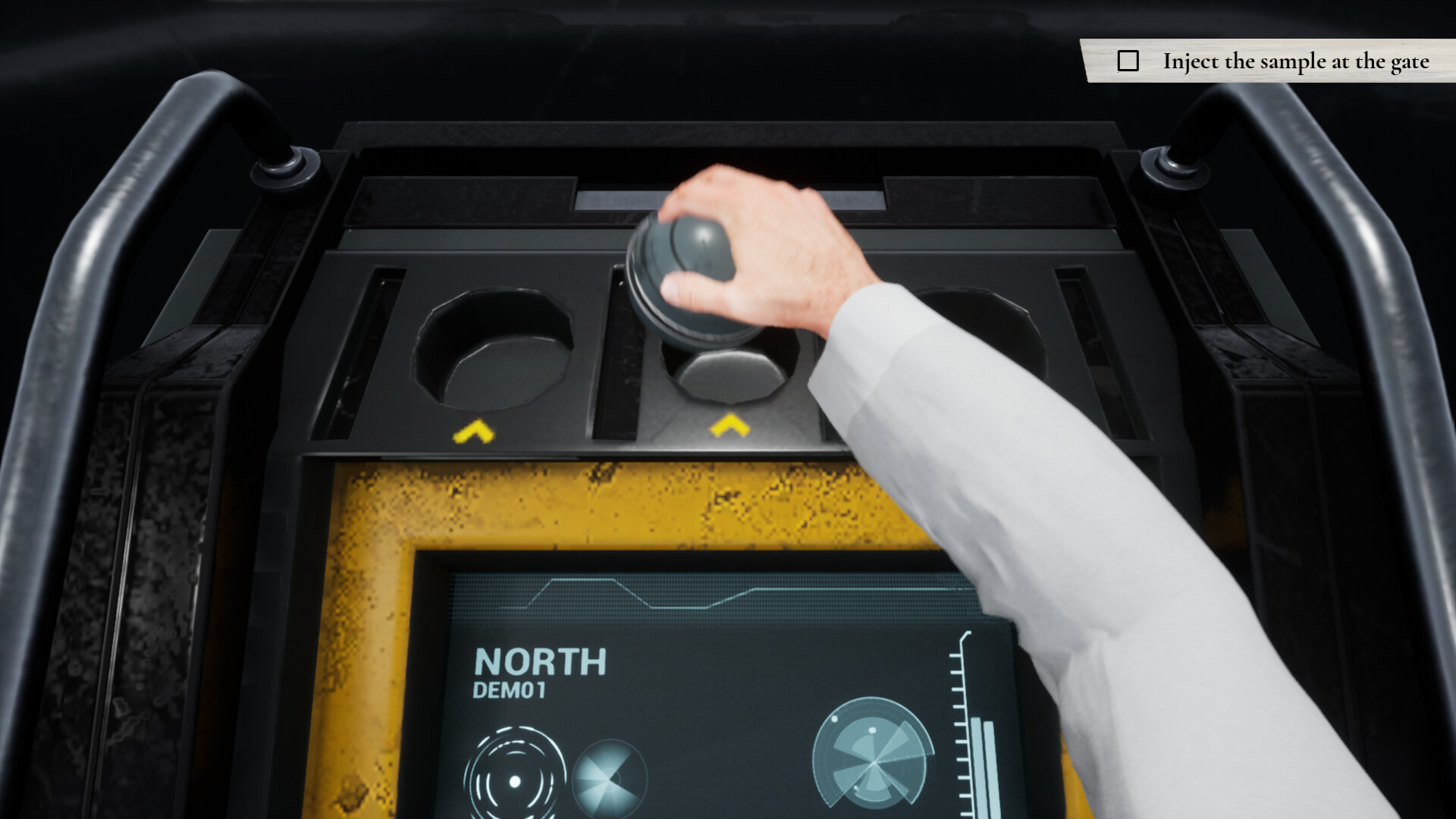
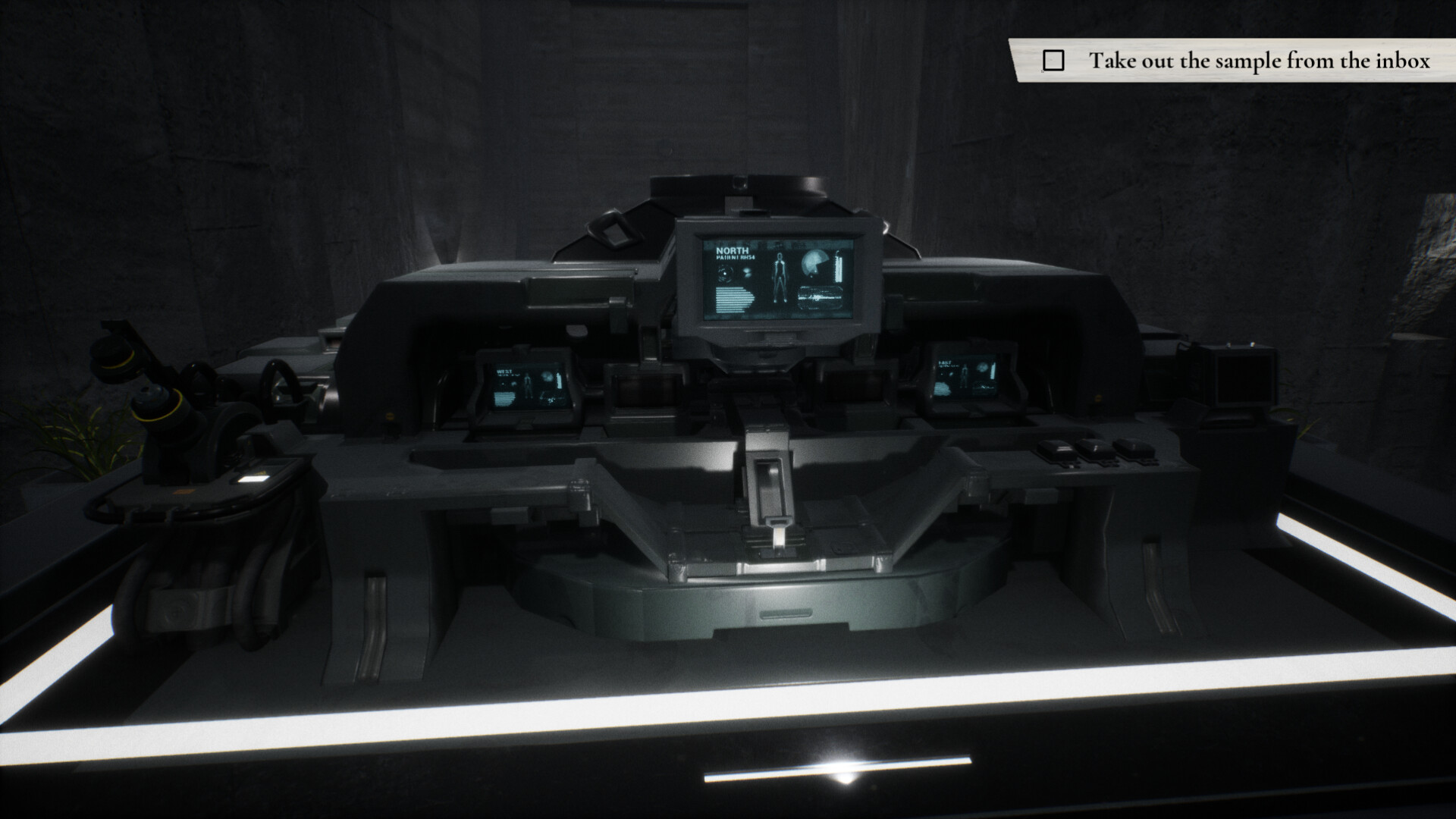
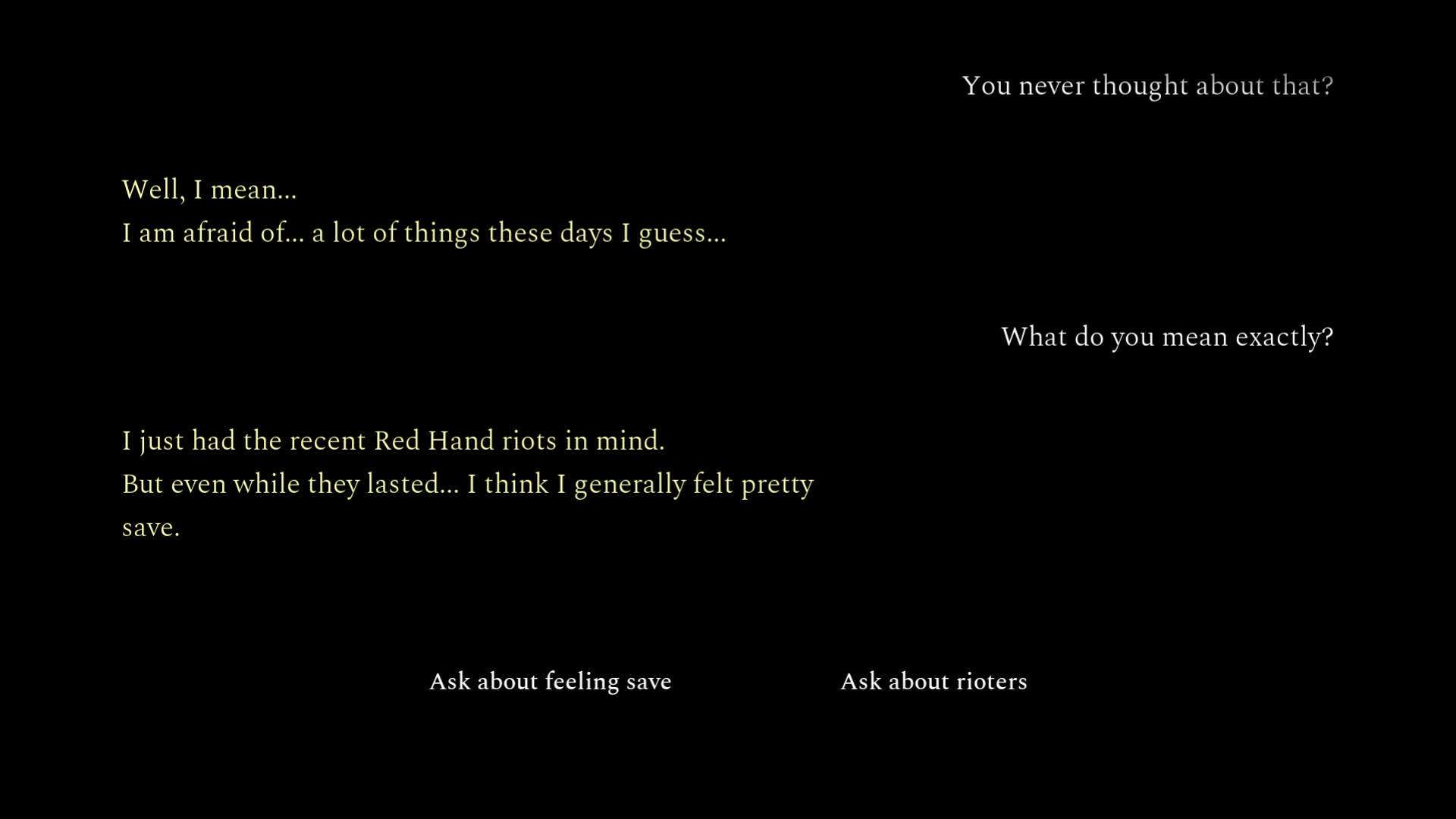

Step into the shoes of Dr Vincent Batten, who takes on his new role at the Ministry of Health of the Fifth Republic. Known as a care center for mentally unstable patients, you will find yourself curious, yet intimidated behind the walls of this facility.

In times when the republic is characterized by unrest and riots, it is all the more honourable to tackle such a task.
Your family must be proud!

A Doctor's Term is a story-heavy walking sim featuring stunning environments, thought-provoking narrative and an original soundtrack composed by Manolis Kalpenidis.

A confidential adventure where freedom of choice may be bigger than anticipated.
Observe your patients, test new samples on them, follow your orders!
Are you ready for the job?
🕹️ Partial Controller Support
🎮 Full Controller Support
- [0 B]
Celebration Update 1.2
We wish you a great new year and wanted to use the opportunity to say: Thank you for playing and supporting A Doctor\'s Term so far
With the participation at the Super MAGFest 2026, one of the biggest games events in the US, we are pushing a big celebration update version 1.2! Lots of improvements and additional features are in this one, so if you didn\'t get to try A Doctor\'s Term yet, now is definitely a good time
But First: Important Notes
Note on Saved Data
In general, the update has been extensively tested and should go very smooth.\nHowever, as this version comes with a lot of changes, we wanted to be extra cautious in case save games and saved settings may get issues with it. Therefor, we keep the current version available in case you need to roll back. To go back to the previous version, go to A Doctor\'s Term in your Library, click > Properties... > Betas and enter the code \"ADoctorsTerm112\" (without quotes). Then you should have this version selected in the Beta Participation.\nYou can safely try to start the newest version and if you expect a save game to exist and there is a Continue button, everything is fine. Otherwise you can close the game and try to roll back the update.
Note on Steam Cloud on Steam Deck / Steam OS / Linux
Steam Cloud sync could fail on Linux versions in the past due to a misconfiguration. We resolved this for A Doctor\'s Term, so be mindful that if you played the game on multiple devices (and one or more were running Linux), your Steam Cloud behavior may now be different. If you played the game on Linux and on multiple devices in the past, you might want to consider temporarily disabling Steam Cloud for the game if you think the local save game is the newest.
Now What\'s New?
Better 2nd Playthrough: After completing a game, you can now choose to start the next new game either at the very beginning, or at the day of the observations!
[/*]Smaller Size: Drastically reduced download size and size on disk, going from ~4.6GB to only ~3GB!
[/*]Smaller Future Update Sizes: Future update downloads will be smaller due to improved project packaging.
[/*]Performance Improvements: Virtual texturing (upgraded to UE4.27) allows for a smoother experience and better frame rate.
[/*]Invert Y Axis: New setting available to invert the Y axis of the camera controls.
[/*]Improved Culling: Improved the occlusion culling inside the station (a lot less white artifacts when quickly rotating the camera)
[/*]Many Bugs Crushed: Various bug fixes, including camera glitches and more.
[/*]Big Lighting Fix: Fixed Global Illumination causing severe artifacts when changing graphics settings on Linux (Windows was always fine).
[/*]...and probably more! We didn\'t keep track of everything ^^
[/*]
And What\'s Next?
For 2026, there is some localization (at least German) on our roadmap and potentially additional settings. Stay tuned!
We are very happy to see A Doctors Term being part of the DevGAMM Awards Celebration Steam Event!
The ministry awaits you, as it celebrates with a 40% discount until Monday, Nov 10th 2025 8:30 AM CET. \nAre you ready to step inside?
Take a look at the event here:\n[img src=\"https://cdn.cloudflare.steamstatic.com/steamcommunity/public/images/clans/44979467/22924bac03443a0d8b9144086c35391bd6f5bd34.jpg\"][/img]
A minor update was submitted today for our Linux version.
No changes to the game itself, but the execution of the game was simplified due to certain Steam Decks having issues executing certain commands needed to start the game.
Now the game should run more reliably on deck.
Regards,
Council of Pure Sanity
Update 1.1.2
\nUpdate 1.1.2 is here with various fixes and improvements!\n\nMajor Fixes
\n- \n
- Fixed interaction transition causing whiteout effect when injecting samples!\n
- Crash Fix: Fixed story data not getting properly cleaned up when returning to start menu, causing crashes when going into the game again.\n
- Improved collision around several stair cases that were hard to climb under certain circumstances.\n
Minor Fixes
\n- \n
- Fixed various lighting and shading glitches causing artefacts and popping (there is still room to improvement here and we keep working on it).\n
- Fixed surfaces looking bent even though they are flat on various hard surface objects.\n
We started testing our game on Steam Deck early on and found it to have decent performance while plugged in or docked. However, even though the game runs fine on battery, we also noticed that there are some performance drops that can be mitigated by tweaking settings.
Therefor, we prepared this guide to help you get the best possible experience of A Doctor\'s Term on deck.
Playing on Battery
Recommended Settings
Frame Rate Limit: 60
[/*]Render Percentage: 80% (up to 100%)
[/*]
Why These Settings?
The Frame Rate Limit will help with capping frames in high performing areas (e.g. during text dialogue sequences) which helps saving power. This will avoid your deck getting hot (or at least not hotter) during these parts of the game and it saves battery.
The Render Percentage on 80% is a good trade-off on deck. It helps with performance, while still maintaining the visual appeal of the game. Anything below 80% will easily look blurry on deck and may even cause render artifacts.
However, if you are happy with the performance, feel free to keep the Render Percentage on 100% for better image quality. We recommend keeping the Frame Rate Limit at 60 though.
Playing Plugged or Docked
Recommended Settings
Frame Rate Limit: 60 (up to 120)
[/*]Render Percentage: 100% (up to 150%)
[/*]
Why These Settings?
Even when plugged in, a Frame Rate Limit will help with capping frames in high performing areas (e.g. during text dialogue sequences), which avoids your deck from getting hot (or at least not hotter). If you play on the deck\'s screen, your device refresh rate may not go beyond 60Hz anyways.
If you are playing docked however, you can consider increasing the Frame Rate Limit. More than 120 may not make sense either though, as this is the highest rate Steam Deck can output to other screens when docked.
Regarding Render Percentage, the game should be able to handle 100% when plugged in or docked. You may even consider to go to the maximum there, dependent on your desired visual output, especially when docked.
Troubleshooting
Steam Deck Fails to Execute .sh File
On certain decks, an issue about an .sh file failed to execute or not being executed may occur. We already attempted to fix this, by simplifying said file to cause less issues, but just in case, here are ways to work around this:
Play via Proton:\nYou can alternatively run the game\'s Windows built via Proton. This will download an alternative version of the game which should also run fine on the deck. \nFor this, in Steam to A Doctor\'s Term > Tap the cog wheel button > Properties... > Compatibility > Check Force the use of a specific Steam Play compatibility tool > Select the latest Proton version or even the experimental one.
[/*]Run the game in Desktop Mode:\nFor this, press the STEAM button, go to Power > Switch to Desktop. From there you should find a regular Steam desktop client from which you can run the game. This runs the game in a slightly different runtime environment, which is more robust against these problems.
[/*]
Other Startup Issues or Graphics Issues
If you enconter any other startup issuesm, graphics issues or anything alike, consider running the game with a compatibility tool like Proton.
Play via Proton:\nFor this, in Steam to A Doctor\'s Term > Tap the cog wheel button > Properties... > Compatibility > Check Force the use of a specific Steam Play compatibility tool > Select the latest Proton version or even the experimental one.
[/*]
If you have any feedback or further questions regarding Steam Deck compatibility or performance, feel free to leave a comment and we will get back to you.
Improvements and fixes:\n
- \n
- Made UI more consistent in settings after resetting a settings section\n
- Fixed wrong button assignment of controllers for switching tabs in settings screen\n
- Added fallback feature for saving game and settings in case no Steam ID is found (this should technically never happen, but it\'s always nice to have save-guarding) and added appropriate info message in start menu in case this occurs\n
Update v1.1 is now available with a fully refined settings menu!
\nNew Features:
Resolution and screen mode settings
[/*]Render percentage setting
[/*]Frame rate and VSync settings
[/*]
\nBug Fixes:
Fixed issue that caused settings to not get saved: Now the settings are the same every time you restart the game\n
[/*]
Note on settings + Steam Cloud:
While graphics settings are very device specific, they will not be synced to your Steam Cloud. All audio and dialogue settings will remain synced though, as they are more of a preference. \n\n\n[img src=\"https://cdn.cloudflare.steamstatic.com/steamcommunity/public/images/clans/44979467/b0075035fb7089d7b51c2838ef910d68585f0831.png\"][/img]
We hope this update enabled a better experience for everyone!
- Council of Pure Sanity
We added an FPS cap of 120 (a value we feel safe with) so better GPUs don\'t go into giga frame rates and run super hot!\n
Ministry of Health
Republic Directive #072425-A\n
Dear applicant,
Your time has come.
By order of the 4th Republic and the Ministry of Health, we hereby confirm that A Doctors Term is now officially released.
Your assignment begins immediately.
Be ready.\n
The Council of Pure Sanity
Ministry of Health
Republic Directive #072425-TR
Dear applicant,
Your orientation begins now.
By order of the 4th Republic and the Ministry of Health, a new official trailer for A Doctors Term has been authorized for release. This material serves as a preliminary introduction to your duties, environment, and the standards expected of all personnel.
You are instructed to review the footage immediately.
Your term approaches. Be ready.
The Council of Pure Sanity

Ministry of Health
Republic Directive #072425
Dear applicant,
Congratulations! Your application has been accepted and your term is about to begin.
By order of the 4th Republic and the Ministry of Health, we hereby announce that A Doctors Term will commence on July 24, 2025.
We expect you to report for duty without delay.
The Council of Pure Sanity
Minimum Setup
- OS: SteamOS. Ubuntu 16.04 (or equivalent distro)
- Processor: Core i3 / A6 2.4GHzMemory: 6 GB RAM
- Memory: 6 GB RAM
- Graphics: @1280x720: GeForce GTX 1050 3 GB / Radeon RX 560 4 GB
- Storage: 11 GB available space
Recommended Setup
- OS: SteamOS. Ubuntu 16.04 and later (or equivalent distro)
- Processor: Core i7 / Ryzen 7 2700 3.2GHzMemory: 8 GB RAM
- Graphics: @1920x1080: GeForce RTX 2060 6 GB / GeForce GTX 1070 8 GB / Radeon RX 5600 XT 6GB
- Storage: 11 GB available space

[ 6367 ]

























[ 5899 ]


[ 1587 ]



























[ 2438 ]
























[ 482 ]


















Time left:
356098 days, 11 hours, 15 minutes

Time left:
356098 days, 11 hours, 15 minutes

Time left:
2 days, 19 hours, 15 minutes

Time left:
30 days, 19 hours, 15 minutes

Time left:
33 days, 19 hours, 15 minutes

Time left:
34 days, 19 hours, 15 minutes

Time left:
56 days, 11 hours, 14 minutes

Time left:
8 days, 5 hours, 15 minutes

Time left:
3 days, 13 hours, 15 minutes

Time left:
9 days, 13 hours, 15 minutes

Time left:
10 days, 13 hours, 15 minutes

Time left:
15 days, 13 hours, 15 minutes

Time left:
17 days, 13 hours, 15 minutes

Time left:
21 days, 13 hours, 15 minutes

Time left:
1 days, 2 hours, 16 minutes

Time left:
5 days, 19 hours, 16 minutes

Time left:
7 days, 18 hours, 16 minutes
Time left:
13 days, 1 hours, 26 minutes


