



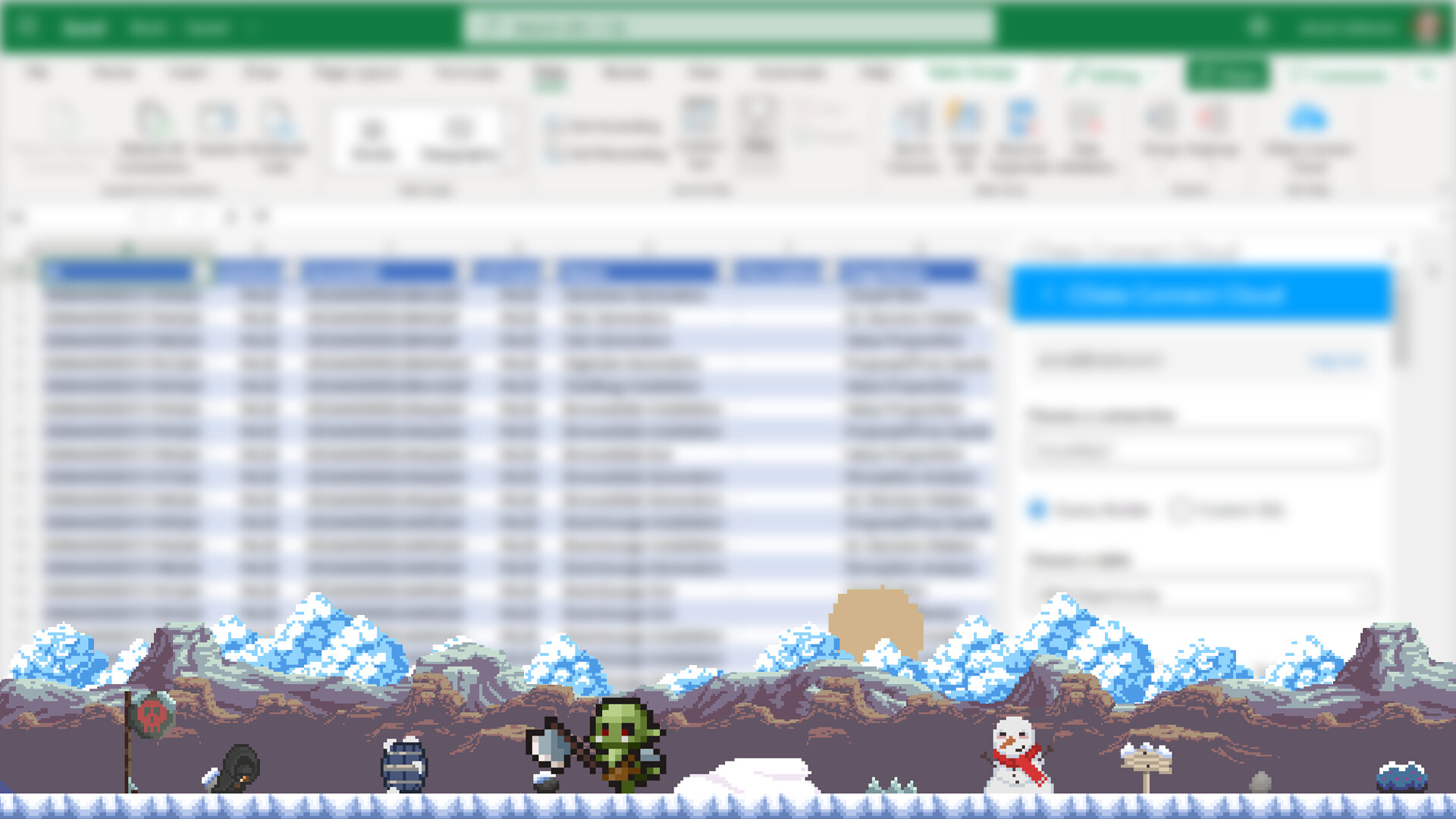
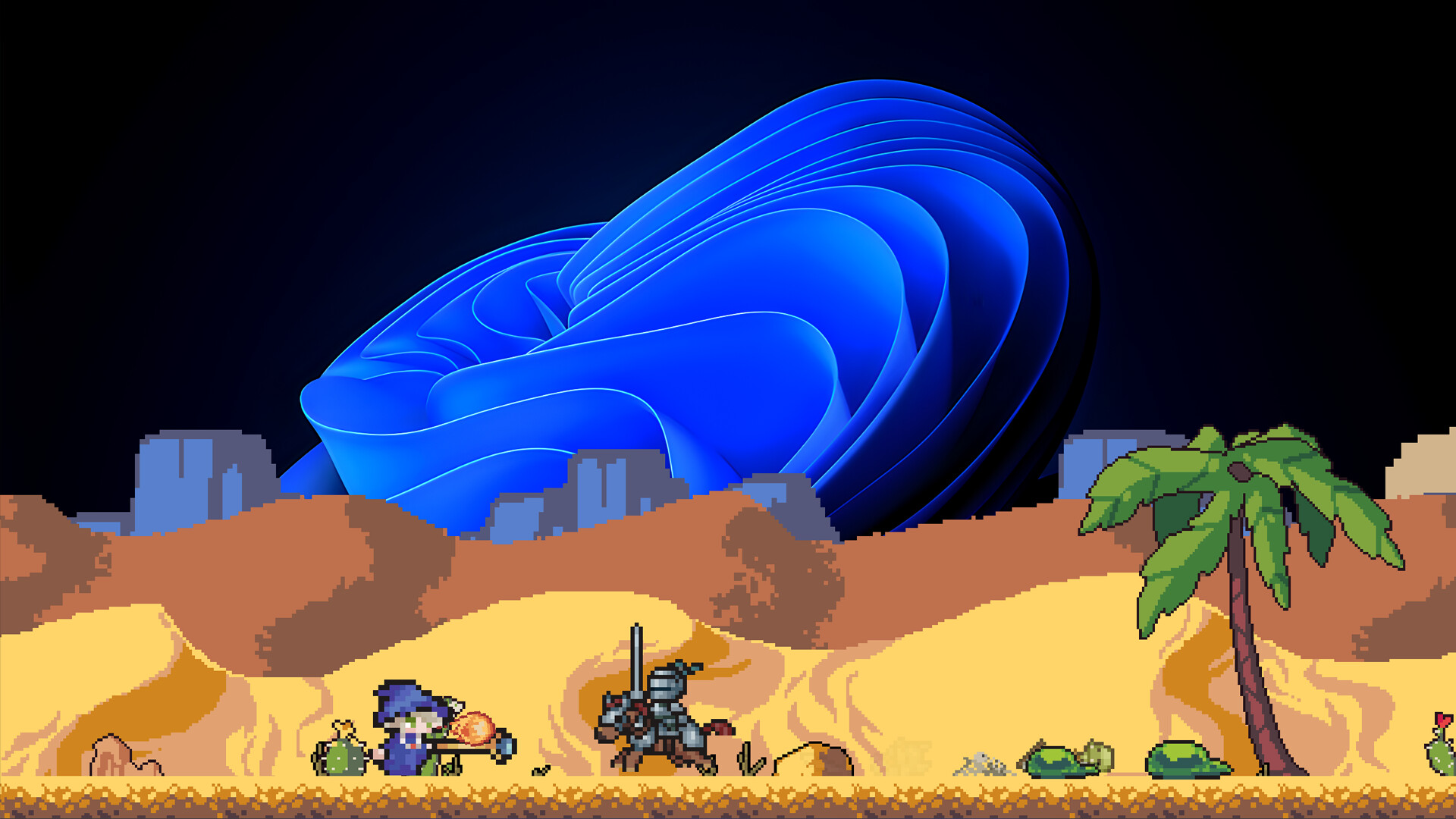

Your epic adventure begins... at the bottom of your screen (BoYS).
Desktop Heroes is a unique idle RPG designed to be your faithful companion while you work. Set just above your taskbar, this unobtrusive game runs in the background, letting you build a team of courageous heroes, battle monstrous foes, and collect loot; all without disrupting your productivity.
A Fantasy World on Your Desktop
As you type emails, write code, or browse spreadsheets, your party of four customizable heroes embarks on quests, defeats enemies, and gathers treasures in real-time. Watch your hero grow stronger while you focus on your daily tasks, or jump in to support when you're ready for a quick break.

Features:
🧙♂️ Four Iconic Classes: Lead a balanced party of a spell-slinging Wizard, a sword-wielding Warrior, a precise Hunter, and a stealthy Assassin.
⏳ Idle Gameplay, Active Rewards: Play passively or jump in anytime to claim rewards, upgrade gear, and make strategic decisions.
💼 Work-Friendly Design: Runs quietly at the bottom of your screen. No pop-ups, no distractions... just progress.
🗺️ Expanding Adventures: Unlock new regions, fight powerful bosses, and uncover secrets, even while answering emails.
🎨 Charming Pixel Art Style: A light and appealing visual design that complements your workspace, not competes with it.
Whether you're grinding through your to-do list or taking a five-minute coffee break, Desktop Heroes keeps the adventure going, one pixel-sized battle at a time.
Unique Features:
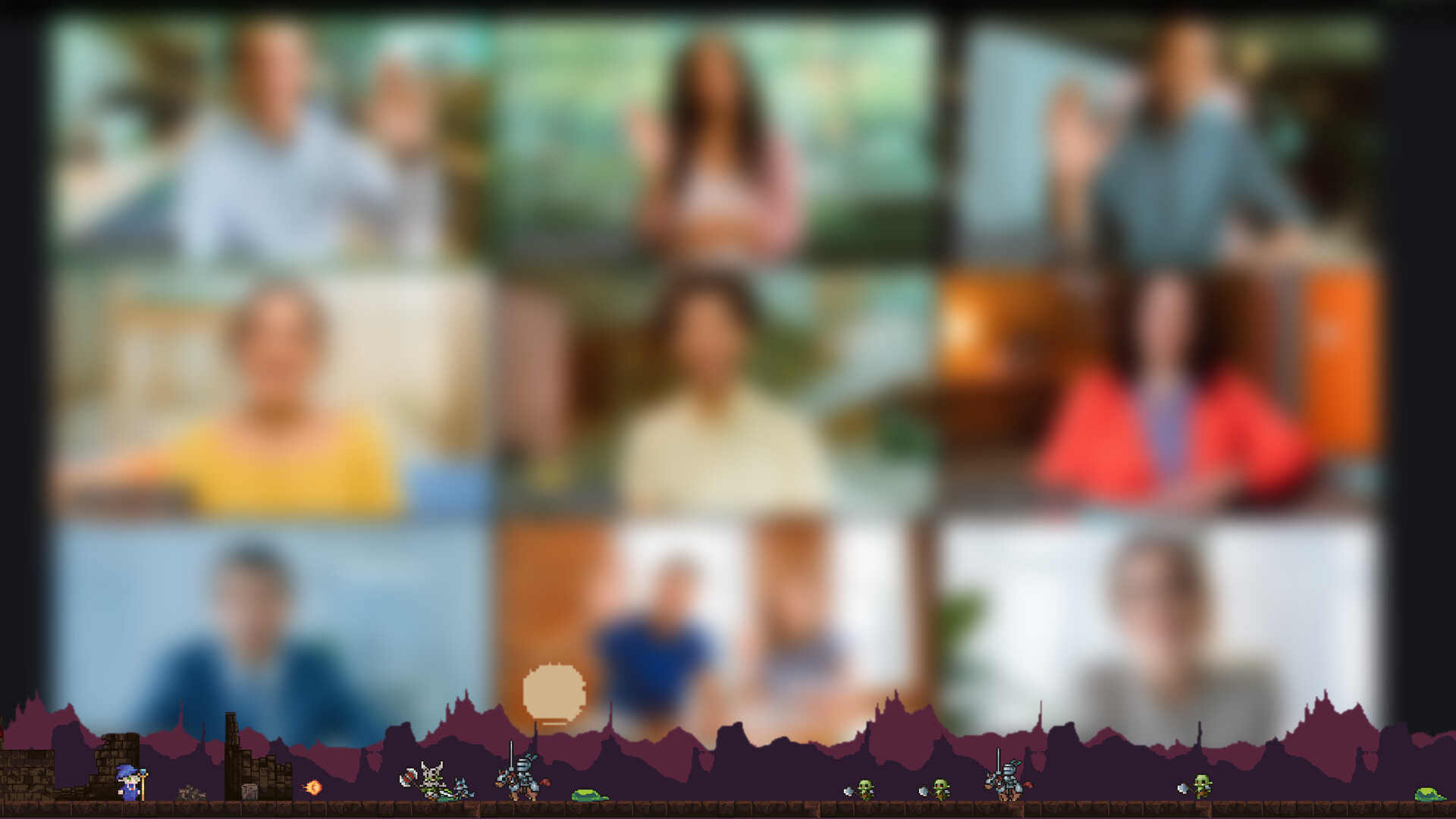
Thanks to Desktop Heroes' special Protect Mode, even if you share your entire screen during a meeting while playing a game, the people on the other end won't be able to see that you're playing. 😉
With Virtual Mode, if you need to click on an area behind the game at the bottom of your screen, you can continue working without having to close the game. And it's easy to read text behind the game or click on something!
🕹️ Partial Controller Support
🎮 Full Controller Support
- [0 B]
Another 50 Santas Gift Potions Added!
Bug Fixes
Fixed an issue where the initial launch gold amount was not updating correctly
[/*]Fixed a bug where mobs killed by recurring damage (e.g. burn) would not drop loot
[/*]Fixed incorrect tooltips\n
[/*]
Improvements
Number Suffix Cleanup
Number suffixes were confusing. The old order used K, M, B, T, Q followed by single lowercase letters (a, b, c, d) and then patterns like aa, ab ba, bb, bc.\nSingle lowercase letters were removed entirely due to visual confusion (similarity to the first pattern and characters like l being mistaken for numbers).\nThe new order is now: K, M, B, T, Q, aa, ab ba, bb, bc.\n\n
Fixes
Stat Upgrade Indicators & Max Level Bug
Fixed issues with stat upgrade indicators and an incorrect max level behavior.
Fairy Slot Amount Update Fix
Fixed an issue where potion amounts in Fairy slots were not updating correctly.\nThis was likely the root cause of some intermittent skill bar update issues as well, which should now be resolved.\nIf you still encounter similar problems, please report them.
New Features
Mimic Target Upgrade
Mimics spawn randomly and must be clicked to activate, otherwise heroes ignore them and you miss the reward. This new upgrade gives a chance to auto-activate spawned Mimics. It has 4 levels, and each level increases the auto-activation chance.
Carpenter
The Carpenter upgrade increases the amount of Wood Pieces dropped from the Mimics.\n
Improvements
Upgrade Button Tooltips
Added tooltips to upgrade buttons that use special or less common items, explaining what the item is and how to obtain it.
Fairy Slot Tooltips
Fairy potion slots now have tooltips explaining their usage
Mimic Spawn Notification
A new info box appears at the top of the UI when a Mimic spawns, making it much harder to miss.
Shared Chest Capacity Upgrade Relocation
The Shared Chest capacity upgrade button has been moved from the inventory view into the Upgrades menu.
Stat Hold Button
Stat upgrade buttons now support press-and-hold for repeated purchases.\n\n
Fixes
Stat Cost Rounding Fix
Fixed a rounding issue where players could see a cost they technically couldnt afford. Costs now use ceiling rounding, so if the displayed amount is met, the upgrade is guaranteed to be purchasable.
Player Menu Indicator Fix
Fixed an issue where the Player menu icon was incorrectly highlighted green due to skill upgrade indicators.
Improvements
Minor drop rate tweaks.
[/*]Removed floating gold texts for sidekicks, as they were too frequent and visually distracting.
[/*]Added information tooltips.
[/*]- [/*]
Bug Fixes
Fixed an issue with the Fairy tooltip.\n
[/*]
- \n
- Level Up animations added for Heroes\n
- Short cooldown added to mob spawns to prevent large groups from appearing at the same time\n
- Health Bar bugs fixed\n
Exclusive Santas Gift Potion (x100) added to your inventory.\nGrants 2x EXP and Gold for 10 minutes.\nStacks with gear multipliers and other potions.
Upgrades depend on `Secondary Hero Unlock` not being unlocked in some cases
New Features
Guns for Hire upgrades added, allowing sidekicks to earn a small portion of gold based on their own level.\n
[/*]
\nImprovements
VFX Toggle added to improve performance on lower-end systems.
[/*]Healthbar Text Toggle added to hide numerical values on healthbars.\n
[/*]
\nBugfix
Fixed an issue where dice rolls didnt correctly check for a full backpack, which could cause item loss.
[/*]Healthbar Toggle was broken and has been temporarily disabled. It will be re-enabled in a future update once fully fixed.\n
[/*]
Improvements
Gave the item sorter a motivational speech. It now sorts things like it actually cares.
[/*]Added HUD customization so you can finally decide which item deserves to be seen.\n
[/*]
\nBugfix
Fixed an issue where effects you applied to mobs proudly showed up as team effects. Nice try, mobs.
[/*]Stopped items from forcing themselves into gear slots. Consent matters, even for inventory.
[/*]Corrected hero behavior. They will no longer dance, stare, daydream, or forget to attack mid-fight. (Yes, we had a whole arc there.)\n
[/*]
Bugfix
Convinced the Fairy to stop selling items without our permission.
[/*]Had a serious talk with Corin about not dancing mid-battle.
[/*]The translator will now try harder, remember your preference, and stop forgetting the selected language after the first screen.\n
[/*]
Improvements
Red Herb Drop Adjustments: Red herb drop amounts now increase with difficulty.
[/*]Discord Button added to the Settings Menu.
[/*]Upgrade Tab Indicator: The Upgrades tab and its category tabs turn green when an upgrade is available for purchase.\n
[/*]
Bugfix
Fixed an issue where the Jungle Map button was not working correctly.
[/*]Spider Queen Drop: The Unique Sword was incorrectly dropping for the Hunter class instead of the Warrior.
[/*]Character Switching During Boss Fights: Character switching is now disabled while a boss is active, preventing a free-flee exploit.\n
[/*]
New Features\n\n
- \n
- New Snow Map Added\n
- Distinct Hero Base Stats: Each hero now begins with unique base stats to create a more distinct class identity and gameplay experience.\n
- Hero Selection Screen: Instead of always starting with Edric, players can now choose their starter hero when beginning their adventure.\n
- Map Level Cap Added (200): Maps now have a maximum cap of level 200. Higher difficulty can still be reached by progressing to later maps. For example, Forest reaches 200 difficulty at max cap, while Desert starts higher, allowing you to push beyond 200 as you move forward.\n
- New Gear Added: Additional gear items have been introduced to ensure there are no content gaps up to the new level cap.\n
- Initial Language Selection Screen: A new first-time startup screen has been added to help players clearly choose their language before entering the game.\n
- Fairy Upgrades Adjustments: Prices and requirements for several Fairy upgrades have been rebalanced.\n
- Mimic Spawn Upgrades: The first level unlocks the ability for mimics to spawn randomly. The next two levels increase the spawn rate further.\n
- Cheap Flee Upgrade: Normally, fleeing costs 3 levels. With this upgrade, fleeing only costs 1 level.\n
- \n
- Auto-Fire for Difficulty Buttons: Holding the difficulty change buttons now rapidly triggers adjustments for smoother interaction.\n
- Auto-Fire for Dice Rolls: The same auto-fire behavior has been added to dice roll buttons.\n
- Pause UI/UX Improvements: The pause screen has been refined, and several edge-case bugs have been resolved.\n
- Upgrade Requirements Display: Upgrades now clearly show their unlock requirements.\n
- Upgrade History Tab: A new tab has been added to the upgrades menu, showing a list of all previously unlocked upgrades.\n
- Map Selection State Update: Disabled map selection is now more clearly indicated. If a map is unavailable because the hero is in a near-death state, a skull icon will be shown to indicate the reason.\n
- \n
- Skill Bar Save: Fixed an issue where some skill-bar items were not saved, causing them to disappear after restarting the game.\n
- Tooltip Color: Previous stat values were displayed in a dark color, making them difficult to read on dark backgrounds.\n
Desktop Heroes | Update 2.4.4
This update is all about polish, automation, and better flow. Less babysitting, more momentum.
Fixes and Improvements
Ice animation issues fixed
Fairy Features Expanded
Fairy Auto Craft: Automatically crafts selected items for you.
Fairy Sidekick Guard: Fairy now actively protects sidekicks.
Fairy Auto Junk Sell: Junk items are sold automatically.
Fairy Income Slot: A new slot that you can place income potions like EXP, gold and dice potions.
New Potions
EXP Potion: Boosts experience gain.
Walk Speed Potion: ncreases movement speed.
Content Tuning
Water map mobs have been revised for better visuals.
Small version number, meaningful gains.
As always, feedback shapes what comes next.
Crafting Menu UI Update
The Crafting Menu has been redesigned for better clarity and faster access to crafting actions. Navigation is smoother and key actions are more readable.
New Upgrades Added
Item Sell
You can now sell items for half of their original value. A simple way to clean up inventory and recover some resources.
Full Refund
Requires Item Sell. Items can now be sold for their full original value. Bad purchases are no longer permanent mistakes.
Party Potions
A new potion type that heals the entire party at once. Same idea as HP Potions, just less selfish.
Horde Potion Functionality Update
Horde Potions have been reworked. When used, they now increase mob spawn rate to 4x for one minute. More enemies, more chaos, more rewards if you can handle it.
More upgrades and tuning are already in progress. As always, feedback drives the next step.
We heard you.
Based on your feedback, we made the game more idle-friendly and added the ability to play with multiple heroes through sidekicks. By closely following community comments and suggestions, we also introduced many new improvements and refinements. This update is a direct result of that feedback loop.
Team Play and Sidekicks
Heroes do not form a fixed party. Instead, each hero can unlock the ability to summon one or two other unlocked heroes as sidekicks during gameplay. Sidekicks support the active hero rather than acting as full party members.
If a sidekick enters the Near Death state, they cannot continue fighting but continue to gain experience.
Near Death State
Heroes no longer die when their health reaches zero. Instead, they enter a Near Death state. They can still fight, but with reduced attack speed. Revive them to restore full effectiveness. Sidekicks in Near Death state are knocked out of combat but still earn experience.
Hold Craft Button
You can now craft multiple potions by holding the Craft button. Fewer clicks, more potions, less finger fatigue.
Agility, Defense, and Overall Balancing
Agility and Defense stats have been rebalanced to improve build diversity and combat pacing.
Level and experience gain have also been reworked. Early-game progression was too fast, while mid and late game progression became overly punishing. The curve is now smoother and more consistent across the entire game. More balancing passes are on the way.
Combat Improvements
Animation timings and combat delays have been revised to create more natural, readable, and varied combat flow.
Flee Option
If a boss fight is going badly, you can now use the Flee button to escape. Sometimes the smartest move is running away, but it has some costs. Fleeing will cause your character to lose 3 levels.
Upgrade Tab
A new Upgrade tab has been added as a central place to unlock and manage all upgrades. This includes hero skills, party and sidekick options, fairy upgrades, chests, and other progression features.
UI Improvements
Multiple interface improvements for better readability, clarity, and overall flow.
Map Restrictions Updated
Gold and Team Level requirements for unlocking maps have been removed. Maps are now unlocked only based on the current heros level.
You can no longer play on difficulties higher than your heros current level, ensuring a more consistent challenge curve.
Feedback is always valuable. Push the system. We will rebalance it.
Have fun!
Roadmap Update Upcoming Major Patch Moved to December
Hey heroes,
Wed like to share a small update regarding our roadmap and the big patch we previously announced for November.
While we are still working intensely on this update, weve decided to move the release to mid-December to ensure a smoother, more stable gameplay experience with fewer issues. As a small team, we are doing our best to deliver everything as quickly and as well as possible, and this extra time will help us ship a better experience.
We will also combine this update with the one originally planned for December, meaning youll receive a larger and more polished update all at once instead of two separate ones.
Thank you for your patience and support
A great update is on the way and we cant wait to share more soon!
[img src=\"https://cdn.cloudflare.steamstatic.com/steamcommunity/public/images/clans/45685420/3c35882e3da62f35b4e76783b5161374730428b0.jpg\"][/img]
Desktop Heroes Roadmap Reveal!
Hey heroes! \nWere excited to share the official Roadmap for the upcoming updates in Desktop Heroes! Heres a glimpse of whats ahead:
November 2025
Playing as Party
[/*]Major Balancing Update
[/*]New Drop System
[/*]
December 2025
New Snow Map
[/*]Christmas Event
[/*]
Q1 2026
New Inferno Map
[/*]New Feature: Shop
[/*]Visual Improvements
[/*]
Q2 2026
Upgrade Tree
[/*]UI/UX Improvements
[/*]
And More...
New Character
[/*]New Map
[/*]New Bosses
[/*]New Items
[/*]
Were working hard to bring you fresh adventures, better balance, and more ways to enjoy your heros journey.\nThank you for all your feedback and support. Stay tuned for more updates!
-Team Desktop Heroes
[img src=\"https://cdn.cloudflare.steamstatic.com/steamcommunity/public/images/clans/45685420/9545c5f5bd50d54263a7b9d683506a04c2b66723.png\"][/img]This update brings significant stability, balance, and performance improvements to Desktop Heroes. It also introduces key quality-of-life changes and sets the stage for larger content and balancing updates coming soon.
Unique Item Lock Setting
Added an option in Settings to automatically lock Unique items when they drop.
[/*]
Skill Cooldown and Duration Adjustments
Various tweaks to balance skill cooldowns and durations.
[/*]
Settings > Save Tab Improvement
With this feature, players can now;
Download and upload their save data file.
[/*]Transfer their progress to another account.
Share the save file with us for troubleshooting purposes. This allows us to both fix issues directly in the save file (so players dont have to wait for the next update) and also identify and address the root cause in upcoming patches.
[/*]
Encryption is used to prevent data manipulation or exploitation of the game.
[/*]
Bug Fix: Map Unlock Issue
Fixed a rare bug where the next map would sometimes fail to unlock.
[/*]
This update brings significant stability, balance, and performance improvements to Desktop Heroes. It also introduces key quality-of-life changes and sets the stage for larger content and balancing updates coming soon.
Save System Improvements
Weve been investigating reports of save issues but havent been able to fully reproduce them yet. As an interim solution, weve added an error notification that appears when a save fails. This allows players to notice failed saves early and take corrective action (such as restarting the game).\n Were also gathering more feedback to identify when and how the issue occurs. Expect further improvements to error handling in upcoming updates.
Idle and Auto Skill Enhancements
Idle gameplay has been optimized for smoother and more efficient progression.
[/*]Skill bar slots increased to 8, giving you more flexibility in combat.
[/*]Auto Skill Mode: You can now toggle auto usage by holding down a skill icon.
[/*]Added clearer Auto Skill indicators for better visibility and control.\n\n
[/*]
Experience and Gear Balancing
Adjusted gear EXP income to better scale with higher-level equipment.\n At later stages, gear that provides higher EXP income will become more common, improving long-term progression.\n\n
[/*]
Interface and Gameplay Fixes
Fixed the pause overlay sticking issue.
[/*]Cleaned up events not being cleared during dice rolls, improving stability during repeated rolls.
[/*]General performance optimizations across multiple systems.\n\n
[/*]
Visual and Asset Updates
Updated several assets in preparation for an upcoming major balancing update.\n While this doesnt include visual overhauls yet, it lays the groundwork for future improvements.\n\n
[/*]
Bug Fixes from v2.3.7
Fixed an issue where the Assassins Toxicity skill could prevent the game from saving.\n\n
[/*]
Thank you for your continued support and feedback. Each update brings us closer to a smoother, more balanced Desktop Heroes experience. Keep sharing your thoughts to help us improve even further.
[img src=\"https://cdn.cloudflare.steamstatic.com/steamcommunity/public/images/clans/45685420/351cf1b365be62836001986d4375cdf4884cdd9d.png\"][/img]
We would like to thank you for your interest in and support for Desktop Heroes. We read and evaluate every comment and review, and we are continuously working to improve the gaming experience for all of you. Although we are a small team, we do our best to provide updates and fix issues as quickly as possible. While we are working on major updates, we are also trying to implement minor changes as soon as possible. Daily updates don\'t mean we only tweak minor parts.
\n
Weve received some feedback about the game not being entirely idle. This is correct: Desktop Heroes is not designed to be a game that you can set up and leave running for hours without interacting with it. Unlike other \'bottom-of-the-screen\' games, we aimed to create a hybrid experience combining both idle and focused gameplay. Once your character is somewhat upgraded, you can leave them idle in safe maps, allowing you to continue earning gold, collecting loot, and strengthening your character. At the same time, you can return to the game at your own pace, equip better items and explore deeper areas of the maps.
\n
This is not a game where you set up a production system and then collect resources after 24 hours. As an ARPG-style game, the pace of your progress is in your hands. While Desktop Heroes may not be ideal for those who want a fully passive experience, it can be more satisfying for players who enjoy actively engaging with the game. We are working on solutions to make idle play more accessible, but the game will never be fully passive. Our goal is to create a hybrid gameplay style with options for players who prefer a more passive approach.
\n
We will continue to develop and improve Desktop Heroes, and your support and feedback are invaluable. Please keep sharing your thoughts and suggestions with us. We read all of them, evaluate them carefully and implement the ones that fit the game.
\n
Thank you for playing Desktop Heroes! Have fun!
\n
Update Complete Code-base Overhaul
Entire game code-base has been restructured for a more flexible foundation, enabling future advanced features.
[/*][u]Important: This update is not compatible with previous versions. All old saves and progress will be deleted upon updating.[/u]
[/*]
UI & UX Improvements
All UI elements redesigned with improved visuals and usability.
[/*]Skillbar:
[list]5-slot customizable skill bar.
[/*]Rearrange skills via right-click or drag-and-drop.
[/*]
Menus
Character Menu
[list]Displays character state and stats.
[/*]Includes stat upgrade and skill set.
[/*]Skills can be dragged directly to the skill bar.
[/*]
Backpack Menu
Full shared inventory with drag-and-drop support.
[/*]Items can be moved to the skill bar.
[/*]Upcoming feature: Gear section for equipping items from the backpack.
[/*][/*]Item Tooltips
Detailed descriptions added for all items.
[/*][/*]Crafting Menu
Craft potions usable from the skill bar.
[/*]Effects include HP recovery, double earnings, and more.
[/*]Only HP potions are currently available - other potion types coming in the next update.
[/*][/*]Team Menu
Unlock, revive, or switch characters through a central hub.
[/*][/*]Settings Menu
Fully revised with a cleaner, more intuitive UX.
[/*][/*]Language Support
All supported languages are active now.
[/*][/*]Map System
Map menu separated from other menu tabs with a dedicated, more detailed view.
[/*]Now located outside the bottom-right corner for better accessibility.
[/*]Features:
[list]Buy and switch maps.
[/*]View current map details.
[/*]Enable/disable automatic map level progression.
[/*]Manually move back and forth between map levels.
[/*]See the list of available mobs per map.
[/*]
Hello Heroes,
First of all, thank you for playing the Desktop Heroes demo and for taking the time to share your thoughts and ideas, as well as any bugs youve found. Your feedback has been a huge help in improving the game every day.
Our goal is for Desktop Heroes to be a game that you can leave running on your screen while you work, while also surprising, challenging, and making you smile whenever you check back in. With your help, were refining the balance, resolving irritating issues and introducing new quality-of-life features to enhance your gaming experience.
Todays update focuses on improving the balance of combat for several characters and maps, giving you more control over your game data and fixing some bugs that were affecting your gold.
This is just the beginning. Your adventure has only just started, and together were creating something special. So please keep playing and telling us what you think so we can make Desktop Heroes the best idle fantasy adventure youve ever had on your desktop!
Now, let's talk about what's new!
New in this Update
Demo Balancing Update: Adjustments for Warrior, Hunter, Forest, and Desert.
[/*]Added Mob Health Bar Show/Hide option in Settings.
[/*]Added Clear Game Data option in Settings.
[/*]Added Restart Game option in Settings.
[/*]Fixed a bug where players had to pay again for already purchased items.
[/*]Added Map Level Change option.
[/*]
[u]Important Note:[/u]
If you have played the demo before, your save data will be deleted due to these changes.
Desktop Heroes is joining the Debut Festival (7-11 August) on Steam.
We're excited to be part of this special event, which celebrates new voices and first-time releases in the gaming world. The festival is all about fresh ideas, bold experiences and discovery and were thrilled that Desktop Heroes is one of the things you'll discover there!
Our demo will be available throughout the event, so come and meet your tiny fantasy party, fight monsters on the bottom of your screen and experience the love and pixel dust that went into crafting it.
If you're curious about working and playing at the same time, this one's for you!
Minimum Setup
- OS: Linux Ubuntu 12.04
- Processor: Intel Core i3 or equivalentMemory: 4 GB RAM
- Memory: 4 GB RAM
- Graphics: Intel HD Graphics 4000 or equivalent
- Storage: 4 GB available space
Recommended Setup
- OS: Linux Ubuntu 12.04
- Processor: Intel Core i5 or betterMemory: 8 GB RAM
- Graphics: NVIDIA GTX 960 / AMD R9 280 or better
- Storage: 4 GB available space

[ 6380 ]
















[ 5876 ]


[ 1265 ]









[ 2018 ]








[ 986 ]






Time left:
356101 days, 18 hours, 25 minutes

Time left:
356101 days, 18 hours, 25 minutes

Time left:
6 days, 2 hours, 25 minutes

Time left:
34 days, 2 hours, 25 minutes

Time left:
37 days, 2 hours, 25 minutes

Time left:
38 days, 2 hours, 25 minutes

Time left:
11 days, 12 hours, 25 minutes

Time left:
6 days, 20 hours, 25 minutes

Time left:
12 days, 20 hours, 25 minutes

Time left:
13 days, 20 hours, 25 minutes

Time left:
18 days, 20 hours, 25 minutes

Time left:
20 days, 20 hours, 25 minutes

Time left:
24 days, 20 hours, 25 minutes

Time left:
4 days, 9 hours, 40 minutes

Time left:
9 days, 2 hours, 26 minutes

Time left:
11 days, 1 hours, 26 minutes

Time left:
16 days, 8 hours, 36 minutes


