



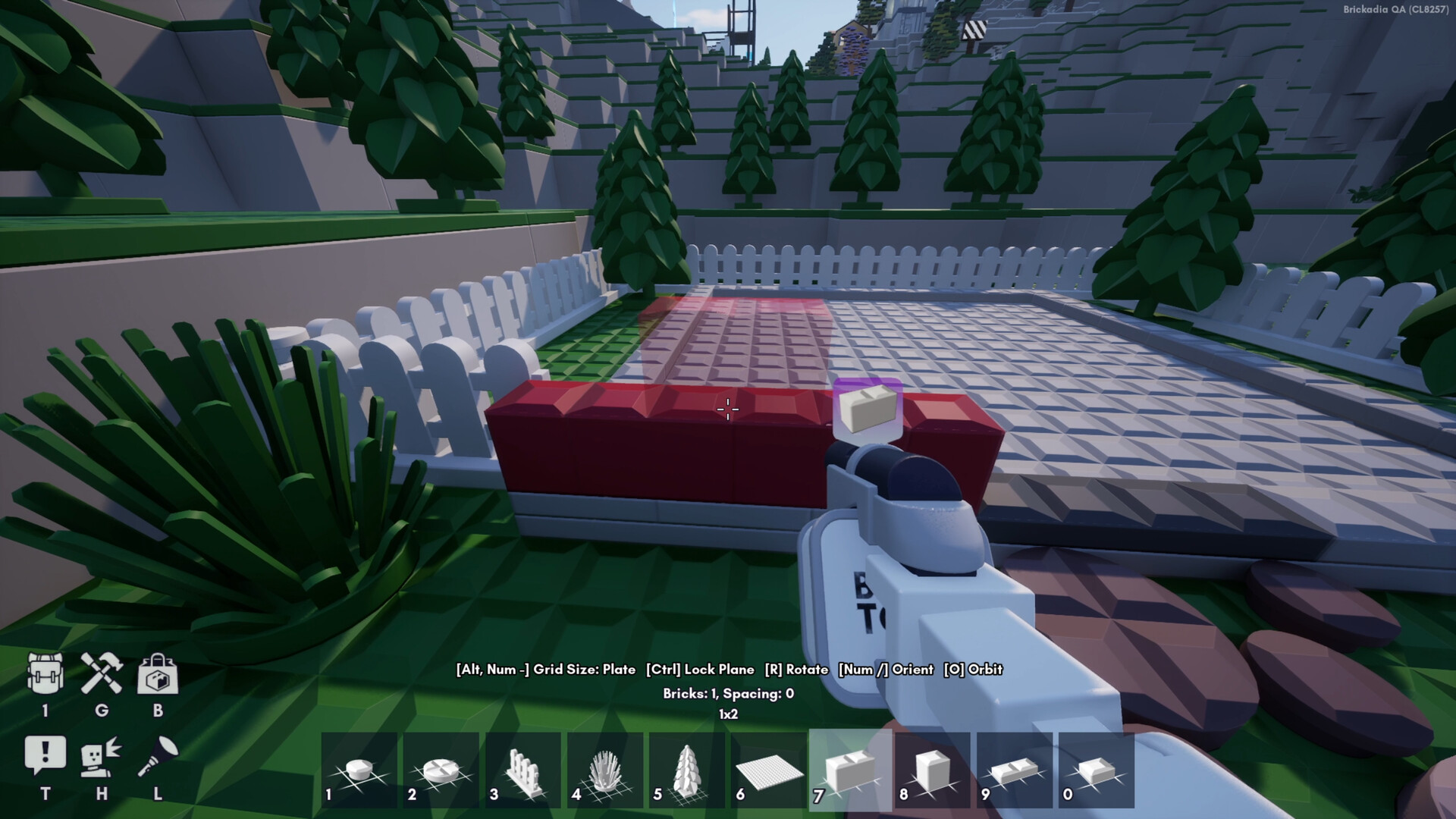
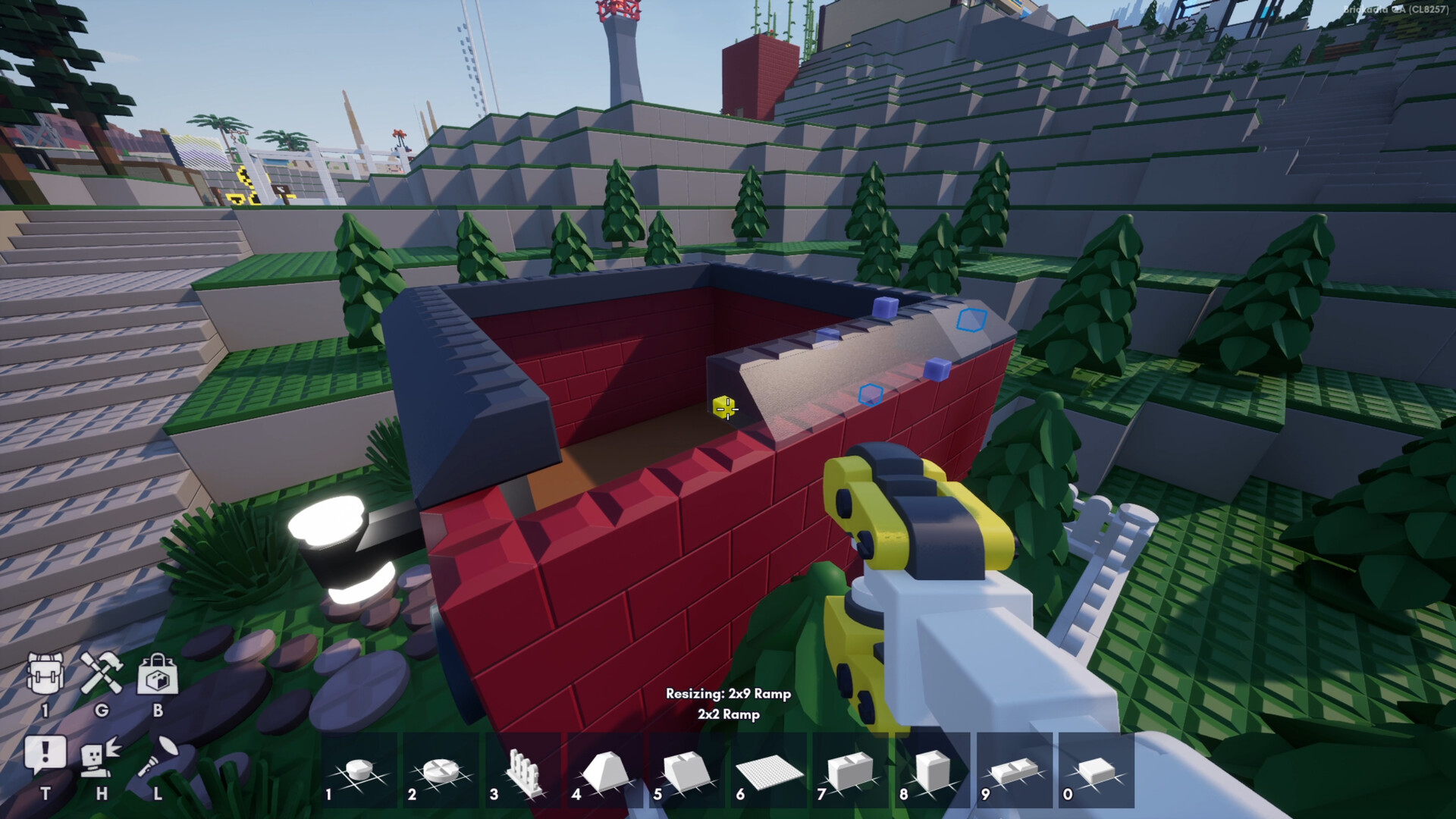
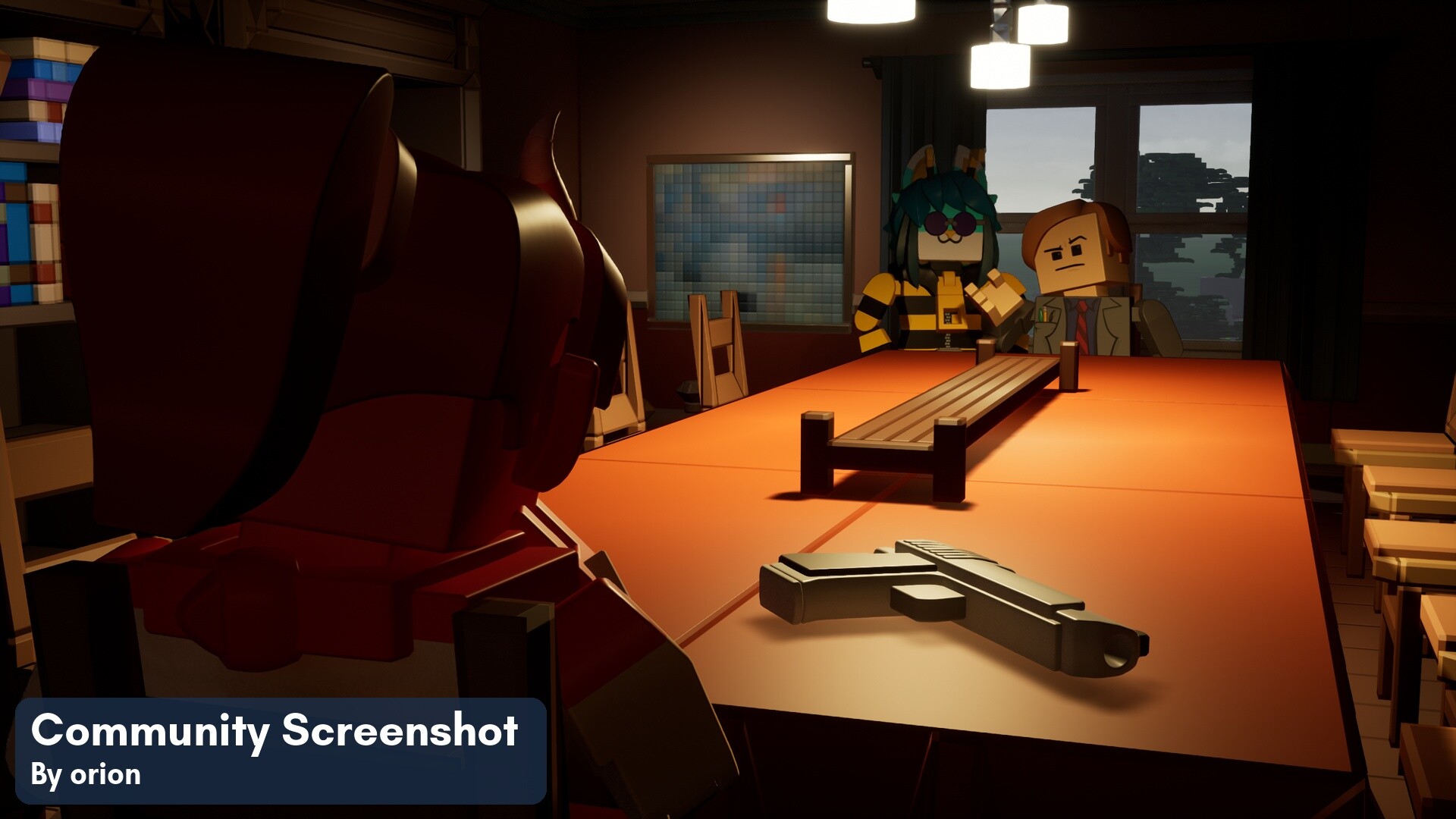
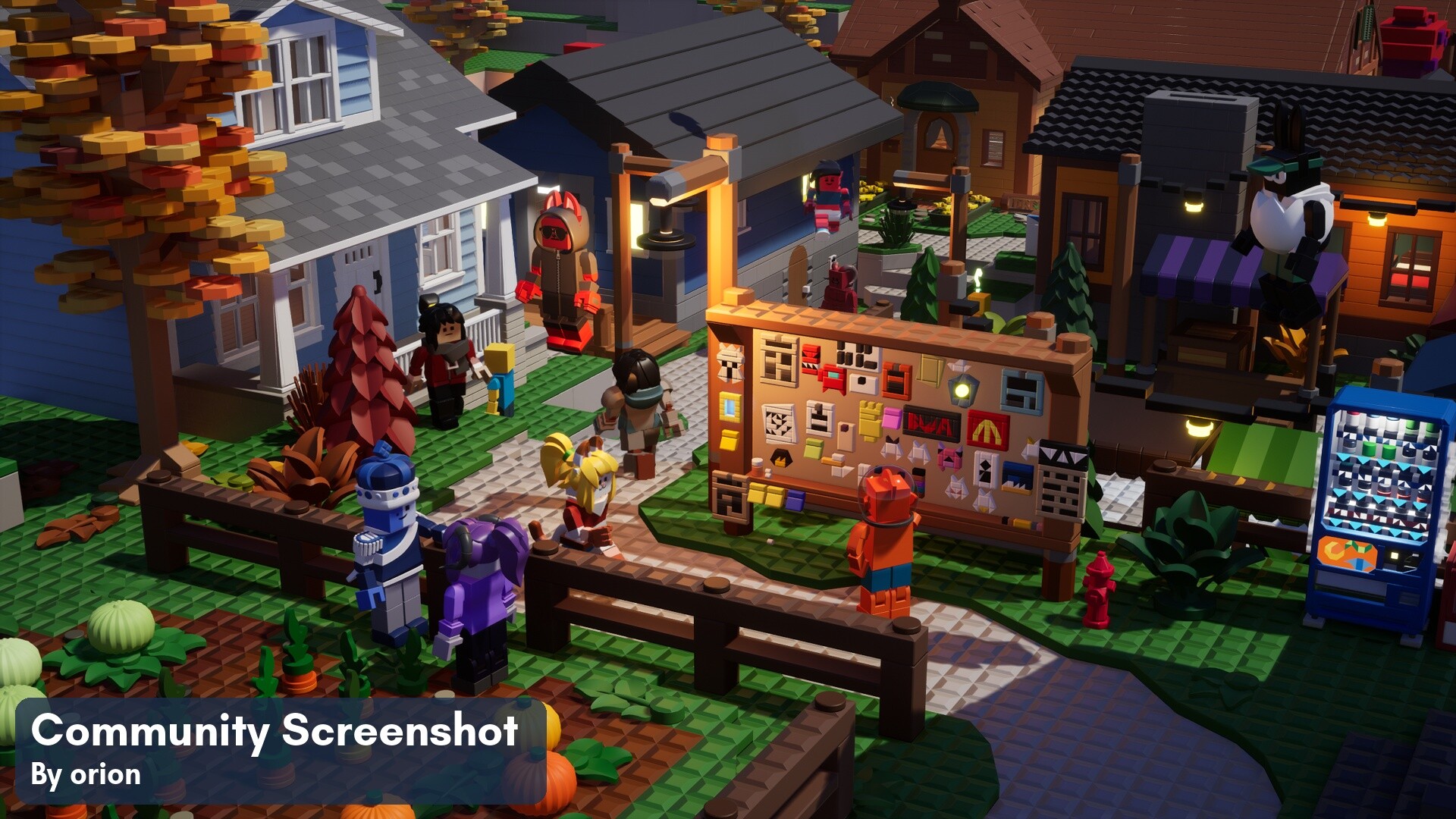
Build anything you can imagine

Using our constantly growing collection of bricks and intuitive, powerful tools, you can build towering skyscrapers, fun vehicles, islands, spaceships, cities, anything you can dream of. The only limit is your imagination.
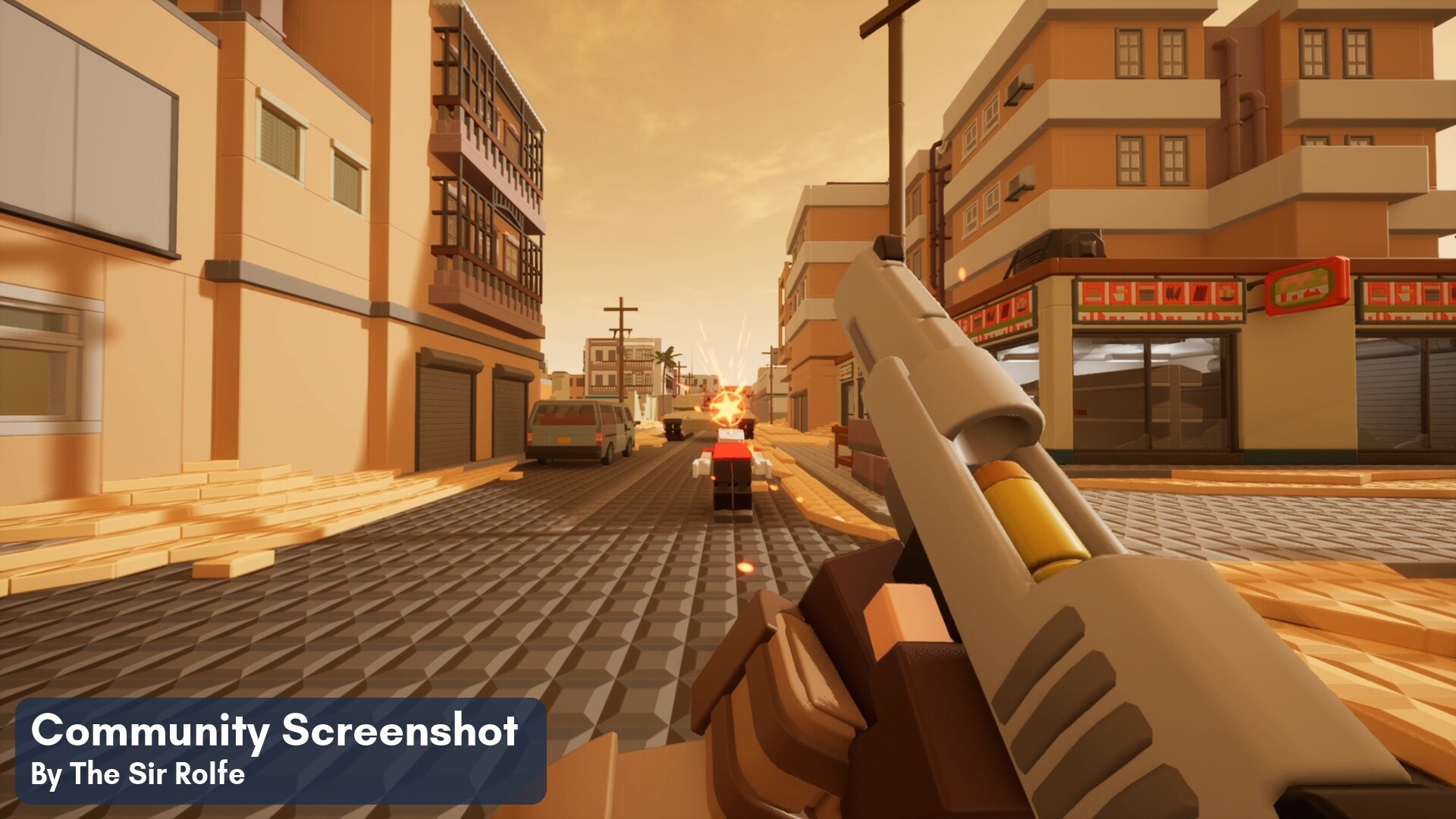
Battle other players
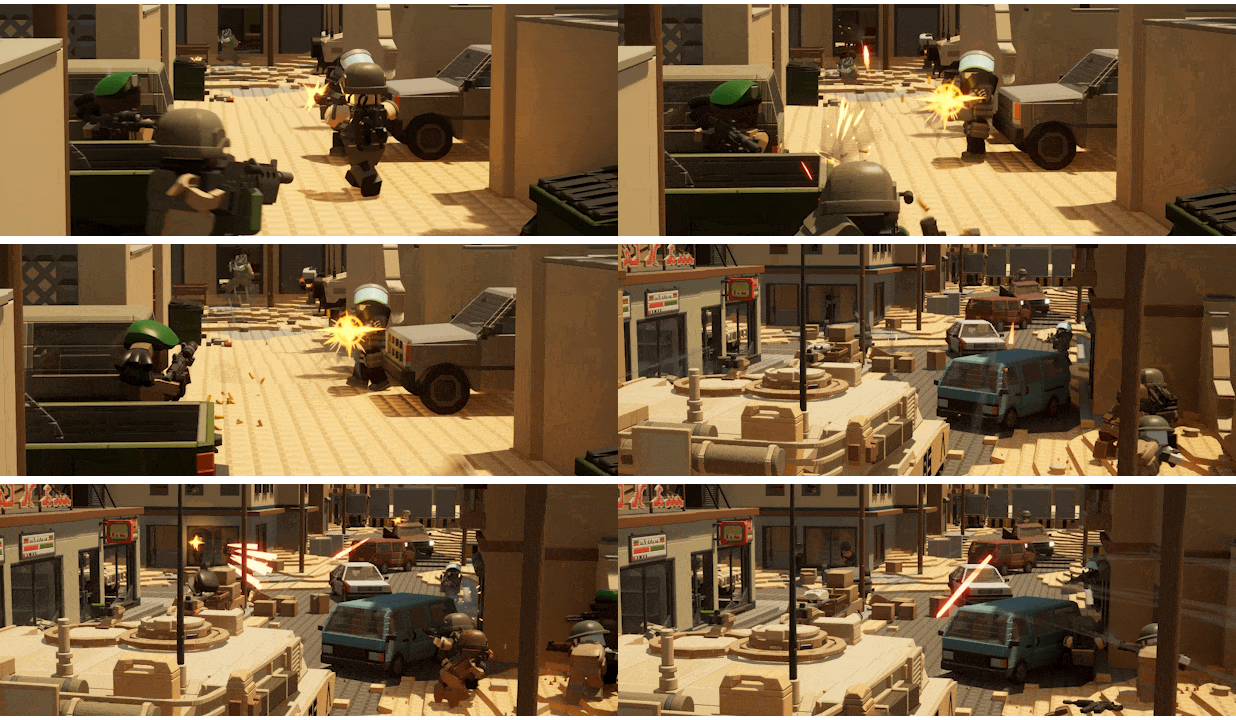
With the flexible game rules system and our grand collection of Pew Pews, any build can instantly become a fierce battle arena! Blow your friends to smithereens or host servers with custom game modes for anyone to join.
Explore endless creations
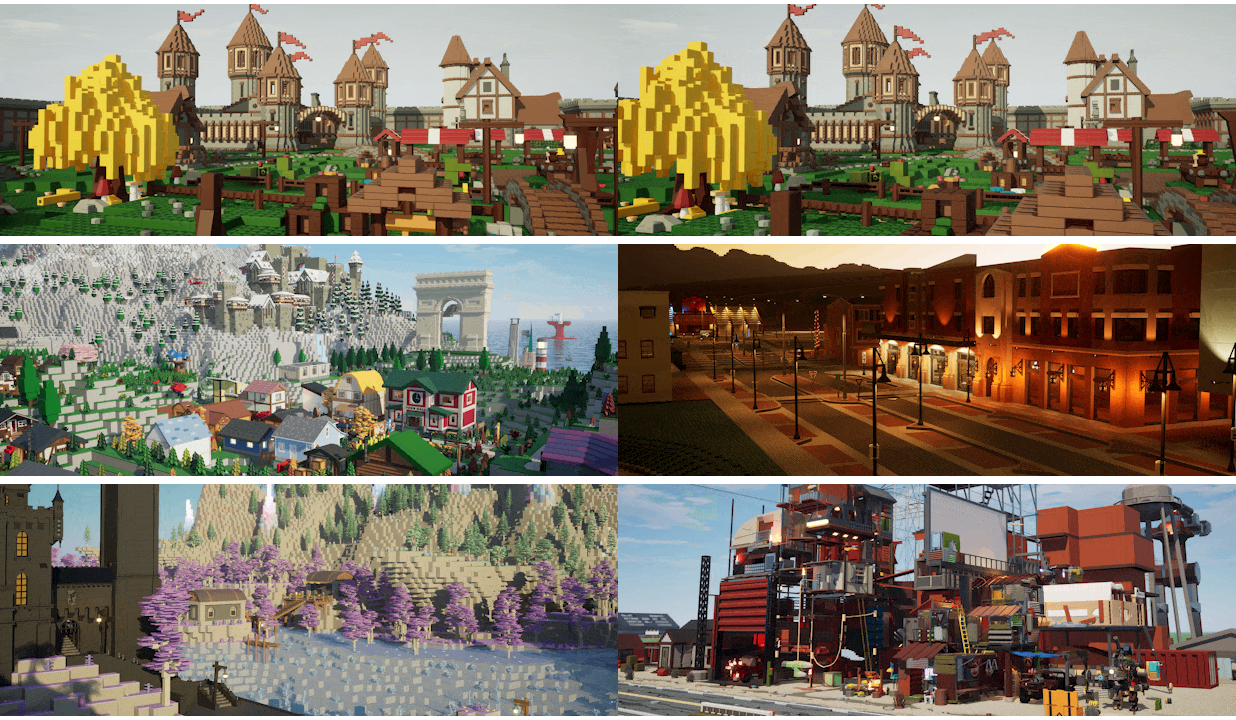
Building your own creations doesn’t fancy you? No problem. Brickadia makes it easier than ever to jump into experiences created by other players. Explore solo, or with friends. Maybe remix things to give them your own personal twist!
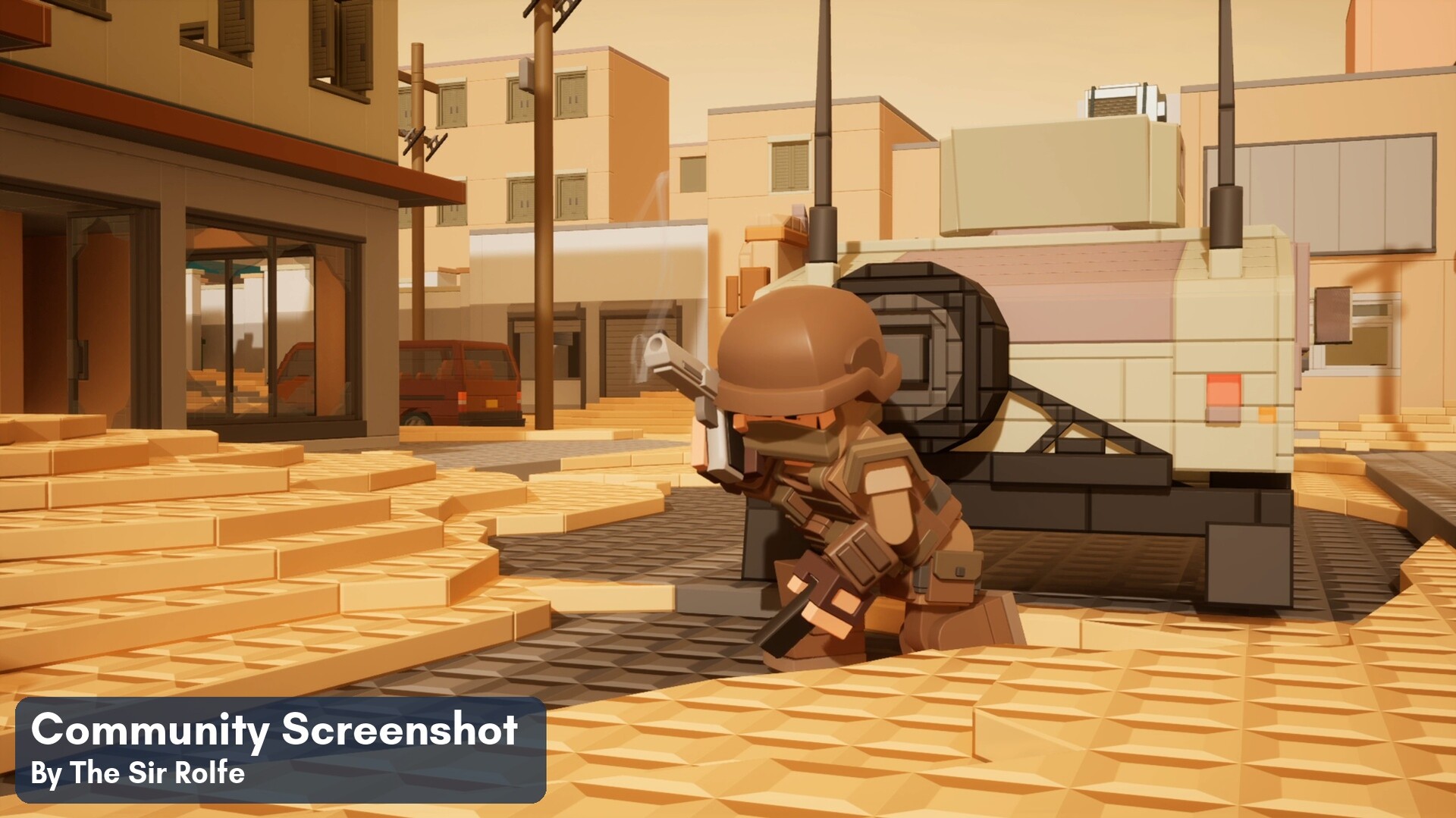
Be anyone or anything
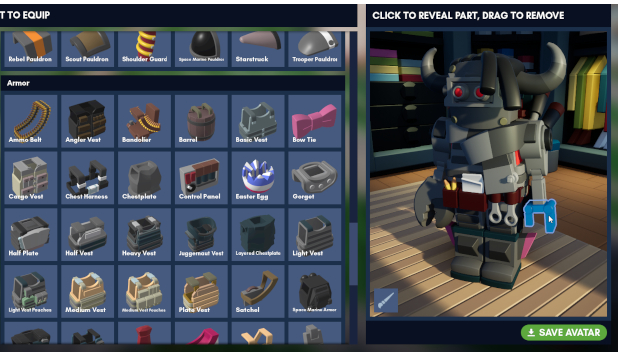
Mix and match from several hundred pieces to build your own entirely unique avatar. Replace any body part, attach accessories like belts and vests, put on a hat or even some fresh hair? Create an unlimited number of avatars to use in the game however you like!
Make your creations interactive
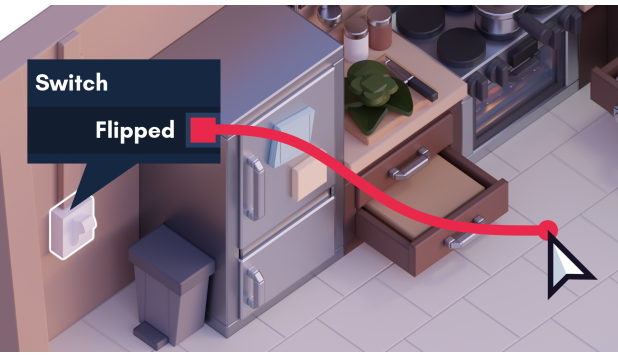
Create interactive builds with buttons, switches, doors, lights and so much more with wire logic. Set up simple circuits with logic gates to add interactivity to your creations! Build complex puzzles, terrifying traps, and fascinating circuits - all without writing code.
Go beyond with visual scripting
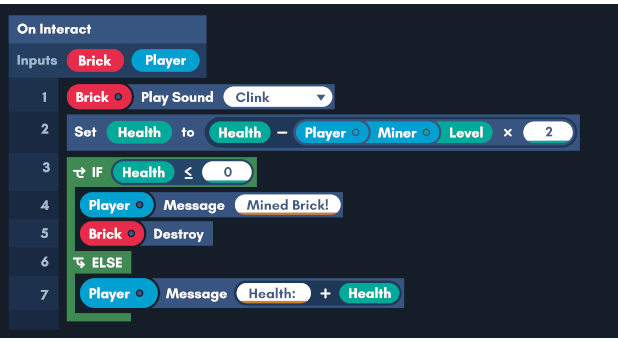
You're a veteran creator and even wire logic is not enough for your awesome game mode? Make your own advanced systems and all the custom logic you need using our powerful Behaviors scripting language.
The possibilities really are endless!
Bugs
Fixed crash related to Button Component.
[/*]Fixed moon phase not replicating to clients.
[/*]Fixed team spawns not working correctly.
[/*]Fixed UV generation of Pole, Micro-round Half and Micro-round Corner bricks.
[/*]Fixed Pole brick not generating the correct number of edges at smaller sizes.
[/*]
Gamemodes
Add team setting to change between new spawn picking logics (Shuffle Bag, Round Robin, Random). Defaults to Shuffle Bag (previously it was only random).
[/*]
Bugs
Fixed crash if you managed to save a chunk with no bricks.
[/*]Fixed Micro-round Halves mismatching edges on the other round bricks at small sizes.
[/*]Fixed UV generation of Pole and Micro-round Half and Micro-round Corner.
[/*]Fixed normal/tangent mapping on Pole and Micro-round Half and Micro-round Corner that caused seams.
[/*]
Bugs
Fixed crash when teleporting bots
[/*]Fixed Steam rich presence grouping players on the main menu
[/*]
Main Menu
Updated main menu with a cozy holiday theme.
[/*]
Bricks
Micro-round halves and corners.
[/*]
Tools
Drop any manipulated object when teleporting.
[/*]
Weather
Improved snow particle material.
[/*]
Discovery
Added server category setting that changes the icon on the server list (Sandbox, PVE, PVP, Exploration, Showcase, Roleplay).
[/*]Added \"Show Invite code\" setting that allows anyone in the server to see the invite code. Enabled by default.
[/*]Expanded Steam rich presence.
[/*]
Wires
Add admin gates permission. This prevents non-admins from placing bricks marked with the \"Is Admin Gate\" property. Re-enable old blacklisted gates that would have been too dangerous to let anyone place without the permission.
[/*]
Components
Add player collision filtering to Touch component and zones.
[/*]10x the range limits in the Audio component for admins.
[/*]Re-added admin gates for minigames (Character Spawned, Character Died, End Round)
[/*]
Gallery
Gallery Browser now infinitely scrolls.
[/*]
Add \"User Display Name\" textbox to the Gallery Browser search filter.
[/*]
Add \"User\'s Likes\" mode to the Gallery Browser search filter.
[/*]
UI
Updated Prefab Gallery style to use square tiles.
[/*]
Move \"Search\" field out from filter widget and into the main Gallery Browser dialog.
[/*]
Bots
Bots on the unaffiliated team are no longer counted as alive players in minigames.
[/*]
Localization
Updated strings.
[/*]
Bugs
Fixed delete button being disabled permanently in the Gallery Details dialog.
[/*]
Fixed player names not being escaped in the join and leave chat messages.
[/*]Fixed remaining instances of the old round button styling.
[/*]Fixed zero damage not triggering the Target component, which allows the Rocket Jumper and Impulse Grenade items to trigger it.
[/*]Fixed Suppressed Bullpup SMG working without any ammo.
[/*]Fixed quota errors when attaching components to bricks owned by players with the bypass role.
[/*]Fixed Brick Property Changer loading incorrectly
[/*]Fixed tangent generation on pole bricks causing the flat sides to look sharp.
[/*]Fixed Aurora effect being slightly on by default.
[/*]Fixed a bug where the zone leave event could be triggered twice by dying with enough velocity to exit the zone.
[/*]Fixed zone not tracking characters correctly when respawning in certain ways.
[/*]
Physics
Always grab attached objects with uncentered grab.
[/*]
Tools
Middle mouse functionality on Hammer and Placer are now rebindable.
[/*]
Components
Add \"Damage\" output to the Target component.
[/*]
Gallery
Tags are now shown in the Gallery details UI.
[/*]
Bots
Setting jumpyness to 0 now fully disables jumping.
[/*]
Bugs
Fixed Gallery pagination.
[/*]Fixed potential crash from using a prefab sharecode in the worlds dialog, and vice versa.
[/*]Fixed collision channel issues with bots that would have them be affected by the Selector box.
[/*]Fixed small respawn time values not reliably respawning bots.
[/*]
Bugs
Fixed tutorial not letting you place the copied staircase.
[/*]
Bugs
Fixed team colors not loading properly from presets.
[/*]
Components
The Brick Property Changer now has a separate Material Intensity property from the color.
[/*]The Brick Property Changer now has visible properties as hiding them caused confusion with the collision toggles.
[/*]
UI
Moved the hint how the legacy converter works to the top of the UI.
[/*]
Localization
Updated strings for recently updated UI.
[/*]
Bugs
Fixed crash when a prefab with an invalid component is placed by a user without permission to bypass value limits.
[/*]Fixed crash when melee weapon receives outdated state index.
[/*]Fixed legacy converter trying to execute an outdated conversion plan when the user did not click refresh after making external changes.
[/*]
This is our first major update! We\'ve cleaned up all major bugs and fixed a lot of stuff that was broken since EA1. If you encounter issues, please let us know in the bug-reports channel of the Discord or the Steam forums.
Major Features
Customizable bots to give life to your maps! Give them any weapon and customize their settings like aggression or 360 degree vision. You can use them without weapons to create wandering NPCs, give them swords to make an army of warriors, or give them all guns to create a deathmatch server. They look the same as a player, and you can give them your avatar settings.
We\'ve fully reworked the prefab system. The new prefabs live in your catalog! Save entire cars, contraptions and other interconnected objects locally for easy reuse. Grab a vehicle from the gallery and place it, instantly, anywhere you have permission. Copy things from the world into your real clipboard, and paste them into Discord or another running instance of the game.
The selector has been completely rewritten with a new connection mode. Grab a complete physics contraption with all connected grids and entities in a single click.
Four separate player collision channels let you create invisible walls that only certain teams can pass through, opening up new possibilities for minigames and maps.
A new component that lets you dynamically change a brick\'s visibility, collision, and color through wires. Perfect for hidden doors or interactive displays.
The Applicator and Connector now have an X-Ray mode, letting you edit components on bricks hidden behind other bricks and entities.
Full Changelog Since EA1
Gallery
Renamed \"TOP\" and \"TOP ALL TIME\" categories to \"HOT\" and \"TOP\".
[/*]The \"HOT\" category now also shows older files on the next pages.
[/*]The browser page no longer reloads every time the dialog is shown.
[/*]
Worlds
You can now save the server world to your client if you have any building permissions.
[/*]You can now upload worlds to servers with extended permissions. The server will be in read-only mode with autosave disabled.
[/*]
Prefabs
A new prefab browser is now integrated into the catalog, letting you save your creations and add them to the inventory to place much like bricks and entities.
[/*]Prefabs now have automatically generated thumbnails that look the same as bricks and entities, no longer requiring you to get a nice screenshot.
[/*]A new prefab gallery is also available, letting you share your creations, and browse the ones others shared to use immediately or save for later.
[/*]Copying things now stores a prefab file in your clipboard, letting you paste it in another game client or share it through applications like Discord.
[/*]The legacy prefab system and its associated dialogs were removed, but a button exists in the prefab browser to convert any legacy brs files you may have.
[/*]The Max Selected Bricks default value is now the same as Max Prefab Bricks.
[/*]
Physics
There are now 4 separate player collision channels, so you can make invisible walls that only some teams can pass.
[/*]Can choose which channel to use on a per-team basis, as well as which channels players on those teams collide with.
[/*]
Selector
The selection system has been rewritten and now supports tracking an explicit selection of bricks and entities.
[/*]When using a selection box, in addition to immediately copying/cutting that box as before, you can now also add/remove the bricks inside to your selection to refine what you have selected in multiple steps.
[/*]The selector now has an alternative connection selection mode that selects adjacent bricks, such as a whole house on its baseplate.
[/*]The connection mode also supports selecting an entire physics contraption including all connected grids and entities.
[/*]Added entity and brick count limits to the selector.
[/*]The mode switch binding has been changed to C.
[/*]
Applicator
You can now press R to toggle X-Ray Mode, which will edit bricks that have existing components through other bricks and entities.
[/*]
Connector
The connector now also has an X-Ray Mode that only interacts with bricks that have components.
[/*]The gate brick will now be highlighted when hovering a physical port.
[/*]
Painter
The painter can now paint and pick the color sections of entities, such as making wheels have differently colored tires.
[/*]
Building
High friction tires is now the default for newly placed wheels.
[/*]
Components
Added a new component, the Brick Property Changer. Can be used to change the visibility, collision channels, and color of a brick using wires.
[/*]The ancient per-type component quota has been removed. There is now a single per-user quota of active components (lights, audio, item spawns, engines, etc) which can be adjusted in server settings.
[/*]The Seat component can now be manually attached to all bricks, in case you want to fit custom seats in tight spaces.
[/*]All the uncategorized components have been organized in the list.
[/*]
Bots
Bots can now be given weapons and use them, attacking with melee weapons or shooting guns, reloading them when appropriate.
[/*]Bots can now wander around freely on the map or walk towards goal points, jumping over obstacles.
[/*]Bots can now be given character skins by copying the current skin from your character.
[/*]Bots can now damage players in the default minigame and join teams by coloring their spawns the same as the team color.
[/*]Bots are now considered for win conditions like last man standing.
[/*]Bots can now spawned and despawned by wires.
[/*]Bots have a lot more settings than we are able to list here.
[/*]
Weapons
Return of Crystal Kalis which was accidentally disabled.
[/*]Added Laser Cleaver.
[/*]Added Laser Axe.
[/*]Added Medi-Syringe, an item which quickly heals 50 health when used.
[/*]Added Spear, a melee weapon with a fast underhand stab and a slow overhead stab.
[/*]Added Bandage, a slow self healing item that restores 25 hp.
[/*]Added Basic Claws, Sharp Claws, and Shadow Claws, fast melee weapons intended for zombie bots but also possible to use yourself.
[/*]
Cosmetics
Added Twintails
[/*]Added Snout (multiple variants)
[/*]Added Shaggy Swept hair (2 variants)
[/*]Added Wings
[/*]Added Back Valve
[/*]Added Robot Paw
[/*]Added Robobunny Ears
[/*]Added Secured Bag
[/*]Added Employee Card
[/*]
Sounds
Tool audio has been reclassified under Item audio.
[/*]
UI
The world browser and catalog now remember the last used tab between sessions.
[/*]Pressing Ctrl F in the My Worlds or My Prefabs tabs will now focus the search box.
[/*]Clicking the current folder breadcrumb will now reload the listing to see external changes.
[/*]The pause menu now has a button to open the server list when on a server as a client.
[/*]The unimplemented admin button has been removed from the pause menu.
[/*]Added the ability to search for worlds. Search also includes files in subfolders of the current folder.
[/*]Added the ability to delete worlds.
[/*]Added a dialog when failing to create a folder.
[/*]Removed the defunct controller column from the key binding menu. This never functioned correctly once we began implementing chorded bindings for tools. The intended way to configure controller mappings is to use Steam Input settings.
[/*]Removed the defunct help menu.
[/*]Removed unnecessary \"Release-\" text from the version display in the top right.
[/*]The folder tiles in the world and prefab browsers now show how many files and folders are inside them.
[/*]
Servers
Improved /BrickCount output to include entity counts.
[/*]Removed /DestroyAllGrids, which was an obsolete test command.
[/*]Added /ClearAllEntities, which removes all entities in the world.
[/*]Added /ClearEntities, which removes your own entities.
[/*]Added /ClearEntities \\[player], which removes someone elses entities.
[/*]Added /ClearAllLooseEntities, which removes all entities not attached to at least one more entity.
[/*]Added /ClearLooseEntities, which does the same but only for your entities.
[/*]Added /ClearLooseEntities \\[player], which does the same but for someone elses entities.
[/*]Added /ClearAllFarEntities \\[distance], which removes all entities further away than some distance in studs.
[/*]Added /ClearFarEntities \\[distance], which does the same but only for your entities.
[/*]Added /ClearFarEntities \\[player] \\[distance], which does the same but for someone elses entities.
[/*]Added /BrickCount \\[player], which shows how many bricks, entities and components a specific player has.
[/*]Updated player admin actions drop down to include Clear Entities, Clear Loose Entities, Clear Far Entities (defaults distance to 10000 studs).
[/*]There is now a permission for whether players can use X-Ray mode, intended for Tutorial but can be used by players too.
[/*]
Performance
Optimized building and share zone checks when modifying bricks.
[/*]Optimized zone checks when characters move.
[/*]Optimized manipulator searching for possible joints to attach while holding entity.
[/*]
Engine
The experimental Behaviors code has been removed in preparation of integrating the new Lua scripting engine coming in a future update.
[/*]The world boundary no longer instantly vaporizes your vehicles and simply keeps them inside.
[/*]Some improvements to player movement prediction when walking on large frozen physics grids.
[/*]Refactored how the game accesses worlds and prefabs. File handles are now automatically closed and databases unloaded after a few seconds of inactivity, allowing external access to the files.
[/*]The Test executable is now included with the dedicated server deployment.
[/*]Updated PhysX to the newest patch release of version 5.6.1.
[/*]Updated DLSS plugin to version 8.3.0-NGX310.4.0.
[/*]Updated FSR plugin to 4.0.2b, improving performance and stability.
[/*]
Localization
Updated Spanish localization with reviewed strings.
[/*]Refreshed strings.
[/*]
Servers
The server log file now logs when a user is unbanned.
[/*]
Bugs
Fixed crash auto toggling tool with controller.
[/*]Fixed crash joining server while using a controller.
[/*]Fixed crash when creating a very (very) long chain of rerouters or logic gates.
[/*]Fixed several crashes due to unused quickbar ranges legacy code.
[/*]Fixed crash when recreating output wire with a new type.
[/*]Fixed crash when taking a screenshot with HDR.
[/*]Fixed crash when grenades explode after a garbage collection.
[/*]Fixed clients crashing when homing missile hits a physics object.
[/*]Fixed crash when dedicated server is left alone for a while due to iris replication not ticking.
[/*]Fixed crash running out of replicated objects when playing alone in a listen server.
[/*]Fixed crash when loading specifically crafted world file.
[/*]Fixed crash when applicator dialog is viewing a brick component while replicating additional components.
[/*]Fixed crash when equipping a tool while loading into the server.
[/*]Fixed crash when undoing deletion of a brick tried to revive a brick grid that was deleted.
[/*]Fixed crash due to incorrect check for sync state in async serialize function.
[/*]Fixed crash setting minigame inventory size to 0.
[/*]Fixed crash when placing, resizing and deleting bricks too quickly.
[/*]Fixed crash when trying to load an old world file with components that no longer exist.
[/*]Fixed crash when destroying brick grid entity with a building zone attached to it.
[/*]Fixed crashes caused by being able to attach invalid components to bricks.
[/*]Fixed check against NaN object positions not actually working on world load.
[/*]Fixed rare crash due to use after free in legacy save file loader.
[/*]Fixed rare crash in wire type propagation logic related to placing prefabs.
[/*]Fixed brick replication deadlock in rare case where the first component in the update list generates a message of a specific size.
[/*]Fixed trace scene corruption when trying to set the velocity of a frozen entity.
[/*]Fixed broken overlap check allowing certain cases of intersecting micro wedges to be placed.
[/*]Fixed very rare bundle corruption due to background file write tasks executing in incorrect order.
[/*]Fixed being able to pick up multiple pistols.
[/*]Fixed clients not being able to switch to precision mode on paste when copying bricks from physics grids.
[/*]Fixed chance of mysterious 1 unit offset when using switch to precision mode on paste.
[/*]Fixed Painter getting stuck in \"Paint Only Material\" mode if put away while ctrl is held.
[/*]Fixed selection outlines not rendering in simple shading mode.
[/*]Fixed hologram and translucent plastic brick materials causing Lumen to render an extremely slow ray traced reflection which cannot be seen.
[/*]Fixed broken depth bounds for fog rendering causing it to cut off on surfaces close to the camera.
[/*]Fixed Z fighting of brick previews when overlapped with the original bricks in precision mode.
[/*]Fixed ugly one pixel visual seams along the edges of brick previews.
[/*]Fixed race condition causing the options button on the escape menu to not function sometimes.
[/*]Fixed non-deterministic vehicle behavior due to wheel engines not applying some settings on servers.
[/*]Fixed non-deterministic joint behavior due to not updating average mass on modifying attached objects.
[/*]Fixed contraptions exploding when deleting a set of jointed bodies and undoing the deletion.
[/*]Fixed re-attaching objects to joints not correctly restoring the relative transform if the joint was bent.
[/*]Fixed re-attaching objects to joints not correctly moving further attached child objects.
[/*]Fixed incorrect mass calculation for bricks grids since the ability to disable collision was added.
[/*]Fixed incorrect joint behavior after re-attaching a wheel to a wheel joint connected to an engine.
[/*]Fixed deleting an entity and undoing the deletion not restoring any changed properties.
[/*]Fixed deleting a frozen object and undoing the deletion failing to re-freeze it.
[/*]Fixed having wheel joints connected to an engine preventing idle physics contraptions from sleeping.
[/*]Fixed being unable to create multiple levels of folders for worlds.
[/*]Fixed client predicted hit markers showing for objects that cannot be damaged.
[/*]Fixed extra physics grids and entities attached to the vehicle you are in blocking the camera.
[/*]Fixed loading a world in single player not waiting for meshes to upload before hiding the loading screen.
[/*]Fixed wrong formatting for the message when using /clearbricks \\[name] as server.
[/*]Fixed distance to target output not working when a teleport target wire is connected.
[/*]Fixed server settings defaulting to the permissions tab.
[/*]Fixed broken \"at target\" output on servo bearings.
[/*]Fixed various correctness bugs in world serializer.
[/*]Fixed being able to redo undone actions if the permission to do them was since removed from the client.
[/*]Fixed being able to load nan values through presets in the applicator.
[/*]Fixed being able to place more bricks in a single chunk that the world serializer will allow to load.
[/*]Fixed brick grids teleporting into space when attaching a socket to a bearing.
[/*]Fixed firing weapons in first person while crouched not hitting the correct target on the server side.
[/*]Fixed being able to upload to the gallery from the downloads tab.
[/*]Fixed lives counter not updating for clients in minigames.
[/*]Fixed connection not being aborted if client fails to insert a replicated brick into the designated chunk.
[/*]Fixed gallery viewer scaling incorrectly when there are very long titles.
[/*]Fixed long gallery descriptions breaking the layout of the details page.
[/*]Fixed buttons remaining held when clicked too fast.
[/*]Fixed input splitter being shown in add component list.
[/*]Fixed \"Failed to insert brick in chunk\" log spam.
[/*]Fixed being able to get stuck in freeze camera mode when entering a minigame.
[/*]Fixed not leaving the current seat when trying to use the teleport command.
[/*]Fixed seats showing the sit prompt in third person when occupied.
[/*]Fixed brick delete sound playing in wrong location when removing bricks from physics grids.
[/*]Fixed \"Reselect Last Port\" on Connector not being rebindable.
[/*]Fixed \"Johnny Ledger\" music tracks missing in minigame music selector.
[/*]Fixed inaccurate tool traces against wheels attached to wheel joints.
[/*]Fixed aurora setting in environment not functioning.
[/*]Fixed a case of precision mode on paste selecting the wrong grid.
[/*]Fixed water effects and damage not working when standing in low water.
[/*]Fixed Missile Launcher still being able to fire when out of ammo.
[/*]Fixed flying against a wall accumulating velocity incorrectly.
[/*]Fixed gibs and detached hats affecting physics contraptions.
[/*]Fixed being unable to kick gibs around.
[/*]Fixed hitmarkers playing twice on clients.
[/*]Fixed Manipulator not aiming correctly in free mouse mode.
[/*]Fixed wires not respecting render distance limit.
[/*]Fixed additional bugs that were not correctly tracked.
[/*]
Prefabs
Added a short timeout to bringing out a new prefab preview when not having the prefab limit bypass permission.
[/*]
Components
Brick Property Changer can now control the material intensity through the color alpha channel.
[/*]Brick Property Changer now counts towards active component quota.
[/*]
Servers
The new entity clear commands can now be used through the Chat.Command console command.
[/*]
Bugs
Fixed crash when dedicated server is left alone for a while due to iris replication not ticking.
[/*]Fixed Missile Launcher still being able to fire when out of ammo.
[/*]Fixed flying against a wall accumulating velocity incorrectly.
[/*]Fixed gibs and detached hats affecting physics contraptions.
[/*]Fixed being unable to kick gibs around.
[/*]Fixed hitmarkers playing twice on clients.
[/*]Fixed Manipulator not aiming correctly in free mouse mode.
[/*]Fixed wires not respecting render distance limit.
[/*]
Selector
When copying in box mode without anything selected, will now automatically deselect it again after.
[/*]
Bots
Bots now have the correct team color in the kill feed from the minigame.
[/*]
Components
Added a new component, the Brick Property Changer. Can be used to change the visibility, collision channels, and color of a brick using wires.
[/*]The ancient per-type component quota has been removed. There is now a single per-user quota of active components (lights, audio, item spawns, engines, etc) which can be adjusted in server settings.
[/*]
UI
Focusing the catalog search box now selects all text so you can quickly replace it.
[/*]
Performance
Optimized building and share zone checks when modifying bricks.
[/*]Optimized zone checks when characters move.
[/*]Optimized manipulator searching for possible joints to attach while holding entity.
[/*]
Servers
Improved /BrickCount output to include entity counts.
[/*]Removed /DestroyAllGrids, which was an obsolete test command.
[/*]Added /ClearAllEntities, which removes all entities in the world.
[/*]Added /ClearEntities, which removes your own entities.
[/*]Added /ClearEntities \\[player], which removes someone elses entities.
[/*]Added /ClearAllLooseEntities, which removes all entities not attached to at least one more entity.
[/*]Added /ClearLooseEntities, which does the same but only for your entities.
[/*]Added /ClearLooseEntities \\[player], which does the same but for someone elses entities.
[/*]Added /ClearAllFarEntities \\[distance], which removes all entities further away than some distance in studs.
[/*]Added /ClearFarEntities \\[distance], which does the same but only for your entities.
[/*]Added /ClearFarEntities \\[player] \\[distance], which does the same but for someone elses entities.
[/*]Added /BrickCount \\[player], which shows how many bricks, entities and components a specific player has.
[/*]Updated player admin actions drop down to include Clear Entities, Clear Loose Entities, Clear Far Entities (defaults distance to 10000 studs).
[/*]
Bugs
Fixed aurora setting in environment not functioning.
[/*]Fixed inactive bots respawning off their spawn brick when the minigame is reset.
[/*]Fixed frozen entities not being frozen when copy pasted.
[/*]Fixed vehicles not being pasted with physics on by default.
[/*]Fixed a case of precision mode on paste selecting the wrong grid.
[/*]Fixed missile launcher not locking onto targets after collision channel change.
[/*]Fixed bots sometimes holding the left hand claw incorrectly.
[/*]Fixed water effects and damage not working when standing in low water.
[/*]Fixed tutorial allowing you to place prefabs from the gallery.
[/*]
Prefabs
Added an overwrite button to the details panel in the My Prefabs tab.
[/*]After saving a prefab, it will be selected and focused in the UI so you can see it.
[/*]
Painter
The painter can now paint and pick the color sections of entities, such as making wheels have differently colored tires.
[/*]
Weapons
Return of Crystal Kalis which was accidentally disabled.
[/*]
UI
The world browser and catalog now remember the last used tab between sessions.
[/*]Pressing Ctrl F in the My Worlds or My Prefabs tabs will now focus the search box.
[/*]Clicking the current folder breadcrumb will now reload the listing to see external changes.
[/*]The pause menu now has a button to open the server list when on a server as a client.
[/*]The unimplemented admin button has been removed from the pause menu.
[/*]
Bugs
Fixed crash auto toggling tool with controller.
[/*]Fixed crash saving prefab due to unreferenced bundle.
[/*]Fixed inaccurate tool traces against wheels attached to wheel joints.
[/*]Fixed inaccurate box selection of entities when the box is placed on a rotated physics grid.
[/*]Fixed Z fighting of brick previews when overlapped with the original bricks in precision mode.
[/*]Fixed ugly one pixel visual seams along the edges of brick previews.
[/*]Fixed opening the save prefab dialog from a subfolder not writing the prefab to that folder.
[/*]Fixed prefab publish dialog becoming very wide when entering a very long name.
[/*]
Prefabs
It is now possible to overwrite existing prefabs.
[/*]Is is now possible to update prefabs on the gallery.
[/*]Prefab thumbnails now render wires and item spawns.
[/*]
Weapons
Added sounds for Laser Axe.
[/*]
Engine
Updated FSR plugin to 4.0.2b, improving performance and stability.
[/*]
Bugs
Fixed crash joining server while using a controller.
[/*]Fixed rare crash on closing the game after using prefabs.
[/*]Fixed clients having a chance to instantly disconnect when joining a server with prefab previews.
[/*]Fixed contraption selection mode not working for clients on the first use.
[/*]Fixed \"Johnny Ledger\" music tracks missing in minigame music selector.
[/*]Fixed seats allowing the third person camera to go through the global brick grid.
[/*]Fixed long gallery descriptions breaking the layout of the details page.
[/*]Fixed disabling the DLSS Transformer Model setting not functioning.
[/*]Fixed broken selection outline rendering on simple shading mode.
[/*]
Selector
The mode switch binding has been changed to C.
[/*]
Applicator
The X-Ray mode binding has been changed to C.
[/*]
Connector
The X-Ray mode is now a toggle similar to the Applicator, as always having X-Ray enabled was confusing.
[/*]
Server
There is now a permission for whether players can use X-Ray mode, intended for Tutorial but can be used by players too.
[/*]
Bugs
Fixed being able to get stuck in freeze camera mode when entering a minigame.
[/*]Fixed not leaving the current seat when trying to use the teleport command.
[/*]Fixed seats showing the sit prompt in third person when occupied.
[/*]Fixed legacy prefab converter setting incorrect pivots in the prefab file.
[/*]Fixed brick delete sound playing in wrong location when removing bricks from physics grids.
[/*]Fixed bot weapon damage, health and name not updating until the bot was respawned.
[/*]Fixed \"Reselect Last Port\" on Connector not being rebindable.
[/*]
Gallery
Updated the prefab details view to the new wider style.
[/*]Prefabs now have shared codes and can be searched for by code.
[/*]
Prefabs
When copying and then immediately pasting before the server processed it, the system now buffers the actions so you do not paste a previous clipboard entry.
[/*]When copying a prefab and then using the clipboard for something else (such as copying text or a screenshot) the game will now fall back to pasting the last known copied prefab instead of doing nothing.
[/*]Legacy conversion progress dialog now shows the full path of the file being converted.
[/*]The placer now shows stats about the prefab about to be placed.
[/*]
Applicator
You can now press R to toggle X-Ray Mode, which will edit bricks that have existing components through other bricks and entities.
[/*]
Connector
The connector now always uses X-Ray Mode and only interacts with bricks that have components.
[/*]The gate brick will now be highlighted when hovering a physical port.
[/*]
Selector
Box select now selects entities that are completely contained within the selection box.
[/*]When copying multiple complete physics grids, no longer assumes one of them to become the pivot, so you can paste the pile of objects in the same orientation.
[/*]When using box selection mode, holding ctrl then clicking and dragging over multiple bricks now always expands the selection box to contain all of them.
[/*]
Bots
Player collision channels can now be customized on bot spawns.
[/*]
Engine
Updated DLSS plugin to version 8.3.0-NGX310.4.0.
[/*]
Localization
Updated strings for all languages after the recent hotfixes.
[/*]
Bugs
Fixed crash when creating a very (very) long chain of rerouters or logic gates.
[/*]Fixed more issues with incorrect micro wedge overlaps by rewriting the overlap check completely, it is now exact in all cases, and trying to extend a micro wedge against a wall corner no longer makes it randomly penetrate the wall by a few units.
[/*]Fixed saving a world as client or uploading it to the gallery not preserving components, wires and joints.
[/*]Fixed that saving a world as client would unnecessarily hitch your game to convert it.
[/*]Fixed clients only being able to upload a world to a server one time before the server has to be restarted.
[/*]Fixed clients not being able to switch to precision mode on paste when copying bricks from physics grids.
[/*]Fixed chance of mysterious 1 unit offset when using switch to precision mode on paste.
[/*]Fixed hologram and translucent plastic brick materials causing Lumen to render an extremely slow ray traced reflection which cannot be seen.
[/*]Fixed broken depth bounds for fog rendering causing it to cut off on surfaces close to the camera.
[/*]Fixed race condition causing the options button on the escape menu to not function sometimes.
[/*]Fixed being able to hand-grab objects in third person and from unlimited distance.
[/*]Fixed bearing outputting angle as -0.5 to 0.5 rather than 0 to 1 when in percentage mode.
[/*]Fixed client predicted hit markers showing for objects that cannot be damaged.
[/*]Fixed third person camera collision not being re-enabled after leaving the vehicle seat.
[/*]Fixed connection not being aborted if client fails to insert a replicated brick into the designated chunk.
[/*]Fixed gallery viewer scaling incorrectly when there are very long titles.
[/*]Fixed prefabs sometimes failing to capture thumbnail properly.
[/*]Fixed prefab publish dialog not showing the screenshot of the prefab about to be published.
[/*]Fixed buttons remaining held when clicked too fast.
[/*]Fixed incorrect materials on laser cleaver and laser axe pickups causing parts of the weapon to always spin.
[/*]Fixed input splitter being shown in add component list.
[/*]Fixed \"Failed to insert brick in chunk\" log spam.
[/*]
Bugs
Fixed loading older worlds incorrectly filling the new player collision channels 3 and 4 on bricks. If you loaded and saved a world with extensively customized collision channels in versions CL12220, CL12228 or CL12241, it is recommended to restore it from an older revision.
[/*]
Building
The Seat component can now be manually attached to all bricks, in case you want to fit custom seats in tight spaces.
[/*]All the uncategorized components have been organized in the list.
[/*]
UI
The folder tiles in the world and prefab browsers now show how many files and folders are inside them.
[/*]
Bugs
Fixed crash when player leaves a minigame.
[/*]Fixed crash when player dies outside of a minigame and respawns.
[/*]Fixed crash when placing, resizing and deleting bricks too quickly.
[/*]Fixed crash when trying to load an old world file with components that no longer exist.
[/*]Fixed crash when converting a legacy save file to a world in some cases.
[/*]Fixed crash when destroying brick grid entity with a building zone attached to it.
[/*]Fixed broken overlap check allowing certain cases of intersecting micro wedges to be placed.
[/*]Fixed being unable to uploads prefabs to the gallery due to conversion errors.
[/*]Fixed incorrect player collision state shown in the applicator on selecting a new brick.
[/*]Fixed being able to upload to the gallery from the downloads tab.
[/*]Fixed lives counter not updating for clients in minigames.
[/*]
Bugs
Fixed crash when client submits float value in applicator.
[/*]Fixed crash when client adds invalid component in applicator.
[/*]Fixed crash setting minigame inventory size to 0.
[/*]Fixed prefabs in inventory disappearing when host respawns.
[/*]
Prefabs
Completely revamped the flow for converting legacy prefabs to the new system.
[/*]Legacy files are now automatically converted to worlds, unless they are placed in a folder called \"Prefabs\", allowing you to control which files become worlds or prefabs.
[/*]There is now a dialog that lists which files will be converted, which type of file they will become, and which files were already converted.
[/*]There is now a dialog that reports errors if any files failed to convert.
[/*]The Max Selected Bricks default value is now the same as Max Prefab Bricks.
[/*]
Gallery
Renamed \"TOP\" and \"TOP ALL TIME\" categories to \"HOT\" and \"TOP\".
[/*]The \"HOT\" category now also shows older files on the next pages.
[/*]The browser page no longer reloads every time the dialog is shown.
[/*]
Physics
There are now 4 separate player collision channels, so you can make invisible walls that only some teams can pass.
[/*]Can choose which channel to use on a per-team basis, as well as which channels players on those teams collide with.
[/*]
Bots
Run speed can now be increased beyond 1 to make the bot go faster.
[/*]Bots can now use grenades and other throwable items multiple times.
[/*]
Bugs
Fixed crash when recreating output wire with a new type.
[/*]Fixed crash when deleting a bot spawner while the bot is touching a brick with a touch or damage component.
[/*]Fixed crash when cashing a prefab that is already cached.
[/*]Fixed crash when undoing deletion of a brick tried to revive a brick grid that was deleted.
[/*]Fixed crash due to incorrect check for sync state in async serialize function.
[/*]Fixed crashes caused by being able to attach invalid components to bricks.
[/*]Fixed crash when two people save prefabs at the same time.
[/*]Fixed crash when placing prefab while server was autosaving the world.
[/*]Fixed crash when incoming prefab transfer fails.
[/*]Fixed crash if the RPC for placing a prefab arrives too slowly.
[/*]Fixed crash if prefab attachment config doesn\'t find a grid to attach to.
[/*]Fixed being unable to delete a folder with anything inside.
[/*]Fixed being able to load nan values through presets in the applicator.
[/*]Fixed being able to corrupt the physics state by passing nans to the bot movement target.
[/*]Fixed being able to place more bricks in a single chunk that the world serializer will allow to load.
[/*]Fixed worlds becoming blue for the host when a client saves them.
[/*]Fixed very rare bundle corruption due to background file write tasks executing in incorrect order.
[/*]Fixed bots spawning on world load if they were disabled previously.
[/*]Fixed Max Prefab Entities setting not being replicated to clients.
[/*]Fixed brick grids teleporting into space when attaching a socket to a bearing.
[/*]Fixed firing weapons in first person while crouched not hitting the correct target on the server side.
[/*]Fixed /clearbricks and other commands not finding player names that were loaded with the world.
[/*]Fixed failing to update screenshots when saving worlds as the host.
[/*]
Worlds
You can now save the server world to your client if you have any building permissions.
[/*]You can now upload worlds to servers with extended permissions. The server will be in read-only mode with autosave disabled.
[/*]
Prefabs
Pasting prefabs once again attaches wires to existing bricks on overlapping them.
[/*]When converting legacy prefabs, large builds with more bricks than allowed under the default prefab size limit are now converted to worlds instead of prefabs.
[/*]The default prefab brick limit is now 5000.
[/*]The default prefab entity limit is now 10.
[/*]Reduced the timeouts.
[/*]
UI
Added the ability to search for worlds and prefabs. Search also includes files in subfolders of the current folder.
[/*]Added the ability to delete worlds and prefabs.
[/*]Added a dialog when failing to create a folder.
[/*]When converting legacy prefabs multiple times, the UI now tells you how many were skipped due to already being converted.
[/*]Removed the defunct controller column from the key binding menu. This never functioned correctly once we began implementing chorded bindings for tools. The intended way to configure controller mappings is to use Steam Input settings.
[/*]Removed the defunct help menu.
[/*]Various improvements to prefab browser.
[/*]Removed unnecessary \"Release-\" text from the version display in the top right.
[/*]
Selector
The selector now still shows the current selection mode even if binding hints are disabled.
[/*]It is no longer possible to select the global brick grid in its entirety in connection mode, as this was almost always accidental and has no practical use cases.
[/*]Added entity and brick count limits to the selector.
[/*]
Bots
Added name setting on the bot spawn, shows in kill feed.
[/*]Added damage multiplier setting on the bot spawn.
[/*]Added health multiplier setting on the bot spawn.
[/*]Added run speed multiplier setting on the bot spawn.
[/*]Added a global bot limit to server settings.
[/*]Added a per-team bot limit to minigame settings.
[/*]Added /killallbots chat command.
[/*]Added support bot charged weapons like bows.
[/*]
Cosmetics
Added Twintails
[/*]Added Snout (multiple variants)
[/*]Added Shaggy Swept hair (2 variants)
[/*]Added Wings
[/*]Added Black Valve
[/*]Added Robot Paw
[/*]Added Robobunny Ears
[/*]Added Secured Bag
[/*]Added Employee Card
[/*]
Weapons
Added Laser Cleaver.
[/*]Added Laser Axe.
[/*]Added Medi-Syringe, an item which quickly heals 50 health when used.
[/*]
Sounds
Tool audio has been reclassified under Item audio.
[/*]Updated sounds for Claw melee weapon.
[/*]Updated sounds for Gauze.
[/*]
Engine
Updated PhysX to the newest patch release of version 5.6.1.
[/*]Refactored how the game accesses worlds and prefabs. File handles are now automatically closed and databases unloaded after a few seconds of inactivity, allowing external access to the files.
[/*]The Test executable is now included with the dedicated server deployment.
[/*]
Localization
Updated Spanish localization with reviewed strings.
[/*]Various string updates.
[/*]
Bugs
Fixed several crashes when trying to use prefabs.
[/*]Fixed several crashes due to unused quickbar ranges legacy code.
[/*]Fixed crash when bot dies and tries to access ruleset system.
[/*]Fixed crash due to prefabs attempting to change the wire graph to world loading mode after the world has already loaded.
[/*]Fixed crash when taking a screenshot with HDR.
[/*]Fixed crash when grenades explode after a garbage collection.
[/*]Fixed clients crashing when homing missile hits a physics object.
[/*]Fixed rare crash in wire type propagation logic related to placing prefabs.
[/*]Fixed brick replication deadlock in rare case where the first component in the update list generates a message of a specific size.
[/*]Fixed several limits not being enforced when users place prefabs on servers without extended permissions.
[/*]Fixed many missing trust checks related to placing prefabs.
[/*]Fixed incorrect world rollback if a prefab load is aborted due to errors.
[/*]Fixed incorrect conversion of legacy prefabs with names containing dots.
[/*]Fixed being able to pick up multiple pistols.
[/*]Fixed Painter getting stuck in \"Paint Only Material\" mode if put away while ctrl is held.
[/*]Fixed components being created unnecessarily when rendering a prefab preview.
[/*]Fixed bots being able to target players outside of a minigame.
[/*]Fixed bots sometimes not switching their weapon as intended.
[/*]Fixed bot aggro tracking not respecting allied teams.
[/*]Fixed bot sometimes getting kills attributed to them when player self destructed.
[/*]Fixed bot spawn using wrong presets folder.
[/*]Fixed clipboard being emptied when copying nothing.
[/*]Fixed being able to open the \"Nothing to save\" popup multiple times.
[/*]Fixed selection timeout not being applied for users without extended permissions.
[/*]Fixed cases where removing a physics brick grid did not decrement the user\'s entity count.
[/*]Fixed being unable to create multiple levels of folders for prefabs and worlds.
[/*]Fixed various legacy autosaver commands that interacted with brs files still being around.
[/*]Fixed incorrect attachment offset when placing prefab with physics on a joint.
[/*]Fixed various correctness bugs in world serializer.
[/*]Fixed player position not updating on client after being teleported a small distance on the server.
[/*]Fixed deleting a bot using wires not deleting its gun properly.
[/*]Fixed being able to respawn bots every frame, making the game unplayable.
[/*]Fixed physics object limit not being enforced correctly.
[/*]Fixed build zones not being enforced when placing prefabs.
[/*]Fixed component quotas not being enforced when placing prefabs.
[/*]Fixed being able to redo undone actions if the permission to do them was since removed from the client.
[/*]Fixed grid resurrection logic on undoing a deletion not respecting the entity limit.
[/*]Fixed additional bugs that were not correctly tracked.
[/*]
We are still working on stabilizing this update for you and eliminating the remaining critical issues from the prefabs rewrite. In the mean time, some new content not originally intended to be in this update was finished and has been included. We expect to be able to finally move EA2 to stable in the coming weeks!
We're incredibly excited to finally say that Brickadia Early Access is NOW LIVE! To celebrate, weve put together a launch trailer made entirely with in-game footage
This isnt the typical Early Access release
Brickadia Early Access already feels like a full game, completely polished and content-rich. With constant updates planned based on your feedback, its only going to get better from here.
Early Access includes:
Unleash Your Creativity: Build absolutely anything you can imagine with a powerful, intuitive building system that handles millions of bricks effortlessly. Any brick can be turned into a physics object using the Selector tool.
[/*]Build Together, Live: No need for external editors, everything is done in-game. Modify the world in real-time alongside friends, enabling seamless creative collaboration in multiplayer.
[/*]Play Your Way: From high-intensity combat gamemodes to laid-back social servers for building and hanging out, Brickadia supports a wide range of play styles.
[/*]Vehicle Creation: Design and build your own cars out of bricks, complete with engines, seats, and a variety of wheels to choose from.
[/*]Build Boats and Ships: Construct floating vehicles with buoyancy physics, engine bricks, and seats perfect for exploring or racing on water.
[/*]Bring Builds to Life with Wires: Use a powerful wiring system to make your creations interactive. With an easy-to-use wiring tool and a wide range of functional gates and components, complex logic is at your fingertips.
[/*]Advanced Mechanics: Combine physics joints with wire circuits to build intricate, functional machines using an advanced physics engine.
[/*]Explore and Share with the Gallery: Instantly access massive player-made worlds and a huge collection of community-built prefabs through the in-game Gallery.
[/*]Dynamic Worlds: A fully customizable environment system lets you control stunning visuals and weather effects, with real volumetric clouds!
[/*]Lighting That Pops: Add dynamic lights to bricks to enhance the look and feel of your builds with gorgeous detail.
[/*]Immersive Audio: Integrate ambient sounds and custom effects into your creations using versatile audio components.
[/*]Next-Gen Visuals: Enjoy breathtaking graphics powered by HDR and ray tracing, making your worlds and creations look better than ever.
[/*]
What are you waiting for? The world of Brickadia is yours to shape, one brick at a time. Join Early Access now, unleash your imagination and share it with the world with #Brickadia!
https://store.steampowered.com/app/2199420/Brickadia/
Welcome to a new little blog series we're doing in the run up to Early Access. We currently don't have time to write huge technical dev logs like we did in the past, but there are still a lot of new features to talk about! So, we decided to instead post a bunch of little blogs whenever something is ready without losing ourselves too much in the details.
Read the full preview on our development blog !
Ready to hit the water? Brickadia launches into Early Access on July 11, and it's bringing buildable, fully functional boats with it!
- Build anything from sleek jetskis to massive sailboats.
- Design your own courses and race your friends at top speed.
- Modify them mid-game, with live changes working instantly.
Brickadia already feels like the full experience, with powerful building tools, smooth multiplayer, and endless creativity. Whether you're building, racing, or just sailing, the world is yours to shape.
Early Access comes at a lower price than the full release, so nows the best time to jump in.
Build it. Race it. Sail it. Only in Brickadia.
https://store.steampowered.com/app/2199420/Brickadia/
Were so excited to finally reveal the Early Access launch date! After all these years of development and thanks to your continued support, we announce that BRICKADIA will arrive in Early Access on July 11th. And to celebrate this milestone, weve just released this new montage trailer featuring 100% real gameplay!
From July 11 youll have the chance to experience one of the most dynamic and creative multiplayer sandbox games available:
- Build massive worlds, construct intricate physics-based contraptions, and even create custom game modes, all in real-time multiplayer.
- Our advanced physics system allows you to bring your creations to life with buttons, motors, doors, lights, and wire logic, no coding required.
- Customize your experience with a flexible avatar system and a vast library of free parts.
- Transform your world into a chaotic battle arena with custom rules and a full arsenal.
Add it to your Steam wishlist now and stay up to date with the latest news:
https://store.steampowered.com/app/2199420/Brickadia/
Hey everyone! With Steam Next Fest wrapped up, we're now full steam ahead, working toward our Early Access release. From the bottom of our hearts, we want to thank everyone, especially our amazing community, for participating in the Demo!
We loved playing with your different worlds and meeting new players and veterans alike. The creativity on display is genuinely beyond our imaginations! Seriously, thank you. We love this community!
In this post, we talk about our NextFest experience, the survey, feedback, and our plans to launch Early access in July.
Read more on the Development Blog !
PATCH ALERT! CHAOS MODE ENABLED
We have activated the server browser for part 2 of this demo. Enjoy.
Making your server public is probably a bad idea if you want to build in peace. Abuse of the server list results in an immediate ban with no appeals process.
There's also a potential fix for players becoming undamageable due to threading issues with the physics, while the hit registration is still half baked, it should feel much better now!
The lord has spoken and so it shall be! We are go for ROUND 2!
(You may have to restart your Steam client for it to update)

Got a few new things for you today! We just deployed a patch that adds a couple new things and fixes many of the common issues you've reported, and includes changes we forgot to post on Steam (sorry about that!)
Improvement
- When creating a new world, it will directly take you to an unsaved environment, rather than forcing you to save an unnecessary empty world first
- Audio component pitch range is greatly extended to 0.1 - 10
- Improved the volume level of component music by APX
- Added a railroad wheel entity
- Added a console command Bricks.DrawDebugColliders 1 to see what the collision shapes of your creations look like
- Added ability to interact in third person
- Added interaction prompts
- Added special crosshair for interactive and grabbable objects
- Added mechanic to un-flip your vehicle with spacebar
- Updated Game of Live world
- Added ability to hide the hover icon and label for interaction.
- Don't display the label in first person unless the user wrote custom label text.
Bugs
- Fixed crash loading world that has a minigame with default loadout configured
- Fixed crash saving world if you had previously resized a brick beyond a chunk border
- Fixed crash on receiving network update for already destroyed physics object out of order
- Fixed being unable to follow your friends loading a new world due to the invite code changing
- Fixed being unable to remove a saved minigame from a world once created
- Fixed being able to set volume of sounds and brightness of lights beyond sensible values with wires
- Speculative fix for a crash on leaving world
- Speculative fix for a crash on having certain input devices connected
- Fixed rail wheels spamming physics sounds
- Fixed wrong colorable sections on "Cut" hair
- Fixed interact widget being left behind if visible before character death
- Reconnect joints when their orientation is changed.
Got two things for you today! We just deployed a patch that adds a couple new things and fixes many of the common issues you've reported.
We've also put up the feedback survey for the demo here, please fill it out if you have a few moments: https://forms.gle/g43Xd36ChvhaRdjz9
We'll be giving away five game keys for the Early Access release to randomly selected people who finish the survey. It will remain open until the end of the Next Fest and you can edit your responses at any time.
Read on for the changelog of the patch:
Worlds
- Added a world showcasing board games made with a lot of wires
- Added a small world showing you how to use logic gates
- Added two more small worlds
- Updated office world
Improvement
- Wheel joints now automatically orient correctly when connected to engine
- Flipping your vehicle no longer puts your camera in the ground
- Improved performance of physics sound a bit
- Added UI hint for how to enter/exit the seats
- Added button to wishlist the game
- Grabbing objects is less overpowered
- Clamped all user inputs going into physics to reduce crashes
- Disabled point light shadows on shadow quality levels below ultra to improve performance
- Can now get into vehicle seats while in third person
- Can now click buttons with free cursor while in third person
Bugs
- Fixed parkour challenge being impossible due to incorrectly moving platforms
- Fixed timer and edge detect gates not saving correctly
- Fixed camera breaking when other players enter/exit the same vehicle as you
- Fixed DLSS stuck enabled on first launch
- Fixed unable to dismiss hint after switching tool
- Fixed being able to grab the car you are driving
- Fixed ambient sound not applying when loading world
- Fixed small engine model pointing wrong way
- Fixed enormous log spam if EOS disconnects
- Fixed crash if character is teleported outside world bounds
- Fixed crash when spawning bots in a minigame
- Fixed being able to crash server by sending nan values through RPC
- Minor UI fixes
And yesterday's hotfixes:
Hotfix 1
- Crash when using Builder tool
- Crash when taking damage
- Missing permission for clients to edit bricks in sample worlds
- Potential fix for running the game on older hardware supporting AVX but not AVX2/BMI
- Fix getting stuck in depth of field mode
- Disabled HDR as it renders corrupted
Hotfix 2
- Another crash when using Builder tool
- Another fix for running the game on older hardware supporting AVX but not AVX2/BMI
- Fix for some people not being able to connect to each other
- Fix obstacles in parkour challenge moving at wrong speed
- Speculative fixes for crash updating brick meshes
Hotfix 3
- Speculative fix for people crashing as soon as any bricks render
- Fix for crash when saving world while using simple graphics mode
We're releasing a free demo of Brickadia for Steam's Next Fest! Build your own cars, and then build the entire city around those cars. Place millions of bricks and create cool physics contraptions.
Our demo is dropping tomorrow, don't miss out!
Watch the trailer on YouTube:
Share our posts on socials to help spread the word:
X/Twitter Bluesky
Today we're going to be dipping our toes into two big Early Access features that haven't been discussed much on the blog: Wires and Vehicles. We'll also go over all the other cool stuff that the team did in 2024!
But before all that, we have an announcement: In February, we'll be joining the Steam Next Fest with a time-limited demo! During the fest, you'll be able to get your hands on an early preview of all the new creative features we've been cooking for the past few years!
The Next Fest build will be our Creator Demo, a build of the game that will focus on building and creators. The demo will be available from February 24 at 10 AM Pacific to March 3. We'll share more on this demo as we get closer to the Fest!
Read more on the development blog .
A building game is all about building, right? Seems only fair that we make sure the process is as simple as possible, while still allowing people to make complex and intricate builds. After watching how our players were building in the Open Alpha, we've gone to the drawing board to streamline the common ways people would try to build and add new features that make it easier to pull off awesome designs.
You can check out what we've come up with at our development blog .
After a bit of a wait, we finally have another devlog to show off! Come check out some new features we've added to the game. Engine updates (again), an upgraded environment system, better reflections, improved glass rendering, HDR support, DLSS 3 and FSR 2 upscaling, and better transitions between brick cluster levels of detail - plenty to read about!
Want all the details? You can read the full post on our development blog .
This incredibly technical devlog makes up our 4th development update, where we go over many improvements made to the engine in order to get physics running as cleanly as possible. On top of that, we've applied some miscellaneous improvements to load times and memory usage. The result? Highly detailed physics between objects that allow you to make some impressive contraptions.
Read about it at our development blog .
In our 3rd devlog, we go into details about placeable entities and various ways they can be used. Not only that, but we introduce the new physics joints, which are used to create contraptions and (sorta) vehicles!
Read about it at our development blog .
For our second devlog, we go into the details of the various new graphical features and performance improvements gained by moving to Unreal Engine 5.1, including things like Proto-Lumen and fancy depth of field to make builds really pop out in screenshots.
Read about it at our development blog .
Welcome to the Brickadia devlog! We'll post various information related to the development of Brickadia here. In our first devlog, we discuss upgrading our game to Unreal Engine 5.1, and also integrating Physx 5.1.
Read our post on our development blog .
Minimum Setup
- OS: Debian distribution (11+). such as Ubuntu
- Processor: 3 GHz Dual-Core or better with AVXMemory: 4 GB RAM
- Memory: 4 GB RAM
- Graphics: Recent integrated graphics or dedicated GPU. >= 1GB VRAM and support for SM5
- Storage: 2 GB available spaceAdditional Notes: Game performance requirements and memory usage increase with the amount of bricks placed and complexity of your world.
Recommended Setup
- OS: Debian distribution (11+). such as Ubuntu
- Processor: AMD Ryzen 5000 Series CPU or betterMemory: 8 GB RAM
- Graphics: Nvidia GTX 1070 or better
- Storage: 2 GB available spaceAdditional Notes: The game generally does not limit the amount of things you can build. so even top level hardware can be maxed out if you go crazy.

[ 6338 ]




























[ 5853 ]


[ 1933 ]




























[ 2282 ]




























Time left:
356104 days, 20 hours, 7 minutes

Time left:
356104 days, 20 hours, 7 minutes

Time left:
0 days, 4 hours, 7 minutes

Time left:
9 days, 4 hours, 7 minutes

Time left:
37 days, 4 hours, 7 minutes

Time left:
40 days, 4 hours, 7 minutes

Time left:
41 days, 4 hours, 7 minutes

Time left:
1 days, 22 hours, 7 minutes

Time left:
2 days, 22 hours, 7 minutes

Time left:
9 days, 22 hours, 7 minutes

Time left:
15 days, 22 hours, 7 minutes

Time left:
16 days, 22 hours, 7 minutes

Time left:
27 days, 22 hours, 7 minutes


