



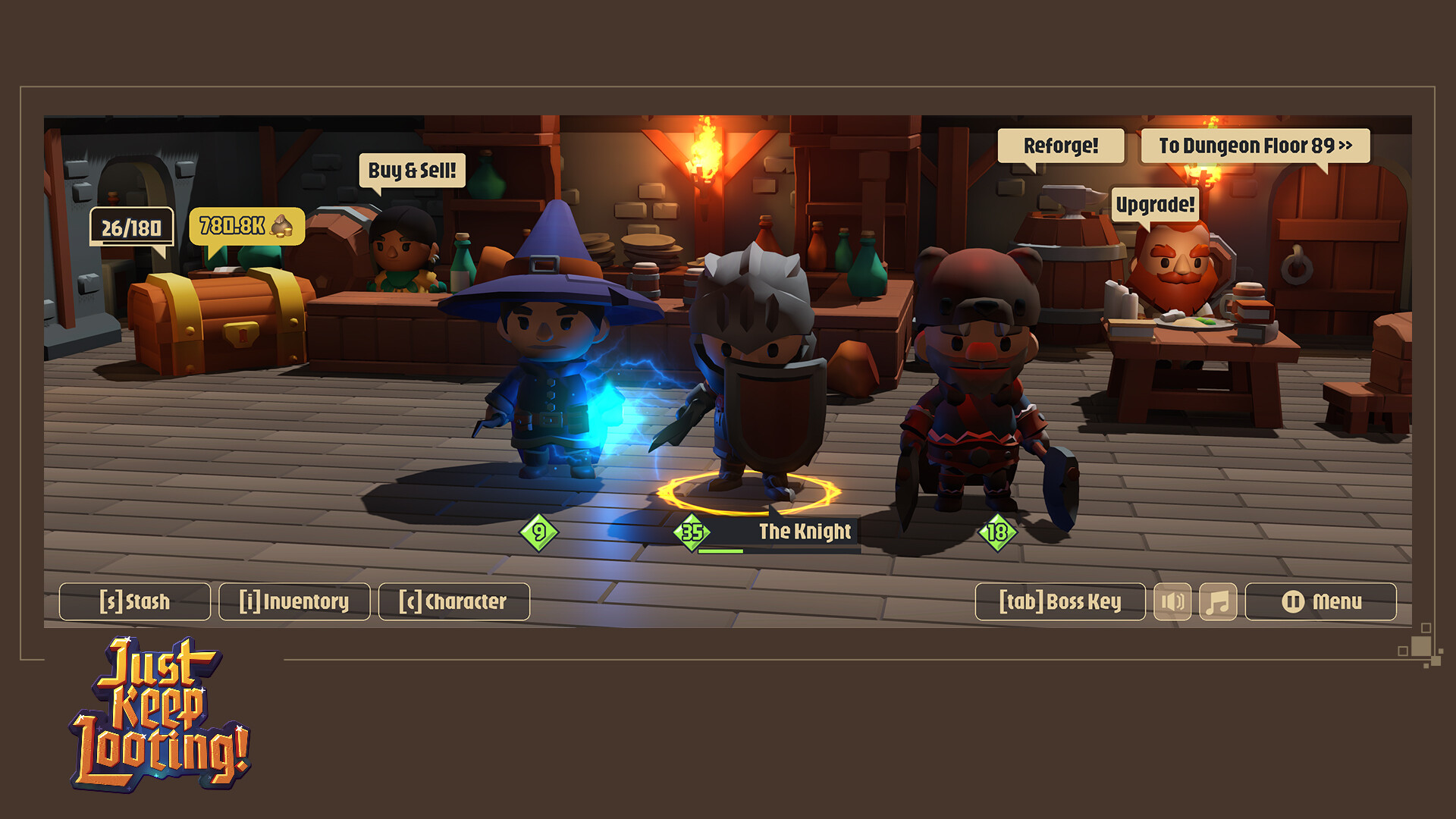
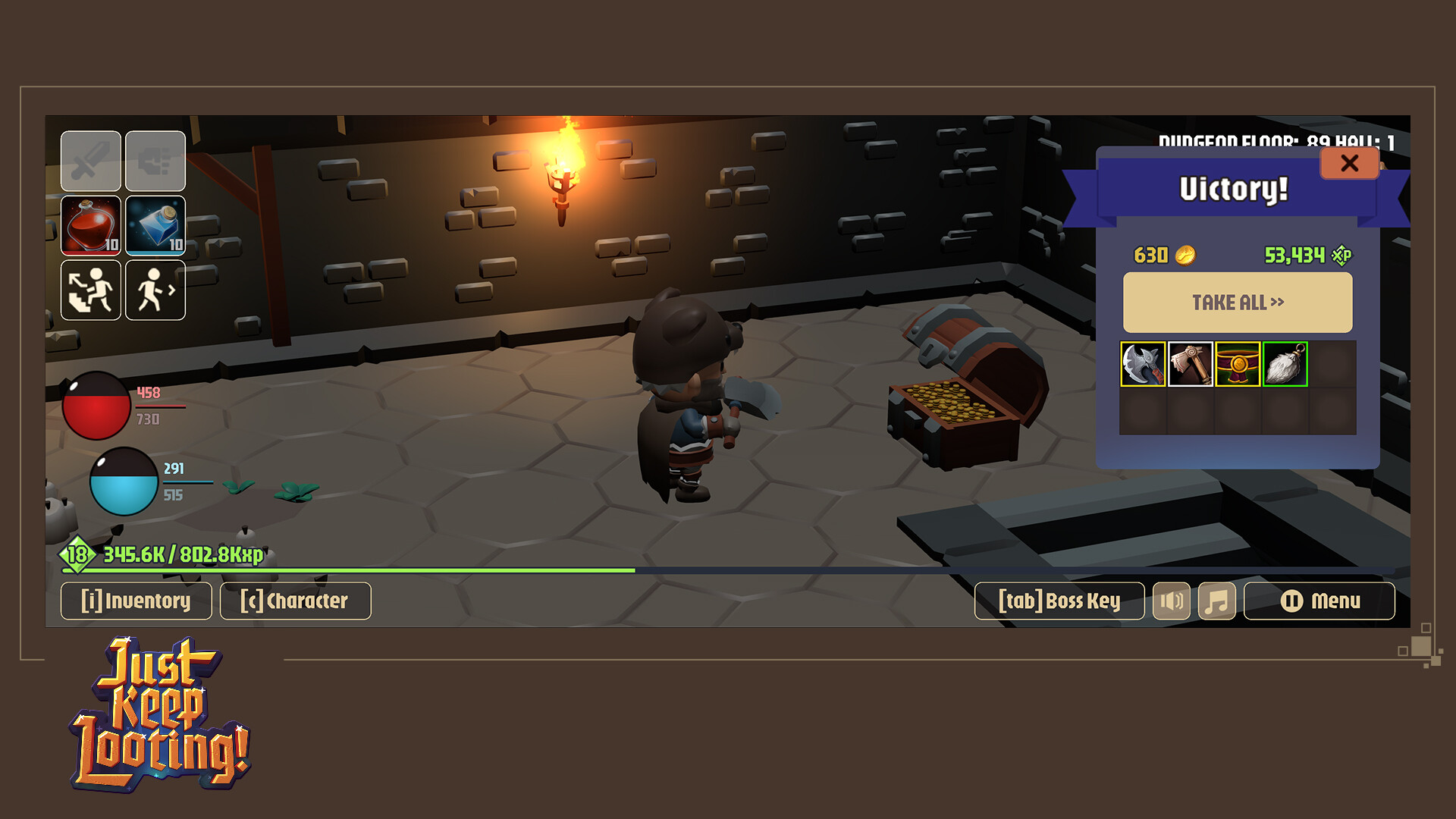
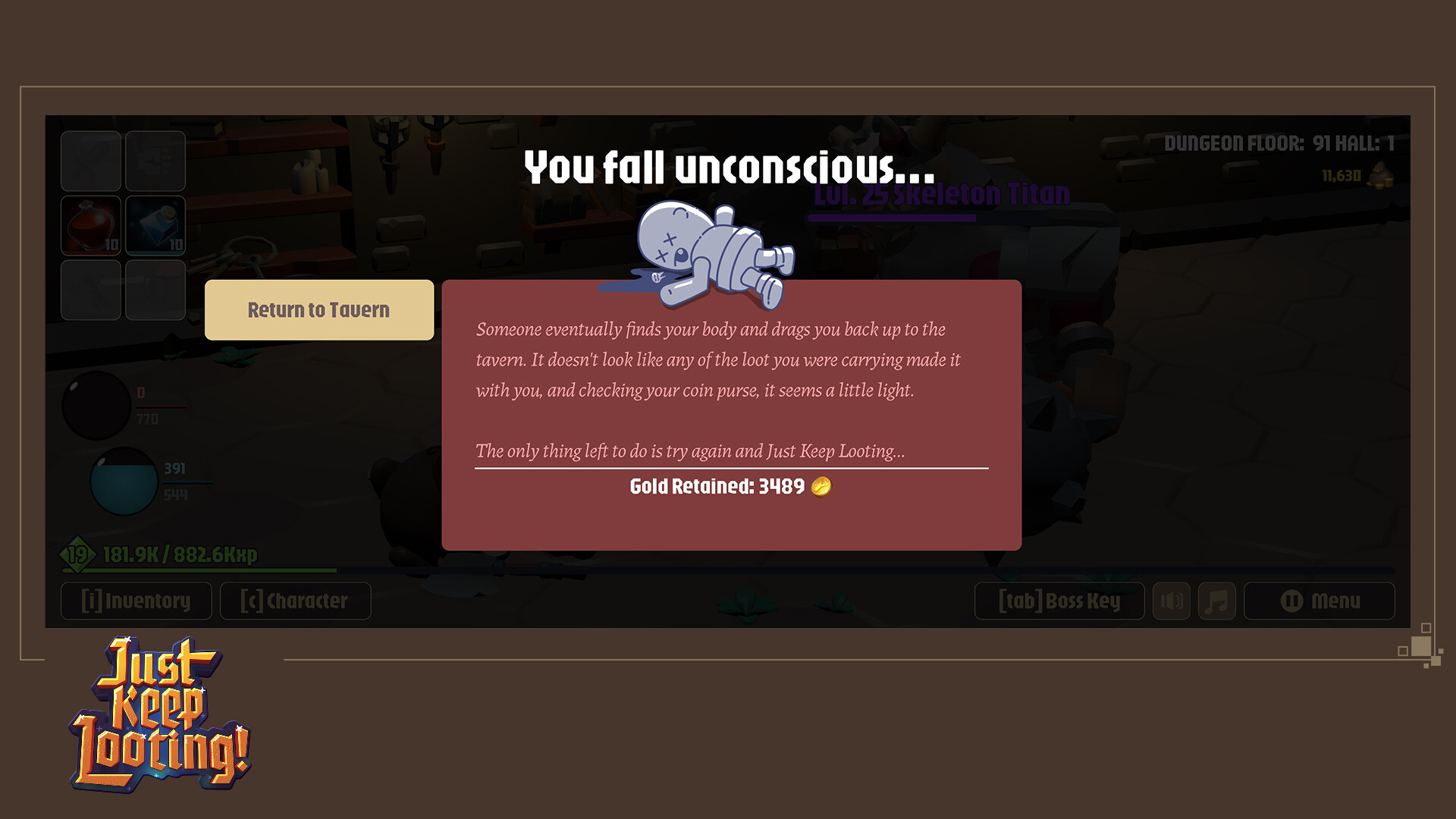
Play as one of three classes, the Knight, the Mage, and the Barbarian in this 3D turn-based RPG set in a medieval fantasy world. Delve into a dungeon in search of loot and experience while fighting off hoards of skeletons and other enemies.
This game is meant to be played Windowed at an aspect ratio of 8:3 that is not designed to fill a traditional 16:9 monitor screen. The game is built with a small resource footprint so that it can be left running while other programs and games are active. During downtime in your other games, fight, level up, and loot!
Have a long queue for a match lobby in another game? Just Keep Looting!
Waiting for friends in your MMO to travel to your location or come back from AFK? Just Keep Looting!
Boss makes a dollar, you make a dime? That’s why you Just Keep Looting on company time!
Fight
Engage in turn-based combat where your decisions make the difference between victory and defeat.
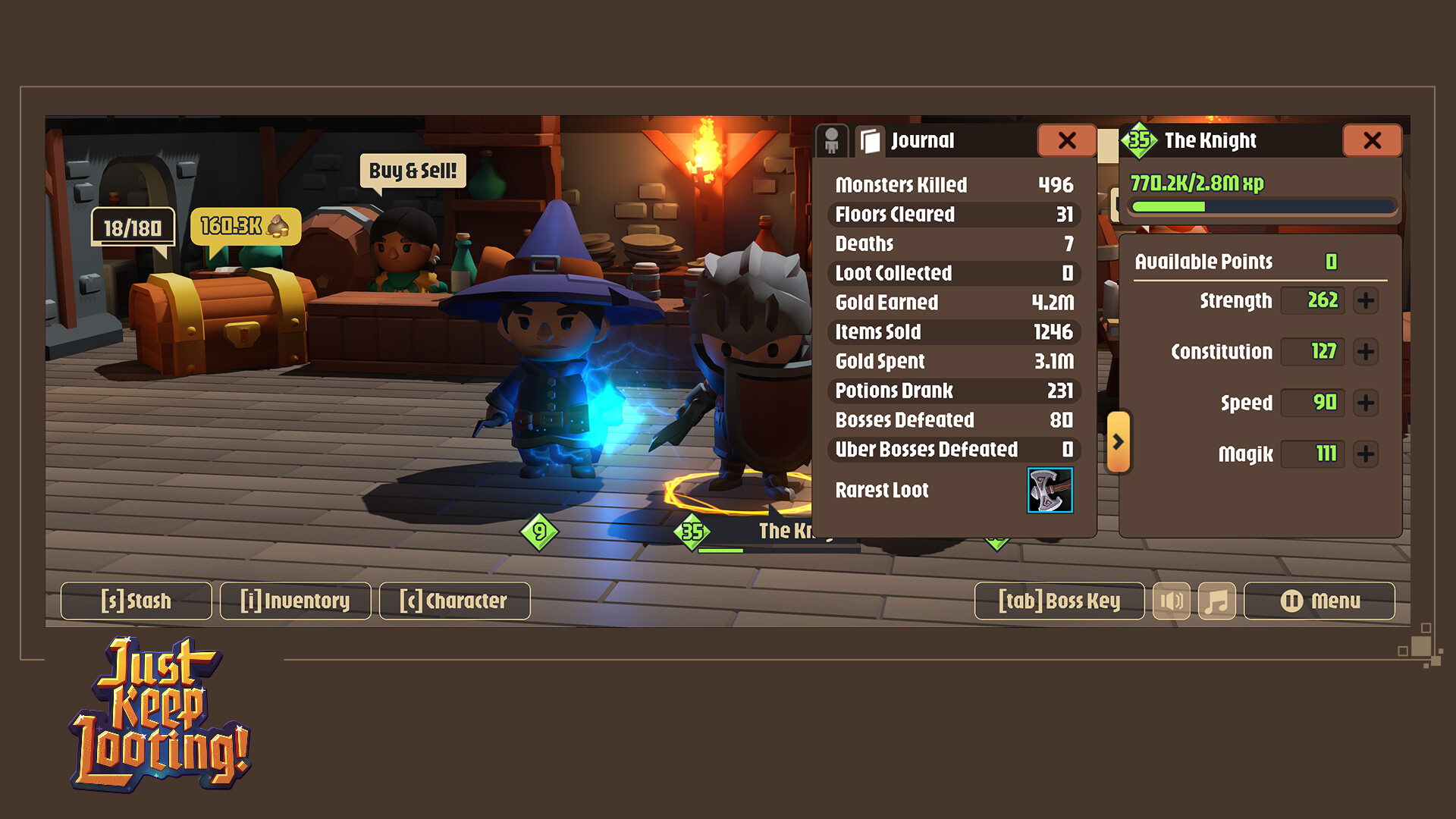
Level Up
Watch that little bar grow as you defeat enemies and earn experience. Leveling up gives you stat points to allocate and increases your health and mana. Continue leveling forever with no level cap… sort of. Your character can continue to level as long as you continue earning experience. If you reach level 8,200 you will not be able to earn more experience.
Find Loot
Inspired by many classic ARPG games, find randomly generated stats on items of different rarity. Find the best ones to maximize your gear and bonuses.
Characters
The Knight
Stalwart Fighter using Swords and Shields or Greatswords.
The Mage
Magickal Adept using Wands and magical Orbs or Staves.
The Barbarian
Ferocious Warrior using Axes and Hatchets or Battleaxes.
Level Up and Improve Loot
The transmogrifier will happily take your money in exchange for helping you to update the level of your item or replace bonuses to get the ultimate loot!
Upgrade Loot
Use Magical Reforging to upgrade lower rarity items into a single higher rarity item.
Store
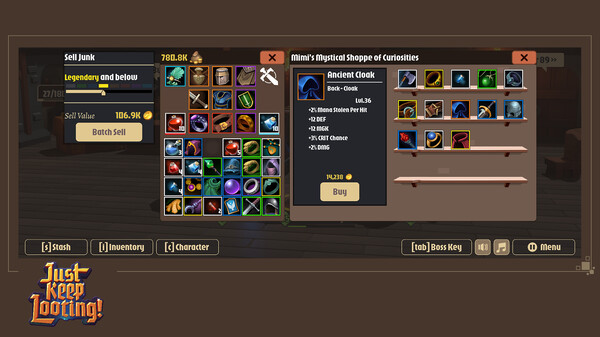
Buy and sell items you collect along the way that aren’t useful. Take that money and do something good with it! The store gives you access to random items to supplement what you find.
Stash
Shared inventory space between your three characters that lets you transfer items between them.
Boss Key
We get it. Sometimes you don’t want someone else to see that you’re playing a game. Instead of minimizing the game, hit the Boss Key! The screen will change to something more productivity friendly like a web browser with too many tabs open or a spreadsheet.
Set out on your own treasure hunt and collect the rarest and most valuable items. Play at your leisure with no time pressure. Save and close then come back to where you were later. The dungeon is deep, and the loot calls to you, it’s time to Just Keep Looting!
🕹️ Partial Controller Support
🎮 Full Controller Support
- [0 B]
Merchants of the Lootlands have gone mad!
For one weekend only, the from Friday morning until Monday night, the gates to the Lootlands are wide pen and entry and Just Keep Looting is 50% OFF!\n\nDive into an endless RPG where loot is everything and the grind never stops.\nGrab your gear, crush some bosses, and watch your stash overflow.
Three Classes Knight, Mage, Barbarian
\n 50% OFF Black Friday Weekend Only!
Three unique classes.
Infinite loot.
Infinite levels.
Turn-based play at your pace.
One more run that turns into ten.
Balance Changes
Since the 1.1 Update, we have noticed underperformance, overperformance, and outright problems with the existing Damage calculations, Health scaling for players and monsters, Mana scaling with secondary attack cost scaling, and all the different damage avoidance types (Evade, Parry, Block). This update introduces a significant rebalance of all these items.
Damage Calculation Rebalance
Damage calculations between players and monsters have been harmonized, however, you\'ll find monsters will generally do less damage than players at the same level due to players having more armour / Damage mitigation, and monsters having lower inherent modifiers.
Monsters loadouts will now correctly mirror their models, so you will find monsters wielding two handed weapons dealing more damage.
The Damage scale now increases significantly so you will notice a much greater different in damage output as you level up. (TG-317)
Hit Point Calculation Rebalance
The formula for both monster and player hit points have been rebalanced to be in line with damage output. You will notice that when you equip an item with +HP your total HP will increase more than the listed amount, this is due when certain bonuses are applied. Ultimately, the higher level you are, the more health you will get from any item bonus. (TG-319)
Mana Point Calculation Rebalance
Because of the significant increase in damage, the mana point formula also needed to be increased so that mana returned per hit doesn\'t fill your entire mana bar with each attack. (TG-318)
Secondary Attack Cost Change
We refined the scaling of the secondary attack so that with base mana alone, each class will have roughly a set number of attacks per full bar at every level. Adding +MGK and +MP gear will increase the number of attacks available. (TG-325)
Rebalance to Damage Avoidance
Each ability to avoid taking damage (Evade, Parry, and Block) has been adjusted. Each of these attacks now uses a comparison of SPD between attacker and defender as well as the level of the attacker and defender to provide bonuses to the chance to mitigate damage.
Because Blocking is a very powerful defensive action in its own right, we have removed the ability for players holding a shield item (Shield or Orb) to evade. Players without shields (typically Barbarians or Knights and Mages using a 2H weapon) will still be able to evade. While the chance to block will always be significantly higher than the chance to evade, this is offset by the higher damage dealt from 2H weapons or from dual wielding. (TG-322, TG-323, TG-324)
Store Inventory
We have further lowed the stock that Mimi has available in her store. She will now only have Epic (Yellow) or lower rarity items available for sale. (TG-320)
Potion Value
Potions were being created at the same level as the player. Because of this and the fact that they could be stacked, they unintentionally became the most valuable item in the game to sell in relation to inventory space used. We have adjusted potions so they will always be level 1. With that, their value has been lowered. Any potions in your inventory will be reset to level 1. This change will in no way impact the value of heals from potions since they are and always have been percentage based. (TG-321)
Unique Monster Spawn
Because of the large difference in level between the player and a unique monster (always 20 level higher) the requirement for them to spawn in the Halls of DOOOOOOOM was changed from every 50 floors, to every 50 floors and the active character must be level 50 of greater.
Bugs
-Fixed an issue where MP restored from potions was based on your total HP instead of total MP. (TG-118)
Hotfix 1
-Fixed calculations for the attack and secondary attack damage displayed in your character sheet.
Hotfix 2
-Fixed alignment of floating text for larger monsters so it isn\'t covered by other UI elements making it difficult to read.
[img src=\"https://cdn.cloudflare.steamstatic.com/steamcommunity/public/images/clans/45533978/1c0bf5589b3f5aaf412c143243548d94a76bff5f.png\"][/img]
New Content
Skully Bob and the Corridors of Vexing Madness
[img src=\"https://cdn.cloudflare.steamstatic.com/steamcommunity/public/images/clans/45533978/b44d76f6e724f599df0ca9f9c53af6dc13eaf5ba.png\"][/img]
The Ballad of Skully Bob is an old tale that starts, as most tales do, in the beginning. Years ago, there was a travelling minstrel known as Bob. One fateful day, Bob came to the Doom and Pickle Pub, to ply his trade singing and playing his enchanting lute. Unfortunately for Bob, his ribald songs angered a powerful dark force under the pub who cursed Bob to undeath, turning his music against him and transforming him to the undead minstrel we know today:
[table equalcells=\"1\" colwidth=\"317,\"][img src=\"https://cdn.cloudflare.steamstatic.com/steamcommunity/public/images/clans/45533978/269786964b726b1e7ba7837b6c6afdf45affb36e.png\"][/img]
[/td]Skully Bob! Since that time, Skully Bob has taken up residence in the ruins under the Doom and Pickle, in an area known as the Corridors of Vexing Madness. There, he sings his haunting melodies, his ballad enchants those foolish enough to get too close, turning them into his undead minions known as Bobites.
It\'s up to you, brave adventurer, to write the final verse in the Ballad of Skully Bob!
Enter the Corridors of Vexing Madness from the tavern and explore a new style of dungeon. In order to challenge Skully Bob, you\'ll need to make your way through the branching dungeon and collect four keys that unlock his chamber. Depending on the path you take through, you may need to return to the entrance and try different pathways to collect all the keys. Can you defeat the dastardly minstrel? For those who can, the riches and rewards are theirs to claim!
Beware: Each time you defeat Skully Bob, he will be more difficult the next time that character faces him.
NOTE: While this dungeon scales to the level of your character, the final encounter with Skully Bob himself will be very difficult to overcome if you are less than level 40. (TG-276, TG-277, TG-278, TG-279, TG-282, TG-283, TG-284, TG-287)
Tutorials
Some popup tutorials have been added to help clarify how certain areas of the game are intended to work. The initial batch is focused on the Skully Bob mechanics but more will be added over time. Each tutorial will have a checkbox that can be used to suppress it from being shown further. You can also turn all tutorials off in the settings (Game/Tutorials area). Settings also has an option of resetting all the individual tutorials you\'ve suppressed so you\'ll see them again. (TG-292, TG-293)
Achievements
We are happy to announce that we\'ve added achievements to the game. The initial batch includes 81 achievements to unlock. Some of those stats will work with previously saved data, but others will not; for example we did not previously track the exact types of uber bosses defeated. (TG-139)
As we see how achievements are working, we will be adding more, which will not necessarily require any client updates.
New Monsters
Throughout the Halls of DOOOOOOOOM and the Corridors of Vexing Madness, where Skully Bob makes his lair, you\'ll find six new monsters cropping up to fight. All these monsters will have the same likelihood of appearing as the previous monsters. Keep your eyes open for the following:
[table equalcells=\"1\" colwidth=\",,229\"]Vampire
Orc
Tiefling
[/td][img src=\"https://cdn.cloudflare.steamstatic.com/steamcommunity/public/images/clans/45533978/55d733cfc704df22b2b0a174588555248d565398.png\"][/img]
[img src=\"https://cdn.cloudflare.steamstatic.com/steamcommunity/public/images/clans/45533978/15db73cea05951e021dde148ab050c4a4e165ca0.png\"][/img]
[img src=\"https://cdn.cloudflare.steamstatic.com/steamcommunity/public/images/clans/45533978/a55b3b867ae632938da72d62382d0ebd5f76437b.png\"][/img]
[/td]Fallen Knight
Automaton
Frost Golem
[/td][img src=\"https://cdn.cloudflare.steamstatic.com/steamcommunity/public/images/clans/45533978/c2827217f4b3de0151fb22e5f6e7779aae0aa533.png\"][/img]
[img src=\"https://cdn.cloudflare.steamstatic.com/steamcommunity/public/images/clans/45533978/050fcf9352dfd2cb5c94dbbd5b07375789e82547.png\"][/img]
[img src=\"https://cdn.cloudflare.steamstatic.com/steamcommunity/public/images/clans/45533978/6d3bdc496ce238bc963408dd3a0905be3a68bea3.png\"][/img]
[/td](TG-203, TG-204, TG-205, TG-206, TG-207, TG-209)
Uber Boss Accessibility
Previously, in order to fight an Uber Boss, you needed to make your way through the hallways to each the end of the 8th hall. To provide more variety in how players can reach those bosses, they will also now be available from going deeper through the floors. Similar to the hallways, you\'ll need to travel through 8 floors in one delve in order to spawn an uber boss. (TG-266)
Unique Bosses
[img src=\"https://cdn.cloudflare.steamstatic.com/steamcommunity/public/images/clans/45533978/7b0a8bcf949678ed4529b637755d1130eb1daede.png\"][/img]
If Uber Bosses aren\'t tough enough, test your mettle against unique bosses. Every 50 floors you travel through the halls of doom (regardless of which character is active), every 50th floor will be guarded by a unique boss. Each monster type has a unique named boss that has the most XP, Gold, and most loot. (TG-266)
Updated Monster Health Display
[table equalcells=\"1\" colwidth=\",\"]The health bar displayed while in combat with monsters has been updated to better display information. The design has been streamlined to better align with other visual language in the game and a title has been added to the display so in addition to the monster\'s name, you\'ll also see a title that will give you an idea of the monster\'s relative strength beyond their level. The display has also been upgraded to support features coming in future updates. (TG-285)
[img src=\"https://cdn.cloudflare.steamstatic.com/steamcommunity/public/images/clans/45533978/1160eac317198e989295362f1f44322fe05bdc15.png\"][/img]
Enhancements
-There is now a smooth transition between the dungeon camera and the combat camera (TG-70)
-Mimi has a new look. Her model in the Tavern has been updated! (TG-210)
-When entering combat, any item on the cursor will be returned to the slot it was taken from (TG-248)
-Loot windows and Loot Chest windows can now be closed using Esc like other player windows (TG-262)
Balance Changes
Rarity Adjustments
The drop rate with certain items was not exactly where we wanted them and with the probability system for drops that we were using we didn\'t have the control we wanted to excerpt over the rarity of items dropped from higher difficulty enemies. With this update, we\'ve switched from probability based rarity to weighted rarity. You should now find that higher difficulty monsters, such as Uber Bosses and Unique Bosses in particular, will be more much likely to drop higher rarity items. (TG-264)
Store Item Rarity
Mimi\'s store has been updated and will no longer provide items of rarity above Ancient. This was done so that Legendary and above items must be found through combat or in chests. This was done as part of the rarity adjustments mentioned above. (TG-265)
Bug Fixes
-Fixed an issue causing the block sound effect to be too loud (TG-247)
-Fixed an issue that would display a stat point allocation button as active when they should all be disabled (TG-250)
-Fixed an issue where the Uber Skeletal Champion displayed the wrong name (TG-258)
-Fixed an issue with reforging that would allow players to destroy forged items if they left them in the UI and forged a new item (TG-267)
-Fixed an issue that was preventing alternate textures from showing up correctly on enemies (TG-270)
-Fixed a visual issue with the skeleton mage\'s staff displaying incorrectly (TG-294)
-Fixed an issue where hotkeys could sometimes function when visually the keys were locked (TG-296)
-Fixed an issue that could cause the character model to be out of sync with equipped gear (TG-297)
-Fixed an issue that could allow the character window on screen with the reforge window, squishing them all (TG-298)
Hotfix 1
-Fixed an issue that was inflating player stats on steam and unlocking achievements early.
Hotfix 2
-Fixed an issue causing Unique Bosses to spawn more often than desired
-Minor performance enhancement
Hotfix 3
-Fixed an issue that could soft lock the game after moving between dungeon areas.
Hotfix 4
-Fixed an issue where the location wasn\'t correctly being interpreted for the UI settings
-Fixed an issue that could cause certain bonuses to not be available when rerolling on the Transmogrifier
-Fixed an issue where Block chance would only display if you had both a shield and mainhand weapon equipped
-Fixed an issue where the To Skully Bob travel hint wasn\'t being correctly hidden
-Fixed an issue that could cause earned Skully Bob Keys to not display when being updated
-Fixed an issue that would give cause the Barbarian\'s hatchet to provide a DEF bonus that shouldn\'t have been there
Hotfix 5
-Fixed an issue preventing the Trade Deficit, Ancient Adventurer, and That\'s Magik! achievements from being earned
-Fixed an issue with the loot and loot chest windows not being closed first when hitting the close last window button
Hotfix 6
-Updated tracking for a stat used in the future
Hotfix 7
-Fixed an issue that prevented achievements from being earned for killing Uber or Unique versions of new monsters
-Updated unique monster spawn check so they will not continually spawn if you stay on the appropriate floor
-updated the monster health bar to wrap text if names are very long
Dear Knights, Mages, and Barbarians,
We are excited to share that Just Keep Looting is on sale for 20% off at the Steam Autumn Sale! This is the perfect little RPG to play between your multiplayer matches, watching YouTube nonsense, and avoiding responsibilities!
Build your characters stats
[/*]Upgrade your armor and weapons
[/*]Get knocked unconscious a few times
[/*]Upgrade your character some more
[/*]And Just Keep Looting!
[/*]
Still not sold? Try our demo before you buy!
Oh, and more content is on the way ;)
See you in the dungeons,\nThe Duck Forge Team
We\'ve updated launch options on the game to mitigate a bug in the most recent release of Radeon driver software on Windows. If you have a Radeon card and experience video issues, including missing models or screen artifacting, you can try launching the game in Direct3D mode.\n\nYou can change the launch mode by right-clicking the game in your library and going to properties, where launch options will be on the first screen opened.
Enhancements
Item Name Changes
Item naming has been adjusted and follows a new convention.
Common Items maintain the format Common
[/*]- .
Uncommon Items use the format Superior
[/*]- .
Rare items use the format Magic
[/*]
Above rare, a new naming system is used with randomly generated names from a pool of possible words. Each item type has its own pool of names combined with a common shared pool. The item card (tooltip) layout has been updated to support the new naming system.
[img src=\"https://cdn.cloudflare.steamstatic.com/steamcommunity/public/images/clans/45533978/3c3a2ededc52a86f43b8d34a6b1d34331e926570.png\"][/img]
Mythical Items have fixed unique names and a unique and have a unique style of item card. (TG-190, TG-164, TG-196, TG-197)
NOTE: Old items will not have their names changed, but as you get new items they will have the new structure.
Store Window Redesign
[img src=\"https://cdn.cloudflare.steamstatic.com/steamcommunity/public/images/clans/45533978/9119680fba77d45d76140a35c70b21cf8acdde79.png\"][/img]
The Store screen has been updated to allow players to use their inventory while in the store and to better manage multiple sales of items or purchase at once. Players will not have access to the stash while in the store, but they will be able to fully interact with their personal inventory.
The Store was reworked to also use a buy and sell inventory alongside the player and store inventory. To buy something you can either drag and drop with the left mouse button, or right click to move the item to the buy window, then hit the buy button. Right clicking items in the buy inventory will send them back to the store. The same works for the player inventory and the sell inventory. The bulk sell feature now just moves items to the sell window. The store has visually been themed in green to make it distinct from other UI elements.(TG-180, TG-198)
Reforge Window Redesign
[img src=\"https://cdn.cloudflare.steamstatic.com/steamcommunity/public/images/clans/45533978/8120f8ef080c50dc4465998e49cf8cbcc55227da.png\"][/img]
The reforge panel has been visually updated to clarify how the process works without relying on text instructions that may be unclear. The newly created item now is generated in a slot on the panel and can be manually moved to your inventory, or it will be automatically moved to your inventory when the window is closed. The reforge window has been themed in red to make it visually distinct from other UI elements. (TG-199, TG-228, TG-231)
Transmogrification Window Redesign
[img src=\"https://cdn.cloudflare.steamstatic.com/steamcommunity/public/images/clans/45533978/8c825fd519642dd159bb6e9351fad4c7570e0046.jpg\"][/img]
The Transmogrification Window has had a significant redesign. You\'ll now have access to your regular inventory and you can drag and drop any of your items into the Transmogrification Slot on the window. Depending on the item selected. When an Item is placed in the slot, each of the items will be displayed on screen surrounding it, while the name of the item will be displayed along with the level. The level and bonuses are all buttons, clicking on them will take you to a subsequent screen where you can either upgrade the level of the item (from clicking on the level) or you will be shown the option to Reroll or Replace the bonus on an item. None of the mechanics behind transmogrification have changed. (TG-202, TG-226, TG-227, TG-230)
Stash Redesign
[img src=\"https://cdn.cloudflare.steamstatic.com/steamcommunity/public/images/clans/45533978/6e60f3b3ea1234756300a71fc35ea75637212d3e.png\"][/img]
The stash has had a visual upgrade and you can use the right mouse button to quickly move items between your active stash page and player inventory, but otherwise functionality remains the same. (TG-217, TG-229)
Right Clicking
For vendor windows and inventory windows while in the tavern, the Right Click action has been adjusted so that it will automatically move items around between open windows. If your stash and inventory are open, right click to transfer between them. If your vendor window is open, you can right click to send an item into the appropriate vendor slot (sale window, Transmogrification Item, or Reforging component or base).
This does not work in the dungeon because right click is used to consume potions. (TG-180, TG-227, TG-228, TG-229)
Item Bonus Limit Relaxation
Each bonus has a maximum bonus per item and total, or per item per level plus total per level. Some of these limits were deemed too small and have been adjusted.
[table equalcells=\"1\" colwidth=\",,\"]Bonus
[/th][th]Old Total Maximum Allowed
[/th][th]New Total Maximum Allowed
[/th]STR
2/Lvl
3/Lvl
ARC
2/Lvl
3/Lvl
FIN
2/Lvl
3/Lvl
CON
2/Lvl
3/Lvl
SPD
2/Lvl
3/Lvl
MGK
2/Lvl
3/Lvl
DEF
2/Lvl
3/Lvl
STR
2/Lvl
3/Lvl
HP
4/Lvl
12/Lvl
MP
4/Lvl
12/Lvl
Extra DMG
5/Lvl
12/Lvl
Health Stolen Per Hit
10
16
Mana Stolen Per Hit
10
16
The amount you could receive per item has not changed with the exception of HP and MP which has gone from 2/Lvl to 4/Lvl.\nNote: The change to the maximum HP per item will not be reflected on existing item, to receive that new amount you will need to reroll your bonus at the Transmogrifier. (TG-215)
Item Level Restrictions
Items now require the character be no more than 5 levels lower than the item level to equip it. The level requirement id display on the bottom of the item card. Any existing items equipped which don\'t meet the level requirement will remain equipped, but if removed will not be equippable again until the character meets the level requirements.(TG-219)
Level Reset
A button has been added to the Settings -> Game menu. Pressing that button will prompt a confirmation and then you will reset your character back to level 1 with starting gear. The only thing kept will be your character\'s Journal history. (TG-218)
Monster Health Adjustments
To balance out some of the changes made to strengthen player characters, monsters have been slightly boosted in both health and damage. In particular Bosses and Uber Bosses have had their difficulty increased. (TG-216)
Quality of Life
Updated the design of the credits screen with smooth scrolling, layout and special thanks (TG-82)
[/*]Updated the way value is displayed on item so it corresponds with the value you\'ll receive from the store. (TG-180)
[/*]When you reforge an item, it will now use the same icon as the source forging base (TG-186)
[/*]The names of the 4th and 6th tier of rarity have swapped (colours remain in their original position) so the order is now Common, Uncommon, Rare, Epic, Ancient, Legendary, Godly, and Mythical (TG-187)
[/*]If you attempt to equip an offhand item while a two-handed item is already equipped or a two-handed item while an offhanded item is already equipped, the action will attempt to successfully complete by moving the blocking item to your inventory. If there is no room in your inventory to do so, the action will fail but the offending slot will give a visual indication that it is blocking the action (TG-212)
[/*]The Block % displayed in the character sheet has been changed to only show your base block chance + block % items when your shield is equipped. Previously it would show the modified block chance based on a comparison of speed values between the character and active monster. This was causing confusion as the number was changing. This will be further improved in future updates. (TG-224)
[/*]
Bug Fixes
Corrected an issue that would occasionally allow Health and Mana globes to become desynchronized with their current values (TG-7)
[/*]Additional edge case fixes to manage the visibility of the end level movement selection UI (TG-182)
[/*]Players can no longer use potions while in the tavern (TG-185)
[/*]Fixed an issue where players were able to Reforge Godly items to create a mythical item, which was never intended to be allowed (TG-186)
[/*]Fixed an issue that would cut off the bottom of item cards when they had very long names and a large number of bonuses (TG-189)
[/*]Fixed an issue where the Reforge window wasn\'t closing with the inventory (TG-192)
[/*]Fixed an issue where players could open panels such as inventory when in the menu (TG-193)
[/*]Fixed an issue where the XP bar was visible on load before the menu showed up (TG-201)
[/*]Fixed an issue that allowed duplicate bonuses to be applied while replacing bonuses from the Transmogrifier (TG-213)
[/*]Fixed an issue where FPS limits were not being set correctly (TG-221)
[/*]Fixed an issue that allowed players to equip items in the incorrect slot using right click (TG-225)
[/*]
Hotfixes
Hotfix 1
Fixed an issue where the total cash value wasn\'t correctly displaying in the sell window when selling stacks and could crash under some circumstances (TG-242)
[/*]Fixed an issue that was causing the upgrade level transmogrification action to overcharge (TG-244)
[/*]
Fixed an issue where monsters were not providing the correct gold rewards (TG-245)
[/*]
Hotfix 2
Fixed an issue that would cause players health and mana to not reset when they returned to the tavern (TG-249)
[/*]Fixed an issue that would allow reforged items to be created at unuseable levels (TG-255)
[/*]Fixed an issue that could cause an item from your inventory to be deleted when interacting with the store (TG-259)
[/*]
Enhancements
Speed (SPD) utilization in Parry, Evade, Block, and running away has been adjusted (TG-103)
[/*]Updated item generation rules:
[list]Items dropped from monsters will be at most 3 levels higher than the player, regardless of what level the monster is
[/*]Loot Chests at the end of a hallway will be 5 levels higher than the player
[/*]XP and coins granted from Monsters and chests is otherwise unchanged
[/*]
Updated damage formulas: the damage formula was not utilizing the player\'s damage stat effectively enough nor was it mitigating damage enough with DEF (TG-152)
Moved damage stat addition to the end of the formula, making it a linear increase in damage for points put into your primary damage stat\\\\
[/*]Player DEF is directly subtracted from final damage output of monsters, incentivizing keeping your armour at level or better
[/*][/*]Added a floating text message for when the player or monsters Parry (previously this would display as Miss) (TG-166)
[/*]Added additional audio cues for the store (open, buy, sell) (TG-69, nice)
[/*]Improved the tavern layout to reduce required mouse movement (TG-170)
[/*]Improved the look and clarity of floating text feedback including adding text to indicate when the monster is acting first (TG-168)
[/*]Updated keybind hints to better support joypad hints (TG-175)
[/*]Quality of Life Updates
Added hotkey for collecting all loot from monsters and loot chests (Space by default) (TG-142)
[/*]Added v-sync option in video settings (TG-147)
[/*]Added uncapped frame rate in video settings (TG-147)
[/*]The secondary attack button will be disabled if you do not have enough mana to use it (TG-154)
[/*]Adjusted the style and location of the Take All button for the Stash (TG-155)
[/*]Updated the value of starting items from 0gp to 1gp (TG-163)
[/*]Health and Mana potions will now display their heal amount on their item card tooltip (TG-160)
[/*]Added visual effects and text callouts at the end of a level to draw attention to the player that they can either click the door to progress to the next hall, or click the stairs to delve lower to the next floor(TG-149)
[/*]
Bug Fixes
Fixed an issue that would prevent mana stealing when at full health (TG-80)
[/*]Fixed an issue with some icons layering above the pause menu (TG-145)
[/*]Fixed an issue with the loot collection not properly tracking in your journal (TG-150)
[/*]Fixed an issue with DEF not displaying correctly when you swap gear or upgrade items (TG-151)
[/*]Fixed a potential crash that could happen when opening the end of hallway loot chest would cause the player to level up (TG-161)
[/*]Fixed a dead zone in the middle of item slots that were not clickable on potions (TG-167)
[/*]Fixed an issue with the character nameplates in the tavern covering the selection rings on characters (TG-169)
[/*]Fixed an issue where the Uber Boss at the end of hallway 8 would not display the correct uber title (TG-171)
[/*]
Known Issues
We are still tracking an issue that will occasionally allow Health and Mana globes to become unsynchronized with the current values.
[/*]
Launch Party @ The Doom and Pickle Pub!
Come one, come all, it\'s time to Just Keep Looting!
In celebration of the game\'s launch, we\'re giving you a few hot insider tips:\n
1) Mind Your Gear
Especially in the first 5 levels, you will feel the pain of not having good gear. Be cautious and careful. It\'s better to survive with gear than fight till you die. Your character level isn\'t going to make anything easier.
2) Use the Transmogrifier to improve gear
When you need a particular item and it\'s just not dropping, improving one you currently have (such as a weapon) can make a huge impact. Keeping your weapon at level is very important, and from time to time you may wish to reroll your item bonuses on an older item since the bonus caps change with player level.
3) Use Magical Reforging to create gear
If you simply can\'t find the right item with bonuses, keep an eye out for a Common (white) version. You can upgrade that to a higher rarity by using 5 of the same rarity.
Formula: 5 items of rarity x + 1 common item y = 1 item y of rarity x+1
Ex: 5 Legendary items (rarity 3) + 1 common Sword = 1 Ancient Sword (rarity 4)
Common -> Uncommon -> Rare -> Legendary -> Ancient -> Epic -> Godly -> Mythical
Grab your gear, trust your loot goblin instincts, and dive into the madness.
The vaults are full, the dungeons are waiting, and your legend starts now.
Now go forth and Just Keep Looting!
Minimum Setup
- OS: Linux
- Processor: x86_32 CPU with SSE2 instructions. any x86_64 CPU. ARMv8 CPUMemory: 2 GB RAM
- Memory: 2 GB RAM
- Graphics: Integrated graphics with full Vulkan 1.0 support
- Storage: 250 MB available space
[ 6380 ]





















[ 5876 ]


[ 1265 ]


















[ 2018 ]














[ 986 ]







Time left:
356101 days, 14 hours, 24 minutes

Time left:
356101 days, 14 hours, 24 minutes

Time left:
5 days, 22 hours, 24 minutes

Time left:
33 days, 22 hours, 24 minutes

Time left:
36 days, 22 hours, 24 minutes

Time left:
37 days, 22 hours, 24 minutes

Time left:
11 days, 8 hours, 24 minutes

Time left:
6 days, 16 hours, 24 minutes

Time left:
12 days, 16 hours, 24 minutes

Time left:
13 days, 16 hours, 24 minutes

Time left:
18 days, 16 hours, 24 minutes

Time left:
20 days, 16 hours, 24 minutes

Time left:
24 days, 16 hours, 24 minutes

Time left:
4 days, 5 hours, 39 minutes

Time left:
8 days, 22 hours, 25 minutes

Time left:
10 days, 21 hours, 25 minutes

Time left:
16 days, 4 hours, 35 minutes


