



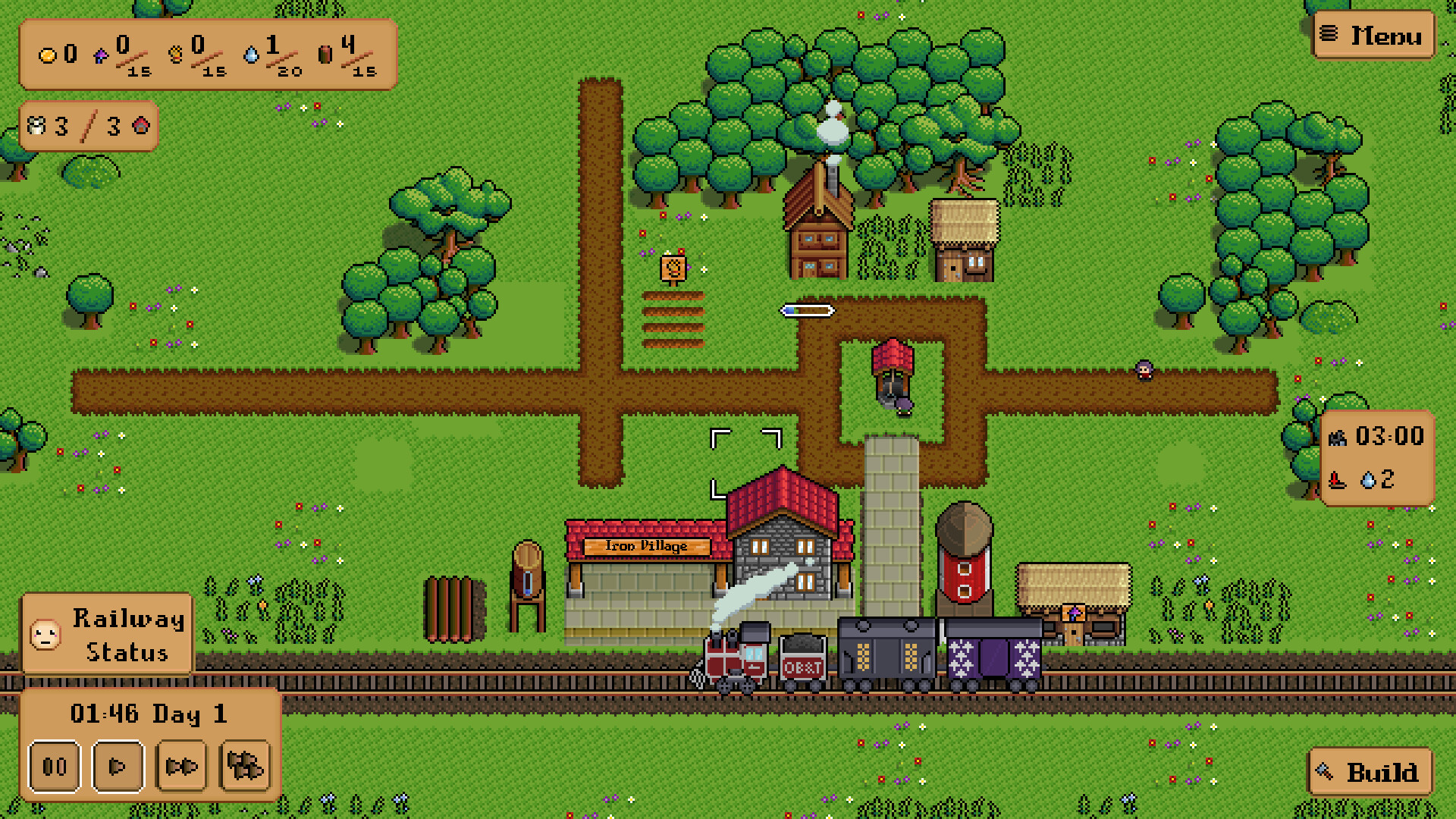
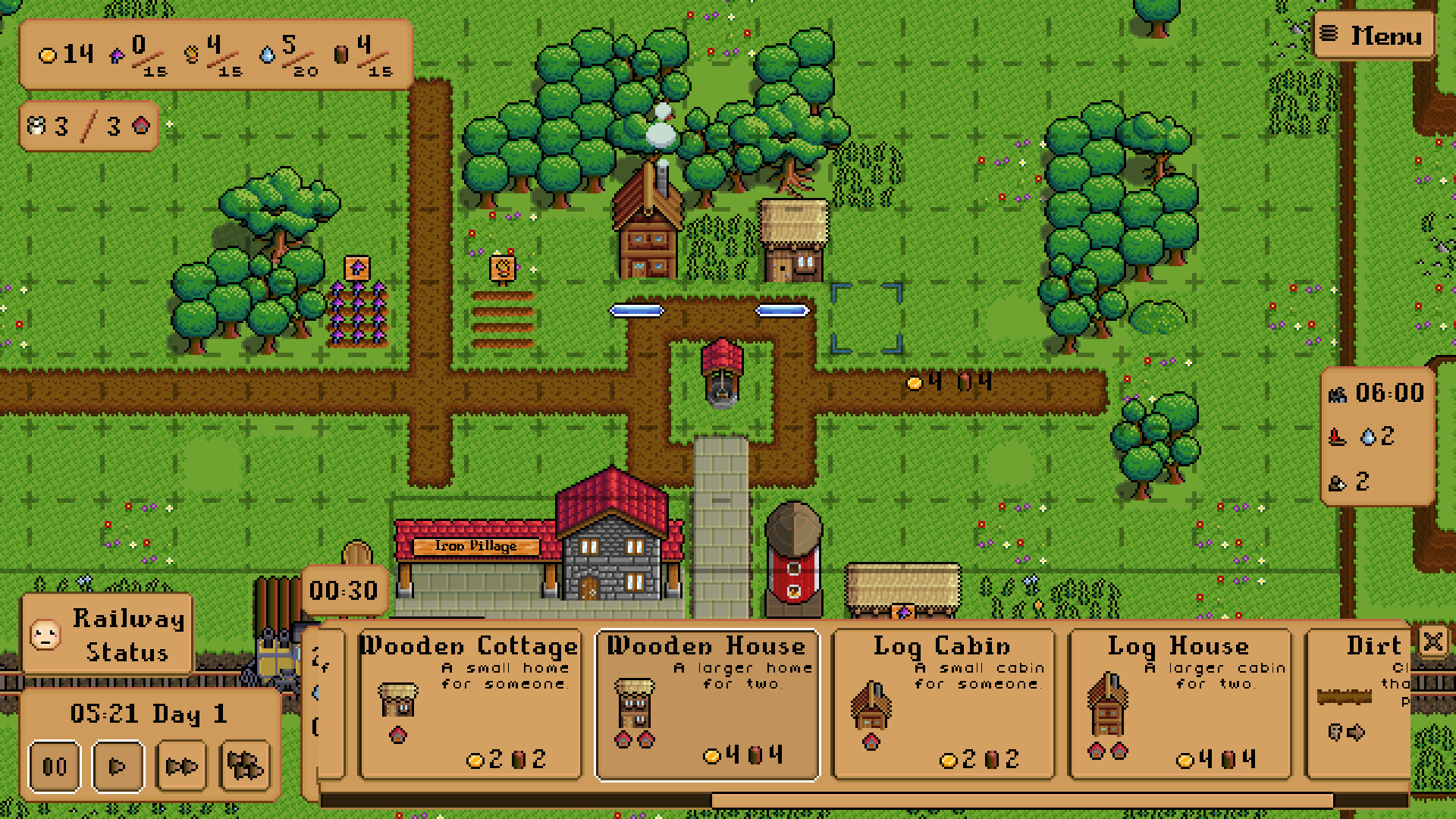
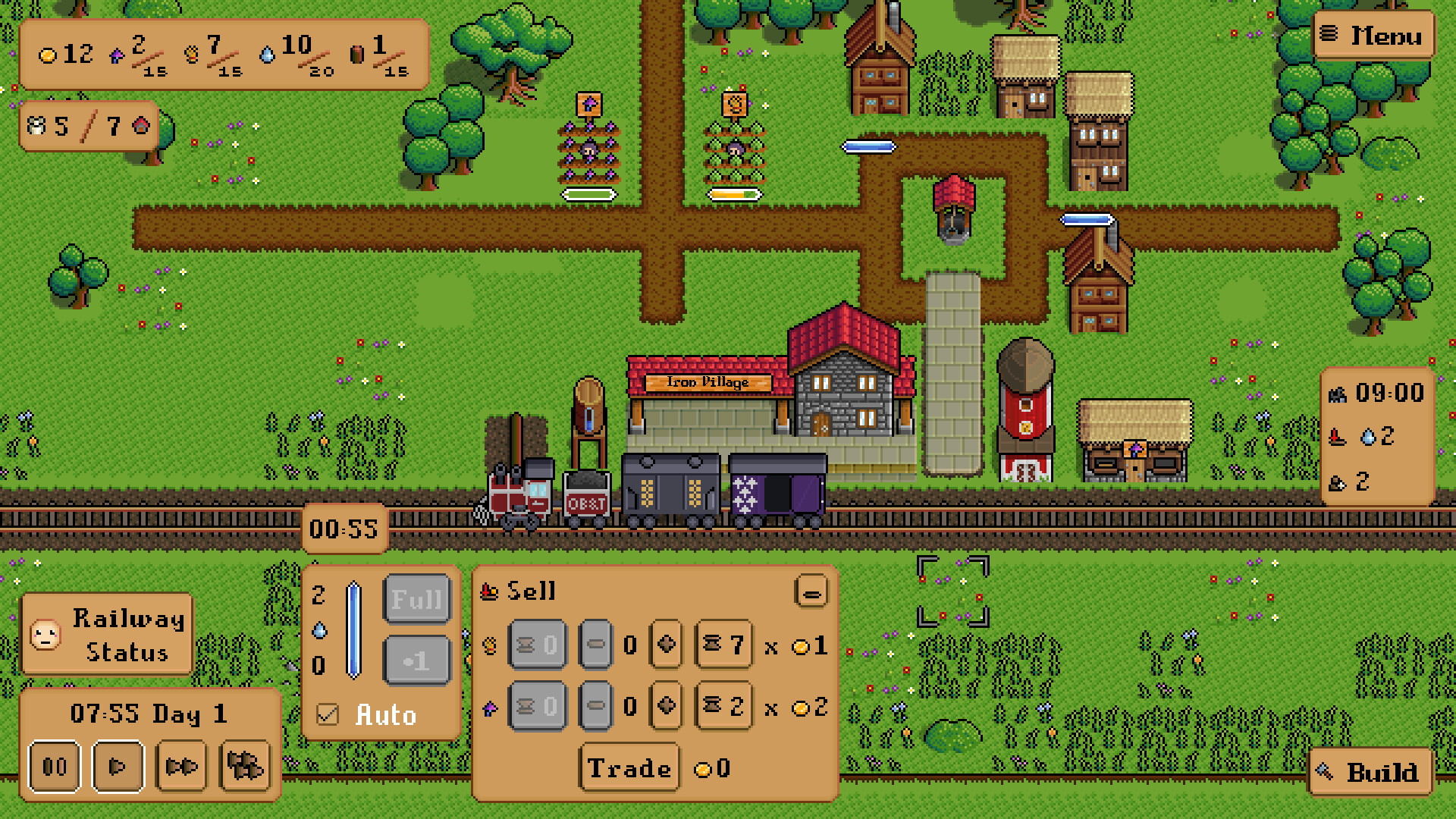
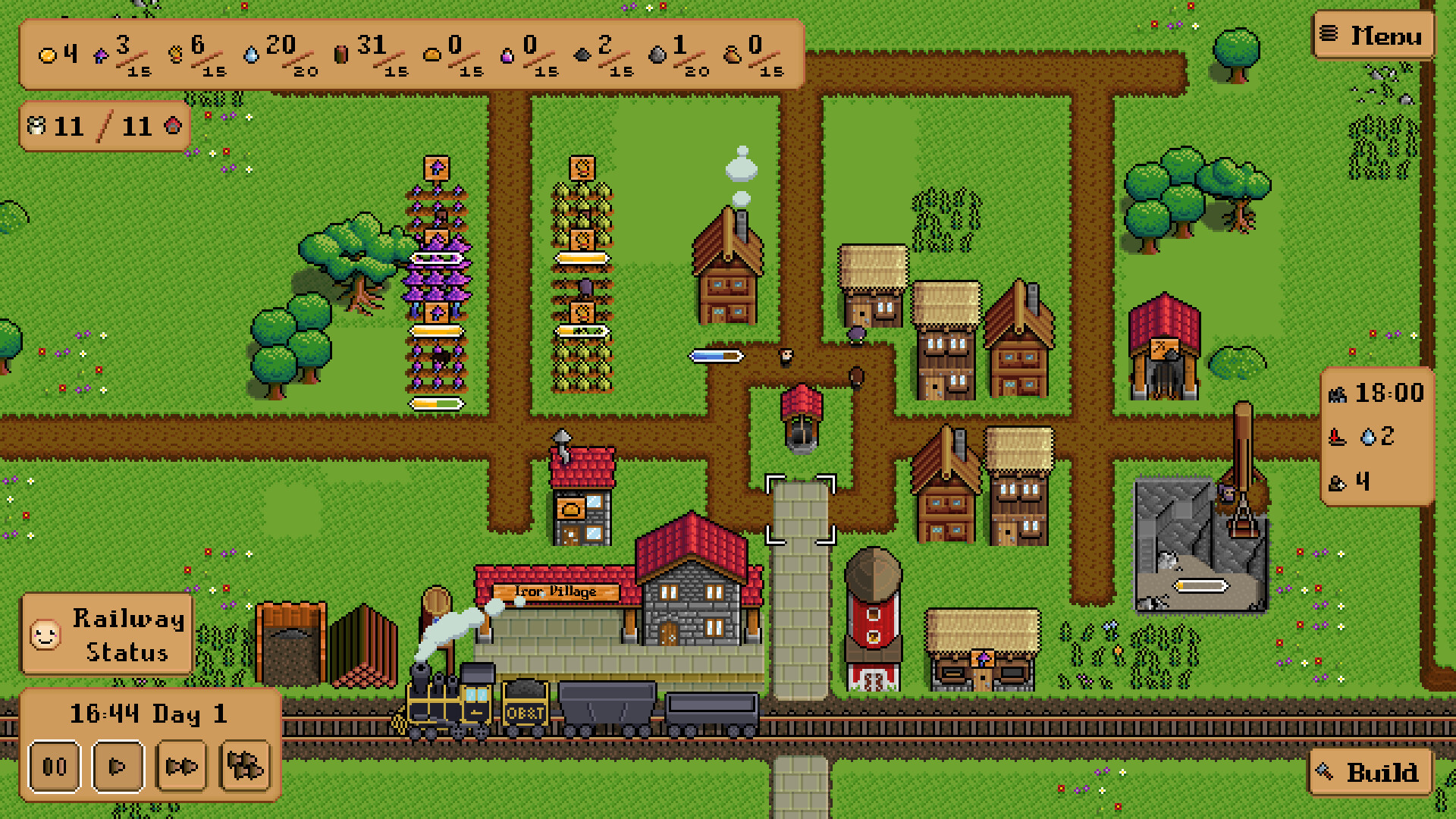
- Build houses to give your villagers homes.
- Clear farm fields to grow a variety of crops, from basic staples to exotic magical ingredients.
- Open shops that turn raw resources into valuable goods.
- Construct warehouses to store your resources and goods.
- Take the resources and goods your villagers make and turn them into gold!
- Trade for other resources that your villagers need.
- Invest your gold to expand your village.
- Refuel trains that stop by on their long journeys.
- Keep the railway happy and pour in gold to improve it.
- Unlock new types of goods and resources.
- Create opportunities to grow into a prospering town!
I know, I know, youre looking at that title and thinking, why on earth would I want to look back onthisyear?! And yes, the world is uh, not doing so well, but were at least going to take a look back at the year from the perspective of Lunar Chippy Games.
[p align=\"start\"]But first, if youre reading this and havent bought Iron Village yet its 30% off for the rest of the year![/p][img src=\"https://cdn.cloudflare.steamstatic.com/steamcommunity/public/images/clans/45138413/c82381cbc057fad40f9ab009741b62a81f63c7bb.jpg\"][/img]Iron Village at BostonFIG back in December 2024
The biggest date of course was March 24th, but Ill backtrack a little bit first. Iron Village was at BostonFIG on December 15th, so after that and holiday shenanigans, the year started off with implementing the crazy amount of feedback from then. (Not all of it of course, feedback is super useful but not 100% correct.) Levels 4 & 5 hadnt even been fully implemented yet, so there was still a big chunk of work to cram into two and a half months.
[p align=\"start\"]Somehow I pulled it off, all while holding a full time day job at the same time, launching to mostly positive reviews. Was it a huge launch? No, but Iron Village was well received, contrary to what part of my brain had tricked itself into believing, and it turns out I could in fact make and finish a game![/p][img src=\"https://cdn.cloudflare.steamstatic.com/steamcommunity/public/images/clans/45138413/d052e43a08478566db3da114c89c4e9dc069716c.png\"][/img]An image from Iron Village 1.1, showing off some of the (then) new features.
A lot of initial feedback from the game came to make the basis of[u]version 1.1 [/u]: Additional rotations of buildings, a Royal Ceremony to give the game a soft ending, as well as some other goodies and quality of life fixes. 1.1 released in June, and along with the corresponding sale, another big boost of sales came along.
[p align=\"start\"]Meanwhile, at some point during the early summer, the Voluntary Exit Program was announced at my day job (at least for the department which I worked in). I signed up for that so fast lol, the only delay was me getting lunch and calling my wife to double check. (She was more excited than I was!) Based on what other big tech companies were doing, getting to actually voluntary leave with severance was huge, and most likely thanks to our union. (If you can, join a union!) Im tempted to rant about my manager here as well, buuut that can wait for another time, if ever.[/p][img src=\"https://cdn.cloudflare.steamstatic.com/steamcommunity/public/images/clans/45138413/ad2ccfa89e3dbb99b9c93b4dd051379367da81a1.png\"][/img]
The theme for update 1.2. Original logo 3Division.
After signing up for that, but before actually ending my job, the[u]1.2 release [/u]came out, a.k.a. the[u]Workers and Resources [/u]update. This was another hefty update, and included some charts for deeper analysis, some new buildings, and a bunch of other improvements.
[p align=\"start\"]Since then its been full speed ahead on Project OY, the unannounced new game Im working on. It is a wee bit terrifying going full time right now (in this economy?!), and itll be awhile until anything actually comes out, but the way things are planned itshouldwork for at least the duration of development. (If youre interested, there is a Patreonthat gets you some sneak peeks, but at this early stage I also totally get not wanting to drop cash on that!)[/p][img src=\"https://cdn.cloudflare.steamstatic.com/steamcommunity/public/images/clans/45138413/eb56bf645e843811741e06bca3c7ff9f970c3f62.png\"][/img]Another sneak peek at Project OY.
Some Stats
[p align=\"start\"]Finally, I wanted to drop some unsorted statistics, some of which I found pretty interesting:[/p][p align=\"start\"]Net Sales on Steam: 1,643[/p][p align=\"start\"]Users on Google Play: 113[/p][p align=\"start\"]Of 1679 total units on Steam, 72 are from Mac and 46 from Linux (Im not sure how precise the OS assignment is though)[/p][p align=\"start\"]5,608 outstanding wishlists[/p][p align=\"start\"]Median time played: 1 hour 23 minutes[/p][p align=\"start\"]56 reviews on Steam, 91% Positive[/p][p align=\"start\"]Top Countries:[/p]438 units (26%) in the US
[/*]347 (21%) in Germany
[/*]102 (6%) in the UK
[/*]89 (5%) in China (PRC)
[/*]83 (5%) in Japan
[/*]58 (3%) in Canada
[/*]57 (3%) in France
[/*]55 (3%) in Taiwan
[/*]50 (3%) in Australia
[/*]44 (3%) in Russia
[/*]356 (21%) Other
[/*]
In Closing
[p align=\"start\"]That just about sums up 2025 for Lunar Chippy Games, hope you all have a Happy New Year! At the very least, I hope that 2026 ends up being at least slightly better?[/p]So thanks to a bug report on some missing achievements, we have a new release of Iron Village coming your way! There are two main fixes here:
[p align=\"start\"]#1: Achievement Synchronization: When you load a save file, the game will manually check everything and unlock achievements as appropriate. For some reason somebodys game didnt unlock the Artificers Guild and Deep Mine achievements when they built them, and prior to 1.2.09 the game would never go back and try to unlock them again. This fixes that problem by adding a redundant layer to catch these sorts of missing achievements on a regular basis. (In fact, this logic was already in use for a few achievements, Ive just expanded it to cover nearly all of them. The only one that isnt covered is the all resources achievement, but that checks the conditions every time your resource counts change, so itll generally update within a few seconds.[/p][p align=\"start\"]#2: Save File Size Bloat Reduction: When I asked the bug reporter to send in their save, they couldnt actually attach it because it was too big. I thought that was weird, all my saves have been a couple hundred KB. This save was a whopping 19 MB. That wasnt too big for Notepad++ to open thankfully, so I took a look and it was the[c]EventLogManager[/c]. (You may remember this from[u]Diary #54 Workers and Resources: Iron Village [/u].) Basically it would record events for approval events and resource production/consumption, but I never actually got around to adding the code to cap the size. Anyway, thats in now, hopefully it should be a good compromise between save size and production statistic accuracy.[/p]Hi all, so our big Puritans & Capitalism sale started yesterday, which I wouldve announced beforehand, but rather fittingly I came down with a fever and was barely able to flip the switch on the associated 1.2.08 update, let alone post anything coherently.
[p align=\"start\"]Anyway, Im starting to do a lot better now, so, lets get in to the massive list of new features:[/p]Replaced the Wishlist button with a button linking to Patreon (a.k.a. a give me more money please button).
[/*]Did a bunch of code cleanup and hopefully didnt break anything.
[/*]
[img src=\"https://cdn.cloudflare.steamstatic.com/steamcommunity/public/images/clans/45138413/74763e357493df9bf358b418a41fa14c6094d737.png\"][/img]An expanded version of the teaser shot I posted earlier. Note thebeautifuldefault UI.
Well, its finally here: the[u]Lunar Chippy Games Patreon [/u]has launched! I kept procrastinating it because Im still really bad at self promotion, asking for money, and generally dealing with self doubt, but Ive finally pushed the button! If you want to go ahead and support our development, as well as get sneak peaks at the development of Project OY, then go ahead and jump aboard!
[img src=\"https://cdn.cloudflare.steamstatic.com/steamcommunity/public/images/clans/45138413/2c3b3e1d07486334dfa6fd8edb13b47a3b188b6c.png\"][/img]The player, shown inside with the walls cut away. Theyve forgotten their clothes.
$4/month gets you access to regular screenshots and the occasional early dev diary, while $8/month will get an additional video plus a Steam key for Iron Village!
[img src=\"https://cdn.cloudflare.steamstatic.com/steamcommunity/public/images/clans/45138413/273f8fec1be9e0d3dbca7e62c75ced920397d32b.png\"][/img]A shot of the train from the opposite platform.
Anyway, your support is much appreciated! Whether you join or not, youve got these new screenshots to further tease the game![img src=\"https://cdn.cloudflare.steamstatic.com/steamcommunity/public/images/clans/45138413/734d2585c971e00f77fd01b3a80fa6e6ed0aff16.png\"][/img]The train car stopped in a valley.
One thing that comes up a lot in any sort of software engineering is the concept of automation: how can we take repetitive, error-prone tasks and automate them? This is where you get things like automated testing and automated build systems. It\'s also part of why the LLM nonsense known as \"AI\" has taken over billionaires\' brains: the idea of replacing their \"entitled workers\" with slop is just too enticing, apparently.
There\'s also the idea that in a lot of projects, especially programming and game development, that the last 20% of the work takes 80% of the time. (Sometimes it\'s 80 out of 100, sometimes it\'s an additional 80%, but either way it\'s a lot.) So combining these two ideas: what if we could get away with just doing that first 80% of the work? Or to put it another way, can we get away with half-assing automation?
I would argue, yes. Especially in \"solo\" development, there are so many things to do, and only so much time to use, so you have to at least try and use your time wisely. I\'m going to go through two examples of what I call semi-automation, one I did for Iron Village and one that I\'m working on for project OY.
[img src=\"https://cdn.cloudflare.steamstatic.com/steamcommunity/public/images/clans/45138413/3362aa439e32c5a415c64335f5f4d0c1409e6d8a.png\"][/img]
Some of the platform-specific work that isn\'t mentioned here: different sizes of images are required for the logo depending on the store.
To start, Iron Village. As you may know, Iron Village is available for a few different platforms: Windows, MacOS, Linux, and Android. (Technically Android is built on top of Linux, but it\'s different enough to require its own build. On the flip side, the Steam Deck just runs Linux, and can handle a lot of Windows programs as well, so that gets covered pretty easily.) Each of these platforms works differently, so the actual executable program needs to be built differently for each one. That\'s 4 different builds so far.
Next though, there\'s three different stores: Steam, Itch, and Google Play. The fun thing is that each one gets built differently: the Steam version has its SDK plopped in so that you get achievements and cloud saves. Same deal for Google Play, it gets its own SDK that works slightly differently, although I haven\'t been able to get cloud saves to work. (I might need to tinker with the plug-in that allows Hoodie to use the Android SDK to get more debugging info, but it\'s been low priority.) The Itch version doesn\'t need any of that, so it builds without the extra stuff. Not every store supports every platform, but that gets us up to 8 different builds: Steam Windows, Steam MacOS, Steam Linux, Itch Windows, Itch MacOS, Itch Linux, Itch Android, Google Play Android.
But wait! There\'s also a demo. Similar build system there, but there\'s a flag that gets set and some assets from the later levels are stripped out. So multiply the earlier number by 2 and you get... 16 different builds. There\'s no way to do that one at a time and keep your sanity, especially when you have to repeat the process for every update.
[img src=\"https://cdn.cloudflare.steamstatic.com/steamcommunity/public/images/clans/45138413/393436d354f6f6becd3aa7773f6c741c497cda3e.png\"][/img]
An expertly drawn diagram showing all of the build variants, as well as the scripts described below.
So ok, this has got to be automated, what are the easiest wins we can get? I was having issues running Godot from the command line, for some reason, but the export section allows you to \"Build All\", so that\'s what I did. It\'s a little annoying because there MacOS build on a Windows machine seems to be broken, but everything else works. This means the computer wastes time on making builds it doesn\'t need, but it saves us from having to click and wait 12 separate times, so it\'s still a win.
Before that, I do also have to manually update the output location for each version (that\'s how I have my output folders structured). That could be automated in the future, but it\'s a little trickier because you have to read through and modify an existing file, so that work gets indefinitely postponed. Making the folders is automated though, it\'s a pretty simple batch script.
[img src=\"https://cdn.cloudflare.steamstatic.com/steamcommunity/public/images/clans/45138413/8ce2b2c2e7c1d120a7182e8086e50e48a35b9905.jpg\"][/img]The Lunar Chippy Games MacOS \"Build Server\"
So we have the folders set up, everything is built and in place, and... Oh right, MacOS. If Lunar Chippy Games were a larger company, we might have a separate build server (potentially on the \"cloud\"), probably running Linux (although MacOS could be an option if the MacOS build is also broken on Linux), and everything would be in one place. However, that requires more setup work, as well as money, so our semi-automation system will skip all of that. Instead, I open up my MacBook (shout out to Toast for letting us keep those when they laid off half the company at the start of the pandemic), pull all the commits, build x4, and paste the results in Google Drive. Is this efficient? No. But it\'s a harder thing to automate, and it\'s only 4 builds, so it\'s not worth the effort to automate it.
Once everything\'s made it onto my desktop, and I\'ve pasted those 4 builds into their folders the earlier script created, we\'re ready for the next step: uploading them to the stores. Steam comes first, since it\'s the biggest platform; 6 of the builds are heading there. It is possible to just upload builds through the online dashboard website, but there are limits to what it can handle, and they heavily encourage you to use their Steamworks SDK as well. It\'s also setup so that you make a config file describing which files are which, and then run commands that look at those config files and do the uploading - basically forcing you to automate things anyway. The only extra step I needed to add was a script copying the builds from my releases folder to the folder where the SDK reads from. Then it\'s just copying and pasting one command (well, a few commands chained together into one), wait a couple minutes, and done!
Itch is still manual uploads for each build. It also has a separate command line interface available, and honestly it\'s probably worth investigating. That\'s just my own fault for being lazy. (In some ways you could just call semi-automation \"justifiable laziness\", haha.) Google Play is just two builds, and if there is a command line interface, it\'s not at all obvious.
Overall then, this turns a painful highly error-prone process into a slightly painful less error-prone one, with relatively little effort. There\'s still some low hanging fruit (zipping up and sending itch uploads, mainly), but anything else connecting those steps is going to take quite a bit more effort. It also means you understand the process better, and can more easily pick up on issues: if something goes wrong, just look at the last task you ran, rather than digging through a full confusing pipeline to find the one issue. Especially in the context of \"solo\" game development, I think that it\'s the sweet spot.
[hr][/hr]Intermission: I\'m partway through writing this dev diary, and it looks like it\'s gone on way longer than I thought it would, oops. I did promise to talk about an example from Project OY, so instead of going back up and deleting that promise, I\'m going to follow through and make it way too long.
[hr][/hr][img src=\"https://cdn.cloudflare.steamstatic.com/steamcommunity/public/images/clans/45138413/1fd65d47c083c193d4b5927a5d46d75ad04a71b9.png\"][/img]
Probably the most revealing teaser for Project OY yet. Very much a work in progress of course.
Now, project OY. Despite the use of the Z dimension in this game, I\'m still making and using pixel art. To animate something in pixel art, a common method is a spritesheet: basically draw every individual frame, line them up in one image, and then in the game engine specify which section is which frame. Just like with the Iron Village builds though, we\'ve got some multiplication coming in. For people/characters in the game, they can be drawn in six different directions: the diagonals, straight forwards, and straight back. Right now, since I\'m just getting the very basic gameplay framed out, there\'s only two animations with four frames each. That\'s still 48 different sprites that need to be sliced out of the sprite sheet and organized into separate animations.
[img src=\"https://cdn.cloudflare.steamstatic.com/steamcommunity/public/images/clans/45138413/107dd7cd441f5315c4016404029cfd8c188a043a.png\"][/img]
The spritesheet in question, a 6x8 grid of people in various states
I did try a plugin someone else made for importing images directly from Aseprite (the program I use for making pixel art), but it didn\'t quite meet my requirements and had a few bugs. After sinking a lot of time into trying to modify it, I realized my best option would be to pull back and make something myself. Sure it won\'t be as powerful as the existing tools, but it doesn\'t need to be. Instead of automatically reading from Aseprite file, I can export the spritesheet (one extra manual step), and write a much simpler plug-in up to slice up and organize it.
That\'s in progress right now, if people are interested I could probably generalize the logic and release the plugin. Either way though, it\'s a fun little sidequest to work on.
Hi all, for whatever reason Steam says that posting an \"event\" is the best way to document Steam Deck compatibility, so I figured I\'d make this post so that it\'s properly documented. (Sorry, nothing new in this \"announcement\", but there\'ll be another dev diary soon!)
As of the 26th of October, 2025, Iron Village is still listed as \"Unknown\" Steam Deck compatibility. This is just because there haven\'t been quite enough sales to get it on Valve\'s review queue. However, I can assure all of you:
Iron Village has been designed from (nearly) the beginning to work well on the Steam Deck, and we regularly confirm that it works as part of the update release process.
If you run into any issues on the Steam Deck, then that is something we want to fix, please contact us on the website or on Discord .
That\'s the TL;DR, but I\'ll go over the details below:
Iron Village is built to run natively on Linux, so there\'s no need to deal with Proton or any other compatibility layers.
[/*]The base resolution of Iron Village is 1280x800, the same as the Steam Deck. In level 5 (City Status) there\'s a little bit of overlap between the resources panel and the Menu button, but it shouldn\'t actually block any information. Otherwise, there should be no issues displaying everything on the screen.
[/*]The touch screen is fully supported (there is an Android version, after all), and controllers are supported as well. Prior to 1.2 the specific buttons were hard-coded, but now you can specify the controls via the Steam Input API. The correct icons should show up in the game when you change the controls in the API. (Note that this only applies to the Steam version, versions sold on other stores do not currently have remappable controls.)
[/*]
That should just about cover it, feel free to ask additional questions: the website and Discord are the best places to contact us, but comments on this event should also send me notifications. (Posts to the discussion section don\'t send any notifications, which is why I never noticed them until a few weeks ago. Oops.)
Surprise, another update has landed! Just a couple of days after submitting 1.2.01 to Google Play, a new deadline popped up: Submit a version that supports[u]16kb memory page sizes [/u]by the end of October, or else! Luckily around the exact same time, Godot 4.5 was released, which had the necessary support for the memory page size update. Since I needed to make an update anyway, I squeezed a couple of bug fixes in as well:
Fix an issue where you sometimes couldnt move a building to a position that overlaps its prior position, even though the cursor correctly rendered in blue. (Thanks to a bug in the code, you could only do so if moving the building right, not left. Ooops.)
[/*]Fixed/Hacked around an issue where the Railway Status Window would get unnecessarily long and put the title off screen, making it difficult to close and impossible to move. (I still dont know why this happens, apart from some quirk in the way the containers resize to their contents but wont shrink back, but I worked around this by forcing the window to spawn in the top left rather than the middle. That way, if there is any excess size, it all goes down, rather than being split between top and bottom.)
[/*]Stopped steam engine smoke from spawning through the tunnel roof. (Apart from 2 pixels, if you look too closely. Please dont do that.)
[/*]
Yes, the Autumn Sale isnt actually over yet, but I was looking for something to talk about in this dev diary, and thought it might be interesting. First though, a huge thank you to everyone: Iron Village has now surpassed 50 reviews (54as of time of writing!), making it Very Positive in Steams eyes. I literally couldnt have done it without you all I mean, I didnt write any of the reviews, so *I* didnt actually do any of it.
[p align=\"start\"]So as you may or may not know, discounted sales are a huge chunk of total sales. Outside of the initial launch, they are the vast majority of sales. If you look at the graph below of net sales over time, you can see a few distinct phases:[/p][olist]The initial launch spike.
[/*]A mini plateau and another spike. (This and the previous phase will be the subject of another future dev diary.)
[/*]A shallow climb from Mid-May through Mid-June.
[/*]A big jump coinciding with 20% off and the 1.1 release, continuing through the Summer Sale.
[/*]An even shallower climb from Mid-July through Mid-September.
[/*]A smaller jump in late September for 25% off for the 1.2 release and Autumn Sale.
[/*][/olist][img src=\"https://cdn.cloudflare.steamstatic.com/steamcommunity/public/images/clans/45138413/3f292dd2e509ccb16266e4817b192de45b2609c3.png\"][/img]
Theres a few different variables at work, so its hard to pin results on any one thing, but Ill go through them all anyway. First off, the 1.1 release: I managed to set the timing up to do a little bit of outreach to YouTubers beforehand. This was fairly limited (I always make the mistake of skipping marketing when crunched for time even though the time crunch is my own fault), just contacting people who had played before, but since this was 1.1 and not a new release, there wasnt much response. ([u]Shoutout to Fort Malthus for playing it though! [/u]) Still, this may have contributed somewhat.
[p align=\"start\"]Second, the 1.1 update itself wouldnt have had much impact (I figure most people hearing about 1.1 would be existing players), but Steam has a feature where it shows significant updates to games. That placement gives Iron Village more exposure on the store, and (one would assume) more sales as a result.[/p][p align=\"start\"]Third, the 20% off has a significant impact. There are several reasons for this part of it might be Steam algorithms like to promote titles on sale, but I have no idea. The biggest measurable impact though is wishlist conversion: when a sale starts (I think theres a percentage threshold of either 15 or 20%), an email goes out to everyone that has the game on their wishlist. Some people will hit the buy button thanks to this email, either because the sale was enough to make them buy it, the email reminded them that the game existed and they decided to buy it, or both. It also means plenty of people remove the game from their wishlist without purchasing sometimes you decide youre just not that into that game, and your wishlist is already super long.[/p][p align=\"start\"]The seasonal sale has an additional impact on top of the previous ones as well. I had structured the 1.1 sale as an extended sale, such that the seasonal sale would just extend the release sale I had made. Whether or not thats a good plan, I have no idea. I might try some experiments later with separating them and see how that works, but theres so many variables there might not be a ton of useful information. However, that seasonal sale means (1) an additional email (although Iron Village has to compete with every other game on sale on your wishlist) and (2) a bunch more eyes on the store to begin with. That ends up driving another mini-bump within the sale.[/p][p align=\"start\"]The 1.2 release has been pretty similar, except a lot less marketing its basically just been Steams algorithms doing the work. Its definitely been a smaller jump, probably partly to do with it not being a brand new release, and partly because 25% isnt much more than 20%, but still a big chunk of sales![/p][img src=\"https://cdn.cloudflare.steamstatic.com/steamcommunity/public/images/clans/45138413/9235e9b5869fb75edc2f5c7a52236acb982caa87.png\"][/img]The letter of the day is Z!
Anyway, if you made it this far, heres a cryptic teaser of project OY! More to come later.
So it looks like the Iron Village 1.2 launch has gone pretty smoothly! Apart from the bug that caused[u]1.2.03 [/u], there havent been any significant issues, and the launch sale has gone well so far. (As long as you say its 25% off instead of $2 USD off, it sounds like a decent discount, haha.)
[p align=\"start\"]\\[Another] Side note: if you havent ve bought Iron Village, but havent left a review, please take the time to do so! Iron Village only needstwomore reviews to reach the magic 50, which puts the word Very in front of Positive. Im not entirely sure if it has a direct algorithmic impact, but it definitely has an impact on people when viewing the store page, and the resulting purchases and wishlistsdohave algorithmic impacts![/p][p align=\"start\"]So what now? Well, serious work began on the new project (nicknamed Project OY for now) at the start of September, and its been basically full time for the last week and change. There are still a few things Id like to fix and add on to Iron Village, but for now I need to get a move on and get some core mechanics built for OY. Ill probably revisit Iron Village later, there are a couple of player suggestions I really want to implement, but it felt like if I didnt switch and dedicate a solid length of time to OY, it would take forever to actually build it.[/p][img src=\"https://cdn.cloudflare.steamstatic.com/steamcommunity/public/images/clans/45138413/a2c29a47f3853ce7fdadde668867b4d895ffe528.png\"][/img]
Those of you that are familiar with[u]Jamie Brownhills [/u]work might find this style familiar, but Im afraid thats all the context Im giving right now. Very WIP.
I would be sharing more about Project OY so far (and I do have things to share!), but of course theres a thing called marketing that has to happen. Doesnt mean there wont be any teasers though! (Look up!) The plan is to get a Patreon set up at some point in October, and Ill have a steady feed of new info coming in there.
[p align=\"start\"]These dev diaries arent going away though! I want to push something out every week, alternating between the sneak previews and public-facing dev diaries. Nothing on Patreon is going to be exclusive forever either: once project OY has a proper announcement, Ill share it all, but thats the first marketing/PR beat that I have to plan out beforehand.[/p][p align=\"start\"]But Chappington, you ask, what will those dev diaries be about if youre not actively working on Iron Village, and not revealing details about project OY? Good Question.[/p][p align=\"start\"][/p][p align=\"start\"][/p][p align=\"start\"][/p][p align=\"start\"]I was really tempted to leave that as a cliffhanger. At the start of Iron Village, the idea was that this is an experiment to see if I can pull off making (and releasing thats the most important part) a game. After any good experiment though, we have to look back and see what actually happened, and share some data. So thats the plan, try and do some deeper analysis into how it went, and hope it comes across as interesting![/p]As is tradition, we have another post-release patch! Nothing game-breaking this time, but a couple of issues were reported, and I uncovered a separate minor bug along the way.
Fixed an issue where the tutorial bubble informing you of the HQ\'s upgradability would not disappear after actually building it. (Additional code has also been added to fix it in old saves.)
[/*]Fixed the Grand Headquarters achievement to actually unlock upon building it. (Additional code has also been added to unlock it in old saves.)
[/*]Fixed an issue where villagers entering the HQ (base level) would disappear at the cliff rather than taking the time to actually walk up the stairs.
[/*]
That\'s all for now!
Iron Village 1.2 is now out! Here\'s a full list of features, changes, fixes, etc:
[img src=\"https://cdn.cloudflare.steamstatic.com/steamcommunity/public/images/clans/45138413/da9649ef31e364096d35c9339e97f2f1855c7aa7.png\"][/img]
Show an icon over a building when it is being demolished/chopped down.
[/*]
[img src=\"https://cdn.cloudflare.steamstatic.com/steamcommunity/public/images/clans/45138413/903aa0efe7741abe3a1713cdcc0b9c2cb486c47f.png\"][/img]
Add charts for current and maximum production rates of resources, unlockable via levels of the Railway Headquarters.
[/*]Created new icons for farm fields that are rotated from their base option.
[/*]Stopped minecart animations from automatically playing, regardless of whether or not workers are present.
[/*]Target SDK on Android has now been set to 35 to comply with Play Store requirements.
[/*]
[img src=\"https://cdn.cloudflare.steamstatic.com/steamcommunity/public/images/clans/45138413/30f42fb872d869dd2bb8e908aa02915752657480.png\"][/img]
Some resource piles now have upgraded graphics.
[/*]The City Status Permit now contains a line referring to the palace that is required for the ceremony.
[/*]Added new icons for job priorities, maximum production, and current production.
[/*]
[img src=\"https://cdn.cloudflare.steamstatic.com/steamcommunity/public/images/clans/45138413/f67b4d9b1af3747b1db2f39079465c91a8db6513.png\"][/img]
Added a Railway Headquarters building that can be further upgraded. This building also supplies housing.
[/*]Stop villagers from being evicted when their housing is upgraded. While this may be realistic, it isn\'t very nice to those poor villagers, so they get to stay in the upgraded building now.
[/*]Increased resting rates (i.e. the rates at which villagers regain energy) and differentiated stone & wooden housing (stone houses have 50% higher resting rates now).
[/*]When going to rest, villagers may now look for nicer housing (defined by resting rate).
[/*]
[img src=\"https://cdn.cloudflare.steamstatic.com/steamcommunity/public/images/clans/45138413/e62a726ed98b24d0b995ede4588198694054e081.png\"][/img]
The Railway Status Window has been restructured to better handle all of the new buttons.
[/*]Many panels have been replaced by windows, allowing the user to drag and resize them.
[/*]
[img src=\"https://cdn.cloudflare.steamstatic.com/steamcommunity/public/images/clans/45138413/82036c0b976b5ad07307749b509d49f6ebd656b6.png\"][/img]
UI graphics have been updated to use a modified version of the new Minifantasy UI.
[/*]Added an EventLogManager to track resource production and consumption events.
[/*]
[img src=\"https://cdn.cloudflare.steamstatic.com/steamcommunity/public/images/clans/45138413/6af405a8e6f4094c605fe3fcd43b3909230e9d23.png\"][/img]
Allow players to choose to discard excess resources when demolishing buildings. Insufficient storage will no longer be a hard block to demolition.
[/*]
[img src=\"https://cdn.cloudflare.steamstatic.com/steamcommunity/public/images/clans/45138413/0bb64a7d45d57a8b153b03b6f51f9de429e958a1.png\"][/img]
Added a Population Statistics window to track usage of resources by villagers, as well as other useful population information.
[/*]Change certain chopping and mining sounds to be played by the villagers (and synced with animation) rather than by the building.
[/*]
[img src=\"https://cdn.cloudflare.steamstatic.com/steamcommunity/public/images/clans/45138413/0cbaa50641aeeda2a36f7d0c08f5760e66b362c3.png\"][/img]
Added a buildable Immigration Office which allows the player to increase (or decrease) the villager cap.
[/*]Added new achievements.
[/*]Added new tutorial bubbles to explain the new features.
[/*]Overhauled the tutorial system internals to make it a lot less finnicky.
[/*]Fixed the catenaries so that their components are drawn on the correct z layers.
[/*]Implemented the Steam Input API, which will allow you to remap controllers. (Steam only)
[/*]Created a custom \"local save/load\" window, since controllers could not handle the built-in FileDialog well.
[/*]In \"construction projects\" (i.e. buildings that are construction sites for other buildings), filling up the need for one resource will move its corresponding bar to the right, out of the way of resources that still need to be filled.
[/*]Those construction projects will now have a button saying \"Build\" instead of \"Upgrade\" to better reflect what\'s really happening.
[/*]Fix the fill indicator of the water tank to not show up above structures in front of it.
[/*]
[img src=\"https://cdn.cloudflare.steamstatic.com/steamcommunity/public/images/clans/45138413/dde4268d747921569b1fbd348b32ce1e24c6e982.png\"][/img]
Adjusted locomotives to not have multiple smoke stacks.
[/*]Shortened the height of most train cars and locomotives by 1 pixel. (The scale compared to buildings is still off (intentionally), but the proportions seem better now.
[/*]
[img src=\"https://cdn.cloudflare.steamstatic.com/steamcommunity/public/images/clans/45138413/8733c66272e7ae6d455b1be277a7536eb3ca8845.png\"][/img]
When villagers are looking for a new job, they now join the queue in the JobManager. JobManager then assigns jobs in priority order, finding the closest available worker for each one.
[/*]Fixed clock speed hotkeys to work when other windows are in focus.
[/*]Windows are hidden when the menu is up. (This is because the menu is still a PanelContainer rather than a Window, and therefore cannot easily be drawn above the other windows.
[/*]The Info Box should better handle when an upgrade causes a tutorial bubble to pop up.
[/*]
[img src=\"https://cdn.cloudflare.steamstatic.com/steamcommunity/public/images/clans/45138413/18cdacb116cc0b1cc7e952b7c5b0a9df120e78e9.png\"][/img]
Added a button (accessible from Screenshot Mode) that will take a screenshot of your whole town.
[/*]Adjusted the loading/unloading position for villagers on the train platform.
[/*]Wait to play music in the main menu until the settings are loaded or created. That way it won\'t play if you\'ve muted it. (Or at least, it\'ll play silently.)
[/*]Wait to play music until the game is loaded (if it\'s loading). This should prevent playing a second of the first song, and then switching to the song that was last playing in that save one second later.
[/*]Demo Only: 1.2.02 fixes an issue where the Railway HQ does not show up - apart from its front door.
[/*]
Phew, that was a lot! I hope you enjoy, and please let me know if there\'s any new bugs/bugs I missed/random things you like!
Its been almost 3 months since the last major update, and its time to give a full preview of whats coming in the update. The plan is to release the 1.2 update onThursday, September 18th all of the major features are done, its mostly just some minor bugfixes Im trying to squeeze in, plus some more thorough testing, so I dont see a reason why the date will change. Heres what you can expect in this update:
UI Updates
[img src=\"https://cdn.cloudflare.steamstatic.com/steamcommunity/public/images/clans/45138413/82036c0b976b5ad07307749b509d49f6ebd656b6.png\"][/img]
The lower right corner of the user interface with the new graphics applied.
Probably one of the first things youll notice. Ive implemented the[u]updated Minifantasy UI [/u](with some modifications), giving the panel textures a more crisp look that contrasts them better against the background. I think this brings it more in line with rest of the games aesthetic as well.
[img src=\"https://cdn.cloudflare.steamstatic.com/steamcommunity/public/images/clans/45138413/2251003f7065d0ccaf27ecedf2bee7461f40d53e.png\"][/img]
A tree waiting to be chopped down.
Theres also new bubbles that pop up on buildings & trees that you are demolishing/chopping down, which should better communicate the status of things.
[img src=\"https://cdn.cloudflare.steamstatic.com/steamcommunity/public/images/clans/45138413/e62a726ed98b24d0b995ede4588198694054e081.png\"][/img]The new version of the Railway Status Window
The biggest change in the functionality of the UI is the use ofWindowsinstead ofPanelContainersfor many UI elements. These are two different UII objects in Godot: thePanelContaineris a simple box with a background, whereas theWindowis a little more finicky, but more powerful object that acts as a window, complete with resizing and moving. (These can also be used to create native windows, that show up outside of the game window.) Many windows can now be dragged around and resized so they wont get in the way of you playing.
Production Data Charts & Other Analyses
[img src=\"https://cdn.cloudflare.steamstatic.com/steamcommunity/public/images/clans/45138413/903aa0efe7741abe3a1713cdcc0b9c2cb486c47f.png\"][/img]The Current Production Rates window
I would consider this the main feature of 1.2, if you had to assign that title to one feature. Although Iron Village has 88% positive reviews (out of 45: go add to that number if you havent already!), and half of the negative reviews are transphobia, theres always room for improvement. One item that has come up multiple times is the lack of production data: basically, how do you figure out the rates resources are being produced so that you can find bottlenecks?
[p align=\"start\"]Originally I didnt have this as a necessary feature, given that Iron Villages gameplay is relatively short and simple. However, the importance of some sort of data analysis screen came apparent for a few different reasons:[/p][olist]Review comments & discord feedback about feeling like they were missing that information.
[/*]Since I literally programmed the game, I have a decent understanding of whats going on just by looking at the movement of villagers and the flow of the resource counts. New players would probably not have this intuitive understanding, no matter how well I otherwise designed the user experience.
[/*]The late gameplay came together rather late in the games development cycle. While its fairly easy to keep track of what you need in the early game, the late game gets a lot busier and can really be helped with that extra information.
[/*][/olist][p align=\"start\"]There were four new windows designed for this feature, although the last one is only tangentially related and covered in a section below. The first two are the Maximum & Current Production Rates: What can your buildings theoretically produce (so you can find out what buildings are missing or superfluous), and what have they actually been producing (which will hint at other problems like low population). More details about these can be found in[u]Diary #53 OK, Whats Next? [/u], with some implementation details in[u]Diary #54 Workers and Resources: Iron Village [/u].[/p][img src=\"https://cdn.cloudflare.steamstatic.com/steamcommunity/public/images/clans/45138413/0bb64a7d45d57a8b153b03b6f51f9de429e958a1.png\"][/img]Spreadsheets!
The third window (which actually gets unlocked between the two, more on unlocking below) is Population Statistics, giving you an overview of the population, housing, and job counts; summaries of urgent needs such as hunger or homelessness; and the production and consumption of food and water. This should get you an idea of if your villagers are having their needs met.
Railway Headquarters & Immigration Office
[img src=\"https://cdn.cloudflare.steamstatic.com/steamcommunity/public/images/clans/45138413/68140a8cb62827c58c790de08d0f02557392176a.png\"][/img]
Level 1 of the Railway HQ
[img src=\"https://cdn.cloudflare.steamstatic.com/steamcommunity/public/images/clans/45138413/f67b4d9b1af3747b1db2f39079465c91a8db6513.png\"][/img]
Level 2 of the Railway HQ
You dont get all of that information right away though theres in-game reasoning for it instead. You have to build a Railway Headquarters (available in the 2nd level, the Light Industrial Permit) to get the Maximum Production Rates. This HQ upgrades again in level 3 (Full Agricultural Permit) to grant access to Population Statistics, and again in level 4 (Heavy Industrial Permit) to get the Current Production Rates.
[img src=\"https://cdn.cloudflare.steamstatic.com/steamcommunity/public/images/clans/45138413/dbd8f87de9b36163ce6292d014b0cd78294c1adc.png\"][/img]Level 3 of the Railway HQ on the top of the screen, connected to the Immigration Office across the railway
The fourth window I alluded to above is the Immigration Controls window, which unlocks with the Immigration Office (itself unlocked in level 5, City Status). This office acts as an extension to the HQ, and handles another bug/issue/feature request from players: why does my population stall at just above 120 villagers? I had programmed in some population caps per level to avoid the player having to take care of more villagers than they could realistically handle. For level 5, this was set to 120, and as long as the population was at least 120, passenger trains would stop carrying new villagers. However, since City Status is the highest level you can achieve, that places a permanent cap of 120 villagers on your town/city.
[img src=\"https://cdn.cloudflare.steamstatic.com/steamcommunity/public/images/clans/45138413/c18b53da19a40e0da2544347615f2234a47e6484.png\"][/img]The Immigration Controls window
With the Immigration Office, you now get the ability to increase that cap, so now the main limiting factor will be the size of the map. You can also decrease the cap, although this wont actually kick anyone out. Instead, it will just prevent new villagers from coming in.
New Resource Graphics
[img src=\"https://cdn.cloudflare.steamstatic.com/steamcommunity/public/images/clans/45138413/30f42fb872d869dd2bb8e908aa02915752657480.png\"][/img]
In the middle: a pile of steel. To the bottom left is a new decoration available for construction.
[p align=\"start\"]This was also covered in[u]Diary #53 [/u], many of the resource piles have been graphically updated and should better fit in with everything else.[/p]Villager Housing Logic Improvements
[p align=\"start\"]Upgrading houses used to come with a semi-hidden drawback: doing so would evict the current residents. They might end up getting to live in the new building, but they might also just get moved to another random house, or in the worst case scenario become homeless. Either way, the eviction comes with a happiness penalty. Depending on where you live, this may be realistic, but thats not a good enough excuse to mistreat the poor villagers. Now whenever theres a housing upgrade, the existing residents get automatically rehoused in the upgraded house.[/p][p align=\"start\"]The villagers can also take the opportunity to rehouse themselves if theres a nicer building (defined by the resting rate how quickly they regain energy) with open space, they have the opportunity to change homes when theyre ready to go back to sleep.[/p]Excess Resource Disposal
[p align=\"start\"]Until 1.2, demolishing a building would require that you have enough storage space for the resulting resources. For example, demolishing a stone building would require sufficient stone storage for the resulting building materials, and demolishing a stone storage area would require sufficient capacity to store the resources that were present.[/p][img src=\"https://cdn.cloudflare.steamstatic.com/steamcommunity/public/images/clans/45138413/6af405a8e6f4094c605fe3fcd43b3909230e9d23.png\"][/img]The new method of dealing with excess resources.
[p align=\"start\"]Now youll receive a warning when trying to do this, but you wont be completely locked out from the bulldozer. Instead, youll just lose the resources that cant be stored.[/p][p align=\"start\"]This also now applies to upgrades. Some upgrades, such as upgrading wooden houses to stone, included a refund (in this case wood). Before 1.2, you would end up over capacity, but now the excess is removed.[/p]New Achievements (Steam Only)
[p align=\"start\"]New large construction projects means new achievements of course! The first and third levels of the HQ come with achievements, and reaching 200 villagers will get you a shiny badge as well.[/p]Steam Input API (Also Steam Only)
[p align=\"start\"]This isntfullsupport for key remapping, but this should enable playing Iron Village with just about any game controller, with fully customizable button choices.[/p]Chop & Mine Sound & Animation Alignment
[img src=\"https://cdn.cloudflare.steamstatic.com/steamcommunity/public/images/clans/45138413/da9649ef31e364096d35c9339e97f2f1855c7aa7.png\"][/img]
A villager mid-chop.
[p align=\"start\"]The some buildings emit sounds when villagers are working inside them. You get fiery forge sounds from the Steelforge, windmill swooshes from the windmill, etc. With the new mining and chopping animations in 1.1 though, you can clearly notice that these sounds do not line up with what the villagers are actually doing. This is fixed in 1.2, and the sounds should play as the pickaxes and axes impact the rocks and trees, respectively.[/p]Train Graphics Overhaul
[img src=\"https://cdn.cloudflare.steamstatic.com/steamcommunity/public/images/clans/45138413/ff67c4760665aeec06d5f1b88b5287a8e2685e74.png\"][/img]Iterations on the steam engine, counterclockwise from top right: (1) The original steam engine asset. (2) The first experiment that I posted on Bluesky: removing two pixels of height. (3) The finished modification, I settled on 1 pixel instead of 2, and fixed the extra smokestacks.
[p align=\"start\"]A lot of the locomotives and train cars have been tweaked to be a whole pixel shorter. You probably wont notice, but if you compare side-by-side its surprising how much of a difference it makes. The locomotives have been tweaked too, with slightly longer cab roof overhangs, and I removed the excess smokestacks to make things a bit more realistic.[/p]Job-Finding Overhaul, a.k.a. LinkedIn
[p align=\"start\"]Before 1.2, villagers were in charge of finding jobs. When they were idle (that is, they already sorted out their basic needs), they would ask theJobManagerto find an open job, which would then look through all of the jobs and assign one of the highest priority ones. This system did work, but could cause some issues in larger towns, since the location of the villager was not taken into account.[/p][p align=\"start\"]To fix this, theJobManageris now in charge of the whole process. When an idle villager decides they are ready for a job, they set their state toLINKEDIN (Yes, thats literally what I called it, but its less humiliating than #opentowork.) TheJobManagerkeeps track of the job market, and each frame goes through the open jobs in priority order, assigning them to the closest villagers that have indicated they are #lookingforwork. This is a greedy algorithm, so it could potentially be more efficient, but it at least means your orders to chop down trees will be taken by villagers who are actually nearby.[/p]Full Town Screenshots
[img src=\"https://cdn.cloudflare.steamstatic.com/steamcommunity/public/images/clans/45138413/bd1d2ac1ed2b3396fdb49074cb31e0114ff31ee0.png\"][/img]A screenshot of the whole town that has been used for testing so far.
This was a little tricky to figure out, since it\'s not super well documented IMO, but thanks to this video I managed to get a second camera set up in the game. What does this special camera do? It lets you take a picture of your entire town. When you open up Screenshot Mode (the camera button in the lower right), a second button also appears. That button takes a picture from the second camera and saves it to user://screenshots/. (user:// varies by OS, for example on my Windows machine it\'s C:\\\\Users\\\\(USERNAME)\\\\AppData\\\\Roaming\\\\Godot\\\\app_userdata\\\\Iron Village.) I need to figure out the best way to document the feature, since that description is trickier to fit into the game, but I at least want to make it available for 1.2.
And More!
There\'s a few more minor tweaks and fixes that would\'ve made this even longer, so you\'ll have to wait for full patch notes to see those. Anyway, I\'m looking forward to sharing this with all of you on the 19th!
When I stopped working at my corpo tech job, I assumed that I would magically get the time to put out some sort of dev diary every week. Maybe thatll still happen, especially if I do start a Patreon, but that has definitely not been the case recently. Instead, its been the two weeks between my two oldest kids going to summer camp, and them going to school. Some highlights include:
Trying to get my oldest to not spend all of his time on the computer without being a hypocrite.
[/*]A reintroduction to [u]Hand, Foot, and Mouth Disease [/u], this time in my youngest kid.
[/*]Moderating interpersonal conflicts between the three of them. (Yes, it is frustrating dealing with a toddler in their terrible twos. No, you dont get to scream whenever they touch you.)
[/*]
[img src=\"https://cdn.cloudflare.steamstatic.com/steamcommunity/public/images/clans/45138413/8b7bd22446d70de2be4cfe8dee56b448bdfea562.png\"][/img]A topographic map of a continent, placeholder name Am, in a window of Inkscape. Just to show the insane scope of what Im talking about.
Instead of talking about that though, I want to talk about something related to both Iron Village and the unannounced next game: world building. A couple of years ago, I had the luck/misfortune of stumbling across [u]Artifexians worldbuilding channel [/u] (and subsequently, [u]Worldbuilding Pastas blog [/u] and [u]Madeline Jamess Worldbuilding blog & channel [/u]). Theres something really neat about designing a world using ridiculously unnecessary levels of detail, so of course I started that as a little side project. (Editors note: it was not little.)
[p align=\"start\"]In parallel though, I started doing a little bit of very basic background for Iron Village. Back around November/December 2024, some feedback I was getting pointed to my neglect of details for the setting like, why are we building in terra null? Up until this point there was this vague idea of urban fantasy theres magic and fantastic themes, but theyre not the focus of everything. After this feedback came the first bit of setting: the mission to administer a new town in the borderlands (the excuse for why theyre empty) to facilitate trade with Nova Porthladd. This mission is assigned by a Monarch Faearn of the Kingdom you name at the start, otherwise known as the Iron Realm. Theres not a ton, but its enough to put across the feeling that youre part of a larger world, even if youre building everything in this part.[/p][img src=\"https://cdn.cloudflare.steamstatic.com/steamcommunity/public/images/clans/45138413/c970a7e70361a20783448b144686911bd1b17625.png\"][/img]This is a [u]Kppen Climate Map [/u] of the same area, to give you a sense of the info Ive been tracking.
For the next game, I have the audacious plan of combining the two: using this much more developed world as the setting, and shoehorning the Iron Village story into it as well. Technically, this means Im developing the Iron Village Cinematic Universe! Dont worry, it wont actually be that insane, I am perfectly happy to retcon things as needed, but I thought it would be a neat way to tie the games together.
[img src=\"https://cdn.cloudflare.steamstatic.com/steamcommunity/public/images/clans/45138413/32f565f7ac616621b19689a5ff07c22d241cb75c.png\"][/img]
Some very rough sketching I did to try to vaguely map where the Iron Realm (cyan), Iron Village (purple), and Nova Porthladd (Maroon) would be. Note that Nova Porthladd is probably going to be a tiny bit south of that circle, at the mouth of the slightly larger river.
Ill be talking more about this in the future, but at least wanted to introduce the concept now. Next up should be some more 1.2 info, hopefully including a release date! (I was thinking of doing something silly and releasing on the same day as Hollow Knight: Silksong but that timing is definitely too soon.) Thanks for reading!
[img src=\"https://cdn.cloudflare.steamstatic.com/steamcommunity/public/images/clans/45138413/f8531dd366a0084869dc109c433698c6925b31ef.png\"][/img]
Disclaimer: Not in game footage. No curved tracks are planned for Iron Village, sorry.\\\\
So things are changing over here, and Im going to potentially overshare personal life things that are relevant to Iron Village & Lunar Chippy Games as a whole.
First off, the job at the global megacorp, or whatever I called it back at the start of these dev diaries, is coming to an end. There was a voluntary exit program with severance pay offered, and I figured it was time to make the jump. Im not going to go into all of the details (personal privacy reasons mainly; everything Im talking about is discussing working conditions and is therefore protected activity in the US at least as long as the NLRB exists ), but the gist of it is:
Growing disillusionment with the company, its direction, and especially its leadership
[/*]Other parts of the company allegedly profiting off of genocide ([u]according to the UN [/u])
[/*]Having vaguely defined performance issues or nitpicks raised by my manager every week, only for the goal posts to shift every time I successfully deal with them.
[/*]All of the above completely destroying any semblance of mental health.
[/*]
Based on some of that, I probably should have left a couple of years ago, but now the opportunity has lined up to bail out of that job. With a decent amount of savings, Ill be working full time on a combination of recovery & Lunar Chippy Games.
[img src=\"https://cdn.cloudflare.steamstatic.com/steamcommunity/public/images/clans/45138413/e8eb3932bcf79be773239064bdb7dd73b5a137ba.png\"][/img]
The Immigration Office has been built across the tracks from the Headquarters, with an overpass connecting the two.
So where is Iron Village right now? The different analysis windows are now done, as are the HQ buildings. The fifth level technically isnt a headquarters upgrade, instead theres a separate building on the other side of the tracks: the Immigration Office. This is the answer to the question, why cant I have more than 12x villagers? (usually 122 or 124) theres a population cap. With the Immigration Office, you can adjust the cap to your hearts content. Want to set it to 0? Sure, it wont kick anyone out, but you want get any new villagers. Want to modestly increase it to 2147483647 + 1? Youre limited to going up in 5s, so that may take awhile. But theoretically, sure! Otherwise though, this lets you keep growing your town/city as much as you want, until you run out of space.
With that, the star features are done, although theres a decent set of other features & bugfixes to go. The main thing Im trying to do this time is get all of the text finalized now, so I only have to send over one batch of text to the translators. Every time I thought I got everything together, a week or two later Id discover, oh shit, I need to add text here too. So instead, Im trying to wait until I get way more done before sending it over, and hopefully this time Ill actually pull it off. With this plan, I should be able to get 1.2 out some time in September .
Now above I mentioned I would be working on Lunar Chippy Games, not just Iron Village. When I started work on Iron Village, the plan was to make a small game as a learning exercise, and see if getting into game dev is a feasible plan. The answer so far is maybe? Last time I ran the numbers myself (a few days ago), the company has lost about $100 USD. Considering the profit margin the [u]last time I went through expenses [/u], that isnt terrible? This whole thing is so close to actually making profit, not bad for a little game without enough marketing! But obviously that isnt enough to live off of, so its time for game #2: this time with full time work and actual marketing! Ill have a proper announcement at some point, but this is a heads up that Iron Village development will be slowing down.
The thing Im going back and forth on is Patreon: I think it could be a helpful way to make this a little more sustainable, but also it just doesnt seem to be a common way to fund a lot of games. (The huge exception here is adult games but I dont know if thats just because its a different market, or if that funding model is actually applicable here.) Is there a reason for that? Is it just gamers thinking its greedy, or is it actually too much? Do I have to start putting some dev diaries behind a paywall, or just figure out something else I can do thats more easily monetizable? Maybe its a bad idea, maybe its a good one, Im curious if anyone has thoughts?
Anyway, TL;DR is the full time job is ending, so theres going to be more dev time but not on Iron Village. I still might put some more updates into it post-1.2, but I have to start deprioritizing it in favor of the next game.
[img src=\"https://cdn.cloudflare.steamstatic.com/steamcommunity/public/images/clans/45138413/ad2ccfa89e3dbb99b9c93b4dd051379367da81a1.png\"][/img]
The theme of the 1.2 update. Original logo 3Division. I hope you\'ll forgive my very dumb visual gag . I had an idea and it stuck in my head.
I havent put one of these dev diaries together in a bit, life has been a bit hectic, but I wanted to talk about the infrastructure behind the new UI windows that let you get a closer look at your workers and resources.
I showed the maximum production rates in the last diary, but compared to implementing the current production rate charts, that was pretty easy: check the building counts (how many of each building we have), look up the inputs, outputs, and production times, and calculate the maximum output. All of that information was already there, I just chose to refactor things to make that data more easily and efficiently accessible.
(Discussion of coding practices follows, feel free to skip down to the pretty pictures later on.)
Meanwhile for current production rates, I needed data on what resources were produced, and when. That was information that just wasnt being saved. There was the recent approval events feature in the Railway Status window, which records changes in approval rating and their times, but that was specifically designed just for approval events. So, using knowledge of Godot best practices that I acquired after starting development of Iron Village, I started putting together an EventLogManager.
A lot of the code in Iron Village uses singletons: basically, an object thats designed to only have one instance at a time. Some of these are autoloads, and are always-on global instances. This isnt necessarily the best practice in normal coding, but in the scope of a single player game theres a few areas that this is perfect for, including the GlobalSettings object that manages client settings, and the SteamworksManager which handles connecting to and communicating with Steam. Some of the singletons are specific to the root scene, where the actual gameplay takes place (as opposed to the main menu scene) the best example for this dev diary is the ApprovalManager, which handles tracking the railways approval of your work. It doesnt make sense to have multiple managers for this, so its a singleton.
Singletons by themselves arent bad, and are actually really useful in the context of single player games. What wasnt so great was that the ResourceVehicle class (a train car carrying cargo) was directly calling this singleton to report approval changes. Its not the end of the world, but making a bunch of these calls from various different nodes can turn things into a bit of a confusing web. Godot is designed to work as a tree: basically, theres a root node (an object, e.g. an image, a sound player, a collision shape, or just an abstract invisible thing), and that node can have a bunch of children, and each child node can have its own children, etc. In this case, a great grandchild node of the root (the ResourceVehicle) was calling a separate child node (ApprovalManager).
The saying goes (yes, Godot is big and old enough that it has its own sayings), call down, signal up. Basically, a parent node will tell its children what to do (this is a fantasy of course, because the children actually listen), but the child should emit a signal: it yells into the void, and the parent may or may not react to that signal (that part is super realistic). This makes the flow of the program much more predictable, and hopefully avoids confusing bugs where the game isnt doing what you think it should have done.
To start the EventLogManager, I rewrote the approval event code to use the upward signaling. This did involve a decent amount of boilerplate code unfortunately, since the call would have to go ResourceVehicle -> Train -> TrainManager -> GameManager -> ApprovalManager, instead of ResourceVehicle -> ApprovalManager. (In most cases, it is actually even worse, the water for a locomotive is represented by a ResourceVehicle child of a Locomotive.) However, the code flow is at least quite a bit easier to track.
I also did the same thing for buildings producing and consuming resources (ResourceProducer -> Building -> BuildingsManager -> GameManager -> EventLogManager), and so now theres a system for signaling and recording resource production, resource consumption, and approval changes. The current production rates and railway status windows can just refer to the EventLogManager for these events, and make any calculations from the logs.
Since you made it this far (or just skipped ahead), heres a side-by-side comparison of the level 2, 3, and 4 railway HQs (not including additional props rendered in game):
[img src=\"https://cdn.cloudflare.steamstatic.com/steamcommunity/public/images/clans/45138413/9e1a6fd41ff3d04111f762e995ffb5196c88729f.png\"][/img]
[img src=\"https://cdn.cloudflare.steamstatic.com/steamcommunity/public/images/clans/45138413/fe7449ed5fa2cfe9dfb6b859e75da6e5d7613e3b.png\"][/img]
[img src=\"https://cdn.cloudflare.steamstatic.com/steamcommunity/public/images/clans/45138413/55f18a46ee70555b77f292601305922edeef924c.png\"][/img]
Iron Village 1.2 is definitely coming together now, there was just a lot of underlying infrastructure to put together to support it. Hope that was at least somewhat interesting.
Developer\'s note: apparently this has been sitting as an unpublished draft for two weeks - sorry about that!
OK, so the latest patch has been out for a bit, and is mostly stable. It feels like it\'s been awhile since my last dev diary, but apparently it\'s only been around 2 weeks? Blame that on mental health and work shenanigans I guess? (That\'ll probably be a separate dev diary, but I\'m not ready to write that just yet.)
So what\'s happening now? First of all, the 1.2 update. The star feature of 1.2 will be... data analysis! Sounds super exciting, right? But really, one feature that was requested by some players was a way to better see what\'s going on. Especially in the later game, it was hard to gauge if you had enough of a particular kind of building, for instance, do you have enough magick pepper fields to handle your electricity requirements? The big feature now is a window you can open that will tell you, \"yes, you have enough\", or \"no, you probably don\'t have enough\".
[img src=\"https://cdn.cloudflare.steamstatic.com/steamcommunity/public/images/clans/45138413/f1c488e249fa52110a6c3522cfc5dcb84cde0127.png\"][/img]
The top half of the Maximum Production window. As you can see, there is (theoretically) plenty of supply for making more advanced goods, although this does not include usage by trains or villagers.
There\'s actually four new windows planned. The first one, shown above, is Maximum Production, which tells you the theoretical output of the buildings you have built. This does not take into account how long it takes for your villagers to get there, interruptions from eating, drinking, and sleeping, or if you even have the spare workforce to fill the job. It will, as an example, help you get the right number of farms and windmills to fully supply your bakery.
[img src=\"https://cdn.cloudflare.steamstatic.com/steamcommunity/public/images/clans/45138413/507a48740012e92ee4a008d52ee4325323c37eea.png\"][/img]
The version of the HQ built in level 2, a small structure on the hill with a giant clock. (Yes, that clock is functional!)
These windows are unlocked by building the Railway HQ, a further-upgradeable building that represents the railway\'s presence in your town. Starting with the Light Industrial Permit (Level 2), each permit unlocks a new level of HQ, and each level of HQ unlocks a new analysis window to help support your administration.
I\'ll have more details once I actually build them, but I\'ll at least mention the other three windows. After maximum production is Population Statistics. This will have information about how many job openings you have compared to your population, how you are doing with fulfilling their food, water, and shelter needs, etc. Third is Current Production, which shows the actual output of your buildings, allowing you to see the gap between theoretical and actual performance. Finally, there\'s Immigration Controls. As some of you have noticed, the game caps out around 120 villagers. It\'s a soft cap: you may end up with more thanks to a train with a lot of passengers, but more passengers will stop coming once you\'ve reached this limit. Immigration Controls will allow you to change that limit (or remove it altogether).
[img src=\"https://cdn.cloudflare.steamstatic.com/steamcommunity/public/images/clans/45138413/e06d6ebc501ba6c264dbd6e9ea989417558fa507.png\"][/img]
The new coal, wood, stone, and steel storages are visible in this screenshot.
[img src=\"https://cdn.cloudflare.steamstatic.com/steamcommunity/public/images/clans/45138413/aaf56b061cf23bc5646bef0e7bc47606674e7c05.png\"][/img]The new storage graphics also appear in the main menu.
To wrap this dev diary up, I wanted to add a bit of new eye candy. Somewhat recently (a couple of months ago, I think), Krishna Palacio put together a new Patreon-exclusive pack: Material Piles. I know, sounds fascinating and exciting, right? A big part of this update has to do with resources though, so it was a perfect time to update some of the resource storage graphics! I did modify them a decent amount to fit them into the context of Iron Village, but the core of it is Krishna\'s work, so definitely check it out!
So uh, sorry about that everyone! I managed to create a new bug in 1.1.05, so a fix went into 1.1.06, but then another bug was reported the next day which warranted the release of 1.1.07. Now that those are sorted, Im back on feature work, but I wanted to talk a bit about what happened and why.
1.1.06
So you may [u]remember my long explanation of the color bug fixed by 1.1.05 [/u], and maybe you thought, wow, this guy went into a lot of detail about this bug, he seems to know what hes doing. It turns out, nope. While fixing the problem, I decided to go ahead and write some code to manually write out the color, rather than relying on the default serialization. I still think this was a good call, as relying on the default was the cause of the comma/period bug, but as I was writing it the autocomplete spat out what looked like the thing I was trying to type. So I went ahead and finished the line & moved on. (This was mistake #1.)
Publishing software to actual people should involve a decent amount of testing to prevent bugs from reaching them. Ideally, its one part of the swiss cheese model we all got to learn about in 2020. For major releases, that is the case not only do I run through a full playthrough or two, but Bea McCullagh also does some substantial testing thats why shes on the credits. For this one though, because I was in such a hurry to get a glaring bug fixed, I didnt do enough testing (and I was the only one testing it). I made sure that loading saves with the white hair and trains fixed the colors, and saving the game seemed to work without crashing, but I forgot to verify that these new saves could then be loaded again. (Mistake #2) That is kind of the definition of a working save: its kind of pointless if it cant be loaded again. But this was a last minute oh, I should fix this too change, so it didnt fall on my radar as something to test.
So what was the problem? I forgot the alpha channel when storing colors. Or specifically, the autocomplete forgot it, and I didnt notice. This autocomplete is IntelliCode, which I made the dumb mistake of just assuming was just rebranded IntelliSense or something, just some sort of fancy autocomplete. (To be fair, that does describe all LLMs, but still.) But even though its not Copilot, it calls itself some sort of AI feature, so I finally went diving through the mess of settings to disable all of it. Apparently Im not enough of an anti-AI zealot.
Anyway, without the alpha channel, the code that loads the colors throws an exception, which stops the loading, which prevents the Loading panel from going away. I still generally think this is generally correct behavior, otherwise you could load a corrupt save and all sorts of unexpected shenanigans might happen, but a missing alpha channel stopping loading is too much. The loading code will now properly handle missing alpha channels for colors, and going forward all saves will include it again.
1.1.07
Another bug got reported afterwards, but thankfully this wasnt caused by another fix. In one save, the scheduledRoyalTrain variable in the ProgressionManager (code I have that handles the game levels, a.k.a. permits) had somehow been set to true, but there was no Royal Train present in the save, either in town or listed as a nextTrain. Unfortunately I couldnt reproduce the reason why this happened in the first place, which wouldve been ideal, but theres now code when loading the save that checks if this variable should actually be true. If it shouldnt be, it gets set back to false, which allows the TrainDispatcher to realize it should spawn the Royal Train. That code is now in 1.1.07.
How to Report Bugs
The most useful thing to help deal with bugs is providing your save file to me; second is your log file. The fix in 1.1.07 never would have been made without getting an affected save, so Im taking this opportunity to make a PSA. If you run into an issue in the game, the most useful thing you can do is send an explanation of the problem and a save file. Where do you find those saves (or the related logs), you might ask? Every operating system seems to have an annoying location for them, but heres the full listing:
Save Files (Steam Cloud):
Windows C:\\Program Files (x86)\\Steam\\userdata\\ (Your Steam ID)\\3011060\\remote
[/*]MacOS ~/Library/Application Support/Steam/userdata/(Your Steam ID)/3011060/remote
[/*]Linux ~/.local/share/Steam/userdata/(Your Steam ID)/3011060/remote
[/*]
Logs & Save Files (Local):
Windows %appdata%\\Godot\\app_userdata\\Iron Village\\logs, saves
[/*]MacOS ~/Library/Application Support/Godot/app_userdata/Iron Village/logs, saves
[/*]Linux ~/.local/share/godot/app_userdata/Iron Village/logs, saves
[/*]
Then either send those via [u]Discord [/u], or send them via electronic mail to [u]michael@lunarchippy.games [/u].
Anyway, thanks for bearing with me and these fixes!
Alternative Title: "Oops, I did it again!"
So uh, I have yet another bugfix update that just dropped (except on Google Play, 1.1.04 didn't even get approved there yet, so we'll be going straight to 1.1.05 once I get a payments "issue" sorted). There's two bugs fixed, so I figure I'll explain a little about how they happened, and what the fixes entail.
Bright White Hair & Train Cars
So this one seems simple enough to explain: in some situations, loading a save will cause some of the villagers to have bright white hair, and some of the train cars to be bright white. However, the cause has to do with commas, periods, and (parts of) Europe*. The main thing that concerns me is that none of this was new in 1.1, so this problem may have been in the game all along? And the people affected never said anything - I only found out from an unrelated bug report!
*As you'll see later, this applies outside of Europe as well, but that's where the bug was originally reported.
So a couple things need to be laid out to fully understand the issue. First of all, decimal separators . In the English speaking world, we use "." to separate everything above 1 and everything below, e.g. 2.7. However, many other parts of the world (not all of them) use a "," for this, e.g. 2,7. Things get a bit more complicated with the optional separators used for big numbers: two thousand seven hundred and 54 hundredths could be 2,700.54 in English, but 2.700,54 in other parts of the world.
Hold on to that, now it's time for the second part: storing colo(u)r in computers. If you're not printing (where CMYK is more useful), you want to store the red, green, and blue values (RGB) so that you know how much to light up each part of each pixel on the computer screen. There's a few different ways of doing this, sometimes you'll see a hex code (for instance, #ffffff is ff for red, ff for green, and ff for blue; combining these makes bright white), sometimes it'll be a value between 0 and 255 for red, green, and blue, and in our case Godot uses a number between 0.0 and 1.0. (It also stores an alpha value 0.0 to 1.0, where 0.0 is fully transparent and 1.0 is fully opaque.)
In Iron Village, train cars and villagers' hair and clothing have different colors applied to them. Rather than making separate images for each color, the game just stores the color as a separate variable. That way it can use the same texture to make different variations. In order to maintain this data when you save the game and load it later, we have to store this color in the save file. In Iron Village, that save is a "string", basically a bunch of words written out in a text file. It's not the most compressed, but it makes it much more easily readable by humans (or at least, me), which means it's way easier to find bugs.
So at this point, we need to take a number between 0.0 and 1.0 and store it in this text file. Or, we need to read some text and convert it to a number between 0.0 and 1.0. That's easy enough though, just about every common programming language has functionality built in to get this done, or at least some sort of standard library. Since I'm using C#, I just use the built in ToString() and Parse(). It seems to work pretty well, and I don't encounter any issues while developing the game or testing it.
At some point a few months ago, too late to avoid this problem but early enough that it saved me a lot of debugging time, I learned something kind of horrifying: the way C# handles converting numbers to strings and back can depend on the user's locale. That's right, the code behaves differently based on who is running it. My reaction when I discovered this boiled down to "WTF?!", but I hadn't yet realized my code was vulnerable. I had even wrote down a note to audit my code for this sort of thing, I just never got around to it.
With all of that prior knowledge, I open up the save that the bug reporter sent in, and see this:
[code]"Shirt":{"color":"(0.0, 463000.0, 435000.0, 10000.0)"}[/code]The UI of the screenshot was in German, so my first thought was, "uh oh, there's a gonna problem isn't there?" Somehow the save and load were acting differently, so it was reading 0.463000 as 463000 or something like that. The fix I put in was to force the usage of "CultureInfo.InvariantCulture" (i.e. US English, but pretending it's international), and fix existing issues by moving the decimal point for values above 1.
Loud Sounds
In comparison, this was such an easy bug to fix. At some point during development, I split up all of the sounds into two different channels, or "buses": Sounds and Music. Sounds also got split into regular and UI sounds, but the difference isn't user configurable. It turns out that a couple of sounds were missed, and were still on the Master bus, meaning they could be super loud even if you turned the sounds down. This was an easy fix - find the remaining sounds, and put them on a bus.
...and, now I've written a bunch of paragraphs about two bugs, lol. Hopefully that was at least somewhat interesting!
As tends to happen with major releases, a couple of new bugs managed to crawl in. Nothing game-breaking, but they're prominent enough that I figured I should deploy a new update. Since I was also working on new features/tweaks, there's a couple new things here as well! The full release notes:
Allowed non-demolishable buildings to be moved, as long as they are marked as moveable. Among other things, this allows you to move the storage buildings you start with.
[/*]Fixed an issue where one of the two squares reserved for the logistics office was allowed for building, but an adjacent open square was blocked.
[/*]Adjusted the camera bounds to make it easier to build & view the REDACTED.
[/*]Fixed some visual glitches with farm field signs and z layers.
[/*]Fixed an issue on the Steam version where completing the Royal Ceremony would not unlock its corresponding achievement. (The game was trying to unlock "ACHIEVEMENT_ROYAL_CEREMONY", which does not exist on Steam, instead of "ACHIEVEMENT_CITY_CEREMONY", which does.)
[/*]Fixed an issue where every fueling event in the Railway Status window was using the Fortress icon.
[/*]Adjusted the villager positions for tree chopping so that you can actually see the new animations.
[/*]
That should be all! As always, replying here, posting in the Discord , or emailing me to send in bugs, suggestions, and comments is much appreciated - that's how this bugfix patch got out as quickly as it did!
Its out! About 2.5 months of part time work has led to the 1.1 release, with a bunch of new features, content, and bugfixes. To celebrate, Iron Village will be available for 20% off on Steam and Itch!

An image summary of the new features in Iron Village 1.1.
A full set of release notes will follow, but in summary:
& Translations: Iron Village now has options to play in Russian and Korean.
[/*]Android Release: The full game of Iron Village will be available for purchase on Google Play and Itch.io for Android devices!
[/*]Construct a Fortress: Later in the game, you can construct an imposing fortress at the exit of your town. This will improve the satisfaction of your railway, and supply much needed housing.
[/*]More Flexible Construction Options: You can now move buildings after they have been built, and build rotated versions of most buildings.
[/*]Host a Royal Ceremony: Once you obtain City Status, the mysterious Monarch Faearn will show up to make it official. Your town will be expected to host a ceremony and feast as part of this process.
[/*]Upgraded Camera: Now you can zoom the camera in to take a closer look at the details of your town, or zoom out to view the whole town at once. A new Screenshot Mode allows you to hide the UI and take in unobstructed views of your creations.
[/*]Many More Improvements, including pausable resource production, new villager animations, and fixing villagers who sometimes get a bit stuck.
[/*]
 A zoomed out screenshot of a large town. Look closely enough and you can see many of the new features.
Thanks to a frustrating day job (details of which could easily fill another post), the amount of time to work on Iron Village has been somewhat reduced, so a couple of known bugs/gaps are present:
Despite implementing Google Play Games Services, the Android version does not yet support cloud saves. I was running into some issues where one save kind of worked, and then other ones just didnt save, and never provided error messages either. This may involve modifying the plugin I used, so it was bumped for time. (Achievements *are* in place though.)
[/*]Some roofs will overlap each other if the buildings are next to each other. This is especially common with rotated buildings and some of the fancy roofs.
[/*]The new chopping animations are hard to see because the villagers go behind the trees. This will be adjusted later.
[/*]
Anyway, I hope you enjoy the new updates! Also a huge shout out to Fort Malthus for [u]his playthrough[/u] of the new update of Iron Village I sent out some copies/news updates very last minute (like, Monday evening), but somehow he pulled together a video and released it before I managed to get 1.1 out! Go watch it if you want to take a closer look (w/o playing yourself)!
Full Release Notes for 1.1.00
Allow the player to move buildings around, apart from a few with specific set positions.
[/*]Created a Royal Train that Monarch Faearn arrives on once the City Status Ceremony is ready (see below).
[/*]Added a Monarch Faearn villager, who arrives on said train. They also hang around your city afterwards.
[/*]Allow the player to click on the current level in the Railway Status screen to reread the current permit.
[/*]Added a button to the info panel for resource producing buildings allowing you to pause production.
[/*]Added an autopurchase feature, available at level 3 (Full Agricultural Permit), allowing you to automate the purchasing of goods from trains. Also allows for a minimum gold setting so you dont go broke executing these orders.
[/*]Added zoom in and out buttons. This allows you to alter what fits in the camera without also changing the UI size. (Changing the scale of *everything* on screen is already handled via the settings menu.)
[/*]Added a Screenshot Mode which hides all of the UI (apart from the screenshot mode button), including progress bars. This allows you to take screenshots of your beautiful town without revealing that they are starving and homeless.
[/*]Implemented a City Status Ceremony as a sort of construction project on the Royal Palace. This allows players to drop of resources as if theyre building a building.
[/*]Added the [u]Google Play Games Plugin[/u] by Jacob Ibanez Sanchez (Android and/or Google Play only)
[/*]Specifically designated trees as immobile unfortunately there are no ents here.
[/*]Used the [u]Kobold font[/u] by SomePx for many instances of small text that didnt have to be super tiny (Latin & Cyrillic characters only).
[/*]Added some missing resource tooltips.
[/*]Added 12 farm fields, as opposed to the standard 21 already in game.
[/*]Added 21 orchards, as opposed to the standard 12 already in game.
[/*]Adjusted the progress bar for construction projects so that a 1000 gold requirement wouldnt take up the whole bar, even if the 20 manastones are way harder to collect.
[/*]Added 12 versions of the 21 houses.
[/*]Added stone houses with black roofs.
[/*]Allow resource producers to discard output if they are able to store some of their output. (For example, if your stone storage is full, but you need gems, the deep mine can produce and store the gems and discard the excess stone.)
[/*]Added Russian & Korean translations.
[/*]Added a separate Taiwan Traditional Chinese translation, using the existing Traditional Chinese translation as a Hong Kong one.
[/*]Added tunnels at the far ends of the train tracks. (You wont see these in most cases except when fully zoomed out.)
[/*]Added a victory screen once the City Status Ceremony is complete, allowing the player to stop at a natural ending point. (They can of course continue playing.)
[/*]Villagers getting off of the train now spawn closer to the car they came off of.
[/*]Remember the previous screen resolution so it will start at that resolution the next time you open the game.
[/*]Autosaves are now named for the town, allowing you to maintain multiple autosaves.
[/*]Added new villager animations for mining, chopping trees, and planting crops.
[/*]Adjusted the camera starting position to better frame the starting area.
[/*]Fixed an issue with non-Latin characters in Steam Cloud saves. For some reason an encoding issue meant extra empty bytes were getting inserted into file names. This wasnt an issue for Latin characters, as they are supposed to have empty bytes anyway (a result of English having first dibs on the character list), but if there were any non-Latin characters it would cause the game to attempt to load a save that didnt really exist. This hasnt really been fixed, its still an issue that occurs in the C++ -> GDScript -> C# conversion, but Iron Village now manually goes through and removes the extra bytes.
[/*]Some buildings put up fancy banners to celebrate the arrival of the Monarch.
[/*]Added relevant villager animations to the villagers in the main menu.
[/*]Fixed an issue where villagers could become stuck just before reaching their destination.
[/*]Added clouds to cover up the grey void past the edge of the map.
[/*]Fixed custom logo design so that changes would only take effect after saving them.
[/*]Added new tutorial bubbles.
[/*]Added a fortress, available in level 4 (Heavy Industrial Permit), which bumps up approval by 10 and houses 4 villagers.
[/*]Throttled scroll speed when using a controller joystick, it was waaaaay too fast earlier.
[/*]The train station sign now shrinks or grows depending on the town names length. (You can thank the Russian translation for necessitating this.)
[/*]Implemented achievements on Android.
[/*]Added on screen keyboard logic so that the new game and save/load game screens shrink into the available space to avoid being covered up.
[/*]Expanded the size of several buttons on Android to make them more easily pressable. (Due to the nature of this game and phone screens, the buttons are still small, but this should hopefully reduce wrong button accidents.)
[/*]Added new art for the clothes boxcar.
[/*]Fixed an issue where the cost display next to the cursor didnt reset after dragging out an invalid road.
[/*]Made the Royal Train slightly less binary.
[/*]
Anyway, if youre still reading this, thanks so much for taking the time to look through it now go and play!
This is the counterpart to Diary #45 How Much Does an Iron Village Cost to Make? , lets talk about how much money Iron Village has brought in, and then do the obvious comparison with how much has been spent. Dont worry, more Iron Village 1.1 content is coming soon because most of the content is done! Since the day job has been getting a bit crazy recently (in more ways than one), progress has been sporadic, and Ive avoided giving any release dates. That trend will continue (Im still avoiding release dates), but my bug and feature tracking list is quite a bit shorter than when I started the end of this update is in sight!

A preview of the Fortress (work in progress), the last major piece of content going into 1.1.
So, revenue how does Iron Village make money? Overwhelmingly, its on Steam. Iron Village is also for sale on Itch.io, but that has accounted for $48.95 USD of gross revenue low enough that Im ignoring it for these calculations. If youre curious about that breakdown though, I have Itchs share set to 10%, and the available balance to withdraw is $30.19, so theres an additional 28.3% that has been taken out. I dont have all the numbers in available to me at the moment, but I suspect most of that is VAT, along with payment processing charges.
The way the payments work is Lunar Chippy Games LLCs portion of the sales is paid on a monthly basis, so at the end of the month the previous months share is paid. Ill be going through each months data so far, to give a picture of how things went over time.
March 2025
Iron Village was released on Steam on March 24th, 2025, at 9am EDT (13:00 UTC), so this month was actually just under 8 days. (I dont know exactly what time zone Valve uses to make the month cutoff.) For the first 7 days, it was in the City Builder & Colony Sim Fest, and on sale for 15% off.
To start, the price of games varies significantly around the world, so combined with the 15% off, the gross average price was $5.68 USD, compared to a full price of $7.99 in the US and a $6.79 US sale price. There were 583 units sold (i.e. purchases of Iron Village), of which 45 (7.7%) were returned, leading to 538 net sales.
In USD, this was a gross sales of $3648.35, which you might recognize as being about the same as the expenses. Except, now we get to start taking parts away. The returns subtract $271.09, then remove $338.43 of sales tax and VAT, and the net sales are $3038.83. The cherry on top is the $100 Steam Direct Fee: remember how we had to pay $100 to get on Steam? Well, Iron Village sold enough to get that back, for a total of $3138.83. Great!
Except, the payment arrives at the end of April, and its $2227.17. Up until then, I was wondering when Valves 30% cut was going to show up. I checked the math, its basically as close as you can get to 30% without slicing up pennies. The expenses at the time were $4046.39 (some more PR purchasing post-launch), leading to a company profit of -$1819.22. (Note that Im comparing to expenses at the end of April, and not when the payment was actually made to the bank account.)
April 2025
Moving onto April, Lunar Chippy Games LLC hasnt been paid yet, but the monthly report for April has been generated, so lets look at the numbers. An average price of $7.27 this time, with 368 units sold, but 37 returns (10.1%), so a net 331 sales. Yes, that is less in one month than the 538 in less than 8 days in March. Thats the power of festival & launch visibility combined with sales.
Subtract out returns, VAT, other taxes, and thats $2401.56. Based on the math from March, Im expecting a $1681.09 payment to Lunar Chippy Games LLC. Expenses at the end of April were up to $4387.57, so thats an expected profit of -$479.31. Still negative, but a lot closer to breaking even!
May 2025 (Through the 24th)
This data is a bit rougher, since the month isnt over yet: there will probably be more purchases in the remaining week, as well as returns. However, so far there have been 63 net units sold, and $449.17 net sales. That would make Lunar Chippys expected share $314.42. Except there were a bunch more fun expenses, the largest of which were translations for version 1.1 and the LLC renewal cost. (Technically its called an annual report, but its the same $500 + $20 expedited filing fee.).
Adding all of that up, the current profit is -$1615.50. Lol.
Anyway, Ill be putting Iron Village on sale again once version 1.1 releases, as well as making more of an effort at marketing, and that LLC fee is only once a year. I still think were on the road to profitability, which was my baseline goal at the start (fully knowing that thats a surprisingly difficult target). Obviously every game is different, and Im only one data point, but I hope this was an interesting view into the Lunar Chippy budget.

A literal anti-fascist locomotive at the Museo del Ferrocarril de Madrid. (Full description in the image below.)

Alt text for this available at https://bsky.app/profile/mgruar.bsky.social/post/3lnfxgflins22
It has been a properly insane three weeks since the last dev diary. Somehow I have actually got a bit of work done on Iron Village (more on that in a bit), but I felt like sharing a least a little of whats happened:
- A pretty great family vacation to Madrid.
- Horribly bad pollen allergies that made me legit need to take sick days from the day job and this job.
- GodotCon & PAX East
The first two are fairly self-explanatory, I hope. On Tuesday and Wednesday I went to GodotCon Boston, where the regular GodotCon expanded to hold an additional event over on this side of the Atlantic. There was a small showcase of games being worked on with Godot (the open source game engine Iron Village uses), as well as a bunch of talks around Godot and game dev in general. I didnt get to stay for quite as long as I wanted, but it was great to meet so many Godot devs, and the talks that I did attend were really interesting its definitely going to have an impact on how the next game gets built.

Free (and paid) handouts at the Boston Indie Game Developers booth (18105).
I was also at PAX East on Thursday! There are prints of the Iron Village capsule art available for sale at the Boston Indie Game Dev booth if you feel like supporting them! Theres so many good games throughout the whole expo floor though, if youre also at PAX East its really worth checking them out.
Iron Village 1.1 Progress

An screenshot of Iron Village 1.0.27, with a lot of the 1.1 features implemented. Also featured: the grey void.
Work on version 1.1 is in the finishing stretches now. Ill be making a more cohesive listing of features, but heres the rough version of what has been done so far:
- The Traditional Chinese language option has been split into Taiwan and Hong Kong versions.
- Korean and Russian have been added as language choices.
- Added the Royal Train that brings in Monarch Faearn for the City Establishment Ceremony
- Added Autopurchase functionality
- Added the ability to pause (and resume) production in resource producing buildings
- Added zoom buttons (although right now zooming out in a large window will allow you to see the grey void off the edge of the map).
- Added Screenshot Mode, which hides the UI for the purpose of taking screenshots. (The mode does not handle actual screenshot taking though, thats on you.)
- Added functionality to the Royal Palace so that the player can stock up everything they need for the ceremony.
- Added 12 farm fields and 21 orchards, as well as 12 large houses.
- Added new stone house variants.
- Allowed for resource producing buildings to discard some output if its able to store other output. This is mainly for the deep mine, so you can still get gems even if stone storage is full.
- If you use a different window resolution, the game should now remember it.
Theres a bit more work planned, as well as a good amount of testing, but it really is the finishing stretches!
Iron Village on Android
So remember when I said the Android version was coming out in April? That obviously didnt happen, but I should get it out with 1.1. The main thing that has to be done is handling text boxes (they can get covered up by the keyboard, which isnt ideal), and there is some UI that might need to be bigger. Apart from that, the main thing is getting the Google Play Games SDK in, and then itll be at full feature parity.
There is the open question of price. Obviously most mobile games are free, with somewhat manipulative ways of getting money later through in app purchases. Were going with the old school route of a paid product (with a free demo). A lot of the time when a Steam game gets an Android port, the Android version is sold for less. Its a little odd since its theoretically the same game, but that seems to be the price mobile game buyers are willing to pay. However, theres a couple of complications there: Google Play Games for PC, and Itch.io.
First, Google Play Games for PC. Theres a new feature in Beta that most games were opted into by default where you can play Android games on a PC. I still need to test how Iron Village works in that situation its a bit odd since theres a literal PC version, but whatever, I dont have any reason to stop it. If it works well though, I cant justify giving it the Android version a lower price tag it would also mean selling the PC version for cheaper on one store than another. (That wont stop be from making a sale for launch though.)
Second, Itch. While I havent exactly had a ton of sales there (6, to be exact), Im still planning on supporting it. A purchase on Itch gets you a copy for all platforms, which will include the Android version too. I dont really want to be selling the Android version for a higher price on Itch vs. Google Play, so I think Im stuck with the full $7.99 on Android. That probably isnt going to go down too well. Still, PCs (of all operating systems) are the primary target for Iron Village, so I guess thats just how its going to go.
Anyway, thanks for reading!
Hey everyone, I just wanted to pop in with a little status report before Im off on a family vacation for a bit over a week.
As Ive mentioned before, the first main update to Iron Village is to give it a soft ending, tying up the (light) story of why you are building this village and signaling to players that theres no more content beyond this point. For Iron Village, this takes the form of a City Establishment Ceremony. Monarch Faearn shows up in their Royal Train, conducts a ceremony, attends a feast, and then officially designates your town as a City. All of the preparation, as well as the train and the monarch themselves, have been implemented, the remaining work consists of having the ceremony actually occur, and figuring out what to do with the Monarch afterwards.

The Royal Ceremony isnt the only thing in the 1.1 update though, theres a few feature requests that made it in, as well as some features that didnt quite make it into 1.0:
- Buildings can now be freely moved: no more demolishing and rebuilding.
- Production can now be paused: open a buildings info panel, and click pause (or resume) production.
- Autopurchase: automatically buy resources from trains as they come by. This can be really helpful to combat food and water shortages.
- Screenshot Mode: Hide all of the UI (apart from the little screenshot mode button) in order to take screenshots with just the pixel art.
- Added rotated versions of farms & big houses. They are different buildings, you cant actually rotate one into another, but that should give you more flexibility in building your towns.
- When a building tries to store the resources at the end of a production cycle, it will wait until it can store something, but then discard the rest and move on. This should help with the Deep Mine, where before it would stop producing anything if even one storage was full usually this made it really difficult to actually get gems.
No promises on what else will make it into 1.1, but the bigger features that are planned include:
- Allow demolition even when there is insufficient storage for the resulting resources as long as the game warns you first.
- Make necessary changes to the UI to ensure the Android version works well before release (which may be pushed to May).
- Zoom In and Out: Actually zoom in or out in the game, without also changing the UI scale.
- Villager working animations: the way clothes are implemented might make this annoying to implement, but I have some animations for the villagers to actually mine, and I can probably pull something together for farming.
Also coming up in the beginning of May is the Boston GodotCon and PAX East Ill be at both! Just as an attendee though, Im not shelling out for a PAX table, haha.

It turns out, $3681.54 USD.
That is quite a bit of money! And it doesn't even include my own labor! Although, its also a very low budget, depending on how you look at things. Ill note that technically, none of these expenses are strictly mandatory. You can absolutely make a game for cheaper, if not free. This diary is not presented as advice, but rather a retelling of the development process from the point of view of dollars and cents. (and Euros!)
This definitely feels like one of the more personal dev diary entries. Like, even though were talking about something relatively boring like a budget, it is also exposing my privilege: Ive been lucky enough to be able to scrape this money together over the course of a year and a half. Still though, as someone who believes in pay transparency, its time to put the money where my mouth is. My hope is that this will be helpful for anyone else who wants to attempt solo game development, and you can piece together what you really need. At the very least though, I hope some of you find it interesting.
Ive broken this down by category, so it doesnt correspond with when the expenses occurred. For the most part, these occurred over about a year and a half from September 2023 through March 2025.
Publishing Fees: $224
This is the category for paying the gatekeepers. This is probably the most necessary expense of the bunch, but Itch.io is free, so you could still distribute a game without any of these.- $100 Steam Direct Product Submission Fee: Technically, this will count as $0 once the first check comes out, since they return this if your game makes at least $1000 USD in revenue. (Iron Village has done so, Ill talk more about that in a future dev diary.) However, I havent seen it in the company account yet, so it counts as an expense.
- $25 Google Play Developer Fee: This is a one-time payment, so any future Lunar Chippy releases on Android would be covered as well.
- $99 Apple Developer Program: Theres a longer story to tell about this annual fee, but I signed up for two reasons: App Notarization for MacOS, and potential iOS development. App Notarization avoids the app getting blocked by the OS from running, which is user-overridable, but only if they make the effort to go into security settings and allow it. However, my account randomly got caught in some sort of automated spam or fraud detector algorithm after a few months, and Apple shut it down with no reason given. The support person was like, sorry, I cant tell you anything, maybe try making a new account? If the Android version does really well, maybe Ill try it again, but Im not really in the habit of throwing away $100 for nothing.
Legal Fees: $770
This is mostly the $520 for establishing an LLC (Limited Liability Company) as a separate legal entity, rather than just publishing as myself. Mobile games tend to be less restrictive towards companies (i.e. less rigid testing policies), whereas I dont know much about what the difference is on Steam. Mainly though, this gets you legal protection in case you somehow get involved in legal issues worst case scenario, the company is held responsible, not you.* Either way, my partners side of the family has multiple lawyers, so I couldnt get away without doing this. The $520 is for establishing in the Commonwealth of Massachusetts, most US states are lower as far as Im aware. Outside of the US, I have no idea what the costs would be.Theres also a $250 fee for filing a trademark claim with the US Patent and Trademark Office for Iron Village, though this process is ongoing.
Assets: $483.57
To be sure, this is not the cost of just what I actually used in Iron Village a solid chunk of this was bundles of everything a creator made during seasonal sales on Itch.io. Those assets may or may not show up in later projects. Either way, it turns out Im a sucker for pixel art.In addition, some assets were obtained through Patreon memberships, which totaled $176.29 over the course of development.
Translations: $811.87
This is the most expensive category, but also one that can act as a significant multiplier to letting people around the world play. Some places are fine playing games in English, even when it isnt their first language: the most extreme example is probably the Netherlands, which is one of the best selling countries per capita for Iron Village, despite there being no Dutch translation. On the flip side, players definitely notice well done localizations, and there are many players who you otherwise wouldnt reach without translating into their language.- $0 for Brazilian Portuguese: I was contacted by Thiago Mania pretty soon after the store page went up, who volunteered to do this translation.
- $0 for Spanish: This was a combo of 4 years of high school Spanish classes, looking things up with Google Translate, and cross checking with the Brazilian Portuguese translations. Each of those three things by themselves is not enough: my Spanish is hella rusty, relying on Google Translate is a great way to get yourself into una situacin embarasada**, and Portuguese is a totally different language, just with similar-sounding words.
- $761.87 for French, German, Japanese, Simplified Chinese, and Traditional Chinese: I worked with WeMavin Languages for these, at the rates of $0.06 USD per English word in French, $0.10 for German, $0.14 for Japanese, $0.07 for Simplified Chinese, and $0.08 for Traditional Chinese.
- $50 for two international wire fees for those translations: turns out wiring money internationally can be expensive!
Capsule Art: 600 ($653.03 USD)
Capsule Art is the images you see that represent each game, usually some form of title and artwork. Its the digital equivalent of box art. For Iron Village this was done by NicoSquare, a French artist, hence the payment in euros.Physical Marketing: $739.07
This was mostly related to attending BostonFIG, but includes other physical supplies.- $38.95 for the shiny Lunar Chippy Games stickers
- $118.75 for a bunch of train sticker sheets I was going to hand out at BostonFIG, but didnt arrive in time.
- $368.06 for the BostonFIG Indie Sponsorship
- $157.36 for a a ton of business cards, the posterboard, and stand
- $55.95 for a Target run to get other supplies (mouse, headphones, tablecloth, etc.) for BostonFIG
Online Marketing
In hindsight, this was an area that couldve done with more investment, largely on time. I did end up doing one paid short video (I forget how much it was, maybe $20?), and talked with a couple of PR companies, but those didnt really go anywhere. Thanks to everything else going on in my life, there wasnt really time to make a PR push myself, so I was left to a bit of social media and hoping that the Steam algorithm would look kindly upon me. I think it did, but Im calling this out as an area that could have used more love.Total: $3681.54
The flip side of this, of course, is income. That is going to get its own dev diary, once the checks start coming and I can see exactly how much Steam is taking for itself. (Steam pays out by the end of the month for all the sales that occurred the previous month, so thats the end of April for Iron Village.)*Technically you can be held liable if you do something so far outside of the scope of your business that its your fault personally, but as I understand it thats a much higher bar. I am not a lawyer, do not listen to me for legal advice.
**The joke here is that embarasada does not, in fact, mean embarrassed. It actually means pregnant.
So I was feeling proud, thanks to my efforts, all of your efforts as players of the demo, as well as Beas efforts in bug hunting, the 1.0.01 release went off without any major game-breaking errors. I managed to mess that up with 1.0.06 and those doors nobody asked for . Its possible that plenty of you never actually noticed the bug, but heres what happens:
[olist]
[/olist]
Since theres a possibility of crashes, and the error handling can have side effects in how the simulation runs, Im pushing out another build, 1.0.09. As an added bonus, you get a new piece of UI and a couple of tweaks I was working on for 1.1. (Some other incomplete features have been disabled.) Heres the full list:

First of all, thanks so much everyone for playing Iron Village! It's been great to see how well received the game has been, and I'm looking forward to building onto it some more!
Some stats if you're curious:
- Over 500 sales
- Over 3600 outstanding wishlists (I see you all waiting for the summer sale )
- 391 unique users
- Median time played of 53 minutes
- 17 reviews, 88% positive
It looks like we haven't had any critical errors (although you may have noticed the release version was 1.0.01, not .00 ), so this release is more full of minor goodies and tweaks rather than major fixes. Here's what's coming out:
- In 1.0.00, there was an issue with loading saves with Royal Palace construction sites. Basically, it was expecting a progress bar to be present, but there wasn't one, so the game wouldn't finish loading. Both parts of that have been fixed now: the progress bar is there, and loading games won't freak out over a missing progress bar.
- The next bit was an upgrade to Godot 4.4, the main feature of which was typed dictionaries! This is a technical detail, but basically pre-4.4 the lists of resources for building costs were actually two separate lists: one with resource types (an enum), and one with resource counts. I've finally been able to refactor that into one list with both, and in the process I found a couple of typos in costs, so that should all be fixed.
- Fixed an issue in the late game where placing buildings, roads, and demolitions would cause a noticeable lag. This was because the game recalculates the navigation mesh whenever a new building changes how villagers move around, and the way I was calling it would force the game to wait for those calculations to finish. That doesn't happen anymore, so the game can continue running smoothly.

- Invented the modern technology of doors. Villagers will now open and shut doors when entering/leaving buildings, complete with sound.
- Fixed an issue where the incorrect minimum approval rating would show - basically, the game was showing the minimum approval for the level you're on, rather than the next level.
- Slightly decreased electrical demand of trains. Electricity can be difficult to produce quickly enough for the new locomotives, so hopefully this helps ease perpetual shortages.
- Made double-wide roads render better. Technically, making roads two tiles wide doesn't really widen them, they still act as two parallel roads, but I've rewritten the road tiling logic in a way that at least makes it look like one big road, rather than some sort of net.
Anyway, I've got things sketched out for the first big update, 1.1. Unless this update breaks something horribly, then 1.1 will be the next update. However, I have plenty of things I want to talk about in dev diaries later, so stay tuned!
Theres still 1 day until Iron Village is out, but the 1.0 version of the demo is available now! Here is the list of changes since 0.8.04 came out:
- Fixed an issue with the Log Cabin not having correct upgrades.
- Lowered population caps to 20, 40, 60, 80, and 120.
- A bunch of things for level 5. (No Spoilers!)

- Added an autosale feature, unlocked at level 3. This allows you to automatically sell resources, leaving a specified minimum stock if you choose.
- Added logic to handle game controllers becoming disconnected, pausing the game and displaying a popup.
- Pause the game when the Steam Overlay is up.
- Adjusted coal tenders to show as full with 4 coal. (Was previously 8, but trains never needed this much coal.)
- Enable demolition to be cancelled.

- Added a Logistics Office, built in level 3, which allows for autosale (described above) and job prioritization (described below).
- Finally fixed an issue that sometimes prevented quarries from being demolished.
- Added additional tutorials for features in levels 3-5.
- Adjusted the starting camera position, and now persist the camera position in save files.
- Building buttons widen themselves if the title or description is too long. (Surprisingly, Spanish was the biggest offender, not German.)

- Updated the farm fields in the main menu to be 21, the same as in game.
- Added villagers to the main menu.
- Fixed CJK (Chinese, Japanese, Korean) font to use another pixel font as backup, removing instances of mismatched ransom note font appearance in certain words.
- Adjusted window header size for CJK fonts.
- Included the actual approval rating in the next level requirements.
- Added an option in the settings to play zoomed out note that this is not a game feature (yet) per se, but an option to make things look better on large screens. It also will not allow a pixel ratio under 2, so it will not zoom out at the games default resolution.
- Added flower bushes to the windmill.
- Added a bit of dirt around the well.
- Steam Achievements!
- Added a Miscellaneous category of buildings.

- Added player-customizable job priorities: rather than rely on their algorithms, you can make certain resources +1 or -1 priority, which makes them consider resources producing those types earlier or later in their job hunt.
- Added building thumbnails to the Info Box, so when you select a building it shows a little icon of it.
- Added a little status icon for buildings with missing storage.
- Fixed an issue with customizing the railway logo mid-game (i.e. it didnt work).
- Added a progress bar to construction projects to get a glance of their progress outside of the info box.
- Educated villagers on the need to look both ways before crossing the tracks.
- Added a button in the custom railway logo window to clear all of the pixels.
- Edited the credits to better handle , ,
- Added Bea McCullagh as QA
- Fixed some issues with controllers and the UI.
- Fixed an issue where demolishing a storage building would reduce the remaining storage by double. (This would be fixed on reloading the game.)
- Animals now spawn at different points in their animation, so theyre not all mirroring each other.
- Adjusted the focus texture to be (barely) noticeable on selected buttons.
- Fixed the sounds to actually play based on position, shrunk the audible radii, and made the loudest sounds quieter. (The sounds were doing this theoretically, but all from the top left corner of the map, audible within 2000 in-game pixels. This is just about everywhere.)
- Fixed an issue with animal z layering, a.k.a. why are there cows on the roof?
- Added more grass, so that users with comically large screens are less likely to see the endless grey void.
- More game balance changes, Im sure things will need additional balance.

(As of March 20th, 2025 there are 4 days to go until Iron Village releases!)
Iron Village releases on Steam in 3 days March 24th at 9:00 EDT (GMT-4)! Ill have some release notes for the final build later, but for now I wanted to take an opportunity to talk about whats going on now. I want to capture a snapshot before the actual release, and take a bit of a look back at how things got here. Itll be interesting to compare to how everything goes after the release, and how that potentially changes my views of things, but this will more accurately capture my thoughts before further hindsight comes in to mess things up.
To start, why have March 24th as a release date? Well, back in September I signed up for Steams City Builder & Colony Sim Fest basically a special sale page on Steam that shows games that fit the genre, including demos. The festival starts on March 24th. Given that games on sale get the most prominent position on the page, the best way to take advantage of the opportunity would (IMO) be to launch with a release sale: a built-in Steam feature that allows you to set a sale of 10 or 15% off for 7 to 14 days upon initial release.
Setting a hard deadline is fairly scary, but also it was far enough away that I figured it wouldnt be an issue at all but of course, I originally thought this was only going to take a couple of months. So eventually, the desire to make things as well as I could meant that I only actually finished the end game content a couple of weeks ago. This is very much not ideal, since it interferes with the time needed to thoroughly test and balance the game, as well as getting a complete product to YouTubers and Twitch streamers. The net result is that while I think Iron Village is still a good (and most importantly, fun) game, the balance may be a little off, and marketing efforts definitely suffered. The hard deadline also meant annoying the translators a little instead of being able to request translations in bulk, I ended up making some last minute requests along the lines of these are the last two strings, I swear, only to be wrong a couple days later.

(A screenshot of my current town, showing some of the late game content that only squeezed in last minute.)
There is a little bit of polish (for instance, villager working animations) that is not getting done due to the hard time limit, and some last minute changes arent getting tutorial text on launch due to the need to get them translated. Im listing all these negative aspects of setting a hard date, so what are the positives? Well, part of the hard deadline is a motivational factor to actually get this game finished. I dont really get the option of indefinitely postponing the release, since I would lose out on the visibility the festival offers. While I cant tell the future, I can make some rough guesses based on Next Fest last month. Getting that spotlight in the Steam store was enough to take Iron Village from 1025 active* wishlists on February 23rd to 1897 on March 3rd. (As of March 20th, were at 2309 active wishlists.)
*As in, wishlists that havent since been deleted or converted into sales. For transparency, there have been 205 wishlist removals as of March 20th, and 1 conversion: Thiago Mania, who has been translating Iron Village into Brazilian Portuguese.
Will the visibility of the City Builder festival be worth all of those negatives? I think so, but only time will tell. I can say that Im not planning on doing that again, the stress of having a side project with a hard deadline and a full time job, plus actually making time for my family, is too much to do all over again. If I can turn game development into a full time job, then sure, there might be a situation when setting such a deadline so far out makes sense. But otherwise, this is a one time thing.
To wrap up this dev diary, Ill talk a bit about what Im planning on doing post-launch. Some of this definitely depends on how the launch actually goes: if reviews turn out to be quite negative, or theres lots of issues that Ive managed to miss, then its all subject to change. However, the rough plan of releases is as follows:
- Initial Bugfixes. Depending on how many of those are needed, and how urgent they may be, this could be anything from a same day/next day emergency patch to an update a week or two later with quality-of-life tweaks.
- Android Release. In order to focus on the Steam launch, I pushed the Android release out to an ETA of April. Most of the work there comes down to two things: UI improvements (its a small touch screen, so while everything works, it can be better.) and Google Play Games integration (mainly for the achievements).
- The First Big Update (1.1). Ill talk more about this later, but the plan is to get:
- a. Some more quality-of-life changes that didnt end up in the first patch(es).
- b. Improvements that require translated text, such as improved tutorials.
- c. New Buildings: A few more variations of existing buildings, as well as a couple of projects that have been conceptualized but did not end up in the main release.
- d. A Soft Ending: Right now, there is no well defined end to the game you build everything, get a decently efficient economy running, and then just run out of things to do. It would be nice to tie things into the backstory and add some sort of final project/event, even though you will still be able to play beyond this ending.
- Two themed updates (1.2 and 1.3). I have some ideas for larger thematic updates, kind of like free DLC.
- Im not planning on working on Iron Village forever (Ive got too many other game ideas bouncing around in my head for that), but I figure theres still plenty of room for it to grow.
If youre reading this, Im assuming youve already added Iron Village to your wishlist but if not, go ahead and do it so you can be reminded to buy it when it releases. Alternatively, you can just set an alarm for 9 in the morning EDT (13:00 UTC) on March 24th, but then I dont get to see the wishlist line go up on the Steam charts .
Big milestone here Iron Village has been updated just in time for Steam Next Fest! The biggest changes in this version are five (5) new languages: French, German, Japanese, and Chinese in both Simplified & Traditional forms.

(Hopefully you dont need Potato Storage translated, because I totally forgot to put that string in the translation table. Oops.)
I didnt post Diary #39 0.7.39 Release Notes to all of the usual platforms, so some changes since the last release notes will be there, but otherwise heres whats changed/been fixed:
- Fixed more issues with certain sounds not being affected by the volume slider.
- Finished electrification (level 4+)
- Implemented the ability to cancel demolition/tree chopping. (Currently disabled due to lack of translated strings, will be enabled in the next version.)
- Buildings can now be upgraded from within the info panel.
- Added support for French, German, Japanese, and Chinese (Simplified & Traditional).
- Fixed an issue on Steam Deck where controller hints would flicker while pressing and dragging out a road.
- Made the on screen keyboard automatically come up when the text box is selected in the Steam Cloud save window.
Bon voyage !
So the huge downside to setting a release date is now I have to hurry up and finish the rest of the game content. Normally I wouldve waited longer, but with the Steam City Builder Fest coming up at the end of March, the dice have already been cast.
Thankfully, level 4 is actually pretty close to being done (apart from kitchens and electrification), and level 5 is definitely underway. Will the game be released somewhat unfinished? It depends on what you mean therell definitely be room for balancing, but the core of the game has been pretty well refined by now. This at least means I wont chicken out.
So, what even is in the end game? Im not going to post too much in the way of spoilers, but Ill give a bit of a preview: Level 4 is the Heavy Industrial Permit, and Level 5 is City Status.
Heavy Industrial Permit

The Heavy Industrial Permit unlocks all of the other industries that werent already unlocked. The most prominent one is the steel industry: build iron ore mines to dig up shiny rocks, forge steel from iron ore and coal in the Steel Foundry, and then use that steel to build valuable tools.
This permit also includes a tailor to turn wool into clothes, and your very own Chippy! Now you can finally produce the advanced Belgian technology of french fries!
Theres one other feature that Ill tease here the Artificers Guild has some plans to improve the propulsion of the trains, but theyll need a decent haul of resources to implement them.
City Status

The ultimate symbol of your towns accomplishment is City Status, bestowed by the monarch themselves. By this point you will have already unlocked all of the normal buildings, but there are a few landmark buildings and projects you can build. For instance, theres two locations on the edge of the map that allow the construction of a deep mine. The cost is steep, but the reward is faster extraction of minerals, and some newer rare materials as well!
Most of this youre just going to have to discover for yourself though
Anyway, thats the summary of the late game Im also dropping 0.7.39 shortly (if I havent done so already) to get things tidied up for Next Fest at the end of the month! Release notes to follow soon.
Hey everyone, theres another release coming your way right now! Im going to be ramping up on marketing/PR ahead of Next Fest & the full release, so I wanted to get in another round of bug fixes and improvements before showing it off. Of course, Im sure therell be some other embarrassing bug thatll surface, but oh well.
Anyway, heres the list of changes:
- Prevented players from demolishing trees in an area of the map that isnt unlocked yet.
- Lots more content for progression level 4.
- Adjusted the position of the building footprint icons.
- Fixed trains to use the correct sound channel, allowing them to finally be muted.
- Pause train sounds when the game is paused.
- Added a tooltip over the Continue button to show which save is being loaded.
- Fixed the number of decimal points for approval ratings in the Railway Status window, for real this time.
- Spacebar no longer counts as a button press the way Enter and left clicks do. (It will still pause the game.)
- Buildings can now have multiple locations for villagers to go to for instance, they can use multiple doors, or work in different parts of the quarry.
- Fix an issue where the game would try to find a cloud save locally.
- Adjusted the estimated arrival times of trains.
- Added wood costs to certain stone buildings not as much as the stone cost, but non-zero.
- Prevent demolition of a storage building if there wont be enough room to store its contents.
- Fixed an issue with the train floors not showing when doors open.
So uh, it's been awhile since I posted last - hope you all had a good holiday season! I've finally got an updated version of the demo launched (in fact, it went up on Steam on Tuesday, and Itch yesterday morning), so here's some release notes for what's new (and what's new, but hidden in the full game):
- Fixed an issue where the train smoke in the main menu failed to animate when returning from an active game.
- Shifted the first train the buys potatoes to purchase them earlier.
- Villagers now stay awake for longer.
- Z layering of UI has been completely overhauled to avoid future overlapping issues.
- Fixed a lot of visibility issues with the tutorial bubbles.
- The little upgrade icon no longer blocks you from clicking the Railway Status button.
- Villagers can now get water directly from wells, and food directly from certain source buildings. (e.g.
- Bakeries, but not farm fields.)
- Changed the Play x2 and x4 buttons to act like the Play x1 button: clicking on it while paused properly unpauses the game.
- Pressing Enter in the New Game Screen goes to the next UI element.
- After building a road, default to keeping the build mode on.
- Fixed a bug where laborers were being cloned in buildings (even though the villager was not).
- Villagers can now prioritize jobs based on needs for example, if theyre low on water, they will prioritize working at a well.
- A lot of level 4 work (no spoilers yet!)

- Added permit documents, describing the level that the player just unlocked.
- Made game loading slower. (Ran into a weird issue with multithreaded loading no longer working, so now its single-threaded until I can get around to investigating properly.)

- Added little footprint icons to show if a building 11, 12, 21, or 22. A better implementation is coming, but this covers the lack of information for touch screen players.
- Overrode base Godot logic to allow you to move the mouse a little while clicking a building button, and still count it as a click rather than a drag. This was an especially large problem on touch screens.
- Made some UI adjustments to hopefully keep text boxes above the on screen keyboard. This probably requires additional tweaks.
- Added Cloud Save support on Steam, toggleable via an in game setting.
- Loading & Saving Games on Cloud now uses a custom UI panel.

- Map Expansion: You can now expand to the other side of the tracks in level 3. Although this is not accessible in the demo, the margins between the playable space and the edge of the map have expanded.

- Known Bug: You can chop down trees in the south even if you have not unlocked it.
- Code has been added to paint in some grass if you are loading an old save, but otherwise these map changes only take place in new saves.
- Autosave is now implemented, when enabled in the settings the game will save every 5 minutes.

- Adjusted the positioning of the Buy & Sell buttons to hopefully make them more visible.
- Improved (but did not fully fix) an issue with progress bars appearing 100% full before the underlying task is actually done.
- Changed the build system to not include certain full game assets in the demo.
- On Android, shift certain UI elements over from the left to avoid getting blocked by camera notches. (This has been slightly overdone, and will be re-fixed soon.)
- The Carreteras section of the build menu (en Espaol) has been renamed Caminos to better reflect the usage.
Its been a week since BostonFIG , which was a crazy, fun, and great time, and I wanted to sit down and jot down some of my thoughts, since this was my first time doing one of these sorts of events. Hopefully thisll be interesting, and at least useful for other indie devs!
I had first heard of BostonFIG through Most Dangerous Games , they had Capitalism Craft at the online showcase earlier in the year. (Its still under development, but its a really fun game. CW: Capitalism.) They had an in person event coming up (first time in 5 years!), so I figured Id apply and submit Iron Village.
The way the event is set up, theres a showcase of games (both digital and physical) selected from the applicants, and afterwards awards are given out for the top games. There were 80 applicants, and unfortunately Iron Village did not end up making the cut. This was very disappointing, but there were two huge consolations:
1. Very detailed feedback from the curators. Getting good feedback on a game in development can be quite difficult, especially when starting out. The two critical parts that stood out the most to me were the relative lack of theming and the lack of recoverability at the start of you get yourself into a bad situation. This feedback is already making its way into the game through the new New Game screens and the Welcome Administrator letter at the start, and some of the progression restructuring has been done to flesh out the world a bit more. The new backstory also hints at why this land is empty, although that doesnt fully get explained. The lack of recoverability is being worked on some of it is already in place, just not well communicated to the player, but if your villagers all leave because theyre unhappy, it is pretty difficult to make a comeback.
2. Anyone who didnt get selected for the showcase was still invited to get a table as an indie sponsor for $400 USD, minus application fees already paid. Thankfully I wasnt the only one to take them up on the offer, so I wasnt the only non-showcase game there.

So fast forward a little, and early on a cold Sunday morning I pack up my Steam Deck, my MacBook, headphones, a mouse, a sign, and a tablecloth and drive into Boston. Im definitely nervous this is the first time Ive shown off Iron Village in front of a large number of people in person, so of course theres a nagging feeling of what if this game is actually kind of shit?
Turns out I didnt need to worry, once the doors opened both the deck and the laptop were occupied most of the time. I only managed to sneak out for lunch at 2pm, and that still required me to leave while someone was still playing. The first important finding from the event: it turns out lots of people like Iron Village!
The biggest benefit of presenting Iron Village at BostonFIG (and IMO, the main purpose of shelling out the money and presenting at conventions) is those findings. Theres just no better way to get feedback than to witness a bunch of people playing your game in front of you. I filled more than a page in my notebook with observations, player feedback, and a few bug reports. Heres a list of some of the main things that stood out:
- Despite testing beforehand, we found two glaring bugs within the first 5 minutes: (1) the tutorial bubbles for trading with a train pop up over the build menu if its open, but then go away if you close the build menu; (2) when you go back to the main menu after playing, the trains in the menu spawn smoke particles that dont actually animate. Thanks to that bug, I had to restart the game every time someone played.
- Different people will find different ways to play, especially in ways you didnt expect. Sometimes its a one off, sometimes theres a pattern. If its a pattern (for example, some players building one of each farm field and then running out of money), its worth at least paying attention to.
- This especially shows up on the Steam Deck. Since its designed to let people play PC games on a handheld device, theres a lot of different input methods, including a controller, touch pads, and a touch screen. All of these will get tested at some point, especially by players who havent used a steam deck before, so hopefully your game can handle it! (Iron Village mostly passed, although the left touch pad doesnt seem to do anything in game.)
- Upon seeing the art style, a lot of people will ask, is this like Stardew Valley? The episode of No Small Games on Fields of Mistria was talking about this phenomena when describing farm sim games, it turns out its not just farm sims!
- Letting your players figure things out for themselves at the start is really useful to test how well your tutorial works, but unless you did it perfectly, it does mean you have to watch them struggle a little.
- In addition to finding out about problems in the game, this sort of playtesting is really helpful for confirming what went well, as well as confirming future priorities. For instance, one problem that came up was that villagers wouldnt prioritize getting water when they were thirsty, theyd just pick a random job. I was already planning on adding job prioritization, but this confirmed that I should make it a high priority.
- Two players stuck around for long enough to get through level 3, so up to an hour of gameplay!
- In contrast to the constant busyness, the actual wishlist numbers were not substantial. I was probably spoiled by the effects of the Thanksgaming Kotaku article (+400 or so wishlists), but over the last week Ive received around +20 wishlists. The feedback is way more valuable than the wishlists, but I wanted to share that data as well.
I think that just about covers my experience! Definitely a fun event, and Ill definitely be there in some form next year!
Hey all, so as I mentioned last time, Im going to be at the Boston Festival of Indie Games tomorrow! Sunday, December 15th from 10am to 5pm at Cyclorama, 539 Tremont St, Boston, MA 02116.
For those of you who cant make it though, youre not missing out on the new update! 0.7.15 of the demo has now gone live, which is the same version that is available to play in Boston. (The main difference is that level 3 is also playable in BostonFIG.) Heres the full release notes:

- Added dirt ground textures to animal pens.
- Implemented Needs for villagers now they require food and water, otherwise their satisfaction will fall, which may cause them to leave.

- Added a new menu when starting a new game, making it a more thematic experience.
- Made farms 21 with longer crop rows
- Updated train consists so that later stage goods are more spread out. This should help make it so that you dont have to wait for several trains before making one huge trade.
- Fixed coal tenders to show as full if the train is not requesting coal (i.e. level 1)
- Updated status icons to look more like a speech bubble, which should help legibility
- Updated progression to add potatoes and peppers to level 1. Potatoes act as a very good source of food, and peppers can be refined in level 2 to make magick powder.
- Adjusted passenger car graphics to make the floor higher.

- Added a Magick Refinery to turn the magick peppers into powder.
- Fixed Build Menu tutorials to adjust their y position if the menu moves, e.g. because the window is resized.
- Added trains that move in the main menu
- Updated progression levels to be permits with names, which should hopefully be a better thematic explanation for why certain buildings are unlocked at certain times.
- Added an in-universe tutorial note at the start of the game.
- Fixed an issue where the status of the tender was not persisted on load
- The bakery now produces 2 bread per 1 water & 1 flour instead of 1 bread. This was required to balance the game economy, now that bread is the best food available for filling up your villagers.
- Fixed an issue where pressing A on the controller would not actually let you build the selected building.
- Fixed a few different instances of menus where controller focus would be lost.
- Made orchards 12
- Made homelessness less dissatisfying in level 1. Your villagers will be about three times more patient about sleeping in the station at the start.
- Fixed the passenger number pop up to properly display the number of emigrants.
- Fixed an issue where reopening the build menu would focus the controller on a button in the first tab, not the one thats still open.
- I also uncovered an issue thats probably been around since the start: the Load Game and Save As menus do not work on the Steam Deck. This seems to be an issue with how Godot works with the OS the FileDialog seems to rely on org.freedesktop.portal.FileChooser, something which is probably installed by default on normal Linux, but not the Steam Deck. Since Im planning on implementing cloud saves, Ill end up having to do my own implementation anyway, but I just wanted to call this out.
This past week Ive just about finished the overhaul of the initial gameplay, which will be the subject of this dev diary. But first, an announcement:
Iron Village will be at the Boston Festival of Indie Games this weekend! The event is Sunday, December 15th from 10am to 5pm at Cyclorama, 539 Tremont St, Boston, MA 02116. Youll be able to get your hands on the full build i.e. including level 3, not just the demo! I hope to see some of you there! (Please note that face masks are *required*!)
Anyway, Ive been away from home for the past two weeks basically a combination of Thanksgiving, a wedding, and not wanting to for back and forth with the kids in the week between the two. Thanks to my day jobs office attendance policy, I had to take this as a vacation though I really needed it, to be honest.
This left me with a week where I could actually get some solid time to work on Iron Village. One of the things that has been neglected in Iron Village is the setting whats going on here? Why are we building a town here? Why is the land empty? Is there any detail to the setting besides generic medieval/fantasy? Some of this will be addressed as you play, but the beginning doesnt really have that much to it.
A Royal Proclamation you do get to name your own kingdom though.

Signed by the mysterious Monarch Faearn
First off, the New Game screen has been updated. It takes the form of a Royal Proclamation literally telling you to go make a town to support the new railway, which is being built to facilitate trade with Nova Porthladd, a city which recently opened up for trade. This new screen does commit the sin of regurgitating exposition at you, but at least its doing so in character?

This is from level 2, but new changes are all present here.
Level 1 of gameplay has been shaken up quite a bit. The aesthetic change is that farm fields are now 21 in size I felt like they didnt take up enough space in proportion to other buildings, so literally doubling their size should help. There are now *four* different crops to choose from: wheat and giant mushrooms are still in place, but now potatoes and peppers have been moved from level 3. Potatoes serve as an initial food source (more on food needs in a moment), and peppers have been rebranded as magick peppers. Theres some lore to be fleshed out about tropical dwarves and spiciness as a form of magic, but for now just keep in mind itll be an important resource.
The biggest mechanical change is hunger & thirst. Is it crazy to be adding new mechanics this late in making the game? Probably. Thankfully though, the state machine for villagers was set up in a way that made things fairly straightforward. The easiest part to explain is thirst: villagers get thirsty over time, and get thirsty faster while working. When they get a chance, theyll pop over to the water tank, have a drink (taking it from your water supply), and then get back to work/sleeping/whatever they wanted to do next. If they get too thirsty, their satisfaction takes a negative hit, which eventually causes them to leave.
Hunger works the same way, although different foods can be more or less filling. In level 1, potatoes are the best source of food, providing 60 fullness. (This is an internal value that is not exposed in the game, FYI, although depending on feedback I could see that changing.) Magick peppers and giant mushrooms also work as food (20 fullness each), but theyre lower priority since their main purpose is manufacturing other goods.
Im going to leave it here, discussion of changes to levels 2 and 3 will wait for another diary. I want to close out with a huge thanks to John Walker, whose Thanksgiving tradition of highlighting unknown indie games on Kotaku led to Iron Village showing up in an article ! Over the course of four days, that got us from just under 300 wishlists to over 700! Go check out the article, as well as part 2 to see some other titles deserving your attention!
Hey all, I decided to squeeze out another release before Im gone for two weeks for an extended Thanksgiving vacation. Heres whats changed:
- Fixed a bug where the custom name of your railway wasnt saved.

- Theres a new UI for resources, designed to better handle the larger variety of goods as you level up.

- Boxcars now show crates inside them to represent their load.
- Boxcars and Passenger cars have slightly more detailed interiors.
- The train station is now 41 instead of 42, which allows the game to start with a road drawn immediately behind the station. (This only applies to new saves.)
- Trees now take longer to chop down, based on how many trees are part of the building.
- Resource values and production times changed to be more balanced.

- Trees leave behind stumps when chopped down. (These are purely cosmetic.)
- New flower and forest floor graphics.
- Hide the progress bar in most cases when a building isnt currently doing any work.
- Fix the coal tender on trains to render the current load.
- Add population caps per level to avoid infinite population growth.
- Added some error fixing code to periodically check that states are consistent. (This was prompted by an issue where nobody was working at a quarry it turns out the quarry though two workers were on their way, but those workers were completely unaware. That state was then saved in the game save and persisted on reload.)
- Reduced the approval level display to one digit after the decimal point.
- Added a small threshold to allow for the mouse to move slightly and still count as a click, rather than a drag. (This does not apply to the Build Menu UI, as it uses a more complicated built-in UI system from Godot.)
Ive talked a little about progression level 3 in previous dev diaries, especially in previous release notes and in Diary #28 Train Cars, but I figure Ill go ahead and spill more info about whats included. First of all, for the release of the game Im planning on having 5 progression levels, stretching from a tiny settlement to a productive town. Im planning on rebranding the levels as permits basically, you get permission to build a certain new set of buildings. The first level is initial basic infrastructure: small houses, a well, basic farm fields, and dirt roads. The second level permits basic industry: turn the wheat into bread, turn the mushrooms into potions, and dig for stone and coal.
The third level is an advanced agricultural permit. The timing might seem a little weird shouldnt most agriculture be in the beginning? Maybe, but this level adds a lot more variety, and sets up for more advanced industry later on. In this dev diary Ill go through the broad categories of whats included: food crops, farm animals, double tracking, and town expansion.

There are *six* food crops in level 3, four of which are grown on fields and two on orchards. Unlike the previous two agricultural buildings, which are primarily for making other goods (wheat for flour/bread and giant mushrooms for potions), all of these are usable as food. Ill note that the concept of hunger and thirst doesnt currently exist, but Ill probably be implementing it soon for the purposes of game balance. The new crops are carrots, corn, potatoes, peppers (which will have magical applications as well), apples, and manafruit (a magic-infused fruit with further applications).

No game that claims to be cozy can get away without having farm animals, so cows, sheep, and chickens make their debut in progression level 3 as well. Like everything in Iron Village, they come in via train, where you have the option of buying them. You do need to make sure you have enclosed space for them first, which acts as their storage building. The pens double as workplaces though a villager can come by and milk the cows/shear the sheep/collect eggs. Unlike other resource producing buildings, the input product (also known as an adorable farm animal) doesnt get consumed, so you get a nice renewable resource production system. Cow milk has the added bonus of being transformable into cheese, which allows you to make more delicious profit.

Another piece of infrastructure you may have noticed in other screenshots is double tracking. Once you reach level 3, another line of track is built, which allows trains to go both ways through town. The main benefit to you is increased train frequency, allowing for more frequent trade opportunities.
Finally, theres town expansion. I havent actually implemented this yet, but more land will be opened up to the south of the tracks. With the amount of space on the current map, if you try and build some of everything youll run out of space. Unlocking the south should help alleviate that, although Ill probably end up expanding the map in the north as well.
Anyway, that should summarize whats happening in level 3. Dont forget to wishlist Iron Village on Steam! After next week Im going to be down in Florida for 2 weeks (Thanksgiving with the in laws & a wedding), so Im planning on releasing another update to the demo this week. That 2 weeks may ironically mean more dev time, thanks to my day jobs return to office mandates I will run afoul of work from home quota if I try and get any of that work done.
So uh, this has been a week, right? I did actually manage to get some work done before the election shitshow, and a bit last night and this morning, so here's a surprise demo update!
Also of note, the Android version should finally be properly available on Google Play - apparently there was one more button I needed to press to activate the open testing track.
Final note before I list off the release notes - I'll soon be setting up a separate store page for the demo on Steam. This shouldn't affect anyone really, but now there'll be a way to leave reviews for the demo itself, so please do so if you'd like to leave feedback!
- Fixed an issue where buildings with no refund resources couldn't be demolished.
- Fix passenger trains to have at least capacity for 8 emigrants.
- Sorted out a garbage collection issue where the "chop trees for wood" bubble complained that its trees were gone.
- Dealt with an odd situation that came up in playtesting where a villager was "Going to Work", but their job was null.
- Hide the Train UI tutorials when the Build Menu is open
- Added an option to change the town and railway names in the middle of the game, rather than just at the beginning.
- Fix a significant source of mid-game (i.e. later than I expected most people to play in the demo) lag. When villagers are looking for work, they look at every single building that *might* have a job, and the way they were iterating through them was very slow.
- Villagers now pick a random job (with demolitions prioritized), rather than the first one they find, which should do a better job not leaving some workplaces unattended.
Hi all - it's time to drop another demo! Huge shout out to Bea for testing and logging a bunch of bugs, this new build doesn't cover everything but should address the majority of issues raised.

Also, we have new store art! Thanks to Nico Square (https://nicosquarepro.myportfolio.com/) for that, I commissioned him to put together the "capsule" art and it is fantastic!
The demo is up on Google Play too - it's out as a public test, which should make installation a bit easier than sideloading it from Itch.
I've got a list of release notes if you're curious about all of the changes.
- Adjusted the Build Menu to fully block the Train UI when open.
- Upgraded Godot to 4.3
- Fixed the Build Menu to make click and drag work as a scroll method. (Mainly to make the Android version work better, but this is technically cross platform.)

- Add a "Loading..." pop-up, and load in background thread(s)
- - Known Issue: Single-threaded loading in MacOS, for some reason multi-threaded loading caused the game to crash.
- Make sure controller hints stay hidden at the start - this would be confusing for Android players (assuming they don't have a controller connected).
- Added new settings:
- - Enable/Disable Tutorial Hint Bubbles
- - Toggle "Extra Zoom" - Adds +1 to the scale factor between the game's coordinates and the screen coordinates. See Diary #11 So You Want a Resolution for more info.
- - Fullscreen is no longer an option in Android - it's always on.
- Certain in-game pop-ups are shifted to the left on Android, to allow room for the on-screen keyboard.

- Change the Build Menu to put buildings in separate tabs.
- - This also includes an ordering system, so that within each tab there is a logical ordering.
- Add steam engines that can travel to the right. (Not available in the demo.)

- Create a more in depth tutorial system. (Still not huge, but should be enough to get most people started.)
- Fixed an issue where selling goods to a train would replace the goods already present.
- Can now click and drag a stone road over a dirt road to upgrade it. (Required demolishing and rebuilding prior to this.)
- Fixed an issue where one type of tree said "Demolish" instead of "Chop Down".
- Fixed an issue where a transparent part of the Train UI was blocking clicks to other UI.
- Rather than displaying the next train's spawn time, the UI will show an estimated arrival time.
- Finally fixed a navigation map generation error that occurred on the second load since start.
- - I'm not sure how often this actually had any real impact, but there would always be a weird log message about the navigation mesh having overlaps whenever I started a game, exited to menu, and then started or loaded another game. Turns out I just forgot to do some cleanup on exit.
- Switch LT/RT with LB/RB - Train UI now uses the bumpers for navigation, time uses triggers. This allows us to use bumpers for build menu tabs as well.
- Later steam engines require more water.
- Adjust cargo train/passenger train ratio in favor of cargo, to reduce immigration rate. (Having too many people was making the game too easy.)
- Block demolition (or chopping trees) when the storage is too full to hold the resulting refund.
- Keep the cursor in bounds when the camera moves, and vice versa.
- Reserve capacity when demolishing. This prevents a workaround where you queue up a bunch of demolitions, and then go over wood capacity when they finish.
- Fix a issue where trying to overwrite a save in "Save As..." would still hide the dialog, despite requiring further player input.
- Use Godot's own translations for built-in UI (i.e. Save & Load Dialogs)
Those of you who have followed Iron Village for awhile may have noticed the train cars getting a little more colorful recently - some parts get a little splash of color, others getting a full paint job. For today's Dev Diary, I wanted to talk a little about the train cars and their designs.

The first train that arrives at the station, consisting of a 4-4-0 steam engine, a tender full of coal, a passenger car, and a box car with gold.
First, the steam engines - the locomotives that pull the trains. Unlike with a lot of the art in Iron Village, these were put together by me from the start (with the help of references of course, some of which were in Minifantasy anyway). The very first train asset was the engine you predominantly see in progression level 2: a 4-4-0 locomotive.
A note on "4-4-0": that is an example of Whyte notation. Basically, there's 4 wheels (2 per side) in front that are basically just supporting the engine, 4 wheels that actually drive the train, and 0 wheels behind the drive wheels. (This makes me sound like much more of a train nerd than I really am, please don't give me that kind of credit, haha...)

The key to success in the first progression level is selling your agricultural goods to this train. It's led by a 0-4-0 and a tender that's nearly as big, and carries a hopper for grain and a box car for harvested giant mushrooms.
Since the trains are the stars of the game, and the locomotive is the face of the train, I figured there should be some variety and a sense of progression with them. So the next locomotive is the first one - the little dinky 0-4-0. This one basically involved shrinking the height by a few pixels, and then chopping off a section from the front, resulting in a locomotive approximately 200% cuter. Because yes, apparently that is an adjective you can apply to coal burning steam tanks.

To wrap up the locomotives so far, here's what the star of the third progression level is going to look like - this bigger 2-6-4 engine. It is "done", but I'm still not entirely happy so far. Maybe I'll like it more once it's actually in the game, or maybe I'll be redoing a decent chunk of it, who knows.
Next, you need fuel for your train. For these steam engines, we're using one of the most dangerous chemicals in history - coal! Rather than take up space on the locomotive though, we can just tow along our fuel in a separate car - and that is the tender. It's just barely big enough to fit four Latin characters, giving the railway some identity. (Can you change them? Not yet.)

A passenger train consisting of a steam engine, tender, and one passenger car. Typically trains will either serve just passengers or just freight - but this isn't always the case!
The locomotive exists to pull other things though - so now we dive into all of the train cars. Your villagers arrive (and depart) on passenger cars, which are designed to at least be somewhat comfortable for people to ride on.
Everything else is a freight car. Depending on the particular good's size, shape, and sensitivity to outdoor exposure, they can go on flat cars, hoppers (both open and closed), tankers, or box cars.

Two flat cars - one with logs and one with stone slabs.
Flat cars are good for carrying big goods that don't mind getting a little wet. In Iron Village, that means stone cars (although they have a raised lip) and log cars, which have stakes on the sides to keep the logs in place.
Hopper cars are basically big buckets carrying loose resources. These are ideal for things like coal, and you can slap a roof on top to protect loads of grain. Then there's tankers for when the resource is so loose, it's literally liquid.

The more boring box cars still have a little logo on the side.
I've saved box cars for the end though, because they are the most versatile. Containerization isn't a thing in Iron Village, so most goods are just going into boxes. The exteriors also serve as blank canvases, so of course I had to get a little creative!

The pride train returns! Unlike during its debut, the doors actually work.
That flexibility of colors was also what let me put together the pride train for my 2024 Pride Month demo release. (That train has since been rotated into the regular cast of trains in progression level 2.)
Hope you found that interesting, or at least enjoyed looking at the pretty pictures! To close out, here's a preview of a couple of level 3 freight cars!

Thanks everyone for playing the Iron Village Demo - the feedback so far has been really helpful! I took care of some of the more urgent feedback (IMO) and put out a patch on Monday, but I've only just now been able to put together some release notes. Keep in mind that I cut the original demo a couple weeks before releasing it, so the 0.6.16 release includes a few extra goodies that weren't just bug fixes.

- Reworked the Train UI to be fixed in the bottom
- Originally this was attached to each train, and would toggle itself on when the train arrived at the station. This would anchor it to the train, and move if you moved the camera. Ultimately, getting it to play nicely with the static UI didn't seem worth the added complexity, so now it just lives at the bottom. The build panel will cover it up when you are building.

- Train UI elements that are just notifications are now in the top left of the screen.
- Gifts & passenger exchanges don't have any need for player input. The train UI that showed changes to these values took up a lot of valuable space, in the bottom, when it seemed more reasonable to display them next to the values that are getting changed. Since the resources and populations are displayed at the top left, I figured it made sense to put little notification bubbles there too.
- Unfortunately today I discovered that when villagers get on a train to leave, the number of outbound passengers doesn't update. This will have to be fixed later.

- Added smoke effects to houses (that have chimneys) that villagers are sleeping in.
- Demolishing stone roads gives you back the stone, as intended.
- Exiting a submenu of the in-game menu restores focus to the button you had pressed.

- Show a little bubble to indicate the player should chop down trees for wood.
- There was earlier feedback about this - that it was tricky to figure out how to get wood - or more accurately, "how do I get this weird brown thing?" I just hadn't prioritized it as much as I maybe should have, and it came up again.
- Adjusted the wood icon to be longer.
- All of the icons are within 8x8 pixels, so I ended up having to remove a bit of the outline - hopefully it looks a bit more log-like though.

- Custom Demolish Button
- The button to "demolish" trees is now an axe, and says "Chop Down".
- Fix an issue where typing a save name with W, A, S, or D causes the game camera to move as well.
- Passenger car doors now open when at the station.
- Clicking and dragging the mouse will no longer open the info box at the beginning or end of the click.
- You can now mouse over resources in the top left to get the name to pop up.
- All of the resources for the current progression level are now shown, even if you have 0 of that resource.
- In combination with the mouse-over tooltips, this should help players realize what the "brown thing" is.
- Fix a few instances where level 3 buildings are showing up in the build panel in level 2.
The Iron Village Demo is up on Steam now! I know the demo has been up for awhile now, and it's not a full release on Steam yet, but this is still a pretty huge milestone for me, IMO. I'm really hoping some catastrophic bug hasn't snuck in, waiting to pop out - I did test this pretty well, but of course there's some anxiety around launching on a bigger platform.
Anyway, here's the release notes since 0.6.00:
- Added Steam integration
- Basically just logs in and can show your friends what you're playing. - Added a debug menu accessible via Shift-Ctrl-C
- Basically just to make things easier for me, don't expect it to be 100% supported. Still, here's your prize for actually reading these :) - Tileable buildings can now have an override texture.
- This makes it so roads can cross railroad tracks without weird visual glitches. - Added controller support
- Confirmed to work with an XBox controller or Steam Deck, anything else will probably work, but the button prompts could be off. - Added a new texture when a button is in focus
- "In focus" is an additional button state - whereas having a mouse cursor over a button is "hovering", "in focus" just indicates that the controller was last at that button. It's a more passive state. - Added a button in the menu to wishlist the game
- The hustle never stops! - A whole bunch of work for progression level 3
- This will be revealed later, but it's not available in the demo regardless. - Added the ability to hold Shift to keep building after placing a building
- Paved roads now require stone, and unlock in progression level 2.
- Boxcar doors now open while at the station, and close on departure.
- Custom boxcar graphics on a per-freight basis
- Now there's some actual variety to the boxcars based on what goods they contain - Added sound effects when chopping down trees
- Added new music
- When loading a save, the game resumes from the beginning of the last music track it was playing.
- Added more hair colors
- Not just realistic "natural" colors anymore. - The Pride Train makes a return!
- It now comes up as a potential freight train in level 2. - The game now has an icon for itself, not just the company logo.
- Added a Portuguese (Brasil) translation, thanks to Thiago Mania
- Tweaked the Build Panel to actually fit the translations
- Right clicking will close build mode
- Screen resolution scaling logic has been adjusted
- It's not so over sized on the Steam Deck anymore - Added sounds when villagers are actively farming
- Many other buildings now also have sound effects
- The main menu now has art!
- When available, the Steam on screen keyboard will be used
- Added a Spanish translation
- Adjusted the railway status button to be two lines, better handling localisation
- The cost of a building now shows up near the cursor while building it
- Removed beer, added flour and an animated windmill
- See Diary #25 for more of an explanation. - Fixed a nasty bug with multi-tile workplaces where nobody could work at them after loading a save.
- Nobody wants to work anymore!
Hi all, Ive got another dev diary for your consumption today. First off, an announcement: the Iron Village Demo will be launching on Steam on October 3rd! Theres been quite a few updates since the last demo release (full release notes to follow in a future dev diary), so feel free to give it a go even if you played the Itch.io version. That one will get updated too, dont worry!
Be sure to wishlist to get a reminder once its available!
The decently big change Im squeezing in before the demo release is a change to the level 2 resources. Currently, you can take wheat and combine it with water to make either bread or drinks. The drinks name was already lightly covering up that it was the manufacturing of beer, which I realized I would want to steer away from while Iron Village isnt designed for kids, I dont want to needlessly steer kids away from playing.
The thing is, after thinking about it for awhile, just renaming beer doesnt really address the fact that its obviously beer. Like, youre putting wheat in a brewery and getting a drink that obviously resembles beer. I decided to remove beer entirely, but that leaves a bit of a gap in the resource tree, at least as far as player choice goes.
The solution Ive come up with is flour. It doesnt fully address player choice, but it does at least maintain some complexity. Once youve harvested wheat, it can be sent to a mill. I was trying to figure out how to make the mill an interesting building, until I remembered that theres a Minifantasy asset for a windmill. I made some changes to it (mainly separating the blades from the base building and adjusting their size), but it really helps make the mill a distinctive part of town.
https://www.instagram.com/p/C_560yjxh9r/
One of the dumbest videos Ive made, if you put the sound on.
That of course means the rest of the production chain and train makeup have to change too. The bakery now takes flour and water instead of wheat and water. Trains that would normally buy wheat no longer do so. Just about every resource in the game has some way of selling it, but now theres the question of whether or not it makes sense for trains to buy flour, rather than its raw component (wheat) or its finished product (bread). So far the trains have either been purchasing raw goods (because they are not yet refinable in level 1), purchasing finished goods, or selling supplies for the player. For now, flour will be sellable to the bailout train the train that comes by is you run out of gold. Later levels may have trains for purchasing intermediate products such as flour, once more are present in the town.
This does complicate backwards compatibility somewhat Im not promising backwards compatibility until the full release, but Im still putting in a best effort. Existing breweries will still load, but new ones will not be buildable. That way, old saves with breweries wont disrupt loading, and will still function but with the other changes, gameplay will no longer function the same way.
Anyway, I hope that explains the changes that have been made, look forward to the updated demo coming to Steam on October 3rd!

Hey all, so its been awhile! Im back at my day job, so theres been less dev time, but Ive still been busy.

First up, controller support. I dont have fully customizable controls setup, but its now possible to play the game with just an Xbox controller. I assume other controllers work too, I just dont have any others to test with. It definitely took some work to retrofit the UI to work that way, since its a different paradigm. Instead of having a mouse cursor that you move around the screen (and always exists), one button is in focus at a time, and moving a joystick moves you to the next button. Godots UI system really helps, but you still have to wire everything together. That, and make sure something is always in focus, otherwise the controller basically gets stranded in the UI and cant select anything.
The most complex part is that the joystick has to handle both navigating the map and navigating the UI. Its not terribly complex, basically it just needs to track if the player is actively using the UI, and allow the player to back out of the UI with the B button and give up focus of any buttons, just not completely trivial either.

The controller setup also means we can properly support the Steam Deck and Im happy to announce it works! Theres a few quirks to fix: I need to change the screen resolution scaling math, and at startup the steam deck compatibility tool gets confused and tries to run the game as a Windows app, rather than the native Linux app that it is. However, theres no major problems, it actually works!
The last major thing to talk about is the demo. Its been available on itch.io for awhile, but itll be coming to Steam sometime in mid-September. Its uploaded and working already, so why wait to push it live on Steam? Marketing. Im very much not an expert, but based on new changes Valve has made for Steam, as well as the actual expert opinions Ive read, releasing the demo on Steam kind of counts as a game release now. Like, demos can now come up as new and trending in the store soon after releasing, and theres other algorithmic advantages for new titles which now include demos.
So, I have to put my best foot forward for releasing the demo or at least, get a few more things together to be super presentable. Theres some parts of the game itself I want to get done, but the biggest thing is the actual store art, a.k.a. the capsule art. (Valve doesnt even remember why they call it that.) Ive commissioned an artist to make that, so therell be a bit of wait time there, but then itll be the big reveal of a demo thats already published. Lol.
Anyway, if you made it this far, thanks for reading!
Minimum Setup
- OS: Linux distribution released after 2016
- Processor: Intel Core 2 Duo E8200 or AMD Athlon XE BE-2300Memory: 2 GB RAM
- Memory: 2 GB RAM
- Graphics: Intel HD Graphics 5500 (Broadwell) or AMD Radeon R5 Graphics (Kaveri)
- Storage: 200 MB available spaceAdditional Notes: Full Vulkan 1.0 graphics support required
Recommended Setup
- OS: Linux distribution released after 2020
- Processor: Intel Core i5-6600K or AMD Ryzen 5 1600Memory: 4 GB RAM
- Graphics: NVIDIA GeForce GTX 1050 (Pascal) or AMD Radeon RX 460 (GCN 4.0)
- Storage: 400 MB available spaceAdditional Notes: Dedicated graphics with full Vulkan 1.2 support recommended

[ 6313 ]



























[ 5793 ]


[ 1933 ]






























[ 2282 ]






























Time left:
356104 days, 0 hours, 43 minutes

Time left:
356104 days, 0 hours, 43 minutes

Time left:
8 days, 8 hours, 43 minutes

Time left:
36 days, 8 hours, 43 minutes

Time left:
39 days, 8 hours, 43 minutes

Time left:
40 days, 8 hours, 43 minutes

Time left:
13 days, 18 hours, 43 minutes

Time left:
1 days, 2 hours, 43 minutes

Time left:
2 days, 2 hours, 43 minutes

Time left:
9 days, 2 hours, 43 minutes

Time left:
15 days, 2 hours, 43 minutes

Time left:
16 days, 2 hours, 43 minutes

Time left:
21 days, 2 hours, 43 minutes

Time left:
27 days, 2 hours, 43 minutes


