



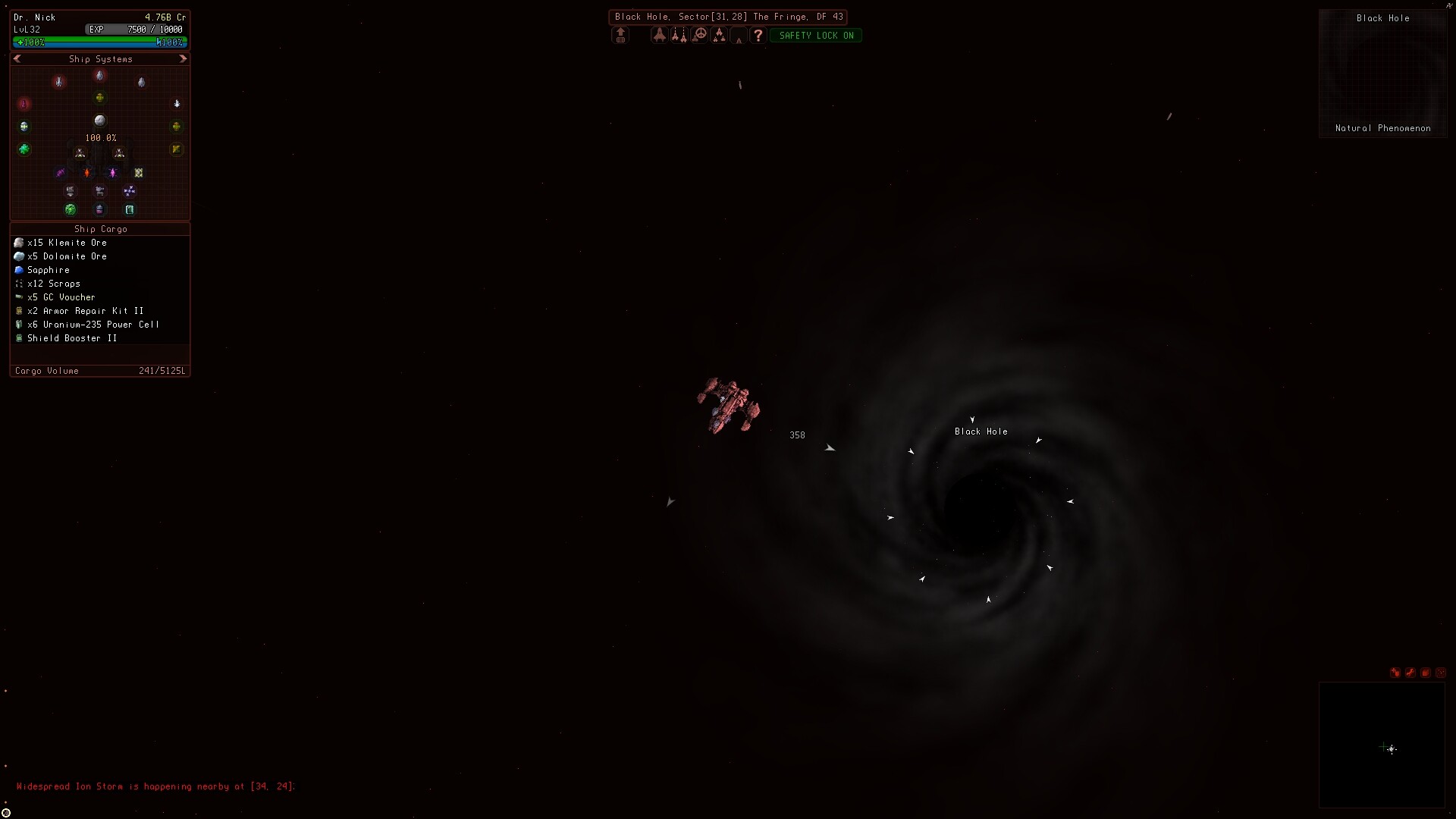
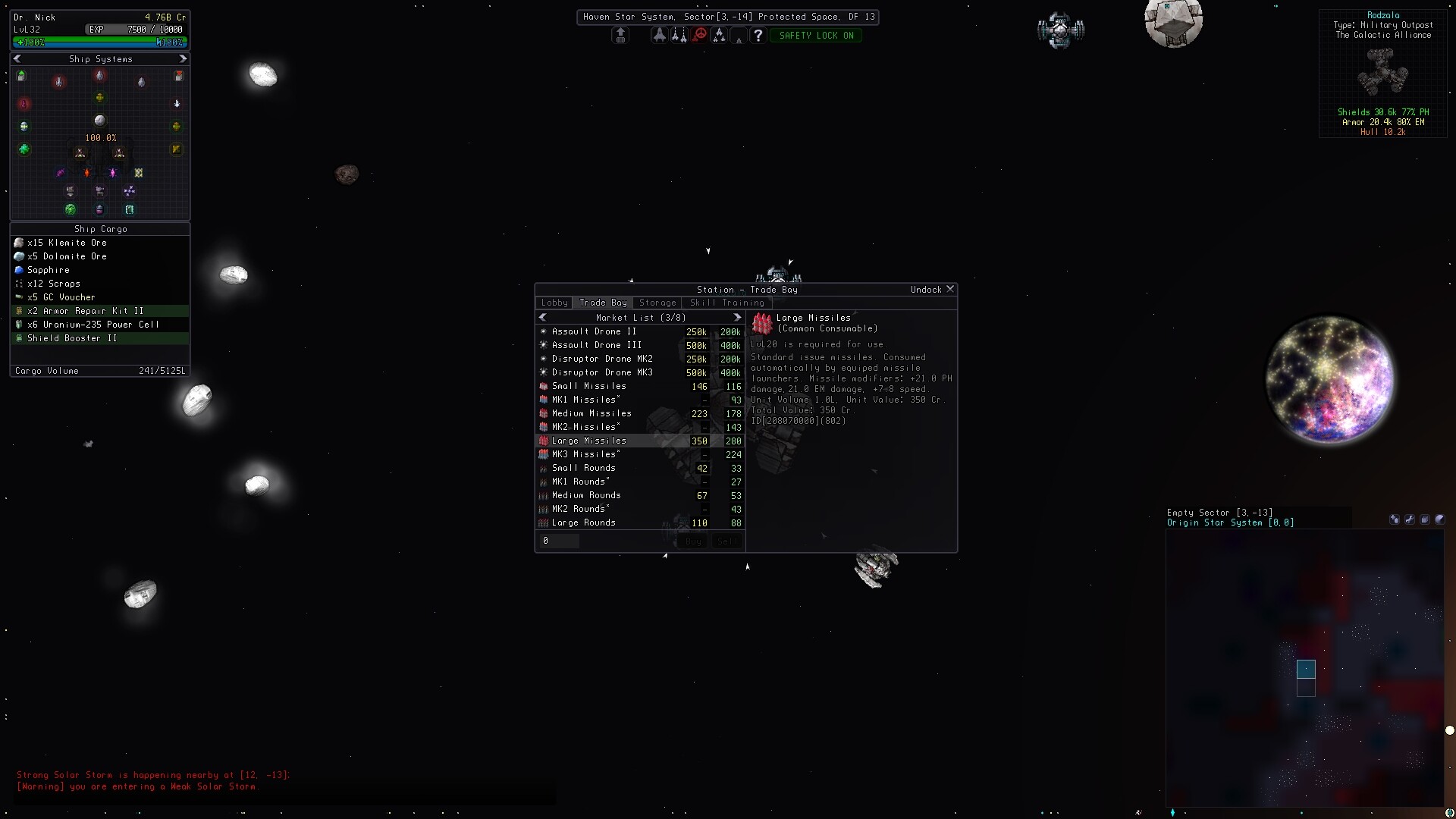
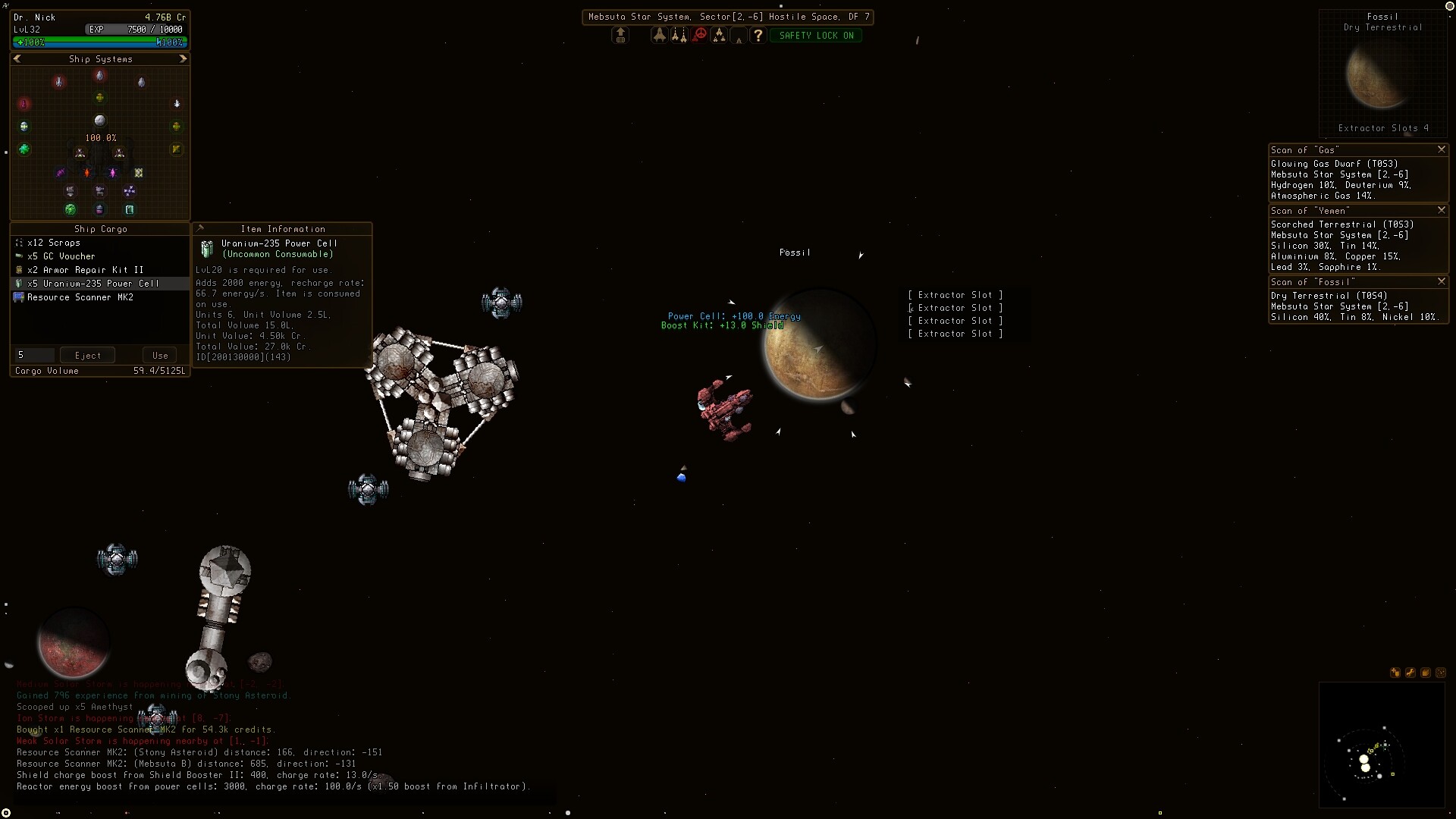
Sector Space is a single player sandbox top-down 2D space game with retro graphics. The game takes place in a procedurally generated world. Each world represents a single galaxy in the void.
Characters pilot their own ship and depending on the chosen character class (profession) may have up to 6 fleet ships. As the character levels up they may select various secondary skills to further specialize and improve their ship. Skills are automatically passed onto your fleet ships but at a reduction proportional to their level. The primary means of upgrading and progressing is through selection of gear and ships of increasing tier level. The game contains hundreds of items which may have modifiers applied enhancing their function.
The character's ship and fleet can be moved between world files allowing you to generate different "galaxies" to explore. Most resources are renewable so typically you only need to play on one world. Some locations are unique and present in all generated galaxy although their position may change.
A world (galaxy) is divided up into a grid with each cell being a "sector". Characters can move from sector to sector continuously or take advantage of jump drives, jump gates, and wormholes to move larger distances. A sector can be an entire asteroid field, star system, nebula etc. There are combat areas and anomalous regions with more challenging enemies and better item drops. The character may be visited by NPC or ambushed in a random encounter while they move through dangerous regions of space. Make use of NPC stations and resources to progress, additionally characters may deploy their own stations and fortify the area with drones to protect against hostile invaders.
The typical game loop consists of levelling and acquiring gear through combat or gathering resources and crafting items which will also grant experience towards levelling up. Players can mine asteroids, refining the ore into pure elements and then craft components which are used in the construction of items and ships. Additional resources may be extracted from planets and colonies. Item's can vary in price by region and fluctuate over time which can make trading between stations a viable source of credits.
🕹️ Partial Controller Support
🎮 Full Controller Support
- [0 B]
- \n
- Added + and - buttons to number input boxes on cargo and trade bay windows.\n
- Added quantity input box to fabrication and construction tabs in station window.\n
- Added recycle sound effect.\n
- Added buy and sell item sound effect.\n
- Added 6 types and 5 tier levels of salvaging materials and their decompositions.\n
- Changed normal asteroid respawn time from 10 to 15 mins.\n
- Demodifier nanites can no longer be used to remove modifiers from damaged or destroyed equipment.\n
- Fixed window system crash related to clearing all windows while ones is still in queue to be front.\n
- Fixed velocity limit on reverse strafing.\n
- Fixed issue where text search would not find exact matches when a space (char) was in the name.\n
- Fixed issue where searching in station cargo hold did not change the list navigator to the first item page.\n
- Modifier nanites can no longer be applied to damaged or destroyed equipment.\n
- Recycle icon now only shows on items that can be recycled on player owned stations.\n
- Recycling uses quantity input field, items requiring more than 1 input can be recycled and multiple of an item can also be recycled.\n
- Recyclers on NPC stations now vary in % material recovery efficiencies depending on location. \n
- Recyclers on player owned stations are now 80% efficient.\n
- Updated some item descriptions for clarity of function.\n
- \n
- Adjusted NPC pilot controls for faster alignment to target position when speed boosters are equiped.\n
- Added deadband to NPC pilot controls for less jitter when centering on a target.\n
- Added line feed to secondary skill appendix text so it doesn\'t look like part of the skill description.\n
- Fixed bug where you could scoop your own droppped gear while respawing.\n
- Fixed bug where not using the \"Use Storage.\" button would delete all content in the storage when crafting.\n
- Fixed crafting message saying crafted item was deposited into X location when using the \"Use Storage.\" button.\n
- Fixed issue where max secondary skills when above level 60 would say 8 when it\'s actually 7.\n
- Fixed issue where user could close the station menu without undocking.\n
- Removed velocity matching on NPC pilots when the ship they are following is not cloaked. \n
- \n
- Added floaty text to fleet ship slots so original ship hull name can be seen easily.\n
- Added repair sound for equipment repair kits.\n
- Added random delay for fleet ship undocking.\n
- Added small variation to docking and undocking sound and reduce volume for NPC docking sound.\n
- Added weapon critical hit debuff effects to the descriptions of all weapons.\n
- Character window will stay (be forced) on screen when using the expand button.\n
- Cargo window buttons in fleet management tab will now flash red when a ship has overflowing cargo.\n
- Doubled spawn rate of random encounters, chance of encounters depends on the sector region and condition state.\n
- Drydock store button in fleet management tab now indicates if drydock doesn\'t exist at the current station.\n
- Equipment window buttons in the fleet management tab will now flash red when a ship has damaged or destroyed gear.\n
- Equipment Repair Kit VI extended to repairing T7 gear.\n
- Fixed window display order issue again.\n
- Fixed jump button and jump key working even when no jump drive installed.\n
- Fixed window duplication issue, assigned default window layout to new player creation only.\n
- Fixed issue where item information windows wouldn\'t close when clicking X unless in focus.\n
- Fixed ship stats not updating immediately after repairing an in slot gear item.\n
- Fixed ship stats not updating immediately after applying or removing modifiers from another ships selected in slot gear item.\n
- Fixed issue where slot hover tip text would not update when item in slot changes.\n
- Fixed item display window not updating damage text after refreshing the window with a repaired item.\n
- Moved ship/drone/station sprite previewer into the item display window, item display text adjusted slightly to fit the previewer.\n
- Merchant ships will now seek stations to trade with in some sectors, their spawn rate depends on the sector region and condition state.\n
- Updated random encounter code, NPC naming and pilot flight mode now updates correctly.\n
- Updated item damage modifier code, more efficient compilation during stats update call.\n
- \n
- Added energy % display floaty next to health % to fleet ships when targeted.\n
- Added notes tab to Character window, content is saved to character file.\n
- Changed how buttons display in fleet management window, also some text changes, changes suggested by noncom on Steam.\n
- Changed wording of messages from fleet ships when using items in cargo so its clear who\'s using the item when it fails.\n
- Character window now saves its position and state on leaving/rejoining the game.\n
- NPC can now scoop credits (properly), credit scooping now plays associated fx audio.\n
- Fixed dyed local ships (bosses) not dropping their hull dye.\n
- Fixed being able to scoop items while docked (now you cant).\n
- Fixed Stations and Drones being able to scoop items (they are not suppose to scoop items!).\n
- Fixed NPC owned stations decaying items, was making some stored gear disappear.\n
- Fixed horizontal menu separator in fabricator and construction showing when item information is being displayed.\n
- Fleet management and skills window can now be toggled between full expanded window and narrow window.\n
- Removed Smooth Text button from Settings overlay.\n
- Removed health and energy % display in fleet management window.\n
- Tab key now toggles the character window, can be changed in settings.\n
- Updated SFX Volume, Music Volume, and GUI Scale sliders in Settings overlay to the new slider type.\n
- \n
- Added additional secondary skill slot with no level restriction (unlocked at level 0).\n
- Added background highlight to items marked as newly added to cargo holds, unpacked loot crates, scooped items, crafted aitems, and mission rewards.\n
- Added upgraded +line of store bought reactors.\n
- Added upgraded +line of store bought armors.\n
- Added upgraded +line of store bought shields.\n
- Added Character Window and associated toggle button to navigation window.\n
- Added Fleet Management secondary skill.\n
- Added Fleet Engineering secondary skill.\n
- Added Fleet unpack button when using a ship item, opens the menu and automatically installs to free fleet slot.\n
- Added Warp Arrow ship and crafting recipe.\n
- Added Void Shard crafting recipe.\n
- Added Huge Blob crafting recipe.\n
- Added Wraith crafting recipe.\n
- Added sound effect to scanners.\n
- Added some very rare universal commodity drops.\n
- Added Sodium, Potassium, Rubidium, Cesium, and Francium metals to commodities.\n
- Added ore waste processor, built station only item.\n
- Celenospar changed to Selenospar, refined product changed from Cesium to Selenium.\n
- Expanded radar is now slightly bigger, can be size locked by using the pin button.\n
- Fixed issue where a newly opened window would not gain focus.\n
- Fixed world selection screen not drawing pane with back button (to character selection) being drawn when there are 5 worlds.\n
- Moved Fleet Management into Character Window, added display for fleet points and information button.\n
- Moved Character Skills into Character Window.\n
- NPC outside the players fleet now keep items they scoop, such as asteroid ore.\n
- NPC will now randomly sell items they scoop if they can dock.\n
- NPC away from stations will have commodities decay in their inventory by half -1, gear will never decay (to stop them becoming full from mining).\n
- NPC may randomly investigate and scoop items in space not claimed by anyone.\n
- NPC (non-fleet) now drop their inventory on death.\n
- Ships that are \"discovered\" will show full scan results as long as they are targeted and within 5k of the player.\n
- Ships will only become \"discovered\" if targeted and within 1k distance.\n
- Ships that are \"discovered\" will now grant a small amount of experience based on their tier level.\n
- Updated some item icons.\n
- \n
- Asteroids mined (last shot) by NPC now give half the experience compared to the player.\n
- Added stars to modded item showing the number of modifiers applied at a glance.\n
- Added more ships to the Shenzhen Shipyards station.\n
- Added [Material] tag to all item descriptions which are inputs to other crafting recipes.\n
- Adjusted stats of some reactors.\n
- Bar separator \"lines\" now scale their thickness with the GUI scale value.\n
- Backwards / retro thrust key is now for braking the ship, toggles braking state depending on if you are moving.\n
- Changed how weapon and tether stats are displayed.\n
- Changed ship movement keys, when using the reverse thrust / braking key and a rotation the ship will strafe.\n
- Changed ship auto pilot code to get ship to target faster.\n
- Chained the recipes for Dropship, Deployer, and Carriers.\n
- Colony kits can be combined in fabricator.\n
- Window edge texture is now using correct texture filter for scaling, was blurry on scale up.\n
- Fabricator and Construction windows will now create Item Information windows that include the recipe\'s required materials.\n
- Fleetships set to follow will only auto-mine when the player is not moving at full speed.\n
- Fleetships now minimize their thrusters when cloaked to keep detection distance low when following the player.\n
- Fixed fleetship follow behavior, now keeps better formation and matches speed.\n
- Fixed equipment repair kit being triggered by using other unrelated items.\n
- Fixed issue where a ship item could be dragged out of cargo while trying to switch to that ship.\n
- Fixed issue where autopilot would randomly break and require save file reload to fix.\n
- Fixed issue where docked ships would undock in a different position.\n
- Fixed thrust issue with speed boosting devices.\n
- Fixed weapon mounts not applying correct transparency value when cloaked.\n
- Fixed black holes not reducing strafe thrust.\n
- Faction reputation value is now stored, however is not yet used.\n
- Jump drive will no longer allow jumping when cargo hold is overflowing.\n
- Jumping, traversing gates, and wormholes now adds some motion to shove the player clear of the location.\n
- Reduced material tier of the Patroller crafting recipe.\n
- Removed construction recipe Station Trade Bay until it is fully implemented.\n
Added repair items to some markets.
[/*]Added item search bar to top of all cargo hold lists.
[/*]Added item search bar to top of trade and market list.
[/*]Added item search bar to fabricator and construction tab in stations.
[/*]Added more unique ship names, pilot names, and station names.
[/*]Added new ship name generator pattern.
[/*]Added transfer to fabricator button in station cargo windows.
[/*]Added transfer to station cargo button in fabricator and constructor windows.
[/*]Added color outline selection for map markers.
[/*]Added outpost and destroyed outpost versions of refueling stations.
[/*]Added noble gases and repair kits to drop tables.
[/*]Autopilot now has increased precision and will do a near target precision approach.
[/*]Base energy recharge of all reactors in game have been slightly raised.
[/*]Cargo list window buttons now graphically illuminate when interacted with.
[/*]Cargo list window buttons now support rapid \"auto\" click when held down.
[/*]Cargo list now shows a small dollar sign and recycle icon next to items rather than a tinted background color.
[/*]Changed some item names to not confuse their name with their damage states.
[/*]Changed item list sorting to type and alphabetically rather than ID.
[/*]Changed description wording on some items and skills.
[/*]Credit drop amounts reduced for non-player or non-player faction killed NPCs.
[/*]Cloaking detection range is now modified by the engine thrust effect, previously was set to when move() actions were called.
[/*]Cloaking detection range increases considerably more when moving now.
[/*]Death location is now marked on the map, is removed automatically when returning to the exact location.
[/*]Damaged items now have their text darkened, the word \"Damaged\" affixed to their name and a warning in their description.
[/*]Damaged items now have reduced functionality when installed, they also sell for less.
[/*]Destroyed items now have their text set to grey, the word \"Destroyed\" affixed to their name and a warning in their description.
[/*]Destroyed items now do not function when installed, they also sell for less.
[/*]Docking timer will now start counting if player is below 0.5 speed.
[/*]Fabrication and construction bay items are now deposited into the fabrication bay cargo when crafting. Fabricated items are now deposited into the fabrication bay cargo.
[/*]Fabricated items are now pinned in the inventory they are deposited to.
[/*]Fixed issue where clicking too rapidly between cargo items could activate double click to use.
[/*]Fixed issue where resizing cargo window would allow mouse to grab items from equipment slots.
[/*]Fixed text input fields not obeying UI window focus rules.
[/*]Fixed station manage tab double drawing the name over the input field.
[/*]Fixed station manage tab equipment panel text offset.
[/*]Fixed item description of MK1 station, says has 6 weapons but actually only has 5.
[/*]Fixed fabrication and construction window buttons being drawn in wrong location.
[/*]Fixed player owned colonies not allowing extractors installed due to being \"not owned by player\".
[/*]Fixed extractor recovery items not refreshing cargo windows on use.
[/*]Fixed ramscoops giving up on other sources when first scoop source fails.
[/*]Fixed hot-bar calling item database name look-up too often when assigned item is not found in cargo.
[/*]Fixed station lobby window disappearing at other stations after docking at a derelict station.
[/*]Fixed issue where auto-clicking could get stuck if the button was not visible.
[/*]Fixed issue where level rewards was constructing and loading items from database every second when not docked.
[/*]Fixed fuel stations loading the wrong market list index which contained a market containing all markets.
[/*]Fixed spelling error on Transcendental expander devices.
[/*]Fleetships now attempt to stay in a formation around the player.
[/*]Gear slots with damaged items now blink red to warn the player of their damaged or destroyed status.
[/*]Gear slots each have a 5% chance to be damaged on death.
[/*]Gear slots already damaged have a 5% chance to be destroyed on death.
[/*]Hull expanders have been given a cargo volume buff to make them more useful.
[/*]Hull expanders have been given a % reduction in ship hull integrity for ballance.
[/*]Half of all gear dropped directly will be damaged or destroyed, excluding loot crate gear which is always repaired.
[/*]Modded items are no-longer tinted a color.
[/*]NPC will not investigate your location if you are cloaked.
[/*]Jump drive charge rates reduced by half on all drive items, jump drive charge rate modifiers also reduced by half.
[/*]Jump drive minmum jump distance restriction removed, can now be used to make 1 distance jump.
[/*]Planet scanners now display colony base suitabillity of planets which can be colonized.
[/*]Player owned stations now provide free repair and recharge, hull, armor, shield, and energy are taken from the station.
[/*]Player is now forced to station position when docked.
[/*]Scooping is enabled automatically when recovering extractors, resources, or colony tax.
[/*]Some double modifiers now have unique names.
[/*]Ship friction in space reduced significantly.
[/*]Undocking from stations now gives you a push in your forward directions to clear the station.
[/*]
Added game version to pause screen.
[/*]Added description text to blueprint items to indicate what they are used for or how to use them.
[/*]Added some item placeholders in the database, reservations for future content.
[/*]Added item (gear) damage mechanic, items can be in a damaged state or completely non-functional state.
[/*]Added more text to the description of some items to help indicate to the player what they are used for.
[/*]Added higher tier Target Scanner items, updated item drop tables.
[/*]Added new cargo window item transfer buttons, items can now be split to fleet equally.
[/*]Asteroid hardness is now displayed on some ores.
[/*]Changed how some item tags are displayed, now indicates if items are a Consumable, Deployable, Activatable, Ammunition, or Blueprint subtype.
[/*]Changed player owned station hull integrity status bar length and removed expansion button.
[/*]Changes to back-end UI stuff, now Cargo and Utility windows share same ListNavigator.
[/*]Fixed some buttons drawing under the text of some windows.
[/*]Fixed pointer icon\'s not adapting their position to GUI scale changes.
[/*]Fixed fabricator and construction bug where items were not being consumed.
[/*]Fixed deployable station items having wrong number of modules or devices listed in item description.
[/*]Fixed missing market list for Crystal Research station.
[/*]Fixed cargo window showing \"null\" on first opening.
[/*]Fixed window focus issue preventing item slots being grabbed immediately with mouse.
[/*]Fixed fleetship name input field arrow keys changing menu pages rather than moving the cursor.
[/*]Items on hot-bar no-longer display a quantity value when their quantity is one or zero, icon will now appear faint when zero.
[/*]Item transfer range has been reduced to 500.
[/*]Increased nebula particle carpet culling border to hopefully stop pop-in on 4k+ screens.
[/*]Increased station docking distance slightyly.
[/*]Long custom ship names now compress and scroll in Cargo, Utility, and Status window title bars.
[/*]Mining Power secondary skill now grants +1 Mining Power to all mining lasers when trained to level 10 or higher.
[/*]Negotiation secondary skill: level 10 or higher grants bonus range and +1 tier of scanning power to Target Scanners when used on ships, drones, and stations.
[/*]Prospecting secondary skill: level 10 or higher grants bonus range and +1 tier of scanning power to Target Scanners when used on asteroids.
[/*]Proximity Target Scanner renamed to Target Scanner.
[/*]Out of range fleet windows will show distance and direction to the fleet member.
[/*]Raised GUI scaling limit to 300% for 4k screen users.
[/*]Raised tier level of tier 1+ blueprints by one, now lines up with product item tier.
[/*]Status windows for fleet ships no longer show out of range at large distances.
[/*]Temporary item information windows will now close when dragging an item.
[/*]Target Scanner item now displays asteroid hardness on use.
[/*]Target Scanner item now displays gear at or below its tech level when used on ships, drones, and stations.
[/*]Trade window quantity input is reset to 0 after changing selection, buying, or selling an item to prevent accidental transactions.
[/*]
- \n
- Added four more assignable hot-keys and their key binds in settings menu.\n
- Added assignable item hot-bar, items can be dragged into the bar to assign, bar assignment is persistent on load.\n
- Ammunition (missiles and rifle rounds) assigned to hot-bar will be consumed first.\n
- Added resize button on Cargo windows, window resizing was suggested by user dezgard on Steam.\n
- Added fleet ship auto-mine button, on by default with keybind as Z, can be changed in settings.\n
- Added fleet ship auto-mine behaviour, will mine within 750 distance of player, will scoop ore.\n
- Added expanded toggle button to status windows to show full health bars, removed double click toggle.\n
- Changed order of energy, hull, armor, and shield status bars and credit display location in status window.\n
- Changed some drone and station item icons.\n
- Fixed the included linux JRE, was headless missing the graphics libs.\n
- Fixed some window and menu icon\'s using the wrong texture scaling filter.\n
- Fixed window close button not visible initially on temporary Item Information windows.\n
- Fixed issue where dragging an item could activate a deployable or consumable selection.\n
- Window positions, sizes, and states are now persistent on load, suggested UI improvements by dezgard on Steam.\n
- World save file version text now displays Red and Orange for compatibility issues, yellow or green is usually safe to play.\n
Minimum Setup
- OS: (Tested on) Linux Mint 22.1 Cinnamon 6.4.8
- Processor: Intel Core i3-7300. AMD Athlon PRO 200GEMemory: 2048 MB RAM
- Memory: 2048 MB RAM
- Graphics: GeForce GT 740. Intel UHD Graphics 750. ATI Radeon HD 4670
- Storage: 512 MB available space
Recommended Setup
- OS: (Tested on) Linux Mint 22.1 Cinnamon 6.4.8
- Processor: Intel Core i7-7700. AMD Ryzen 7-1700Memory: 2048 MB RAM
- Graphics: GeForce GTX 960. ATI Radeon HD 5970
- Storage: 512 MB available space

[ 6375 ]

























[ 5872 ]


[ 1265 ]





















[ 1943 ]















[ 986 ]



















Time left:
356100 days, 13 hours, 28 minutes

Time left:
356100 days, 13 hours, 28 minutes

Time left:
4 days, 21 hours, 28 minutes

Time left:
32 days, 21 hours, 28 minutes

Time left:
35 days, 21 hours, 28 minutes

Time left:
36 days, 21 hours, 28 minutes

Time left:
10 days, 7 hours, 28 minutes

Time left:
5 days, 15 hours, 28 minutes

Time left:
11 days, 15 hours, 28 minutes

Time left:
12 days, 15 hours, 28 minutes

Time left:
17 days, 15 hours, 28 minutes

Time left:
19 days, 15 hours, 28 minutes

Time left:
23 days, 15 hours, 28 minutes

Time left:
3 days, 4 hours, 43 minutes

Time left:
7 days, 21 hours, 29 minutes

Time left:
9 days, 20 hours, 29 minutes

Time left:
15 days, 3 hours, 39 minutes


